

Nutanix Limitations
When evaluating Nutanix, you should be aware of the following limitations reported by users on the G2 platform:
- Cost considerations: Nutanix solutions can represent a significant investment, especially for small to medium-sized businesses. The initial setup and ongoing maintenance costs can be higher compared to other HCI solutions in the market.
- Complexity in migration: Transitioning from traditional data center architectures or other HCI solutions to Nutanix can be complex. Organizations may face challenges in migrating existing workloads, requiring careful planning and possibly external support.
- Hardware compatibility: Although Nutanix supports a range of hardware platforms, there are specific requirements for compatibility. Organizations must ensure their existing hardware is compatible or may need to invest in new hardware.
- Learning curve: New users might experience a steep learning curve with Nutanix ecosystems, especially if they are not familiar with hyper-converged infrastructure concepts. Adequate training and resources are essential for smooth onboarding.
Nutanix Alternatives and Competitors
In light of these limitations, here are a few alternatives you should consider, grouped by the role they play when you move away from or evaluate Nutanix.
Migration and Dependency Mapping
These tools don’t replace Nutanix’s infrastructure directly. Instead, they map what is running and how it connects before, during, and after a migration to or from Nutanix or any other HCI platform—reducing the risk of missed dependencies during cutover.
1. Faddom

Faddom is an agentless application dependency mapping (ADM) platform that maps on-premises and cloud infrastructure in real time and automatically groups servers into business applications. It deploys without agents, without server credentials, and without firewall changes, and produces its first maps within about 60 minutes of installation. The platform works from a copy of network traffic, so all data stays inside the customer’s environment, and it can operate offline. It applies AI-driven correlation to turn raw network data into continuously updated application and dependency maps. Faddom is used for migration planning, change management, cybersecurity, IT audit and compliance, and cost optimization across hybrid and multi-cloud topologies.

Key features include:
- Agentless, read-only discovery: Faddom maps the environment without installing agents on servers, without requiring server credentials, and without opening firewalls or needing internet access. It reads a copy of network traffic rather than actively probing systems, so the tool does not alter the environment it observes. This lowers deployment friction and keeps data within the organization’s own network.
- Real-time application dependency mapping: The platform automatically discovers servers and classifies them into business applications, showing how applications and servers communicate with each other. Maps are updated continuously, 24/7, so changes in the environment are reflected as they occur rather than captured in a one-time scan. This gives teams a live view instead of a static diagram that ages quickly.
- Hybrid and multi-cloud coverage: Faddom connects to multiple on-premises and cloud data sources and discovers hybrid business applications across them within minutes. It maps IP addresses to host services and software versions, which is useful in environments where existing documentation is incomplete or inaccurate. It is built to span different platforms rather than a single vendor’s stack.
- Migration planning support: The tool supports strategic, wave-based migration planning by exposing the dependencies and communication flows between servers before any workload is moved. Teams use it to prepare data-center and cloud migrations and to validate them once complete. This shortens the discovery work that normally precedes a migration project.
- Security and change-management visibility: Faddom surfaces communication flows, shadow IT, external traffic, and SSL/TLS certificate status, and it tracks changes across the environment over time. Teams use this to detect anomalies, support network segmentation, and assess the impact of a change before it is made. The same data feeds IT audit and compliance documentation.
- Asset documentation and cost optimization: By continuously documenting servers, cloud instances, applications, and their dependencies, Faddom builds an automated inventory that supports governance and capacity decisions. This visibility helps identify idle or redundant resources and informs resource allocation. It provides a single source of truth in place of outdated spreadsheets.
Limitations (as reported by users on G2):
- Initial learning curve: Some users note that the terminology and the breadth of features take time to learn, and that getting full value involves working through onboarding and using the tool regularly rather than treating it as set-and-forget.
- Reporting and export refinements: A few reviewers would like richer exportable reports and dashboards, such as more polished executive-level views and a larger working area when exporting lists.
- Best paired with other systems: Because Faddom is focused on mapping and is read-only, some users pair it with other platforms when they need native remediation or broader configuration-management functions.
2. Device42

Device42, a Freshworks company, is an agentless discovery, asset management, and dependency mapping platform for hybrid data center and cloud environments. It automatically discovers physical and virtual infrastructure, cloud resources, applications, and the relationships between them, and stores the results in a configuration management database. The platform spans environments from legacy mainframes to cloud containers and groups discovered workloads by application affinities. Organizations use it for IT operations, compliance and audit, IT service management, and migration planning. Device42 reports customers across more than 60 countries.

Key features include:
- Hybrid infrastructure and IaaS discovery: Device42 performs automated, comprehensive discovery of physical and virtual servers, network devices, and cloud resources across hybrid environments. It identifies over-provisioned or under-utilized assets, redundant software, and power and thermal issues in the data center. This produces a continuously updated picture of what exists and how it is used.
- Application dependency mapping and affinity groups: The platform visualizes asset dependencies and relationships and groups workloads by application affinities, which helps construct move groups for migration projects. Drill-down views and impact charts show how applications, servers, and services relate to one another. This supports informed decisions when planning changes or modernizations.
- Configuration management database (CMDB): Device42 maintains a CMDB with continuously updated, enriched configuration item data intended to act as a single source of truth. It feeds IT service management processes with asset and configuration detail that native ITSM discovery tools often lack. This centralizes infrastructure records for operations and audit.
- IP address management: The platform centralizes IP address visibility and control, including a subnet usage tree that shows used and free addresses. This helps prevent address conflicts and supports network organization. It ties IP data back to the discovered assets that use it.
- Storage and software license management: Device42 discovers storage resources for cost and operational insight and tracks software licenses to support compliance and cost transparency. It records hardware and software assets together with warranty and contract data pulled from vendors. This consolidates asset, license, and storage information in one place.
- Migration and modernization support: By mapping dependencies across legacy and cloud environments, Device42 helps de-risk migrations and modernization initiatives. It groups communications into move groups so workloads that depend on each other move together. This provides the dependency detail needed at each phase of a migration.
Limitations (as reported by users on PeerSpot):
- Manual, effort-intensive upgrades: Users report that product upgrades are manual and can require significant effort, including standing up a new version, rather than a streamlined in-place process.
- Time-consuming initial setup: Configuring discovery in large environments can be lengthy, particularly when different credentials are needed to set up multiple discovery jobs.
- Confusing licensing model: Some reviewers find the license model difficult to interpret, with certain capabilities only available through separate add-ons.
- Slow bulk operations: Bulk deletion of assets is described as time-consuming, and some users would like the workflow optimized.
- Dashboard and mapping refinements: Reviewers ask for more accurate dashboard widgets and improved dependency-mapping speed.
3. Virima

Virima is an IT management platform that combines IT discovery, a configuration management database, service and application dependency mapping, IT asset management, and IT operations management in one solution. It uses both agentless and agent-based discovery across on-premises, cloud, and remote assets to build and maintain an asset inventory. Its dependency mapping feature, ViVID, builds live service maps from discovery data and overlays operational context such as incidents, changes, and vulnerabilities. The platform integrates bi-directionally with ITSM tools including ServiceNow, Jira Service Management, Ivanti, Halo, Xurrent, and Hornbill. Virima is positioned for change management, incident response, vulnerability prioritization, compliance, and migration planning.
Key features include:
- Automated discovery (agentless and agent-based): Virima discovers assets across hybrid estates—on-premises, cloud, and remote—using scheduled scans to keep an asset inventory current. Agentless IP-based scanning is complemented by optional agents for continuous monitoring and off-network visibility. This provides the underlying data that the CMDB and service maps depend on.
- ViVID service and application dependency mapping: ViVID builds dependency maps from discovery data and offers views including business service maps, application dependency mapping, communication flows, cloud relationships, network device dependencies, and service topology. Communication-flow views surface host-to-host connections, including assets not yet recorded in the CMDB. Maps refresh as new scan data arrives rather than being maintained by hand.
- Configuration management database: Virima provides an ITIL-aligned CMDB enhanced with automation, and it synchronizes with external data sources and ITSM platforms to maintain a configuration baseline. This keeps configuration data consistent across the tools an organization already uses. It serves as the system of record for assets and their relationships.
- Operational and vulnerability overlays: ViVID overlays active incidents, pending and recent changes, and NIST National Vulnerability Database entries directly onto service maps through its ITSM integrations. This places operational and security context on the same view as the dependency map. It is used to assess change impact and prioritize remediation by business-service criticality.
- Cross-platform portability and integrations: Because maps are sourced from Virima’s discovery layer, the same service intelligence is available across each connected ITSM platform rather than locked into one tool. Bi-directional integrations let configuration and dependency data flow in both directions. This lets teams on different ITSM platforms work from the same dependency view.
- Migration planning use case: Virima is used to visualize what is running, how it connects, and what depends on it before consolidating data centers or migrating to the cloud. This dependency visibility is intended to reduce the risk of overlooking connections during a move. It supports planning across on-premises, cloud, and hybrid environments.
Limitations (based on publicly available sources):
- Initial learning curve: Getting full value from the discovery, CMDB, and service-mapping capabilities can require upfront training before teams are comfortable with the platform.
- Premium over basic tools: Its broader ITAM, ITSM, and ITOM feature set carries a higher cost than simpler, single-purpose asset or discovery tools.
- Smaller market footprint: As a smaller vendor, Virima has a more limited market presence and partner ecosystem than larger competitors, which some evaluators weigh during selection.
- Coverage gaps for some legacy hardware: Certain legacy or niche devices have been reported as outside the platform’s monitoring scope.
Enterprise Hyperconverged Infrastructure
These are appliance-based HCI platforms aimed at data-center and enterprise workloads, in the same category as Nutanix’s own hyperconverged infrastructure.
4. Dell VxRail

Dell VxRail is a hyperconverged infrastructure system co-engineered with VMware that integrates compute, storage, networking, and virtualization into pre-configured, purpose-built appliances. It is designed to extend and enhance VMware virtual machine environments and is delivered as part of Dell’s private cloud and HCI portfolio. Dell positions it for data-center modernization, hybrid cloud environments, and developer-ready Kubernetes deployments. It is offered with flexible deployment and subscription options. Support is provided at the solution level, covering both the hardware and the system software.
Key features include:
- VMware co-engineered HCI: VxRail integrates compute, storage, networking, and virtualization in a single pre-configured system built specifically to extend VMware virtual machine environments. The HCI approach combines these elements to optimize a defined software stack rather than assembling them separately. This is aimed at organizations standardizing on VMware.
- Turnkey, automated infrastructure: The system is designed to simplify IT management with automated, secure infrastructure that delivers cloud-like agility. It provides flexible solutions intended for seamless operations across a range of virtualization options. This reduces the manual setup associated with traditional three-tier architectures.
- Flexible deployment and subscription options: VxRail can be matched to different environment and workload needs through flexible solutions and subscription models. This lets organizations align consumption and deployment with their requirements. It sits within Dell’s broader portfolio alongside disaggregated private cloud options.
- Kubernetes and hybrid cloud support: Dell identifies VxRail as suited to developer-ready Kubernetes deployments, hybrid cloud environments, and data-center modernization. This positions it for organizations running both traditional and container-based workloads. It is intended to bridge on-premises infrastructure with hybrid cloud strategies.
- Solution-level support and services: VxRail comes with leading support and services that cover both the hardware and the system software as a single solution. This is intended to reduce the coordination required when hardware and software are supported separately. Dell provides the support for the integrated system.
Limitations (as reported by users on PeerSpot):
- High cost and limited pricing transparency: Users describe VxRail as expensive, with significant licensing and support costs, and ask for clearer upfront pricing.
- Vendor lock-in: Because Dell is the sole supplier for VxRail, some reviewers note reduced flexibility in hardware sourcing.
- Complex upgrade process: Upgrades are reported as complex and almost always require Dell support and active support contracts.
- VMware dependence: The platform is tied to VMware, and users would like better compatibility with non-VMware environments.
- No built-in backup: Reviewers note that backup is not included as part of the bundle, and that shutdown and migration procedures can be involved.
5. HPE SimpliVity

HPE SimpliVity is a hyperconverged infrastructure solution that combines compute, storage, and data services in a single system optimized for edge, VDI, and general virtualization workloads. It uses software-defined infrastructure with unified management, policy-based automation, and the machine-learning predictive analytics of HPE InfoSight. Built-in data protection provides high availability across as few as two nodes, along with backup, resiliency, and disaster recovery. Its data efficiency reduces input/output requests, frees up storage, and accelerates local and remote backup and restore. It supports VMware and now includes HPE’s VM Essentials (Morpheus) hypervisor option, and integrates with HPE GreenLake.
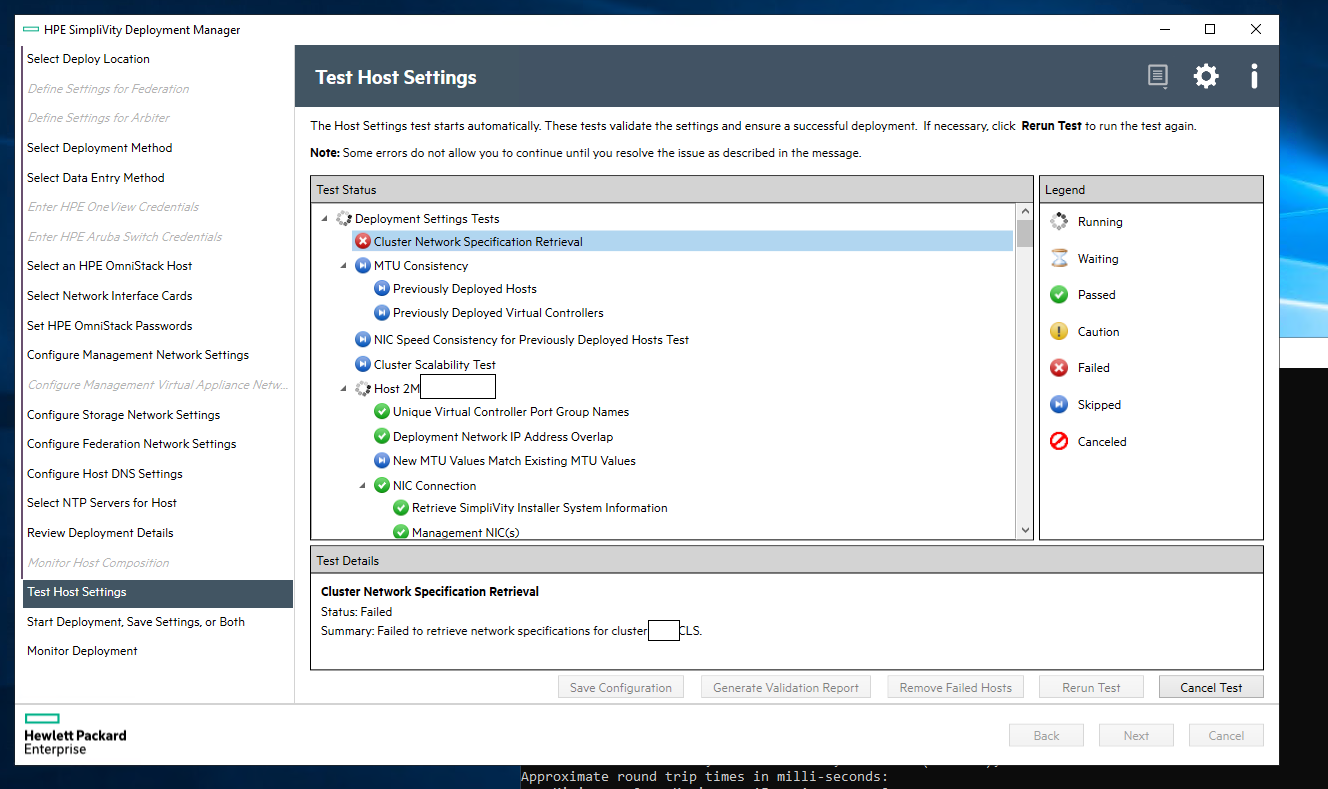
Source: HPE
Key features include:
- All-in-one software-defined HCI: SimpliVity consolidates infrastructure into a single system managed through software-defined infrastructure, unified management, and policy-based automation. This is intended to simplify deployment, scaling, management, and troubleshooting. It reduces the number of separate components administrators have to operate.
- Built-in data protection and high availability: The platform provides high availability across just two nodes, with built-in data protection, resiliency, and disaster recovery from edge to cloud. It enables rapid backup and restore of virtual machines. This keeps data protection inside the platform rather than relying on separate products.
- Data efficiency: SimpliVity’s data efficiency reduces input/output requests, frees up storage capacity, and accelerates local and remote backup and restore operations. This efficiency is built into the platform rather than added on. It is intended to lower storage overhead for virtualized workloads.
- AI-driven management with HPE InfoSight: By adding HPE InfoSight machine-learning predictive analytics, the platform offers self-managing, self-optimizing, and self-healing behavior. This applies analytics to operations and troubleshooting. It moves management beyond purely software-defined toward AI-assisted operation.
- VM-centric management and hybrid cloud: SimpliVity provides VM-centric management and integrates with HPE GreenLake for Private Cloud Business Edition for cloud-based visibility and control. Workloads can run on-premises, at the edge, or at a hyperscaler. The HPE VM Essentials option lets customers manage existing VMware workloads or re-platform to the HPE hypervisor.
Limitations (as reported by users on PeerSpot):
- Limited hypervisor support: SimpliVity has historically depended on third-party hypervisors such as VMware, and users want broader native hypervisor support.
- Backup and replication automation: Reviewers ask for more automation in backup and replication processes.
- Scalability at large scale: Some users report scalability and flexibility limits in large enterprise environments, including the number of Federation nodes required at secondary sites.
- Lengthy upgrades: Upgrades are multi-step and time-consuming, with users citing roughly two or more hours per node.
- Limited hardware choice: The product is tied to a small set of server models, and some users would like more options.
6. Microsoft Azure Local

Microsoft Azure Local—formerly Azure Stack HCI—is a distributed infrastructure solution that extends Azure capabilities to customer-owned environments, using Azure Arc as the unifying control plane. It runs both modern and legacy applications across distributed or sovereign locations and supports deployments that are connected or disconnected from the cloud. It is managed with familiar Azure tooling, including the Azure portal, Azure CLI, and ARM templates, and can onboard services such as Azure Policy, Microsoft Defender for Cloud, and Azure Monitor. It draws on a broad partner hardware ecosystem with prescriptive bills of materials. It is priced per physical core on the on-premises machines, plus consumption charges for any additional Azure services used.
Key features include:
- Azure Arc–based management: Azure Local uses Azure Arc as a single control plane and provides a cloud-native management experience across distributed locations. Administrators manage, govern, and secure infrastructure and workloads from a single pane of glass. This extends Azure’s management model to on-premises and edge hardware.
- Connected or disconnected operation: The solution supports deployments that remain connected to the cloud as well as those that operate disconnected from it. This accommodates environments with intermittent or restricted connectivity. It lets workloads keep running locally when the network is unavailable.
- Partner hardware ecosystem: Azure Local relies on a broad partner ecosystem and provides a catalog and prescriptive bills of materials across hardware solution categories. This gives organizations validated hardware paths rather than assembling configurations from scratch. It spans a range of deployment sizes.
- Integration with Azure services: Beyond core infrastructure, the platform can onboard Azure services such as Azure Policy, Microsoft Defender for Cloud, Azure Monitor, and Copilot for Azure. These roll up to an organization’s existing Azure subscription and billing. This brings cloud governance and security services to on-premises resources.
- Edge, continuity, and sovereignty use cases: Azure Local targets needs such as local AI inferencing where data is processed at the source, mission-critical continuity through network outages, near-real-time control systems, and strict data sovereignty or regulatory requirements. These map to scenarios in retail, manufacturing, energy, and regulated sectors. It keeps compute and data local where required.
Limitations (as reported by users on PeerSpot):
- Deployment complexity: Users report that deployment can require meaningful technical expertise and reliance on PowerShell, and would like a simpler process.
- Non-Microsoft workloads: The platform is strongest within the Microsoft ecosystem, and reviewers want better support for non-Windows workloads.
- Hyper-V virtualization: Some users feel the Hyper-V virtualization layer lags behind competing hypervisors such as VMware.
- Cost for smaller organizations: Reviewers note the model can be less cost-effective for smaller businesses.
- Maturity and documentation: Users cite areas such as storage architecture, integrated switching, Azure portal integration, and documentation as still maturing.
Virtualization and Edge Platforms
7. VMware vSphere
VMware vSphere, now part of Broadcom, is an enterprise virtualization platform built on the ESXi hypervisor and managed through vCenter. It consolidates workloads onto virtualized compute and is delivered as part of VMware Cloud Foundation and VMware vSphere Foundation. Recent releases add a built-in Kubernetes runtime so virtual machines and containers can run side by side, along with support for the latest CPUs and GPUs for AI workloads. It includes availability features such as High Availability, Fault Tolerance, and vMotion live migration. It also provides built-in security features including virtual machine encryption and confidential computing.
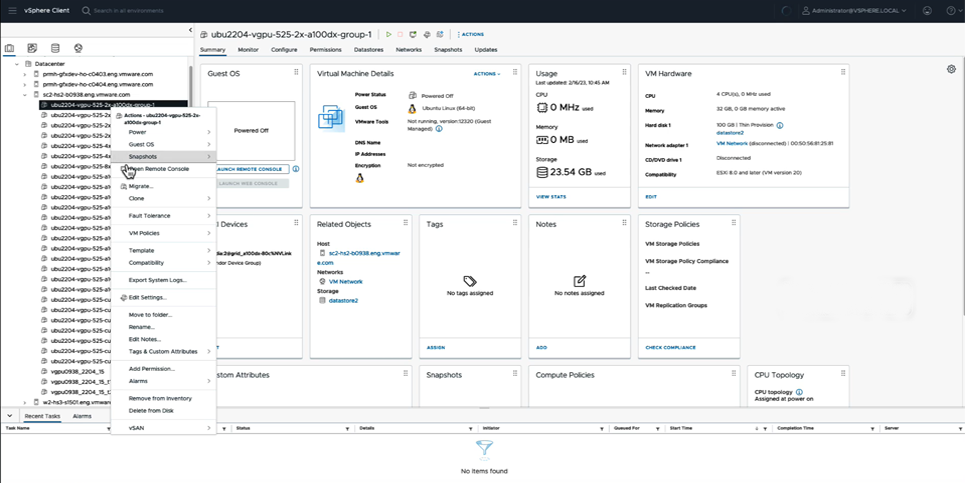
Source: VMware

Key features include:
- ESXi virtualization and consolidation: vSphere virtualizes compute resources with the ESXi hypervisor, consolidating workloads to make fuller use of underlying hardware. It serves as the foundation for running enterprise virtual machines. This is the core function the rest of the platform builds on.
- Simplified lifecycle management: The platform manages infrastructure images using a desired-state model to patch, update, or upgrade clusters, and it can remediate hosts in parallel. Live patching for ESX is enabled by default for most security patches, and quick patching reduces vCenter maintenance windows. This lowers the operational time spent on upgrades.
- Resource scheduling and performance: Distributed Resource Scheduler automatically load-balances workloads across a cluster, and Storage DRS optimizes virtual machine data placement over time. vSphere supports the latest processors and a broad ecosystem of GPUs, plus memory tiering with NVMe for data-intensive workloads. These features target performance for both traditional and AI workloads.
- Built-in Kubernetes runtime: A single API provisions and manages both virtual machines and Kubernetes clusters, with role-based self-service access to infrastructure resources. The platform runs a CNCF-conformant Kubernetes distribution. This lets teams run containers consistently alongside VMs.
- Availability and business continuity: High Availability automatically restarts virtual machines after a physical host failure, while Fault Tolerance provides continuous availability with no data loss during a hardware failure. vMotion and Storage vMotion enable live migration of running VMs and storage without downtime. These features address planned and unplanned interruptions.
- Built-in security: vSphere includes virtual machine encryption, confidential computing using Intel TDX and AMD SEV-SNP, identity federation with providers such as Microsoft Entra ID, and a framework for third-party EDR integration at the hypervisor. It supports TLS 1.3 and runs in a FIPS-compliant mode by default. This builds security controls into the infrastructure layer.
Limitations (as reported by users on G2):
- Cost and licensing complexity: Users cite cost and licensing complexity, particularly following pricing and packaging changes after the Broadcom acquisition.
- Learning curve: Reviewers note a steeper learning curve for administrators who are new to the platform.
- Upgrade and compatibility friction: Some users find upgrades and version compatibility more complicated than they would like.
- Add-on licensing for extra capabilities: Enabling capabilities such as vSAN or VDI can require additional products and licenses, which users find harder to plan than expected.
- Failover behavior: With High Availability, the recovery of workloads after a host failure involves a restart on another host rather than fully uninterrupted operation.
Learn more in our detailed guide to Nutanix vs VMware
8. Proxmox VE

Proxmox Virtual Environment is an open-source server virtualization platform that integrates the KVM hypervisor and Linux Containers (LXC) with software-defined storage and networking on a single platform. It is managed through an integrated web interface and supports clustering, high availability, live migration, and integrated backup and disaster-recovery tools. It runs both Windows and Linux workloads and includes a tool to import guests from VMware ESXi. Storage options include ZFS and Ceph, and it provides software-defined networking. The platform is fully software-based and is offered with optional commercial support subscriptions and training.
Key features include:
- KVM and LXC on one platform: Proxmox VE combines full virtualization with KVM for Windows and Linux images and lightweight Linux containers with LXC. Running both on a single platform gives flexibility in how workloads are packaged. This lets teams choose virtual machines or containers as appropriate.
- Integrated web management: A single web-based interface manages virtual machines and containers, high-availability clusters, and the integrated disaster-recovery tools. This consolidates day-to-day operations into one console. It removes the need for separate management tools for different functions.
- High availability and clustering: The platform supports high-availability clusters, live migration of running workloads between nodes, and cluster resource scheduling, including load balancing across nodes. These features keep workloads running during node maintenance or failure. They are included rather than sold as separate add-ons.
- Software-defined storage and networking: Proxmox VE integrates software-defined storage with options such as ZFS and Ceph, along with software-defined networking. Compute, storage, and networking are handled within the same solution. This lets storage and networking scale alongside compute.
- Backup, disaster recovery, and migration: The platform includes integrated backup and disaster-recovery tools and a built-in tool to import guests from VMware ESXi. This supports moving existing virtual machines onto Proxmox VE. Backup and recovery are managed from the same interface as the rest of the environment.
- Open source with optional enterprise support: Proxmox VE is open-source and 100% software-based, with no per-feature licensing fees, and it can run on a wide range of hardware. Optional commercial subscriptions provide access to an enterprise repository, support, and training. This lets organizations adopt it without committing to a proprietary license model.
Limitations (as reported by users on G2):
- Steep learning curve: Users note that the platform is powerful but expects a fairly high level of technical skill, especially for advanced configurations.
- Documentation gaps without a subscription: Reviewers cite limited documentation for high availability outside of a paid subscription.
- Manual updates: Some users point out that updates are manual and that the platform lacks an automated updating process.
- Storage management complexity: Setting up shared storage between virtual machines and managing volumes can be challenging.
- Import and migration friction: Importing OVF, OVA, or VMDK files can require conversion to a raw format, and configuring replication and disaster recovery can be involved.
9. Scale Computing Platform

Scale Computing Platform (SC//Platform) is a hyperconverged solution for data centers, distributed enterprise, and the edge, built on the SC//HyperCore software with SC//Fleet Manager for centralized monitoring and management. It integrates compute, storage, and virtualization into a single, clustered system with built-in high availability and self-healing automation. It runs virtual machines without requiring separate VMware or additional hypervisor licenses and is often delivered preconfigured on hardware. It supports rapid deployment, non-disruptive upgrades, and web-based management suited to remote sites. The platform is positioned as a VMware alternative focused on simplicity and lower total cost of ownership.
Key features include:
- SC//HyperCore HCI software: SC//HyperCore is the foundation for deploying, running, managing, and monitoring applications, integrating compute, storage, and virtualization into one clustered system. It runs virtual machines without separate hypervisor licenses. This consolidates the infrastructure stack into a single platform.
- SC//Fleet Manager: SC//Fleet Manager provides centralized monitoring and management of an entire infrastructure deployment, including remote and edge sites such as branch offices. It is built to scale from a few nodes to large numbers of nodes. This lets limited IT staff manage distributed sites from one place.
- High availability and self-healing: All virtual machines created on the platform are highly available, with a clustered architecture, no single point of failure, automatic failover of VMs from a failed appliance, and self-healing automation. These features are intended to keep applications running through hardware failures. They operate without manual intervention.
- Edge and distributed-enterprise focus: Rapid deployment, web-based management, and non-disruptive upgrades are aimed at running infrastructure efficiently at the edge with limited on-site IT resources. The same software and interface are used regardless of hardware. This targets branch, store, and remote-site operations.
- Backup and business resilience: The platform offers local, offsite, and cloud-based backup options, the ability to replicate and fail over to remote systems, and integration with third-party cybersecurity solutions. This protects virtual machines and data across locations. It is intended to minimize downtime for on-premises applications.
- Mix-and-match scalability: Organizations can mix old and new hardware of different generations or capacities in the same environment and scale up or down as needed. This avoids having to predict future capacity precisely. It supports incremental growth without re-architecting.
Limitations (as reported by users on G2):
- Management interface: Some users find the management interface easy overall but feel it could be more intuitive for certain tasks.
- Node-level scaling: Expanding resources often means adding entire nodes, which reviewers see as a granularity limitation.
- Advanced cloud and hybrid features: The platform may not suit enterprises needing extensive hybrid-cloud integration, and users would like more advanced cloud features.
- Scalability for larger deployments: Reviewers ask for enhanced scalability options and larger cluster capability for bigger environments.
- Hardware dependence: Compared with some software-only alternatives, the platform is more tied to its hardware, which limits options for some users.
Nutanix Migration Made Easy with Faddom
Faddom’s application dependency mapping provides critical information you’ll need before migrating workloads to Nutanix or its competitors, automatically discovering all VM instances and their dependencies. Faddom is agentless and doesn’t require credentials to scan your environment. It is cheap, starting at $10K/year, and maps the entire environment in real-time, automatically updating maps 24/7. One person can map an entire data center in an hour.
Learn more about Faddom for data center migration or try it yourself with a free trial!
See Additional Guides on Key Hybrid Cloud Topics
Together with our content partners, we have authored in-depth guides on several other topics that can also be useful as you explore the world of hybrid cloud.
Cloud Migration
Authored by Faddom
- [Guide] Data Center Migration: Complete Guide 2025
- [Guide] Cloud Migration to AWS: 3 Phases, 7 Rs and 5 Free Tools to Get You Started
- [Blog] How Secure is the Cloud?
- [Product] Faddom | Instant Application Dependency Mapping Tool
Disaster Recovery
Authored by Faddom
- [Guide] IT Disaster Recovery: What is It?
- [Guide] Disaster Recovery in Azure: A Practical Guide
- [Product] Faddom | Instant Application Dependency Mapping Tool
Data Privacy
Authored by Imperva