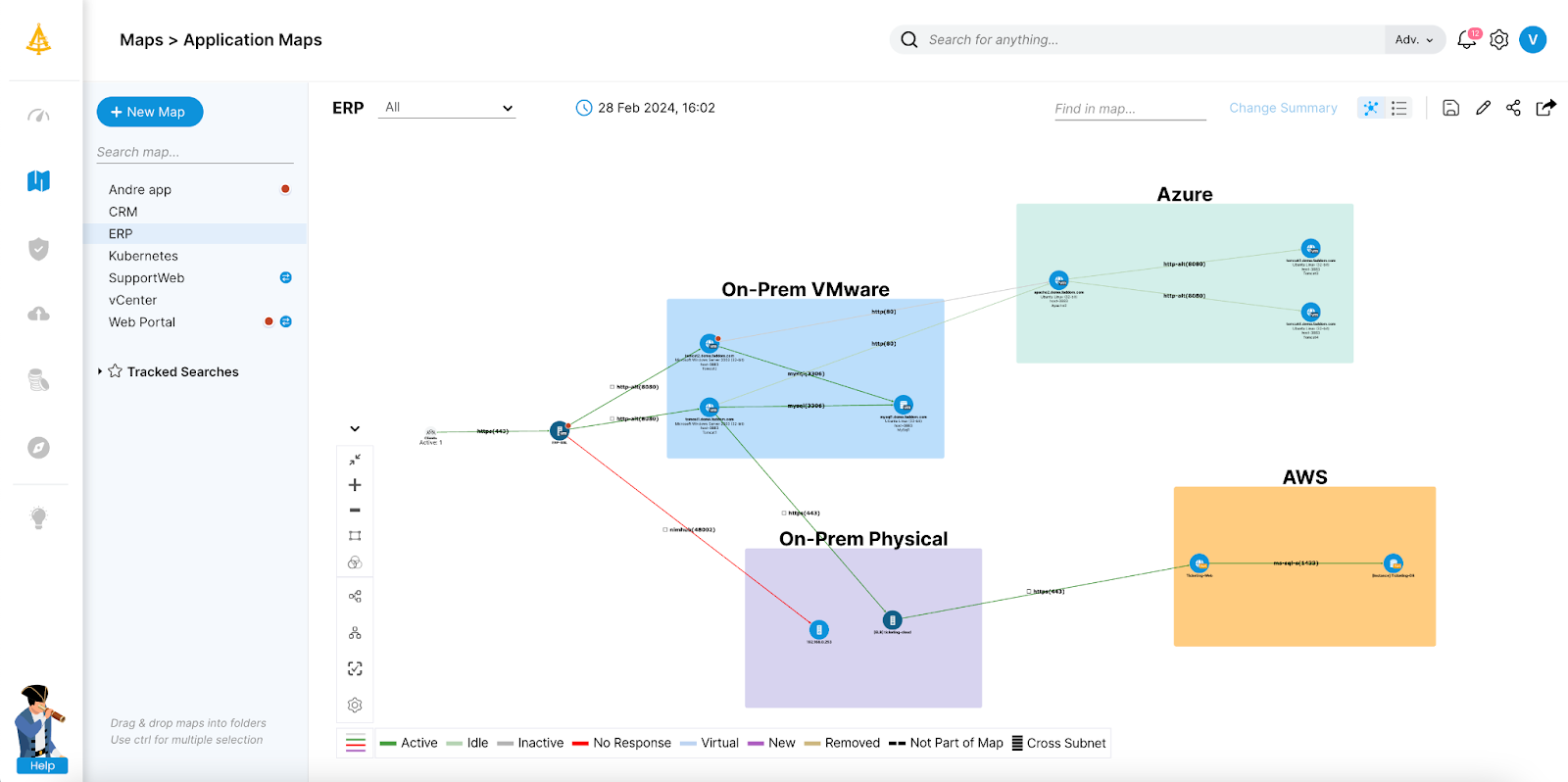
TL;DR: Nutanix alternatives split into migration mapping tools and HCI platforms. Best for: Faddom (agentless mapping), Device42 (CMDB discovery), Proxmox VE (open-source HCI), and Dell VxRail (VMware-based HCI).
What Is Nutanix?
Nutanix’s primary competitors in the hyperconverged infrastructure (HCI) and hybrid cloud market include VMware Cloud Foundation, Dell VxRail, and Microsoft Azure Local. Other notable alternatives span dedicated HCI appliances such as HPE SimpliVity, StarWind, and Scale Computing, as well as broader virtualization and hybrid platforms like Red Hat OpenShift.
Nutanix provides hyper-converged infrastructure (HCI), integrating compute, storage, and networking into a single, scalable solution. It simplifies data center operations by combining these resources into a unified platform that can be managed centrally. Nutanix’s architecture eliminates the need for traditional storage arrays and separate management tools, streamlining IT processes.
The Nutanix software stack includes Acropolis for virtualization and Prism for management, offering a solution for large-scale data centers that supports multiple hypervisors. Nutanix also provides robust data protection, disaster recovery capabilities, and automated scalability to meet growing business demands.
Nutanix is one of the main options organizations are considering as an alternative to VMware. The future of VMware is in question, following its acquisition by chip maker Broadcom. However, when considering Nutanix, it’s important to be aware of its limitations and the alternatives available on the market.
Nutanix’s top competitors in the HCI and hybrid cloud market include VMware Cloud Foundation, Dell VxRail, and Microsoft Azure Local, plus HPE SimpliVity, StarWind, Scale Computing, and Proxmox VE. Compare features and limitations to choose the right Nutanix alternative.
Major hyperconverged infrastructure (HCI) competitors:
- VMware Cloud Foundation (Broadcom): the most direct market rival, combining vSphere, vSAN, and network virtualization for enterprise private and hybrid clouds.
- Dell VxRail: appliances co-engineered with VMware and built tightly on its stack.
- Microsoft Azure Local (formerly Azure Stack HCI): integrates on-premises Windows and Linux workloads with Azure cloud management tools.
- HPE SimpliVity: packs compute, storage, and data-efficiency features like built-in backup into single systems.
Alternative virtualization and hybrid platforms:
- Scale Computing Platform (HC3 / SC//HyperCore): lightweight, streamlined edge and midmarket virtualization without heavy enterprise complexity.
- StarWind HyperConverged Appliance: converged infrastructure supporting multiple hypervisors including Hyper-V, Proxmox VE, and vSphere.
- Red Hat OpenShift: a container and Kubernetes platform that includes virtualization support for migrating traditional virtual machines.
Nutanix Alternatives At a Glance
The table below summarizes the key differences between these Nutanix alternatives and competitors. We explore each tool in more detail in the sections that follow.
|
Category |
Solution |
Best For |
Key Strengths |
Things to Consider |
|
Infrastructure Mapping and Migration Tools |
Faddom |
Agentless dependency mapping for de-risking a Nutanix migration |
Agentless credential-free discovery, real-time dependency mapping, migration planning with impact analysis |
Interface and diagrams can look dated; setup and documentation can take longer without hands-on help; read-only scope focused on discovery rather than remediation |
|
Infrastructure Mapping and Migration Tools |
Device42 |
Agentless CMDB-driven dependency mapping for migration planning |
Agentless autodiscovery via native protocols, Application Groups from communication patterns, impact charts showing what depends on what |
Learning curve for new users; limited Kubernetes scalability at high node counts; manual upgrades and bulk operations can be time-consuming |
|
Infrastructure Mapping and Migration Tools |
Flexera |
Enriched IT asset visibility feeding cloud migration readiness |
Technopedia-enriched inventory normalization, agentless discovery with dependency and business-service mapping, EOL, EOS, and vulnerability intelligence |
Complex initial implementation; reporting can be incomplete or buggy; costly with cumbersome administration |
|
Hyperconverged Infrastructure (HCI) Platforms |
HPE SimpliVity |
All-in-one HCI with built-in backup and DR for edge and core sites |
Built-in data efficiency (dedup and compression), native backup and DR with HPE StoreOnce integration, AI-driven operations via HPE InfoSight |
Historically tightly coupled to VMware; can be expensive with careful sizing needed; scaling can require dual-processor nodes or additional purchases |
|
Hyperconverged Infrastructure (HCI) Platforms |
Microsoft Azure Local |
Hybrid HCI extending Azure management to on-premises |
Azure Arc-based hybrid management, flexible 1 to 16 node deployment scaling, built-in Virtualization-based Security |
Complex setup around software-defined networking and Azure Arc integration; stability and VM management issues reported; discontinuation of stretched-cluster functionality |
|
Hyperconverged Infrastructure (HCI) Platforms |
Scale Computing Platform |
Simple, hardware-agnostic HCI for edge and distributed sites |
Integrated KVM-based hypervisor with SCRIBE storage engine, self-healing automation, centralized fleet management across sites |
Expansion requires whole new nodes or clusters; advanced networking and customization more limited than VMware or Hyper-V; reporting and multi-cluster analytics could be deeper |
|
Hyperconverged Infrastructure (HCI) Platforms |
StarWind HyperConverged Appliance |
Small-scale HCI with flexible hypervisor choice |
Fully converged appliance with high-performance data transport (NVMe-oF/RDMA), flexible hypervisor support (VMware, Hyper-V, Proxmox, KVM), two-node HA |
Networking setup can be complex; management console has been Windows-centric; documentation, support, and shipping logistics could improve |
|
Hyperconverged Infrastructure (HCI) Platforms |
Huawei FusionCube |
Composable HCI with independent compute and storage scaling |
Composable disaggregated infrastructure for independent scaling, multi-hypervisor support, rapid pre-integrated deployment (about 30 minutes) |
Limited cloud integration compared to competitors; configuration can be challenging; language barriers reported with technical support |
|
Hyperconverged Infrastructure (HCI) Platforms |
Dell VxRail |
VMware-native HCI with automated lifecycle management |
Deep VMware and vSAN integration, automated lifecycle management with one-click upgrades, predictive analytics for proactive maintenance |
Tied to VMware with no other hypervisor support; high cost including vSAN licensing; deployment and upgrades often require certified partners or Dell |
|
Hyperconverged Infrastructure (HCI) Platforms |
Proxmox VE |
Open-source virtualization for teams leaving VMware |
KVM and LXC on one platform with no license fees, software-defined storage (Ceph, ZFS) and networking, built-in VMware ESXi import tooling |
Relies heavily on community support by default; steep learning curve requiring Linux administration skills; advanced networking and HA documentation gaps without a subscription |
Why Consider a Nutanix Alternative?
Cost and Licensing Requirements
Although Nutanix can reduce infrastructure complexity, its licensing and subscription costs may not align with every organization’s budget or deployment model. Total cost of ownership extends beyond software licensing to include hardware compatibility, support subscriptions, implementation services, and ongoing operational expenses. Organizations with smaller environments, edge deployments, or strict cost controls may find that alternative HCI platforms or open-source virtualization solutions provide the capabilities they need at a lower overall cost.
Public and Hybrid Cloud Integration
Many organizations are building hybrid IT environments that span on-premises infrastructure and multiple public cloud providers. While Nutanix offers hybrid cloud capabilities through services such as Nutanix Cloud Clusters (NC2), some businesses prefer platforms that are more tightly integrated with a specific cloud ecosystem or provide broader support for cloud-native services, container platforms, and multi-cloud management. The right choice depends on long-term cloud strategy, workload portability requirements, and operational preferences.
Existing Technology Investments
Infrastructure decisions rarely happen in isolation. Organizations that have already invested heavily in VMware, Microsoft, HPE, Dell, Cisco, or other infrastructure ecosystems often evaluate alternatives based on how well they integrate with existing management tools, operational processes, storage platforms, backup solutions, and networking infrastructure. Choosing a platform that aligns with current technology investments can reduce migration complexity, minimize retraining, and preserve the value of existing operational expertise.
Hypervisor Flexibility
Hypervisor support has become an increasingly important consideration as organizations reassess their virtualization strategies. While many Nutanix deployments use the AHV hypervisor, some organizations require greater flexibility to run VMware ESXi, Microsoft Hyper-V, KVM, or other virtualization platforms depending on workload requirements and licensing considerations. Alternative HCI platforms may offer broader hypervisor support or provide a more straightforward path for organizations seeking to diversify their virtualization environment following changes in the VMware market.
Nutanix Limitations
Here are some of the main limitations of Nutanix, as reported by users on the G2 platform.
Ecosystem Lock-in
Nutanix’s ecosystem lock-in can be a significant limitation for some organizations. Users often find themselves tied to Nutanix’s proprietary solutions, limiting their flexibility to integrate third-party tools or switch to alternative platforms easily. This lock-in can lead to higher costs over time as it becomes challenging to migrate away from Nutanix without substantial effort and investment.
Key features such as Nutanix Flow and Karbon are exclusive to the AHV ecosystem, further restricting choices for users who might prefer other hypervisors.
Compatibility Issues
Compatibility issues with Nutanix can arise, particularly when integrating with other hypervisors like VMware ESXi and Microsoft Hyper-V. Users have noted that adding new VMware nodes requires using Nutanix Foundation, which can complicate the process. Additionally, certain advanced features are locked to the AHV ecosystem, limiting flexibility for organizations utilizing other infrastructures.
Some vendors do not support Nutanix AHV for their virtual appliances, creating challenges in diverse IT environments.
Integration and Transition Challenges
Transitioning to Nutanix can pose several integration challenges. These include compatibility issues with existing infrastructure components and the complexities of migrating legacy systems. Organizations often face difficulties in harmonizing Nutanix with their current network configurations, storage solutions, and virtualization technologies.
The transition process requires significant planning and expertise. Integrating Nutanix into an established IT environment involves careful mapping of workflows, data migration strategies, and downtime management.
Expertise Requirements
Implementing Nutanix requires a high level of expertise, particularly in virtualization and cloud infrastructure. Users must be familiar with the deployment and management of hyper-converged environments. This includes understanding how to configure storage, compute, and networking resources within a unified platform.
Additionally, administrators need to be proficient in using Nutanix’s management tools like Prism for monitoring and managing the infrastructure. Familiarity with disaster recovery setups, data protection mechanisms, and performance optimization techniques is also needed for effective utilization of Nutanix solutions.
Related content: Read our guide to Nutanix vs VMware
Notable Nutanix Alternatives and Competitors
How we selected these tools: We shortlisted Nutanix alternatives based on the role each plays in a migration, spanning agentless infrastructure mapping and migration planning tools, and hyperconverged infrastructure platforms that serve as direct destinations, weighing discovery method, hypervisor flexibility, and deployment model.
Infrastructure Mapping and Migration Tools
1. Faddom

Faddom is an agentless application dependency mapping (ADM) and IT infrastructure discovery platform for on-premises, cloud, and hybrid environments. It discovers servers, applications, and the network traffic between them without installing agents on hosts and without storing credentials. Faddom builds and continuously updates topology maps, typically completing an initial map of an environment in under an hour. It uses AI-driven correlation to turn raw network traffic into application and dependency maps, and presents on-premises and cloud assets together in a single view. The platform is positioned for use cases such as data center and cloud migration, change management, asset documentation, and infrastructure security.

Key features include:
- Agentless, credential-free discovery: Faddom maps environments by observing network traffic and using protocols such as SNMP and flow data, rather than deploying per-host agents or storing privileged credentials. This reduces the deployment footprint and avoids ongoing agent and credential management across servers.
- Real-time application dependency mapping: The platform continuously discovers how servers and applications communicate, visualizing east-west traffic and the relationships between components. Maps update automatically as the environment changes, replacing static spreadsheets and point-in-time diagrams.
- Migration planning support: Faddom is used to scope migrations by surfacing the dependencies of each application, helping teams right-size target servers and anticipate move groups. This is intended to reduce the risk of unplanned outages when moving workloads between platforms or to the cloud.
- Documentation and CMDB feeds: The platform produces exportable diagrams and asset inventories and integrates with systems such as Jira Service Management and ServiceNow CMDB. This keeps configuration records aligned with the live environment for audit and compliance purposes.
- Impact analysis and change management: Faddom shows what a given server or application connects to, so teams can assess the potential impact of a change before making it. This supports change, release, and problem management workflows in complex environments.
- Security risk scoring and traffic monitoring: Faddom calculates a risk score that combines factors such as SSL status, known CVEs, user counts, and external traffic, and provides automated detection of abnormal traffic behavior on a continuous basis.
Limitations (as reported by users on G2):
- Interface polish: Some users note that the interface and generated diagrams can look dated and that they sometimes refine exported diagrams in another tool before sharing them.
- Initial setup and documentation: A few reviewers found the documentation complex in places and reported that getting the appliance fully stood up took longer than expected without hands-on assistance.
- Visibility-focused scope: As an agentless, read-only mapping tool, Faddom focuses on discovery and observation rather than native remediation or automation, so teams act on its findings in other systems.
2. Device42

Device42, now part of Freshworks, is an agentless discovery and dependency mapping platform for hybrid IT. It autodiscovers infrastructure and application components using native protocols such as WMI, SSH, and SNMP, then groups related services into application maps. The platform builds a configuration management database (CMDB) covering hardware, software, IP space, and application dependencies. Device42 is frequently used to support cloud migration and modernization by grouping workloads according to how they communicate. It also surfaces legacy systems and their connections to active applications so teams can plan upgrades.

Key features include:
- Agentless autodiscovery: Device42 discovers devices, services, and applications across data center and cloud environments using WMI, SSH, and SNMP, building an inventory that reflects what is running on the network.
- Application dependency mapping with Application Groups: The platform detects communication patterns and groups assets into Application Groups using configurable calculation rules and logic templates that define where discovery starts and stops for each application.
- Impact charts: Device42 visualizes the relationships between devices, services, and application components, showing what an application depends on and what would be affected if a given component went down.
- Broad application support: It captures configuration data for common applications and databases such as Oracle, Microsoft SQL, MongoDB, PostgreSQL, MySQL, IIS, and Apache, and can automatically group related services into application components.
- Migration and modernization planning: By grouping workloads by application affinities, Device42 supports cloud-to-cloud and on-premises-to-cloud migration planning, and helps identify legacy systems that need attention during modernization.
- CMDB and full-stack visibility: Discovery results feed a centralized CMDB spanning infrastructure and applications, with cloud discovery for assets in environments such as AWS and Azure.
Limitations (as reported by users on PeerSpot)
- Learning curve: New users without prior experience or training can find the interface and navigation difficult, which may delay initial productivity.
- Scalability at high node counts: Reviewers note that Kubernetes coverage is limited at high node counts and that performance can degrade in very large deployments.
- Manual upgrades and bulk operations: Upgrades can require building a new virtual machine for deployment, and bulk operations such as mass asset deletion are time-consuming.
- Reporting and documentation: Some users report that reporting capabilities and documentation could be improved and updated more frequently.
- Pricing transparency: Reviewers describe pricing as opaque, which can complicate budget planning.
3. Flexera (Flexera One IT Visibility)

Flexera One is a technology management platform whose IT Visibility component discovers and normalizes data across on-premises, SaaS, and cloud environments. It enriches inventory using Technopedia, a large technology reference library, and adds end-of-life, end-of-support, and vulnerability data. Within the same platform, Flexera’s Cloud Migration and Modernization capability (built on the former RISC Networks technology) provides agentless discovery, dependency mapping, and cloud readiness analytics for migration planning. The platform is commonly used to feed CMDBs and to support IT asset management and cost optimization alongside migration work.

Key features include:
- IT asset discovery and normalization: Flexera One collects inventory from multiple discovery sources and normalizes it, using Technopedia data covering millions of products across many vendors to produce a consistent view of the estate.
- Cloud migration and modernization: The Cloud Migration and Modernization module performs agentless discovery and builds business-service and dependency maps, providing cloud readiness analytics to plan which workloads to move and how.
- End-of-life and vulnerability intelligence: Inventory is enriched with end-of-life (EOL), end-of-support (EOS), and vulnerability data to help identify technical debt and risk across hardware and software.
- Business service mapping: Rather than mapping infrastructure alone, Flexera models how components such as web servers and databases combine into business services, providing context for migration decisions.
- CMDB and ecosystem integration: Normalized data can be fed into a CMDB and into tools such as ServiceNow, providing a reference data source for downstream IT processes.
- Hybrid estate visibility: The platform spans on-premises, SaaS, and cloud, consolidating asset, license, and cloud data in one place.
Limitations (as reported by users on G2):
- Implementation complexity: Reviewers describe a complex initial implementation and a steep learning curve, partly due to the platform’s terminology and custom actions.
- Reporting: Some users report that reporting can be incomplete or buggy and that scheduling options are limited.
- Data freshness: Certain metering data is reported to update on a weekly basis rather than in real time.
- API documentation: Reviewers note that API documentation includes limited examples, making customization harder than expected.
- Cost and administration: The platform is described as costly, with administration and maintenance that can be cumbersome, and some users note the absence of a mainframe usage agent.
Hyperconverged Infrastructure (HCI) Platforms
These platforms are the direct alternatives to Nutanix for running virtualized workloads, combining compute, storage, and networking in an integrated stack.
4. HPE SimpliVity

HPE SimpliVity is a hyperconverged infrastructure solution that integrates compute, storage, and networking into a single software-defined platform built on HPE ProLiant servers. It combines virtualization, built-in data efficiency, and integrated backup and disaster recovery in one system. HPE applies machine learning analytics through HPE InfoSight to support self-managing and self-optimizing operations. The platform is managed at the virtual machine level and is positioned for edge, data center, and distributed deployments. Recent updates add support for HPE’s own hypervisor, HPE Morpheus VM Essentials, alongside VMware vSphere, and integration with HPE StoreOnce for backup.
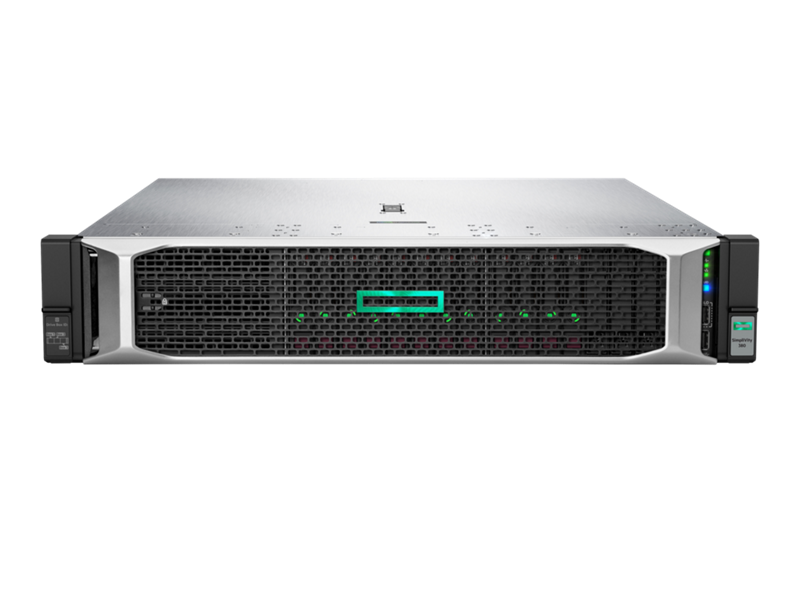
Source: SimpliVity
Key features include:
- All-in-one HCI with data efficiency: SimpliVity combines compute, storage, and networking with built-in deduplication and compression, reducing input/output requests and freeing up storage capacity.
- Built-in backup and disaster recovery: The platform includes native backup and DR, with the ability to perform backups quickly and restore virtual machines, and integrates with HPE StoreOnce systems for additional backup capacity.
- High availability across two nodes: SimpliVity supports high availability starting at two nodes, with data services and security built in, aimed at smaller and edge sites as well as core data centers.
- AI-driven operations through HPE InfoSight: Machine learning predictive analytics are applied to the platform to support self-managing, self-optimizing, and self-healing behavior and to assist troubleshooting.
- VM-centric management and automation: Administration is performed at the virtual machine level with unified management and policy-based automation, including simultaneous deployment and upgrades.
- Hypervisor flexibility: In addition to VMware vSphere, SimpliVity now supports HPE Morpheus VM Essentials, allowing VMware and HPE hypervisor environments to be managed alongside each other.
Limitations (as reported by users on PeerSpot):
- VMware dependency: Reviewers note that SimpliVity has historically been tightly coupled to VMware and uses its own controller and NFS rather than vSAN, which some find limits compatibility with other products; the addition of HPE VM Essentials addresses part of this.
- Cost and sizing: Some users describe the solution as expensive and emphasize that pre-sales sizing must be done carefully to fit the workload.
- Scalability constraints: Reviewers report that meaningful scaling can require dual-processor nodes or additional node purchases.
- Learning curve: A number of users mention that staff need training because some features are unfamiliar.
- Support and pace of change: Some reviewers note variable support response times and a perception that the product has evolved slowly in recent years.
5. Microsoft Azure Local (formerly Azure Stack HCI)
Microsoft Azure Local is the current name for the product previously known as Azure Stack HCI, renamed in November 2024. It is full-stack infrastructure software that runs on validated OEM hardware in the customer’s own facilities and hosts Windows and Linux virtual machines, containers, Azure Kubernetes Service, and selected Azure services on-premises. It connects to Azure through Azure Arc for cloud-based management, monitoring, and a consistent control plane. Hyperconverged deployments range from a single machine up to clusters of 16 machines using software-defined storage, with larger multi-rack options. Azure Local is licensed per physical core, plus consumption charges for any additional Azure services used.
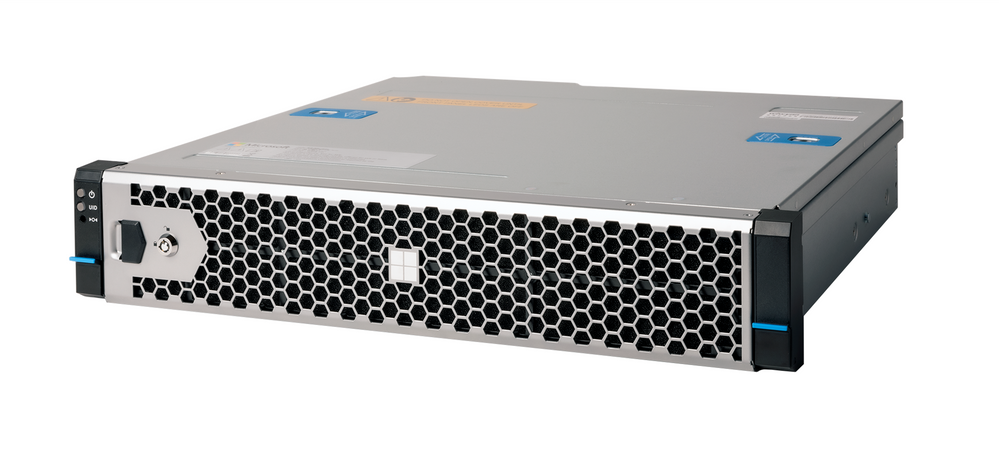
Source: Microsoft
Key features include:
- Azure Arc-based hybrid management: Azure Local connects on-premises systems to Azure, enabling monitoring and management of individual systems or an entire fleet from the Azure portal through a consistent control plane.
- Flexible deployment options: It runs on validated hardware from OEM partners and scales from a single node to 16-node hyperconverged clusters, with multi-rack deployments for larger environments and disconnected operations for air-gapped or sovereign sites.
- Mixed workload support: The platform hosts Windows and Linux virtual machines, containers, and AKS, and can run selected Azure services locally at distributed or edge locations.
- Software-defined storage and high availability: Hyperconverged deployments use built-in software-defined storage with the option to attach external storage, and can be configured for high availability.
- Built-in security: The platform includes capabilities such as Virtualization-based Security to isolate sensitive operations, along with features like remote provisioning and local identity that remove some on-premises prerequisites.
- Per-core subscription billing: Azure Local is priced per physical core with charges rolled into the customer’s existing Azure subscription, alongside consumption-based charges for additional services.
Limitations (as reported by users on PeerSpot):
- Setup complexity: Reviewers describe the setup as complex and time-consuming, particularly around software-defined networking and Azure Arc integration, and note that the required skills can be hard to find.
- Stability and VM management: Some users report stability issues and inconsistent virtual machine management, with certain operations limited within the Azure portal.
- Feature changes: Reviewers express dissatisfaction with the discontinuation of stretched-cluster functionality.
- Migration tooling: Users moving from VMware note that the migration tooling has at times been in preview and can be tricky for certain configurations.
- Licensing and support: Some reviewers cite licensing costs, the need for stronger data-transfer encryption, and variable support response.
6. Scale Computing Platform (SC//HyperCore)
The Scale Computing Platform, powered by the SC//HyperCore virtualization suite, integrates compute, storage, and virtualization into a single solution that removes the need for separate hypervisor, storage, and backup products. It uses a KVM-based hypervisor and the SCRIBE storage engine, which pools drives into a single store without separate file systems or virtual storage appliances. The platform applies self-healing automation to detect and correct issues and provides built-in high availability. It is hardware-agnostic, deploys quickly, and is positioned heavily for edge and distributed deployments, with centralized fleet management across many sites.

Source: Scale Computing

Key features include:
- Integrated virtualization suite: SC//HyperCore combines a KVM-based hypervisor, storage, and management in one lightweight platform, removing separate vendors for hypervisor, storage, and backup.
- SCRIBE storage engine: SCRIBE combines the platform’s drives into a single storage pool that requires no separate file systems, protocols, or virtual storage appliances and is available to all nodes.
- Self-healing automation: The platform automatically detects and corrects infrastructure issues and applies updates and repairs as part of scheduled maintenance, reducing manual intervention.
- Built-in high availability: Clustered architecture allows virtual machines to fail over automatically to other nodes when hardware fails, maintaining application availability.
- Centralized fleet management: Administrators can monitor and manage clusters across many sites from a single interface, which the vendor positions for distributed and edge operations scaling to large numbers of locations.
- Hardware-agnostic deployment: The platform runs on a range of hardware, can mix old and new equipment, and deploys quickly, including at sites without dedicated IT staff.
Limitations (as reported by users on G2):
- Expansion model: Reviewers note cluster size limits and that larger expansions can require additional clusters and the purchase of whole new nodes rather than incremental upgrades.
- Feature depth: Some users find the platform’s advanced networking, integration, and customization options more limited than those of VMware vSphere or Microsoft Hyper-V.
- Reporting and multi-cluster analytics: Reviewers, particularly in larger or managed-service environments, note that visibility, reporting, and centralized multi-cluster analytics could be deeper.
- Backup and replication: Some users describe backup options as less cloud-friendly and note that replication and snapshot storage efficiency could be improved.
- Ecosystem support: A few reviewers report that not all third-party backup, security, or vendor products certify against the platform.
7. StarWind HyperConverged Appliance

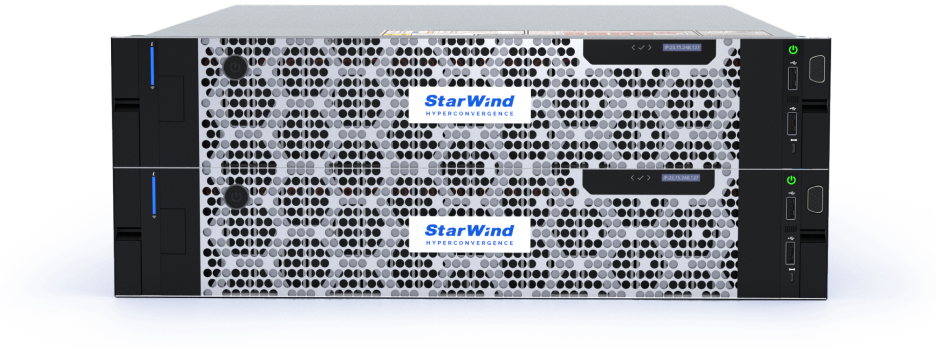
The StarWind HyperConverged Appliance converges compute, storage, networking, virtualization software, and management into a single platform intended to replace separate servers and network storage. It uses high-performance data transport technologies and supports a range of hypervisors, allowing customers to choose their virtualization layer. StarWind builds the appliance from modular hardware configurations and pairs it with proactive support. The platform is commonly used by smaller organizations and remote or branch offices to achieve high availability and redundancy on a small node count.
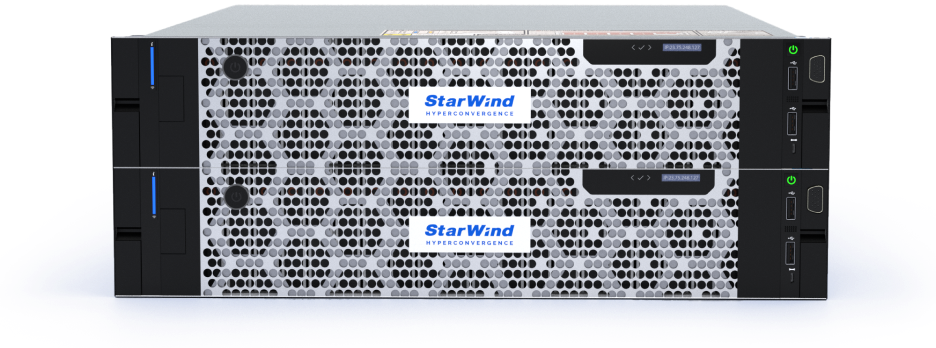
Source: StarWind
Key features include:
- Fully converged appliance: StarWind combines compute, storage, networking, virtualization software, and management in one system, replacing legacy infrastructure made up of separate servers and network storage.
- High-performance data transport: The platform uses technologies such as NVMe over Fabrics (NVMe-oF) and RDMA, where available, to provide high-speed data transfer.
- Flexible hypervisor support: StarWind supports VMware vSphere, Microsoft Hyper-V, Proxmox VE, and its own KVM-based hypervisor, allowing organizations to select their virtualization layer.
- Self-healing and telemetry: The appliance incorporates ZFS self-healing along with AI-powered telemetry and a “call home” system intended to maintain reliability with limited customer intervention.
- Two-node high availability: StarWind supports high availability on as few as two nodes with replication between them, which suits small-scale and edge deployments.
- Modular, hardware-flexible configurations: Customers select and tune base models from building-block configurations, and StarWind provides proactive support during setup and operation.
Limitations (as reported by users on PeerSpot):
- Setup complexity: Reviewers note that configuration, particularly networking, can be complex for teams without dedicated network expertise and is not always streamlined.
- Management tooling: Some users report that the management console has historically been Windows-centric and that the command center has been missing certain options.
- Monitoring view: Reviewers have asked for a single at-a-glance health view covering events, storage usage, and disk health, and for more automated host updates and clearer update notifications.
- Documentation and reliability: Some users cite documentation and support resources that could be improved, along with occasional synchronization and interface-speed concerns.
- Logistics and pricing: A few reviewers mention shipping delays, unclear hardware prerequisites such as SFP modules, and pricing that some find high.
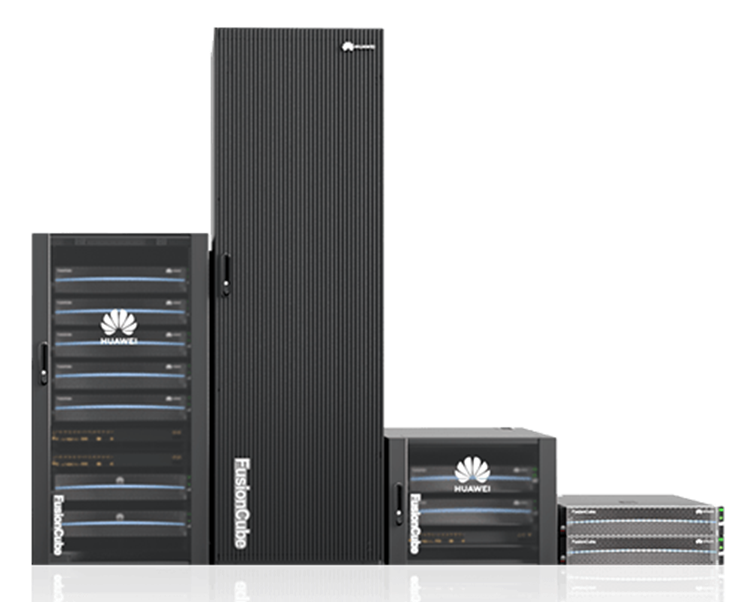
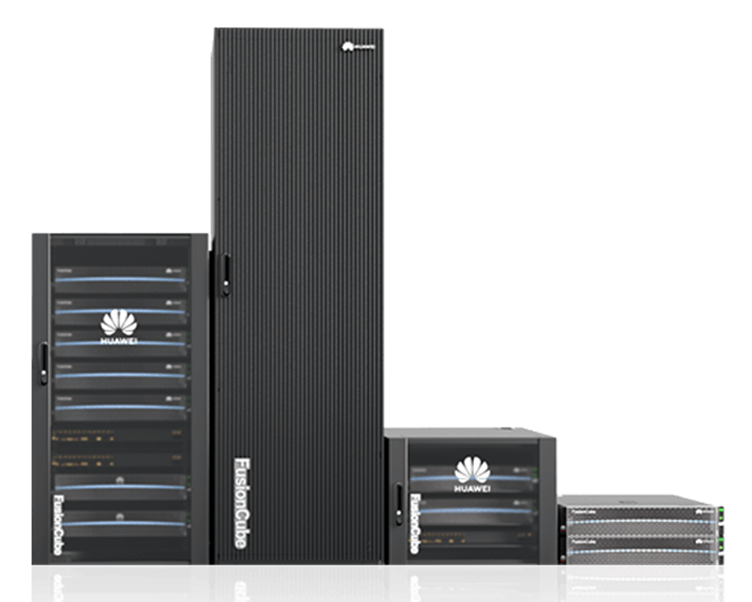
8. Huawei FusionCube HCI
Huawei FusionCube is a hyperconverged infrastructure solution that combines compute, storage, network, virtualization, and management into a single platform with built-in distributed storage engines. It supports multiple virtualization platforms, including Huawei FusionSphere, VMware vSphere, and Microsoft Hyper-V, and is delivered pre-integrated for rapid deployment. The platform uses a composable, disaggregated approach that allows compute and storage to scale independently, and applies intelligent management software for performance and efficiency. FusionCube is offered across both x86 and Huawei Kunpeng architectures and targets virtualization, VDI, database, and container workloads.
Source: Huawei
Key features include:
- Converged platform with built-in storage engines: FusionCube integrates compute, storage, network, virtualization, and management, using Huawei-developed distributed storage engines that converge compute and storage.
- Composable disaggregated infrastructure (CDI): The platform supports independent capacity expansion of compute and storage resources, enabling on-demand, linear scaling without extensive upfront planning.
- Multi-hypervisor support: FusionCube supports Huawei FusionSphere, VMware vSphere, and Microsoft Hyper-V, providing options for different virtualization environments.
- Intelligent QoS and acceleration: It pools storage and compute resources with intelligent QoS for elastic allocation, and uses a SmartDPU to offload work from the CPU, increasing per-node performance.
- Rapid pre-integrated deployment: The platform is integrated before delivery with unified management and one-key operations, allowing deployment to be completed in around 30 minutes.
- Data efficiency and dual ecosystems: FusionCube includes high-ratio erasure coding and adaptive deduplication and compression, and supports both x86 and Kunpeng architectures.
Limitations (as reported by users on PeerSpot):
- Cloud integration: Reviewers note that cloud integration is limited compared with some competing platforms.
- Configuration: Some users describe configuration as challenging in certain scenarios.
- Security and integrations: Reviewers point to a desire for additional built-in security capabilities and broader third-party platform and monitoring integrations.
- Support experience: Some users report language barriers when working with technical support.
- Analytics: A few reviewers suggest that data deduplication, analytics, and AI-driven insights could be expanded.
9. Dell VxRail
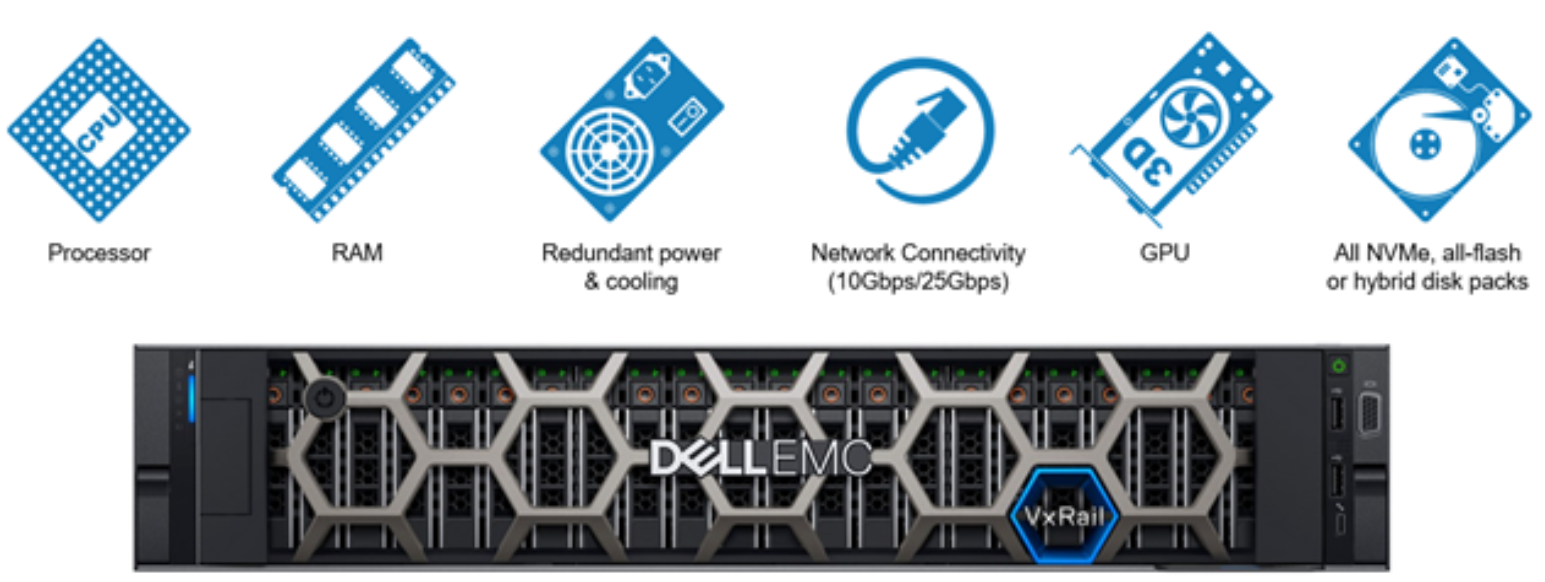
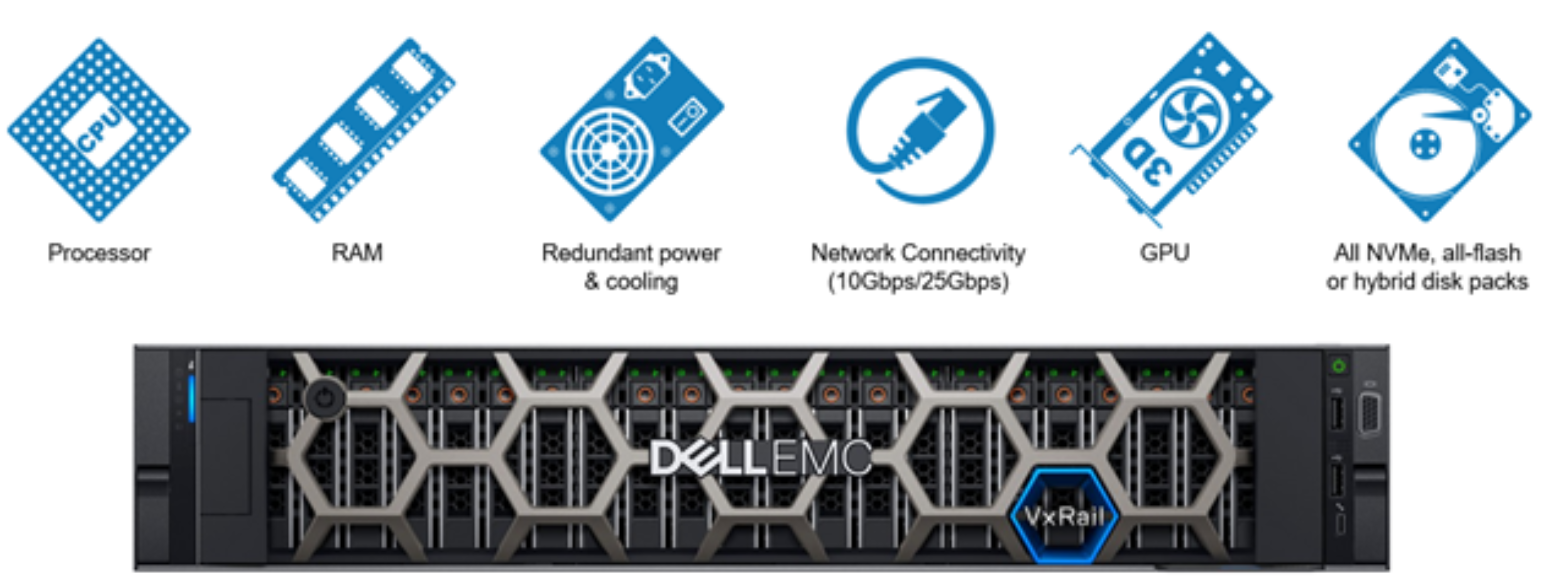
Dell VxRail is a hyperconverged infrastructure solution co-engineered with VMware and built on VMware vSAN. It integrates compute, storage, and networking into a single appliance and is delivered pre-configured and tested by Dell. VxRail adds lifecycle management through its VxRail HCI System Software, which automates updates and patching across hardware and software, and uses predictive analytics for proactive maintenance. It supports workloads such as virtual desktop infrastructure, compute-intensive applications, Kubernetes, and hybrid cloud. Dell positions VxRail within a broader portfolio that also includes separate options for Azure Local and Nutanix environments, but VxRail itself is centered on VMware.
Source: Dell
Key features include:
- Deep VMware integration: VxRail is co-engineered with VMware and built on vSAN, providing full-stack integration with VMware environments and supporting real-time VM migration and replication to disaster recovery sites.
- Automated lifecycle management: VxRail HCI System Software automates updates and patches for both hardware and software, including one-click upgrades, reducing manual maintenance.
- Predictive analytics: The platform applies analytics to identify and help remediate potential issues before they affect operations.
- Flexible deployment options: Customers can choose from configurations including appliances and integrated racks, delivered pre-configured and pre-tested by Dell.
- Workload breadth: VxRail supports VDI, compute-intensive applications, Kubernetes deployments, and hybrid cloud environments.
- Centralized management: The platform provides centralized management of the integrated stack through a single interface.
Limitations (as reported by users on PeerSpot):
- VMware lock-in: Reviewers note that VxRail is tied to VMware and lacks support for other hypervisors such as Hyper-V or KVM, with limited integration outside the VMware ecosystem.
- Cost: Users cite high pricing and licensing costs, including vSAN licensing, which has drawn additional concern following Broadcom’s acquisition of VMware.
- Deployment and upgrades: Reviewers report that deployment typically requires certified partners, that some processes can only be performed by Dell, and that firmware and upgrade procedures can be complex if versions are skipped.
- Scalability: Some users note that compute and storage cannot always be expanded independently and that hardware compatibility can limit expansion.
- Support consistency: A number of reviewers describe inconsistent support experiences, including changing contact numbers.
10. Proxmox VE

Proxmox Virtual Environment (VE) is an open-source server virtualization and management platform that integrates the KVM hypervisor and Linux Containers (LXC) with software-defined storage and networking on a single platform. It is managed through an integrated web interface and includes high-availability clustering, live migration, and integrated backup and disaster recovery tooling. Proxmox VE supports storage technologies such as Ceph and ZFS and includes tools for importing VMware ESXi guests, which has made it a common destination for organizations leaving VMware. It is available without license fees, with optional commercial support subscriptions.
Key features include:
- KVM and LXC on one platform: Proxmox VE combines KVM full virtualization for Windows and Linux workloads with lightweight Linux containers, managed together from one interface.
- Software-defined storage and networking: The platform integrates software-defined storage, including Ceph and ZFS, and software-defined networking, allowing storage and networking to be managed within the platform.
- Web interface and API: A web-based interface and REST API allow management of VMs, containers, and clusters, and support automation through tools such as Ansible and Terraform.
- High availability and live migration: Proxmox VE provides high-availability clustering and live migration of running workloads between nodes.
- Integrated backup and migration tooling: The platform includes backup and restore capabilities, works with Proxmox Backup Server, and provides import tools for VMware ESXi guests to assist migration.
- Open-source model: Proxmox VE is open source and free of license fees, with optional paid subscriptions for enterprise repositories and commercial support.
Limitations (as reported by users on G2):
- Support model: Reviewers note that Proxmox relies heavily on community support by default and that paid support may not match the service-level agreements enterprises expect from commercial vendors.
- Required expertise: Users report a steep learning curve that assumes Linux administration skills, with significant manual configuration and a need to script repetitive tasks.
- Advanced networking: Reviewers describe advanced networking, such as software-defined networking and distributed switches, as complex, with a limited graphical interface and documentation gaps, particularly for high availability without a subscription.
- Disaster recovery and storage: Some users note the absence of an out-of-the-box enterprise disaster recovery equivalent and limitations integrating with traditional SAN infrastructure.
- Interface depth: A few reviewers find the graphical interface simplistic for managing very large-scale environments.

How to Choose a Nutanix Alternative
When selecting a Nutanix alternative, consider the following key factors to ensure the chosen solution meets your organization’s specific needs:
- Compatibility with existing infrastructure: Evaluate how well the alternative integrates with your current hardware, software, and network configurations. Ensure it supports the hypervisors and management tools you are already using.
- Scalability: Assess the solution’s scalability to accommodate future growth. Look for options that allow you to scale compute, storage, and network resources independently without disrupting existing operations.
- Performance and reliability: Consider the performance benchmarks and reliability of the solution. Check if it can handle your most demanding workloads and ensure it has robust high-availability and disaster recovery features.
- Ease of management: Choose a solution with a user-friendly management interface and comprehensive automation capabilities. This simplifies administrative tasks and reduces the need for specialized expertise.
- Cost: Analyze the total cost of ownership, including initial acquisition, licensing, maintenance, and potential training costs. Consider both CapEx and OpEx implications.
- Vendor support and ecosystem: Evaluate the level of support and the ecosystem provided by the vendor. Strong customer support and a broad ecosystem of third-party integrations can significantly enhance the overall value of the solution.
- Security features: Ensure the alternative includes robust security features, such as data encryption, secure access controls, and compliance with relevant industry standards.
- Data protection and backup: Look for built-in data protection, backup, and recovery capabilities. Efficient data protection mechanisms can prevent data loss and minimize downtime during incidents.
Effortless Nutanix Migration with Faddom
Faddom visualizes your on-premises and cloud infrastructure in as little as one hour without agents. It maps all your servers and business applications instantly and in real-time, highlighting their interdependencies.
- Faddom is agentless and doesn’t require credentials
- It is cheap, starting at $10K/year
- Map the entire environment in real-time, updating 24/7
- Quick: One person can map the entire organization in an hour
Learn more about Faddom for database migration or start a free trial by filling out the form on the sidebar!