
TL;DR: Lansweeper alternatives split into dependency mapping and IT service and asset management platforms. Best for: Faddom (agentless mapping), Device42 (CMDB discovery), ServiceNow (unified ITSM), and SolarWinds Service Desk (ITAM+ITSM).
What Is Lansweeper?
Lansweeper is an automated IT asset discovery and inventory platform that scans, identifies, and catalogs every hardware device, software application, and user on an organization’s network.
The software is useful for businesses that need to maintain an accurate and up-to-date inventory of their IT assets. Lansweeper automates the discovery and documentation of network devices, including computers, servers, routers, and peripheral devices. This reduces the burden of manual tracking, limits human error, and provides real-time insights into the network’s status and performance.
Lansweeper’s key features include:
- Agentless discovery: Automatically scans physical computers, servers, routers, printers, and Internet of Things (IoT) devices, plus IT, OT, and public cloud assets, without requiring software installed on every machine.
- Cloud and hybrid visibility: Connects with cloud environments like AWS, Azure, and Google Cloud Platform (GCP) to unify on-premises and cloud assets into one dashboard.
- Detailed data collection: Collects hardware specs, serial numbers, warranty status, installed software patches, active user details, and network configurations.
Lansweeper is commonly used for:
- IT asset management (ITAM): Tracks what equipment and software licenses an organization owns to forecast spending and reduce waste.
- Cybersecurity and risk assessment: Identifies unprotected or outdated devices and missing software updates to lower security exposure.
- Compliance reporting: Generates automated inventories for internal audits and regulatory standards.
This is part of an extensive series of guides about cybersecurity
Lansweeper Alternatives At a Glance
The table below summarizes the key differences between these Lansweeper alternatives. We explore each tool in more detail in the sections that follow.
|
Category |
Solution |
Best For |
Key Strengths |
Things to Consider |
|
Application Dependency Mapping and IT Discovery |
Faddom |
Agentless real-time dependency mapping across hybrid and multi-cloud |
Agentless passive discovery, real-time continuously updated maps, AI-assisted analysis via Faddom AI |
Reduced dependency capture in heavily encrypted or segmented networks; focused scope pairs well with a broader CMDB or AIOps tool; initial onboarding can take longer in complex proof-of-concept setups |
|
Application Dependency Mapping and IT Discovery |
Device42 |
Agentless and agent-based discovery feeding a built-in CMDB |
Configurable asset types with a built-in CMDB, native application dependency mapping, automated warranty and contract tracking |
Initial setup complexity; performance can slow with large data volumes; some capabilities priced as separate add-ons |
|
Application Dependency Mapping and IT Discovery |
BMC Helix Discovery |
Enterprise-grade service modeling feeding AIOps and observability |
Agentless continuous discovery, blueprint-automated service modeling, multi-cloud discovery with security and compliance visibility |
Limited client-side discovery; customization and stability could improve; role-based access control and the discovery connector have some limitations |
|
IT Service and Asset Management Platforms |
ServiceNow IT Service Management |
Unified incident, change, and request management with CMDB-driven context |
Unified ITSM processes with AI-assisted triage, CMDB with change risk scoring, omnichannel self-service |
High licensing and implementation cost; steep learning curve; ongoing maintenance from frequent updates and platform depth |
|
IT Service and Asset Management Platforms |
ManageEngine AssetExplorer |
Full-lifecycle IT asset management with visual workflow design |
Agent-based and agentless discovery with barcode, QR, and RFID scanning, drag-and-drop asset lifecycle workflows, integrated purchase and contract management |
Windows, Mac, and Linux discovery relies on agents and AD integration; support experience can be inconsistent; setup and add-ons can add cost |
|
IT Service and Asset Management Platforms |
SolarWinds Service Desk |
ITSM with built-in asset management and CMDB |
Centralized multi-asset-type management, automatic hardware and software discovery, asset-to-incident linking for troubleshooting |
Cost relative to alternatives; gaps in tracking every network device, especially at remote sites; reporting is somewhat rigid |
Key Features of Lansweeper
Lansweeper offers a set of features to provide visibility and control over an organization’s IT environment:
- IT asset discovery: Discovers all IT, IoT, OT, and public cloud assets within a network. Offers cross-platform asset discovery without requiring software installation on each device, ensuring visibility across the entire technology estate.
- Unified asset inventory: Consolidates asset details into a single, centralized system of record. This unified inventory provides a clear overview of the technology environment, supporting better asset management and informed decision-making.
- Detailed reporting and dashboards: Provides dashboards to supervise the technology estate. Users can customize views to organize their inventory according to their needs. A selection of ready-made reports and the option to create custom reports allow users to slice and dice data to find security risks, optimize costs, and assess sustainability.
- Vulnerability and risk insights: Integrates vulnerability information from the NIST catalog, offering insights into assets with known vulnerabilities. This aids in faster triage and incident response and tracks the lifecycle status of products.
- Visual diagrams: Automatically generates network diagrams and visualizes relationships between assets with dynamic diagrams. This helps users oversee the entire network at a glance.
- Integrations: Integrates with existing technology stacks, ensuring up-to-date, accurate data is available for any IT scenario.
- Passive and active IT discovery: Includes Asset Radar, which detects assets as they connect to the network, preventing blind spots. Active IT discovery allows scanning of IP ranges to uncover every device within the IT estate using a scanning engine.
- Agent-based scanning: For hard-to-reach devices, offers agent-based scanning with LsAgent.
- Cloud and OT discovery: Extends discovery capabilities to cloud resources and operational technology (OT), bringing IT and OT assets under a single pane of glass.
- Automated warranty collection: Automates the collection of warranty status information for physical devices. This helps organizations keep track of warranty periods and plan maintenance or replacements accordingly.
Learn more in our detailed guide to Lansweeper agent
Main Use Cases of Lansweeper
Beyond building a unified inventory, Lansweeper supports several core use cases across IT operations and security:
- IT asset management (ITAM): Tracks what equipment and software licenses an organization owns to forecast spending and reduce waste.
- Cybersecurity and risk assessment: Identifies unprotected or outdated devices and missing software updates to lower security exposure.
- Compliance reporting: Generates automated inventories for internal audits and regulatory standards.
Lansweeper Pricing
Here’s a look at the available subscription options for Lansweeper.
Free plan
- Suitable for home users and small networks with fewer than 100 assets.
- Features: Manages up to 100 devices, unlimited users, community support.
Starter plan (€199/month, billed annually)
- For small to medium-sized businesses.
- Features: Everything in Free, support for up to 2,000 assets, OT discovery, basic support.
Pro plan (€359/month, billed annually)
- For organizations needing security and support.
- Features: Everything in Starter, vulnerability and lifecycle insights, SSO, advanced support.
Enterprise plan (price on request)
- For large-scale enterprises.
- Features: Everything in Pro, support starting at 10,000 assets, Customer Success Manager, global deployment assistance, optional concierge services, premium support.
Learn more in our detailed guide to Lansweeper pricing
Notable Lansweeper Alternatives
How we selected these tools: We shortlisted Lansweeper alternatives based on the role each plays relative to Lansweeper, spanning agentless application dependency mapping and IT discovery, and broader IT service and asset management platforms, weighing discovery method, CMDB depth, and ITSM integration.
Application Dependency Mapping and IT Discovery
1. Faddom: Real-Time, Agentless Application Dependency Mapping

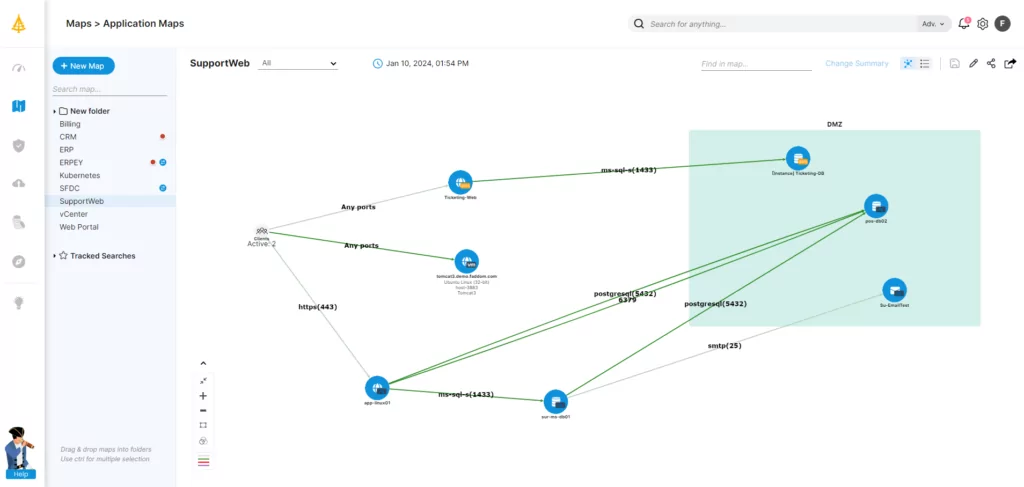
Faddom is an application dependency mapping (ADM) platform that builds a real-time picture of an organization’s servers, applications, and the connections between them. It runs without agents and without requiring server credentials or firewall changes, drawing on a copy of network traffic so that collected data stays inside the environment. After deployment, it begins producing a first map of on-premises and cloud infrastructure within about an hour and automatically groups discovered servers into the business applications they support. The platform uses AI-driven correlation to turn raw network data into application and dependency maps that update continuously around the clock. It is designed to work across hybrid and multi-cloud environments and operates in read-only mode.
Key features include:
- Agentless, passive discovery: Faddom maps servers, applications, and dependencies without installing agents, opening firewalls, or supplying server credentials. It works from a copy of network traffic, can run offline, and keeps all collected data within the customer’s environment.
- Real-time, continuously updated maps: The platform refreshes its maps 24/7, reflecting changes as they occur rather than relying on periodic scans. This gives teams a current view of how servers and applications connect, which helps in environments that change frequently, such as those built on microservices.
- Automatic application grouping: Discovered servers are automatically organized into the business applications they belong to, so teams can see east-west traffic and application boundaries without building those relationships manually.
- Hybrid and multi-cloud coverage: Faddom connects to on-premises data centers and cloud environments and presents them through a single view, mapping dependencies across both. It is positioned as platform-agnostic rather than tied to a single infrastructure vendor.
- Use-case coverage across IT and security: The same dependency data feeds documentation, change management and impact analysis, data center and cloud migration planning, cost and resource optimization, audit and compliance, and security tasks such as identifying vulnerabilities and reviewing the internal attack surface.
- AI-assisted analysis (Faddom AI): Faddom applies AI-driven correlation to network data to generate and interpret dependency maps, with an emphasis on the accuracy of the resulting documentation.
Limitations (as reported by users on G2):
- Dependency capture in restricted networks: Because discovery is agentless and based on network traffic and flow data, some users note that environments with heavily encrypted traffic or tightly segmented network zones may need additional data sources to capture every dependency in full detail.
- Focused scope: Reviewers describe Faddom as concentrated on mapping and visibility rather than acting as a full CMDB or AIOps suite, so some teams run it alongside other tools for those broader functions.
- Initial onboarding in complex setups: A small number of users mention that getting started in more complex proof-of-concept environments took longer than they had planned.
Learn more about Faddom’s application dependency mapping tool.
2. Device42 IT Inventory and Asset Management
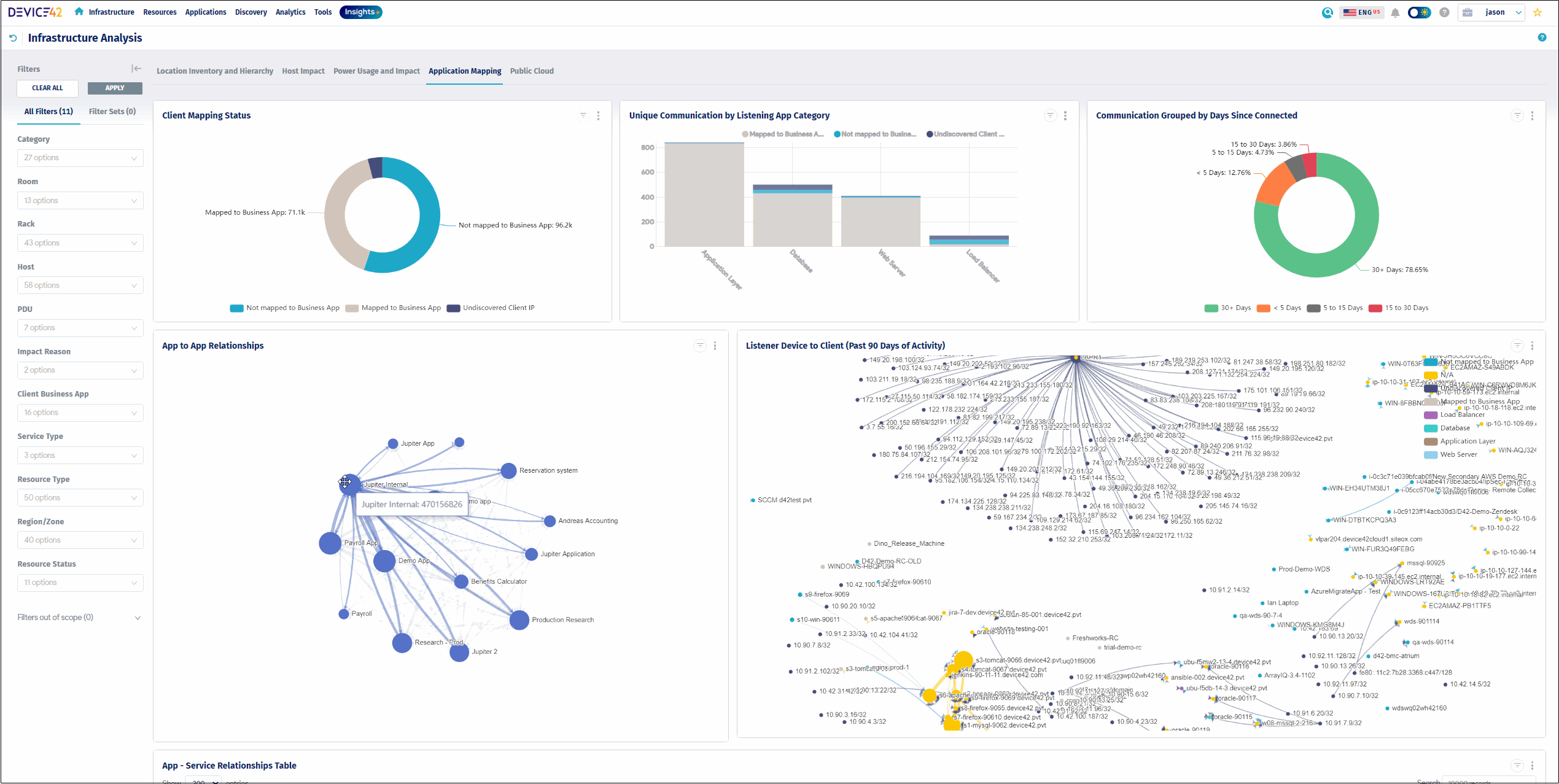
Device42, now part of Freshworks, is an IT asset management and discovery platform that documents hardware, software, and cloud assets across physical, virtual, and hybrid infrastructure. It populates an inventory using auto-discovery that can run agentless, agent-based, or a combination of the two, and discoveries can be scheduled to keep records current. The platform covers a wide range of technologies, from legacy systems through to cloud resources, and stores the results in a built-in CMDB intended to serve as a single source of truth. Alongside inventory, Device42 maps relationships and dependencies between assets and tracks the financial and contractual side of assets, including purchases, warranties, and licenses.
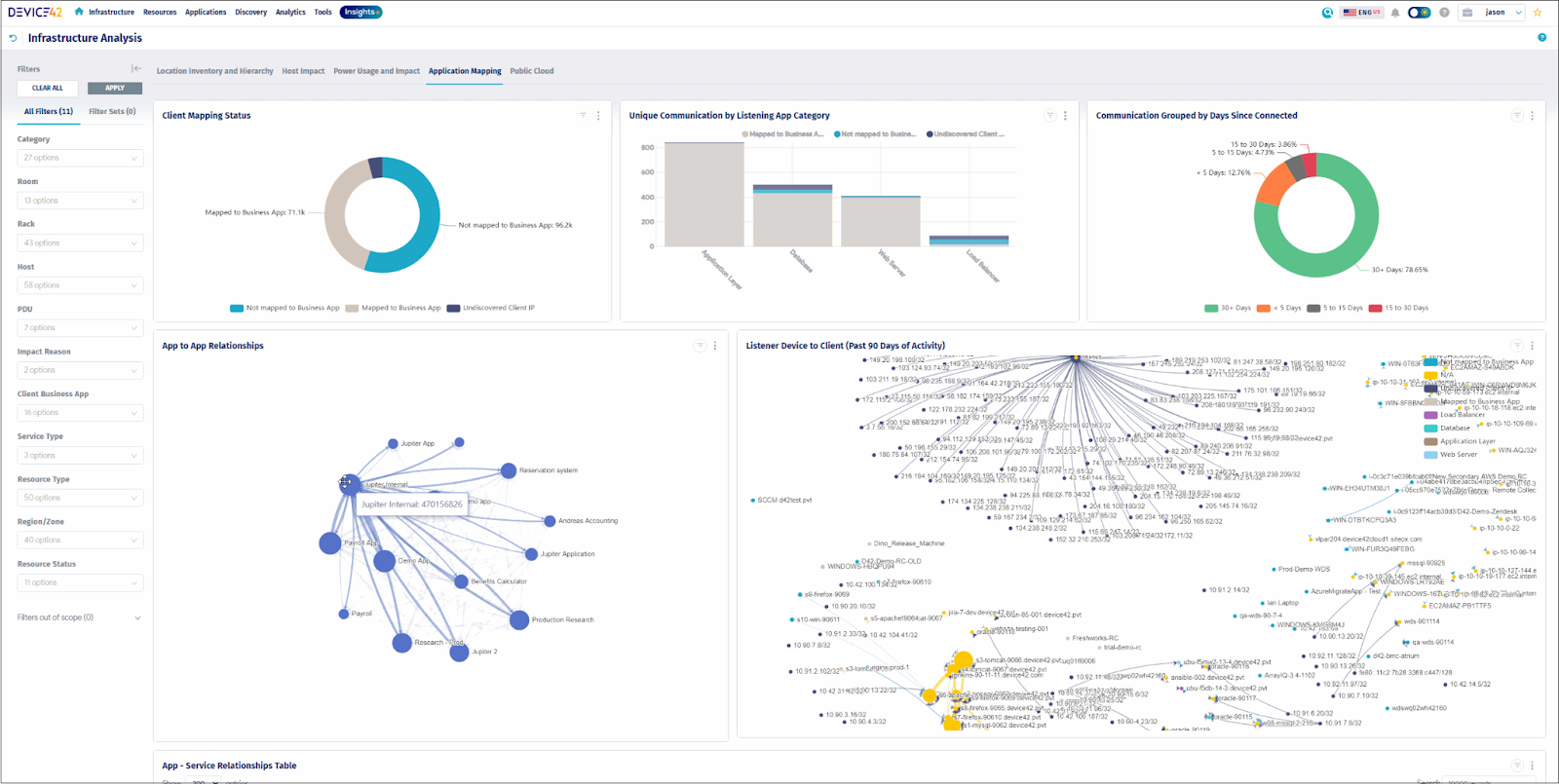
Source: Device42
Key features include:
- Agentless and agent-based auto-discovery: Device42 builds inventory across physical, virtual, cloud, and hybrid environments using agentless methods, agents, or both together. Discoveries can be scheduled so records stay up to date, and the platform supports a range of protocols and native cloud and hypervisor APIs.
- Configurable asset types and CMDB: Teams can use predefined asset types or create custom ones and manage configuration items in a built-in CMDB. The CMDB is positioned as a single source of truth that unifies asset and configuration records across teams and departments.
- Software discovery and license management: The platform profiles software installed on Windows and Linux machines, compares installed counts against purchased counts, and supports user-, device-, and CPU-based licensing models to help track compliance.
- Application dependency mapping: Native ADM visualizes operational dependencies between assets, helping teams understand how a service interruption could affect related systems and supporting migration and modernization work.
- Warranty, purchase, and contract tracking: Device42 centralizes contract information and tracks assets from purchase to decommissioning. Automated warranty lookups retrieve status from vendors such as Dell, IBM, and Lenovo through vendor APIs.
- QR codes and mobile inventory: The platform generates customized QR codes and assigns asset numbers, and provides a mobile-optimized portal so staff can view and update inventory from a smartphone instead of a dedicated barcode reader.
Limitations (as reported by users on G2):
- Initial setup complexity: Some users report that the platform can feel complex to configure and navigate at first, particularly for smaller teams.
- Performance with large data volumes: Reviewers note occasional slowdowns when handling very large data sets or high volumes of requests.
- Pricing structure: Certain capabilities are described as priced as separate add-ons rather than being included, which some users found added to cost and planning.
- Reliance on manual steps in places: A few reviewers mention that some tasks still require manual procedures that can be time-consuming.
3. BMC Helix Discovery
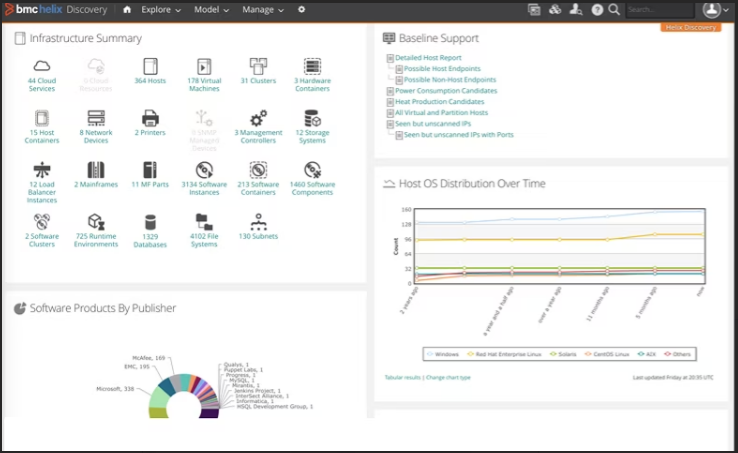
BMC Helix Discovery is a discovery and dependency-mapping solution that gives IT teams a view of assets and the services they support across cloud and on-premises environments. It is available as a SaaS service or for on-premises deployment and uses agentless, continuous discovery to find assets and map their relationships without manual updates. The platform builds service models that connect infrastructure to the applications and business services it underpins, and it reconciles data from different topology sources into a single view. Discovered topology can be fed into the wider BMC Helix platform to support observability and AIOps, and the same asset detail is used for security and compliance work.
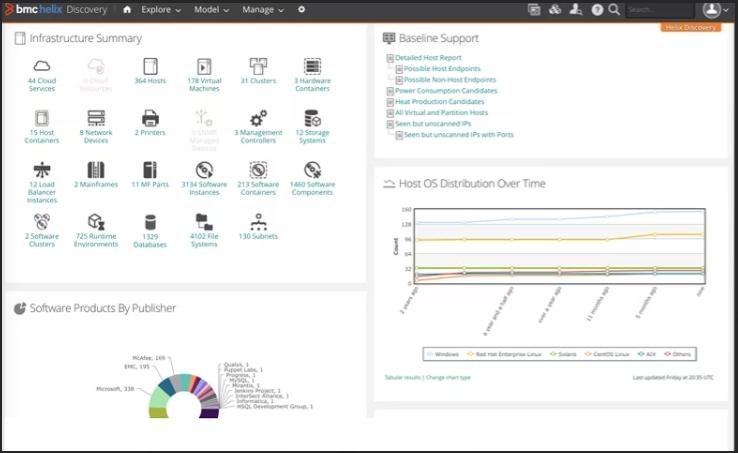
Source: BMC
Key features include:
- Agentless continuous discovery: BMC Helix Discovery automatically finds assets and maps their relationships across cloud and on-premises environments, keeping data current without manual intervention. It is offered as a SaaS service or as an on-premises deployment.
- Blueprint-automated service modeling: The solution uses a library of service-modeling blueprints to map infrastructure to the applications and business services it supports, helping teams visualize complex, changing environments.
- Data reconciliation: It unifies data drawn from different topology sources into a single, consistent view, and can publish reconciled data to a CMDB.
- Real-time service awareness and context: By connecting service models, topology, and telemetry, the platform helps identify root causes and visualize the impact of issues. It can combine current context with historical performance trends to support proactive alerting and AIOps insights.
- Security and compliance visibility: Detailed asset data is used to surface hidden or undocumented assets, locate potential entry points, and support regulatory compliance, and the platform includes discovery and management of SSL/TLS certificates.
- Multi-cloud discovery: It discovers and manages resources across different cloud providers, addressing visibility gaps that affect migration planning, capacity optimization, and integration with IT service management.
Limitations (as reported by users on PeerSpot):
- Limited client-side discovery: Users note the product is oriented toward data center discovery, with room to expand discovery of client-side devices such as desktops and printers.
- Customization and stability: Some reviewers would like more customization options and report that certain monitoring functions could be more stable.
- Access control and connectors: Reviewers mention that role-based access control can be difficult to implement due to gaps between documented and actual permissions, and that the discovery connector still has some limitations.
- On-premises support and documentation: A few users describe slower turnaround on patches or workarounds for on-premises deployments and difficulty locating information in the knowledge base.
IT Service and Asset Management Platforms
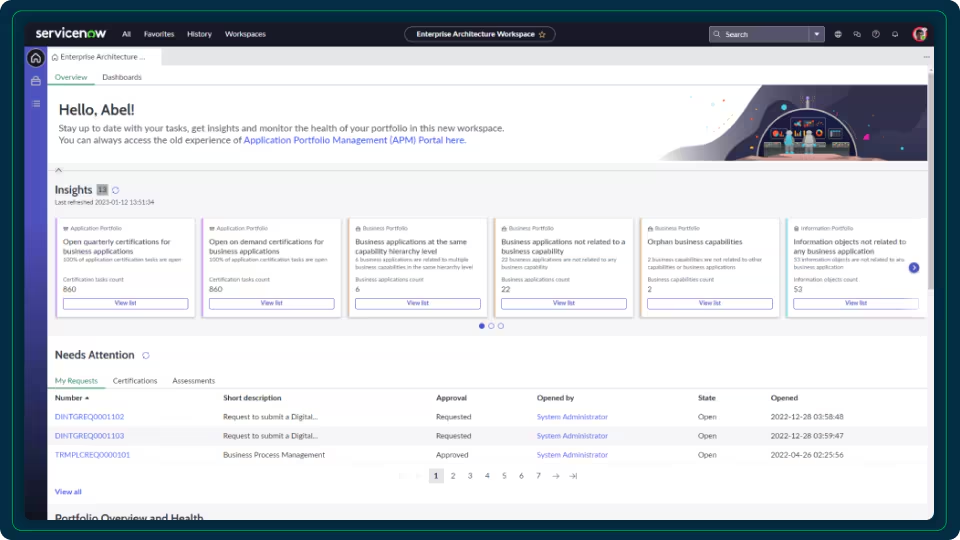
4. ServiceNow’s IT Service Management
ServiceNow IT Service Management is a cloud-based platform that brings incident, problem, change, and service request management together on a single system built on the ServiceNow AI Platform. It aligns with ITIL practices and uses AI agents and automation to handle routine requests, with the stated aim of moving toward lower-touch service. A shared CMDB consolidates incidents, changes, problems, and requests, and provides dependency data used for context and change-risk assessment. Employees can request help through multiple channels, including a portal, chat, voice, Microsoft Teams, Slack, and mobile, and self-service is supported by AI. The platform also includes predictive and reporting capabilities for tracking service performance.
Source: Servicenow

Key features include:
- Unified incident, problem, change, and request management: ServiceNow consolidates core ITSM processes on one platform and applies AI specialists to triage, investigate, and resolve routine incidents, routing recurring issues into problem management.
- CMDB and dependency data: A shared configuration management database links incidents, changes, problems, and requests, and supplies dependency information used to give teams context and to assess the risk and impact of changes.
- Change management with risk scoring: Change processes draw on CMDB dependencies and use automated risk scoring and approvals, intended to reduce outages caused by changes.
- Omnichannel self-service: Employees can get help through a portal, chat, voice, Microsoft Teams, Slack, or mobile, with AI handling many requests so that fewer become tickets.
- AI and automation (Now Assist): Generative AI and autonomous agents assist with requests, suggested next steps, and routine tasks such as password resets and access requests, within an agent workspace.
- Predictive intelligence and reporting: The platform tracks measures such as mean time to resolution, customer satisfaction, first-contact resolution, and ticket volume, and offers benchmarking to spot gaps before service levels slip.
Limitations (as reported by users on G2):
- Cost: Reviewers frequently cite high licensing and implementation costs, which can make the platform a heavier investment for smaller organizations.
- Learning curve: Users describe a steep learning curve that often requires dedicated expertise to configure and maintain.
- Complexity: The breadth of the platform and its interface can feel overwhelming, and some reviewers consider it more than smaller teams need.
- Ongoing maintenance: Frequent updates and the platform’s depth mean it can require significant ongoing administration.
5. ManageEngine AssetExplorer

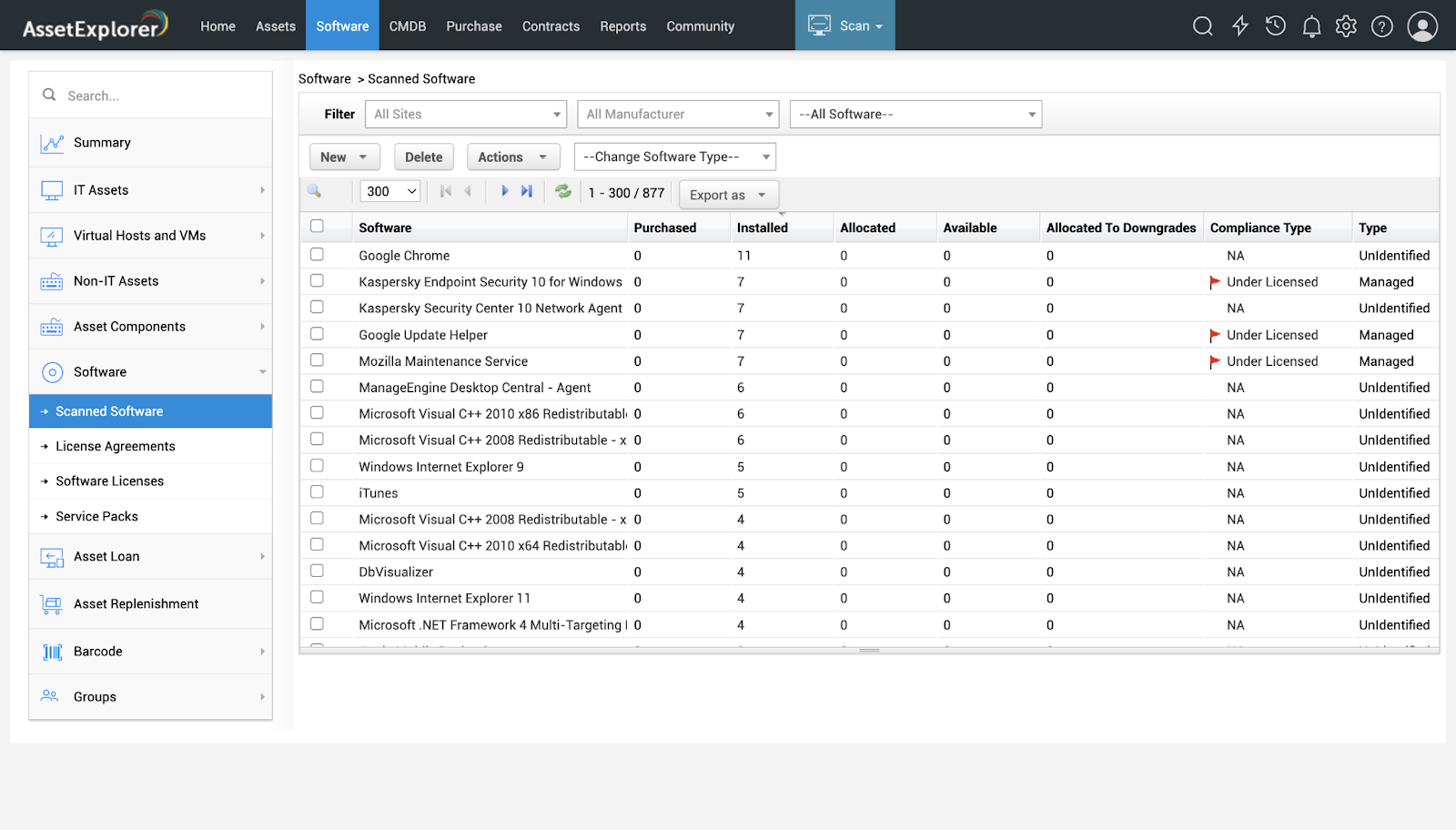
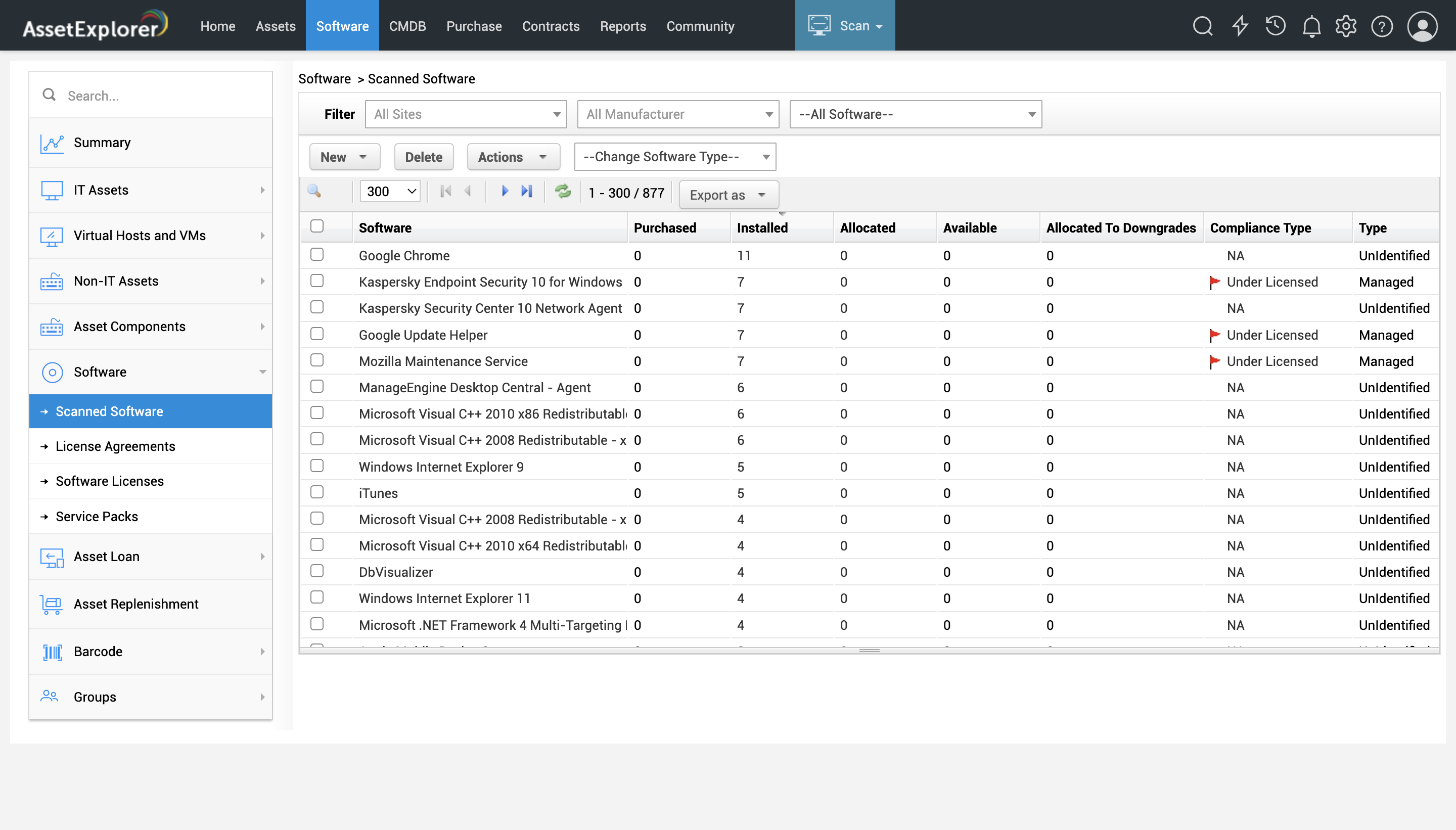
ManageEngine AssetExplorer is a web-based IT asset management platform that helps organizations track hardware and software assets across multiple sites through their full lifecycle, from purchase to disposal. It is available in on-premises and cloud versions. Out of the box, it offers hardware and software discovery and inventory, a CMDB to map configuration items and their dependencies, and purchase and contract management. Asset lifecycles and ITAM processes can be built using a drag-and-drop canvas, with workflows tailored to each product type. The platform also covers software license management and reconciliation and includes built-in reports and dashboards.
Source: ManageEngine
Key features include:
- Asset discovery and inventory: AssetExplorer discovers and inventories assets using agent-based and agentless methods, supports barcode, QR code, and RFID scanners, and runs automated scans to keep inventory current in real time.
- Software asset and license management: The platform inventories software with reconciliation, monitors usage across installations, and can allocate, upgrade, or downgrade licenses. It supports various license types, including suites and service packs.
- CMDB and configuration management: A configuration management database acts as a single source of truth for configuration items, presents business views of services and their dependencies, and syncs data between the CMDB and its sources using rules.
- Visual asset lifecycle and workflows: A drag-and-drop canvas lets teams design asset lifecycles and ITAM processes, define separate lifecycles for each product type, and trigger automated actions within those workflows.
- Purchase and contract management: AssetExplorer includes purchase order and contract management with support for cost center and general ledger codes, and the ability to create parent and child contracts.
- Reporting and dashboards: Built-in reports and live dashboards present asset data with charts and graphs, support query-based reports, and can pull in external URL sources.
Limitations (as reported by users on G2):
- Discovery approach: Some users note that adding Windows, Mac, and Linux computers relies on agents and Active Directory integration rather than a broader network discovery mechanism, which does not suit every environment.
- Support experience: Reviewers report that interactions with customer support can be inconsistent.
- Reporting and query usability: Users mention bugs in purchase-order reporting and find the search filters and query system cumbersome in places.
- Setup and add-on costs: Several reviewers say the tool needs considerable customization at the start and that some add-ons are relatively expensive.
- Record handling: A few users describe occasional record-merging issues, where separate devices are combined into a single record.
Read more in our detailed guide to Lansweeper alternatives
6. SolarWinds Service Desk

SolarWinds Service Desk is a cloud-based IT service management platform with built-in IT asset management. It centralizes management of any asset type, including hardware, software, mobile, and non-network devices, and automatically discovers new hardware on the network and software on devices running Windows, Mac, Linux, and Chromebook. Asset data integrates with procurement to track purchases, utilization, contracts, and licenses, and feeds a CMDB that supports dependency mapping, asset and incident correlation, and change impact analysis. Assets can be attached to incident tickets, creating a history that helps identify recurring problems and troublesome hardware. The asset management capabilities sit within a broader ITIL-aligned service desk.

Key features include:
- Centralized asset management: The platform manages hardware, software, mobile, and non-network devices in one place, giving teams a single inventory across asset types and their lifecycle stages.
- Automatic discovery: Service Desk detects new hardware on the network and identifies software on Windows, Mac, Linux, and Chromebook devices, keeping inventory current as assets change.
- Procurement, license, and contract tracking: Asset data integrates with procurement processes to track purchases, utilization, contracts, and licenses, and to surface potential license and security risks from unapproved software.
- CMDB and dependency mapping: A CMDB links assets as configuration items to support dependency mapping, asset and incident correlation, and change impact analysis, helping teams assess the effect of changes and outages.
- Asset-to-incident linking: Agents can attach relevant assets to tickets, providing detail about the device and its installed software during troubleshooting and building historical records that help spot recurring incidents.
- Risk and compliance support: The asset inventory acts as a source for risk and compliance analysis, and the broader Service Desk platform provides reporting, dashboards, and a mobile app.
Limitations (as reported by users on G2):
- Cost relative to alternatives: Several reviewers describe the platform as expensive compared with other options.
- Network device coverage: Some users report gaps when using the tool to track every device on the network, including data inconsistencies from remote sites.
- Mobile access: Reviewers note that access to service desk features from mobile devices could be improved.
- Reporting flexibility: Users find the reporting somewhat rigid, with limited flexibility in the pre-built reports.
Learn more in our detailed guide to Lansweeper alternatives
Conclusion
Choosing the right IT asset management tool is crucial for achieving real-time visibility and control over your organization’s IT infrastructure. An effective solution should offer agentless discovery and continuous updates across both on-premises and cloud environments, providing deep insights into asset dependencies without complex setups. Scalability and ease of use are key, allowing the tool to grow with your organization while remaining straightforward and efficient.
Cost-effectiveness is equally important—look for transparent pricing and a high return on investment without hidden costs. The ideal tool empowers IT teams with accurate, actionable insights to enhance disaster recovery, cybersecurity, compliance, and overall IT management, ensuring a well-optimized and resilient technology environment.
Discover Faddom’s ADM platform by starting a free trial!
See Additional Guides on Key Cybersecurity Topics
Together with our content partners, we have authored in-depth guides on several other topics that can also be useful as you explore the world of cybersecurity.
Solarwinds SAM
Authored by Faddom
- [Guide] SolarWinds SAM: Key Features,Pricing, Limitations, and Alternatives
- [Guide] PRTG Network Monitor vs. SolarWinds: 4 Key Differences and How to Choose
Device42
Authored by Faddom
- [Guide] Device42: 5 Key Features, Limitations, and Alternatives
- [Guide] Device42 Pricing: The 5 Pricing Tiers Explained – Faddom
- [Product] Faddom | Instant Application Dependency Mapping Tool
Disaster Recovery
Authored by Cloudian