
What Is IT Documentation Software?
IT documentation software is a specialized tool designed to manage and maintain technical data documenting IT environments. It serves as a single, centralized repository where all vital information, from network configurations to hardware inventories, is stored, sorted, and made readily accessible.
Documentation software streamlines the process of storing and retrieving information, making it easier for IT professionals to perform their duties more efficiently. A key capability of IT documentation solutions is the ability to create diagrams and visualizations of IT infrastructure, networks, and architectures.
IT Documentation Tools
Here are core capabilities of IT documentation tools:
-
- Search: The software should allow you to search using keywords, filter results based on specific criteria, and sort the results to help you find what you’re looking for faster.
-
- Document history and versioning: Makes it possible to track changes made to a document over time. This is important in identifying the cause of changes and issues in IT environments and resolving them more quickly.
-
- Import and export: The tool should allow you to import existing data, such as a list of devices in a CSV file or an existing IT manual, and export data or documents for reporting or analysis.
-
- Access control and permissions: IT documentation is sensitive by nature, and not everyone in the organization should have access to it. An IT documentation solution should allow you to define fine grained access controls for documents and data.
-
- Structured data: The solution should provide a way of storing IT information in a specific structure, for example information about software applications or IT equipment.
-
- Diagrams and visualizations: Some IT documentation tools can provide visualizations of the IT environment, such as network topology, applications deployed in the environment, and the relationships between them.
Notable Documentation Software and Tools
Automated Discovery and Infrastructure Mapping
1. Faddom
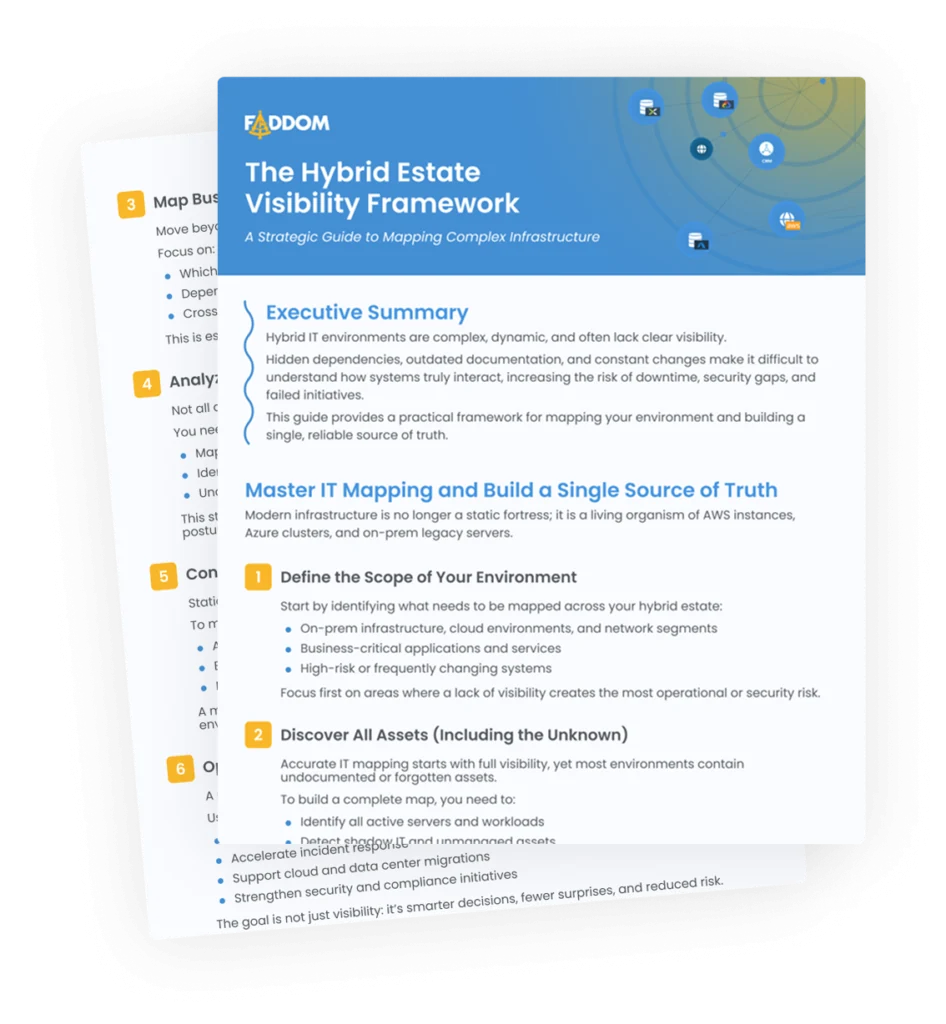
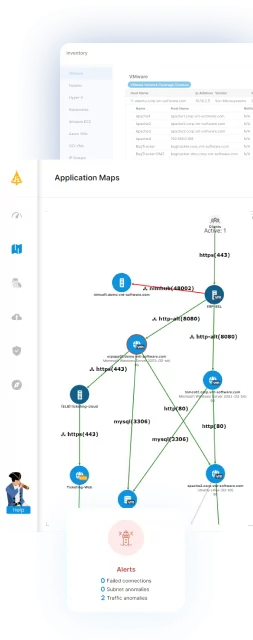
Faddom is an agentless platform that discovers IT assets and maps how they connect, then turns that data into IT documentation that updates on its own. Instead of relying on manually written records, it scans on-premises, cloud, and hybrid environments and builds a picture of servers, physical devices, users, and business applications and the dependencies between them. The documentation it produces is meant to stay current as the environment changes, so teams work from a single source of truth rather than spreadsheets that drift out of date. Because discovery runs continuously, gaps that lead to inconsistent records or missed dependencies are reduced. The resulting data can be searched, exported, or fed into other tools that teams already use.

Key features include:
- Agentless hybrid discovery: Faddom maps servers, physical devices, users, and business applications across on-premises, cloud, and hybrid environments without installing agents. Discovery runs continuously so the documentation reflects the current state of the environment. The same mapping is available even in offline or disconnected settings.
- Always-updated IT documentation: The platform maintains records of users, servers, business applications, and devices and refreshes them automatically as things change. This is intended to remove the manual tracking that causes documentation to fall behind. The aim is a single, trusted reference for the whole team.
- Software inventory: Faddom detects and tracks the software running across the environment. This gives teams a clearer view for control and security purposes. It surfaces software that may not have been recorded elsewhere.
- Environment-wide search: Users can search across the entire mapped environment and locate a specific item in seconds. This covers assets such as servers, applications, and devices. It is meant to shorten the time spent hunting for information during troubleshooting or planning.
- Export and integration: Data captured by Faddom can be exported or integrated with other tools to fit existing workflows. This lets teams move discovery output into adjacent systems rather than keeping it siloed. It supports keeping operations running with current information on hand.
Limitations (as reported by users on G2):
- Setup time in complex environments: Some users noted that completing the first full map can take longer in larger or heavily segmented environments, and a few needed vendor assistance to finish their initial deployment.
- Documentation consistency: A small number of reviewers felt that parts of the setup and reference material could be clearer and more consistent.
- Focused scope: Because the product centers on agentless discovery and dependency mapping, some users pair it with a broader configuration database rather than treating it as a full replacement, and note that very heavily encrypted or tightly segmented traffic may not be captured at full granularity.
Learn more about Faddom for IT documentation or start a free trial by filling out the form in the sidebar!
2. Device42

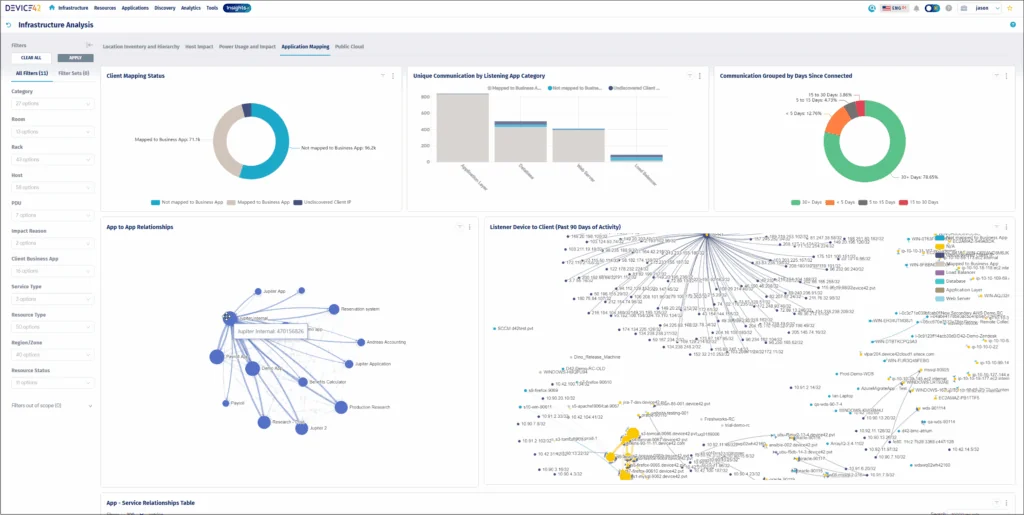
Device42, now a Freshworks company, is an agentless discovery and dependency-mapping platform aimed at data center and cloud environments. It continuously discovers IT and cloud assets, from legacy mainframes to cloud containers, and records detailed inventory about each one. The discovered data populates a configuration management database (CMDB) that is updated automatically, which can serve as a reference for asset and configuration records. Alongside discovery, the platform documents how assets relate to and depend on one another, and stores supporting details such as IP addresses, certificates, and software licenses. It also includes data center documentation features such as rack diagrams and cable management. Integrations and an open REST API let teams move this data in and out of other systems.
Key features include:
- Agentless infrastructure and cloud discovery: Device42 discovers physical servers, virtual machines, network devices, containers, and cloud assets across on-premises, virtual, AWS, and Azure environments without agents. Discovery runs on a schedule so inventory stays current. It spans environments from older mainframes through modern cloud resources.
- Automated CMDB: Discovered data feeds a continuously updated configuration management database with enriched configuration item information. This is intended to serve as a single source of truth for asset and configuration records. It can also auto-populate or supplement existing CMDBs.
- Application dependency mapping: The platform includes native dependency mapping that visualizes how applications and infrastructure relate to one another. This supports troubleshooting, migrations, and modernization work. It groups related workloads to make dependencies easier to read.
- Asset detail and license tracking: Device42 documents supporting data such as IP addresses (IPAM), SSL certificates, storage resources, and software licenses, including comparing discovered software counts against purchased counts. This consolidates records that are often kept in separate tools. It helps with audit and compliance preparation.
- Data center documentation: Built-in DCIM features document server room layouts, rack diagrams, patch panel and cable management, and spare parts. Reporting and dashboards (Insights+) present the discovered data, including a natural-language query option. Over 30 integrations and an open REST API move data between Device42 and other systems.
Limitations (as reported by users on PeerSpot):
- Initial learning curve: Reviewers noted the platform can feel complex to set up and navigate at first, particularly for smaller teams.
- Performance and integration gaps: Users pointed to dependency-mapping speed and certain integrations, such as Kubernetes, as areas that could be improved.
- Administrative effort: Some reviewers said bulk operations such as deletions and upgrades, along with reporting and dashboard widgets, would benefit from optimization, and that some tasks still require manual input.
3. Docusnap

Docusnap is an agentless tool for automated IT inventory and documentation. It inventories an entire network on a recurring schedule and uses the collected data to generate reports, network maps, and diagrams that update with each scan. The goal is documentation that reflects the actual state of the environment without manual rework. It covers hardware, software, network settings, permissions, and business-critical applications across physical, virtual, and cloud systems. Beyond raw inventory, it can assemble IT concepts such as contingency plans and operations manuals from the same data. Outputs can be exported to common formats and distributed automatically on a schedule.
Key features include:
- Automated agentless inventory: Docusnap captures the IT environment using standard protocols such as WMI, SSH, SNMP, and REST APIs, with no software deployed on the systems being documented. It inventories Windows, Linux, and macOS systems, VMware and Hy-V, Active Directory, Microsoft 365, network devices, switches, and printers. Inventories run on a schedule so documentation reflects the current state.
- Reports, maps, and diagrams: The software ships with more than 200 ready-made reports and maps, including network maps, layer 3 routing maps, communication maps, software overviews, and hardware reports. These are generated automatically from inventory data. They make relationships and potential weak points easier to identify.
- IT concepts and templates: Docusnap includes a concept editor for building documents such as IT contingency plans, operations manuals, and restart plans. Inventoried data, maps, and diagrams can be added by drag and drop and update automatically on a schedule. Templates help standardize how these documents are produced.
- Permissions and license analysis: The tool documents permissions across Windows file systems, Microsoft Exchange, and SharePoint, accounting for NTFS and sharing permissions and group nesting. It also reconciles installed software against purchased licenses. These reports support audits and certifications such as ISO 27001, NIS-2, and GDPR.
- Flexible access and export: Outputs can be exported to HTML, Microsoft Visio, and Excel, and filed to shares or emailed on a time-controlled schedule. Access options include an on-premises server, offline HTML documentation, a read-only web client, and the Docusnap365 cloud (SaaS) variant. This lets different roles reach the documentation in the way that suits them.
Limitations (as reported by users on G2):
- Reporting flexibility: Reviewers reported that the generated reports can be limited and that it is difficult to fine-tune outputs to a specific environment.
- Customization: Some users felt the level of customization is fairly limited and that the product does not always adapt to their exact needs.
- Setup effort: Configuring inventories and concepts to get the most out of the tool takes time and IT expertise, which can lengthen the path to a fully tailored result.
IT Documentation and Management Platforms
4. IT Glue

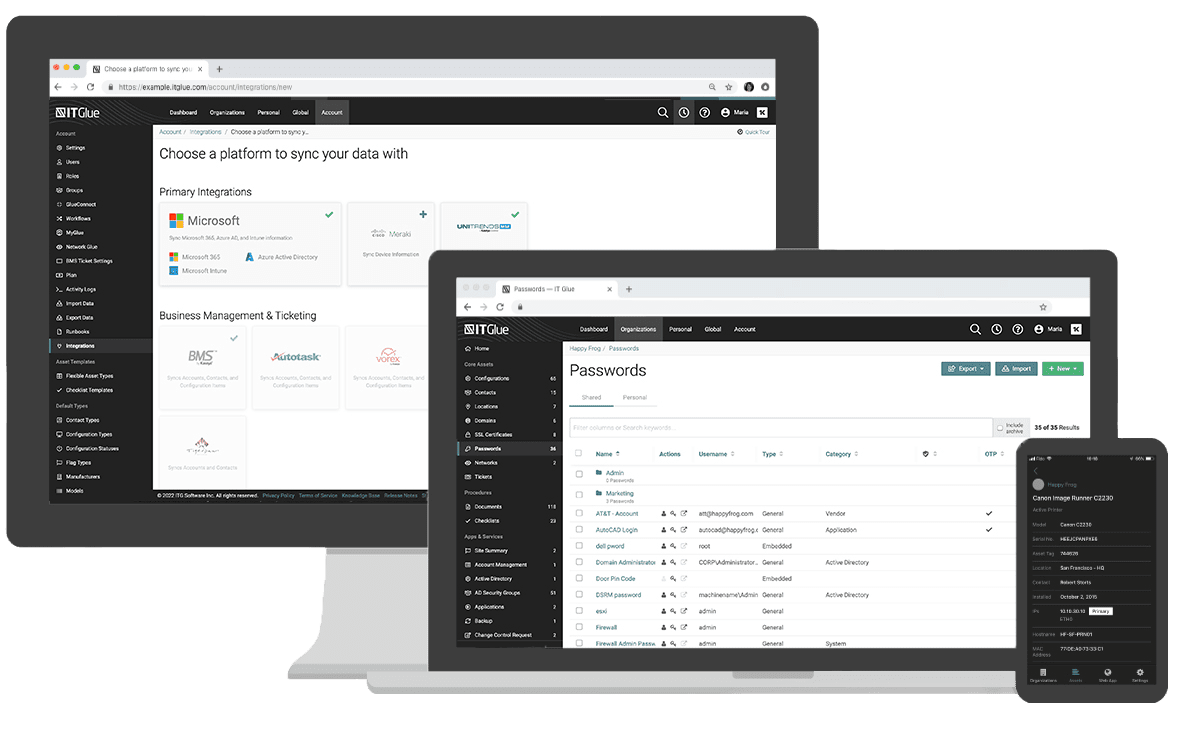
IT Glue, a Kaseya company, is a documentation management platform built for IT teams and managed service providers. It provides a structured framework for recording IT assets, configurations, passwords, and procedures so information is organized consistently rather than scattered across tools. A central idea is relationship mapping, which links related items such as users, devices, and passwords so connected information is available together. The platform is SOC 2 compliant and includes a password management engine tied to the rest of the documentation. It integrates with many PSA, RMM, and backup platforms and exposes a public API so it can act as a single source of truth. Add-on products extend it to end-user collaboration and automated network discovery.
Source: IT Glue
Key features include:
- Structured documentation framework: IT Glue provides a documentation framework used across many partner organizations to standardize how information is recorded. Asset types, configurations, and procedures follow a consistent structure. This is intended to make documentation easier to create, maintain, and find.
- Relationship mapping: The platform links related items together so that, for example, a device, its passwords, and related procedures are connected. This reduces the effort of locating associated information. It supports faster troubleshooting and onboarding.
- Secure password management: A built-in password engine stores credentials with an immutable audit trail and links them to the relevant documentation. Features include a vault, a one-time password generator, offline access to stored passwords, and automated rotation for Active Directory, Entra ID, and Microsoft 365. Access is governed by controls such as SSO and IP access control.
- Documentation automation and SOPs: IT Glue can capture actions as you work to generate step-by-step standard operating procedures, and supports runbooks, checklists, and a template library. Version control with rollback and an immutable audit trail track changes over time. This is aimed at reducing manual documentation effort.
- Integrations and add-ons: The platform offers 60+ native integrations with PSA, RMM, and backup tools plus a public API. The Network Glue add-on automates network discovery, documentation, and diagramming, including SNMPv3 discovery, while MyGlue extends password management and collaboration to end users. Import, export, mobile apps, and browser extensions round out access.
Limitations (as reported by users on G2):
- Learning curve: Reviewers noted that the platform can be tricky for less technical users at first, and that search works best when documentation is tagged consistently.
- Cost: Some users described the pricing as high, particularly for smaller teams.
- Occasional reliability and fit issues: Reviewers mentioned occasional inconsistencies (such as password saving), browser compatibility, and integration gaps with some tools, and a few felt the platform could be more full-featured in places.
5. ITBoost

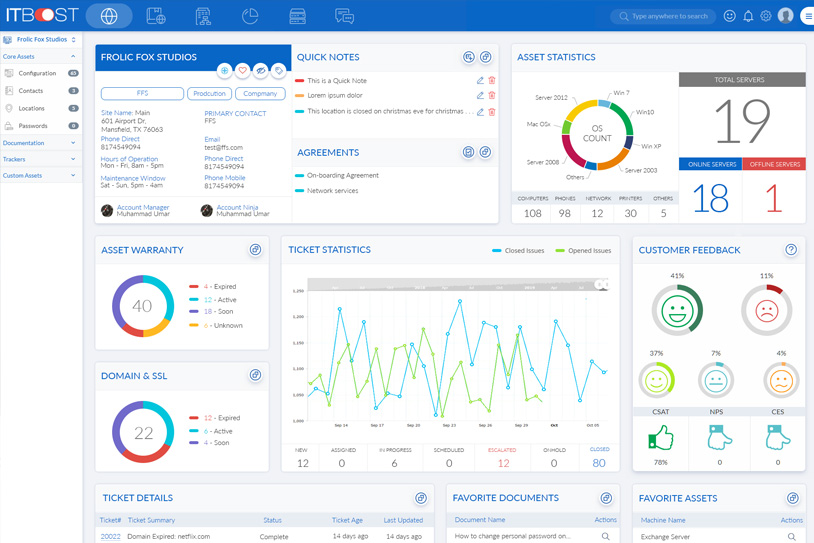
ITBoost, now offered within the ConnectWise platform and branded “Documentation (formerly ITBoost),” is IT documentation software aimed at consolidating information that would otherwise live in separate tools. It centralizes knowledge bases, device records, client data, and standard operating procedures, and pulls data together from external documentation tools so technicians can work from one place. It is built to connect closely with the wider ConnectWise stack, syncing data from PSA and RMM products. A password vault stores credentials with access controls and audit reporting. Asset discovery populates a picture of a customer’s assets from cloud integrations without manual data entry, and on-screen prompts surface relevant client information during support calls.
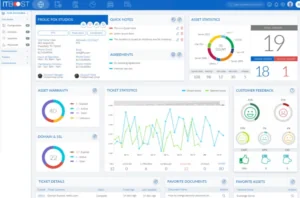
Source: ITBoost
Key features include:
- Centralized documentation: ITBoost brings knowledge bases, device records, and client data into one place with built-in best practices. A centralized structure is meant to let anyone in the business find what they need quickly. It reduces switching between disconnected systems.
- Asset discovery: The tool builds an up-to-date picture of a customer’s assets by pulling data from cloud integrations rather than manual collection. This keeps asset records current with less effort. It feeds the wider documentation set.
- Standard operating procedures: Teams can define SOPs within the tool to standardize how processes are carried out. This supports consistency across technicians. Procedures live alongside the related documentation.
- Password management: A password vault stores credentials with detailed control over user access. It supports time-based one-time passwords and time-based password sharing. Password reports provide visibility into audit trails.
- ConnectWise integration and VoIP: The product integrates deeply with ConnectWise PSA, ConnectWise Automate, and Reports and Dashboards (formerly BrightGauge), and offers one-click onboarding for PSA partners. VoIP integration shows technicians who is calling, the caller’s recent contact history, and linked assets and knowledge base articles. Role-based permissions and version control govern who can view and change documentation.
Limitations (as reported by users on G2):
- Interface: Several reviewers described the interface as somewhat clunky.
- Learning curve: Users noted it can take time to learn and get comfortable with the product.
- Feature gaps and quirks: Some reviewers pointed to missing features and minor usability issues, such as needing multiple clicks to copy content out of the tool.
6. IT Portal

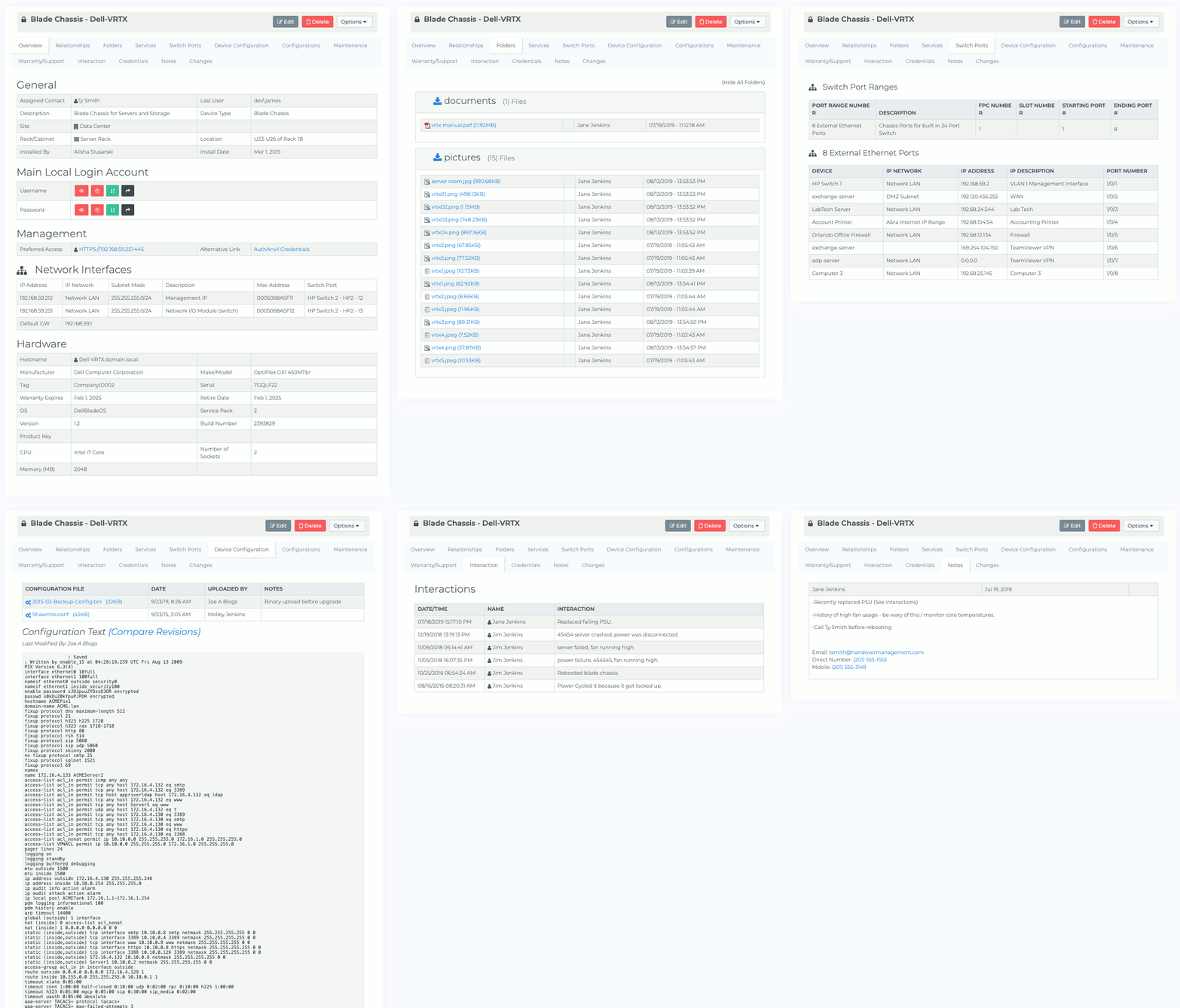
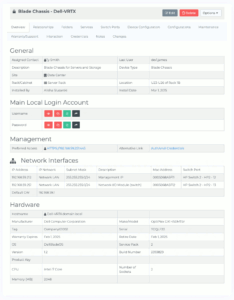
IT Portal is a documentation platform that centralizes IT knowledge in one place, from device configurations to procedures. It organizes information into defined record types, including companies, accounts (passwords), agreements, contacts, configurations, devices, documents, knowledge base articles, and forms (procedures), and links them together so an environment can be navigated as a connected whole. It is built for both internal IT teams and MSPs managing many clients, with a structure that keeps each client’s information organized and separated. The platform can be deployed in the cloud, on premises, or in a hybrid model, which supports organizations with data residency or air-gapped requirements. Security features include role-based and granular access controls, two-factor authentication, encryption, and SOC 2 compliance.
Source: IT Portal
Key features include:
- Structured record types: IT Portal organizes documentation into defined areas such as companies, accounts (passwords), agreements, contacts, configurations, devices, documents, knowledge base articles, and forms. Each area connects logically so the environment can be navigated as a whole. This gives teams one structured place to document everything.
- Credential and agreement tracking: The platform documents and manages credentials with access controls, and tracks contracts, licenses, and vendor agreements with reminders for renewals and expirations. This keeps sensitive access information and commitments in one secure place. Add-ons cover password rotation.
- Knowledge base and procedures: A knowledge base supports technicians and end users, and forms capture repeatable procedures to reduce human error. Templates and change history support consistent, trackable documentation. The goal is faster resolution and less reliance on individual knowledge.
- Flexible deployment: IT Portal can run in the cloud, on premises, or in a hybrid setup, and supports air-gapped environments and data sovereignty requirements. It maintains a consistent documentation structure across all of these. This is aimed at organizations that cannot move everything to the cloud.
- Security, access, and integrations: Security features include granular permissions and access controls, two-factor authentication, Active Directory support, SSL and encryption, IP access control, a recycle bin, and SOC 2 compliance. Mobile access, an open API, and network and device import (including API-based import) connect it to existing monitoring, ticketing, and automation tools. Data can be imported from spreadsheets and other platforms and exported as needed.
Limitations (as reported by users on Capterra):
- Interface consistency: Some reviewers felt the interface can be inconsistent, with the same feature implemented differently depending on the record type, and settings that are sometimes hard to navigate.
- Reporting and feature gaps: Users noted the absence of a strong reporting system for producing dense, offline-readable documentation, and that some features available in competing tools, such as client handoff runbooks, are missing.
- Billing: Reviewers found that per-user billing can recalculate on each add or removal within a day, which makes invoices harder to read.
7. NinjaOne

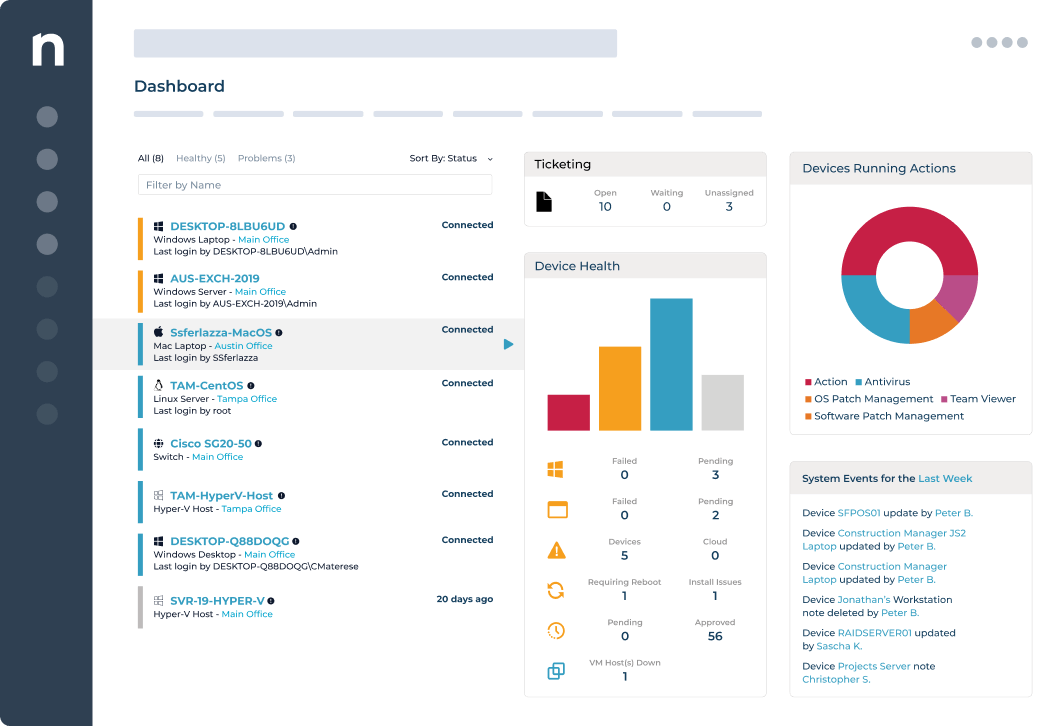
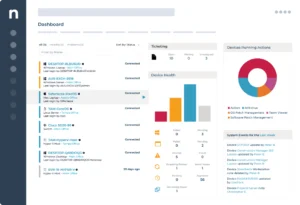
NinjaOne Documentation is the documentation component of the broader NinjaOne IT management platform, which also covers endpoint management, ticketing, and other functions. It centralizes IT knowledge so technicians can find information without switching between separate tools, and stores credentials, processes, and configurations in one place. Documentation is built from customizable templates that can describe assets, workflows, and accounts, and a completion dashboard shows which records still need attention. Relationship mapping connects documents and assets such as technicians, devices, and passwords. The platform secures information with encryption, multifactor authentication, and role-based access controls, and uses its automation engine and APIs to help create and maintain documents.
Source: NinjaOne
NinjaOne helps streamline the documentation process with standardized checklists, making it easier to develop a knowledge base for IT infrastructure. For administrators, it offers a centralized dashboard to oversee the documentation process and assess documentation quality across different teams. It integrates documentation, ticketing, and endpoint management within one platform, and also provides secure file storage.
Key features include:
- Unified platform: NinjaOne combines documentation with endpoint management and ticketing in a single console. Keeping these together is intended to remove context switching between tools. Documentation sits alongside the systems it describes.
- Customizable templates: In addition to out-of-the-box templates, teams can build fully custom templates with a range of field types to document assets, workflows, and accounts. A completion view with mandatory statuses highlights organizations with outstanding documentation. This supports consistent, complete records.
- Relationship mapping: The tool links related documents and assets, such as technicians, devices, and passwords, so connected information is consolidated. This adds transparency to how items relate. It helps locate associated records quickly.
- Knowledge base, checklists, and runbooks: Teams can create wikis to store important documents globally or per organization and share them with end users, standardize processes with checklists, and export runbooks of step-by-step instructions for an organization. These cover process, device, environmental, and credential documentation. The structure is meant to reduce reliance on undocumented knowledge.
- Automation and security: NinjaOne uses its automation engine and APIs to help develop and maintain documents, and provides secure file storage. Credentials and files are protected with encryption, multifactor authentication, and role-based access controls. Documentation can be standardized and centralized across the environment.
Limitations (as reported by users on G2, reflecting the broader NinjaOne platform):
- Reporting customization: Reviewers frequently noted that reporting and dashboard customization is limited and can require extra setup to produce the output they want.
- Learning curve: Some users described a learning curve in fully understanding the feature-rich interface.
- Pricing and permissions: Reviewers mentioned that pricing is not published and trends above some competitors, and that permissions could be more granular.
Knowledge Base and Wiki Platforms
8. ClickHelp

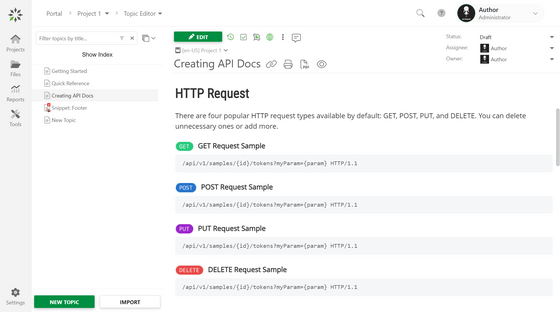
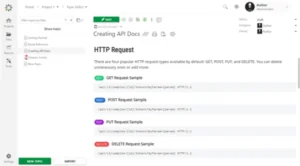
ClickHelp is a cloud-based platform for authoring, hosting, and delivering technical documentation from a single portal. It is used to produce internal and external content such as user manuals, knowledge bases, FAQs, tutorials, API docs, and policies and procedures. Single-sourcing features let teams reuse content through snippets, variables, and conditions, and publish it to multiple outputs. Collaboration tools bring writers, subject-matter experts, developers, QA, and others into one workflow with custom roles and review steps. The portal can be customized with white-label branding, templates, and CSS, and supports translation management for multi-language documentation. It is SOC 2 Type II certified and offers an AI suite for writing assistance and documentation checks.
Source: ClickHelp
Key features include:
- Centralized authoring and publishing: ClickHelp manages technical content in one online portal and publishes internal and external guides, manuals, FAQs, knowledge bases, tutorials, and API docs. Output can be produced for online and printed formats. This keeps documentation in a single place rather than scattered files.
- Single-sourcing and content reuse: Snippets, variables, conditions, and output tags let teams reuse content across documents and versions. This reduces duplicate writing and keeps repeated content consistent. It supports multi-version software manuals.
- Collaboration and roles: Custom workflows, comments, and a flexible roles-and-permissions system let writers, subject-matter experts, developers, QA, support, and marketers work in one process. Documents can be password protected with options including SSO and one-time login tokens. Reviewers and authors can be given controlled access.
- Search, analytics, and translation: A patented full-text search helps readers find content, while analytics track content metrics and reader behavior. A translation module manages multi-language documentation and localization. Content can be imported from formats such as Word, OpenOffice, HTML, Web Help, and CHM.
- Security and AI tooling: ClickHelp is SOC 2 Type II certified and GDPR and CCPA compliant, with AES-256 encryption at rest, TLS in transit, daily backups, role-based access control, and audit logs. Data storage location can be chosen across the USA, Europe, or Australia. An AI suite adds a chat bot, writing assistant, and documentation checker.
Limitations (as reported by users on G2):
ClickHelp is highly rated, so strongly negative reviews are uncommon; the points below come from otherwise positive reviews.
- Editor quirks: Reviewers mentioned small editor and navigation issues, such as images shrinking when a table column is resized and the lack of a quick way to jump back to the dashboard.
- No built-in screen capture: Some users would like a native screenshot tool so they do not have to switch to a separate application.
- Fit and cost: The platform is best suited to small and mid-sized documentation teams, and advanced capabilities can take time to learn and configure.
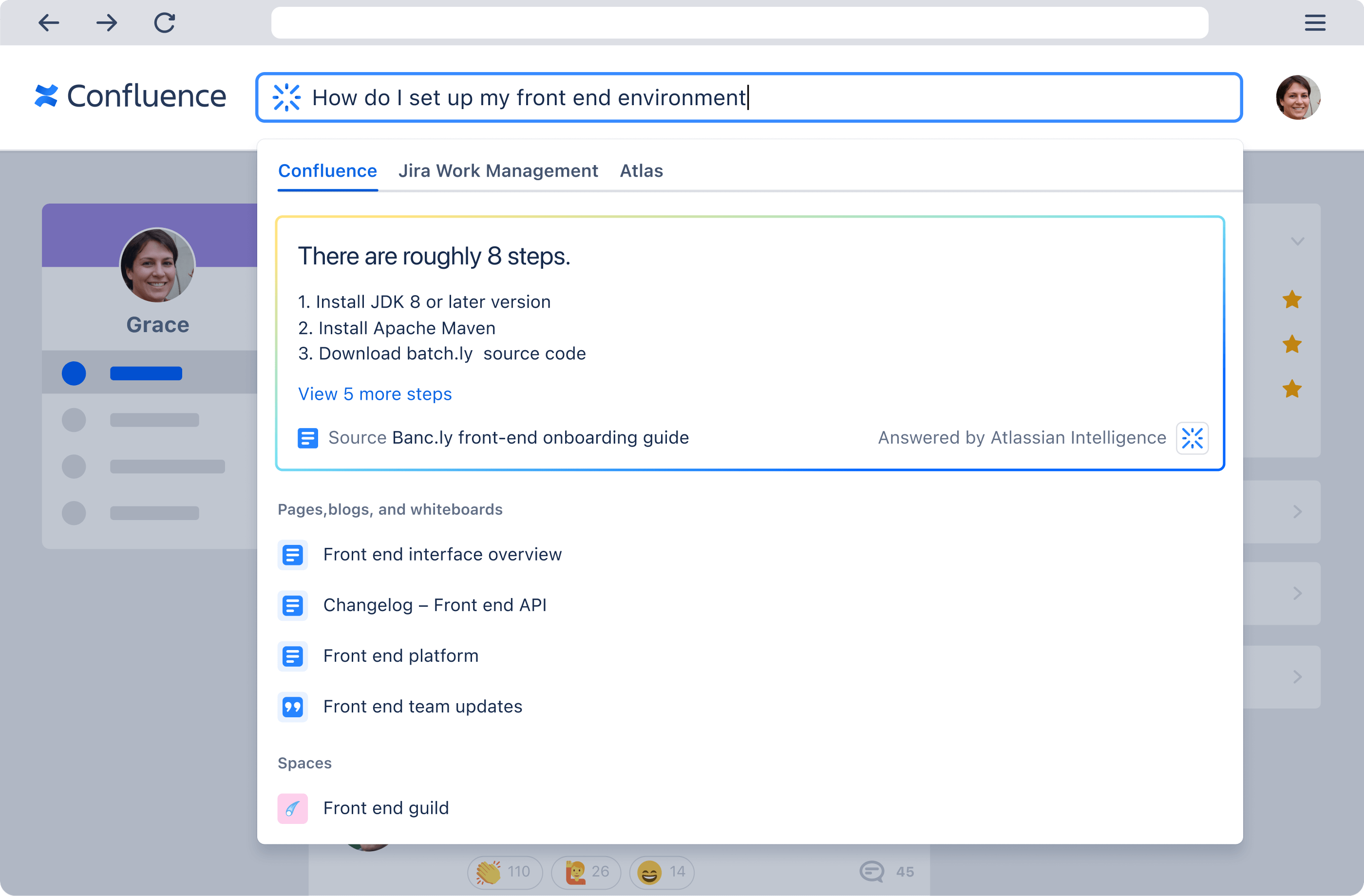
9. Confluence

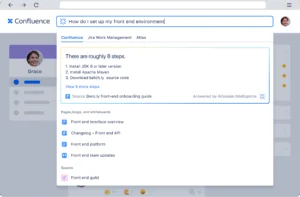
Confluence, developed by Atlassian, is a workspace for documentation, knowledge sharing, and team collaboration. Content is organized into pages and spaces that can be grouped by team, project, or topic, and it supports several content types beyond standard pages. Its integration with Jira ties documentation to project and issue tracking, which is part of why it is widely used by software and product teams. A large template library, including a Software & IT category, gives teams a starting point for common documents. Multiple people can edit, comment, and collaborate in real time. Atlassian’s Rovo AI layer adds search across connected tools, page and comment summaries, and drafting assistance.
Source: Atlassian
Key features include:
- Pages and spaces: Confluence stores documentation and knowledge as pages organized into spaces by team, project, or topic. This structure is meant to make content easier to navigate and find. Pages can be linked to connect related material.
- Multiple content types: Beyond standard pages, the platform offers live docs for real-time collaborative editing, whiteboards for diagrams and flowcharts, databases for structured content, and video for asynchronous communication. These cover different ways teams document and communicate. They live within the same workspace.
- Templates: A large library of pre-built templates spans categories including Software & IT, with ready-to-use formats for documents such as requirements and plans. Templates provide a consistent starting point. They reduce the effort of beginning a new document.
- Jira and tool integrations: Confluence integrates with Jira to connect documentation to project and issue tracking, and integrates with many other tools. It is also offered as part of a collection that includes Jira, Loom, and Rovo. This positions documentation alongside related project work.
- Rovo AI and collaboration: The Rovo AI layer adds search across connected apps and data, page and comment summaries, and drafting assistance, along with AI agents. Multiple users can edit, comment, and suggest changes on the same page in real time. This supports team-wide collaboration on shared knowledge.
Limitations (as reported by users on G2):
- Search and organization: Reviewers reported that search can be inconsistent in large instances and that keeping pages organized gets harder as content grows without clear internal guidelines.
- Complexity: Users described a learning curve and complexity around permissions and setup, and some felt it can be more than very small teams need.
- Performance and formatting: Some reviewers noted that very large or media-heavy pages can feel slow and that formatting options are more limited than a traditional word processor.
10. DokuWiki
DokuWiki is open-source wiki software that stores its content in plain text files and does not require a database. That design makes it lightweight and straightforward to back up, maintain, and integrate, which is part of its appeal to administrators. Content is written in a clean, readable wiki syntax, and every page keeps a history of changes so older versions can be compared and restored. Built-in access controls and authentication connectors let administrators define who can read or edit specific pages and namespaces, which makes it usable in enterprise settings. A large library of community-contributed plugins and templates extends it well beyond a basic wiki. It is free and licensed under the GNU General Public License.

Source: DokuWiki
Key features include:
- Database-free storage: DokuWiki keeps all content in plain text files rather than a database. This makes installations lightweight and simple to back up and maintain. The readable files also remain usable outside the wiki itself.
- Wiki syntax and versioning: Pages are written in a clean, readable wiki syntax, and the software is designed for collaboration while keeping a history of every change. Older revisions can be compared and restored. This supports tracking how documentation evolves over time.
- Access control and authentication: Built-in access control lists let administrators set permissions such as read, edit, create, upload, and delete at the page and namespace level. Authentication connectors support backends including LDAP and Active Directory. These controls make it suitable for enterprise use where information must be restricted.
- Plugins and templates: A large library of community-contributed plugins extends functionality across many categories, and templates change the appearance of the wiki. Plugins are managed through an admin interface. This allows teams to add only the capabilities they need.
- Search and customization: DokuWiki includes an integrated indexed search and organizes content into namespaces. It supports customization at multiple levels, from configuration through the admin interface to installing templates and plugins or developing custom extensions. It also handles Unicode for many languages.
Limitations (as reported by users on G2):
- Scalability: Reviewers noted that DokuWiki is best suited to small workgroups or individual use and may not meet the needs of larger teams or more complex projects.
- Limited integrations and advanced features: Users pointed to more limited integrations and the absence of out-of-the-box AI or advanced capabilities, with much functionality depending on plugins and self-hosting.
- Usability and support: Reviewers found setup and administration less polished than modern SaaS knowledge bases, and support comes from the community rather than a dedicated vendor team.
Conclusion
In conclusion, IT documentation software plays an important role in the efficiency of IT operations. The solutions highlighted offer a broad range of features tailored to meet the diverse needs of IT environments, from automatic discovery and mapping of IT assets to structured documentation and collaborative editing capabilities.
Whether you are looking for a tool to manage network topologies, standardize documentation processes, or facilitate knowledge sharing and collaboration, there is a solution available to address these requirements. By choosing the right IT documentation tool, organizations can ensure that their IT infrastructure is documented accurately, making it easier to manage, scale, and secure their IT environments.
Learn more about Faddom for IT documentation or start a free trial by filling out the form on the sidebar!