

Notable IT Documentation Software and Tools
IT Infrastructure Documentation and MSP-Focused Platforms
1. Faddom

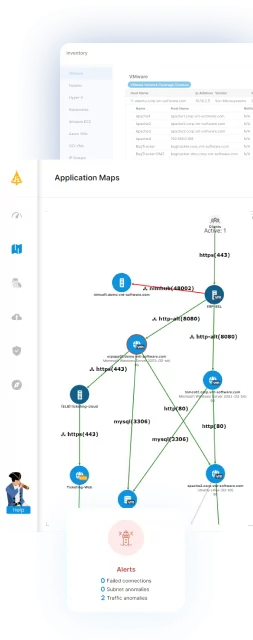
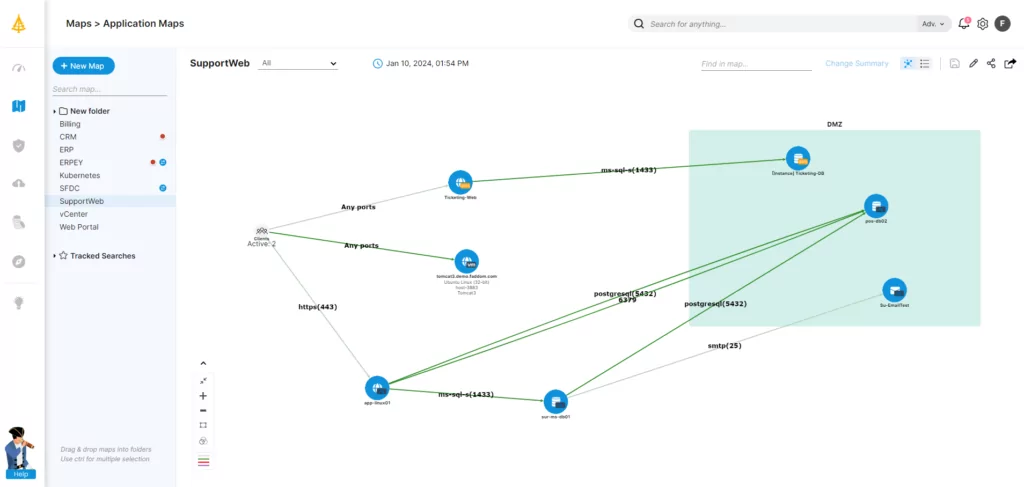
Faddom is a powerful solution designed to enhance IT documentation by offering unparalleled visibility into IT environments. Its automated discovery and mapping features ensure documentation reflects the most current state of your infrastructure, reducing manual updates and errors.
Key features of Faddom:
- Real-Time Asset Discovery: Automatically detects and maps assets across hybrid environments, ensuring your documentation is always accurate.
- Comprehensive Dependency Mapping: Visualizes interdependencies between applications, servers, and networks, transforming your documentation into a robust decision-making tool.
- Effortless Integration: Connects seamlessly with ITSM, monitoring, and project management platforms to maintain synchronized and actionable documentation.
- Agentless Architecture: Deploys rapidly without resource strain, ensuring minimal disruption to operations.
- Scalability: Suitable for organizations of any size, from small businesses to global enterprises.
2. IT Glue

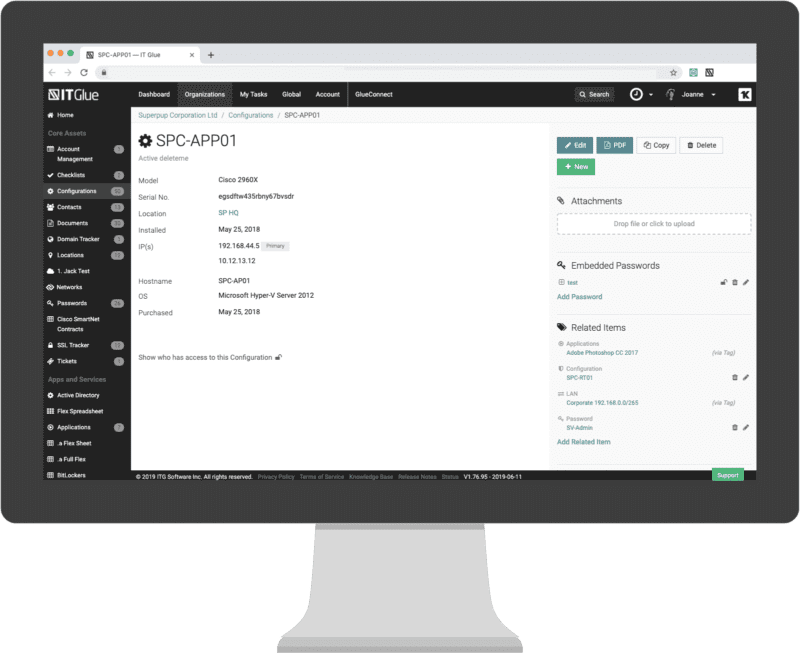
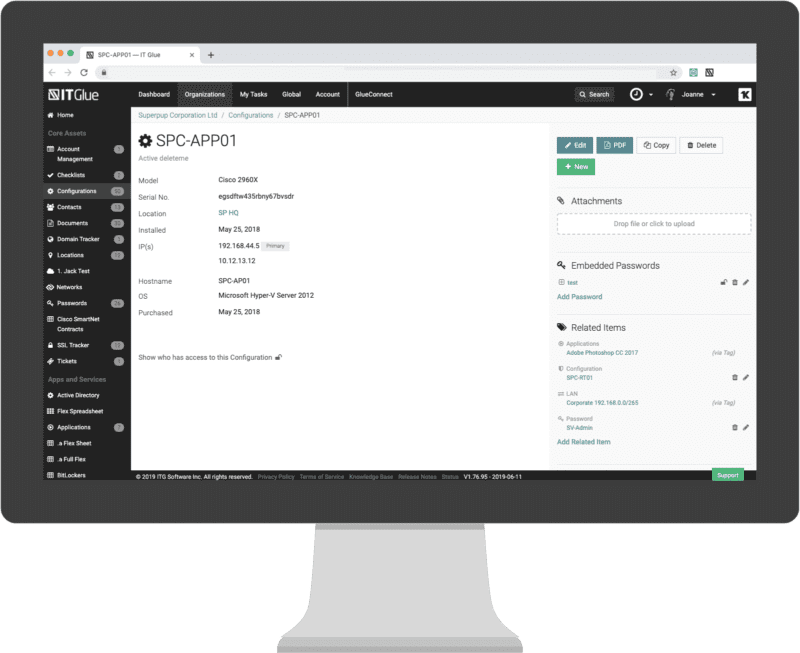
IT Glue is a documentation management platform to centralize IT knowledge and operational information. It helps teams organize documentation, track relationships between assets, and automate documentation tasks. The platform also incorporates automation and integrations with other IT tools to keep documentation synchronized with infrastructure changes.
Key features of IT Glue:
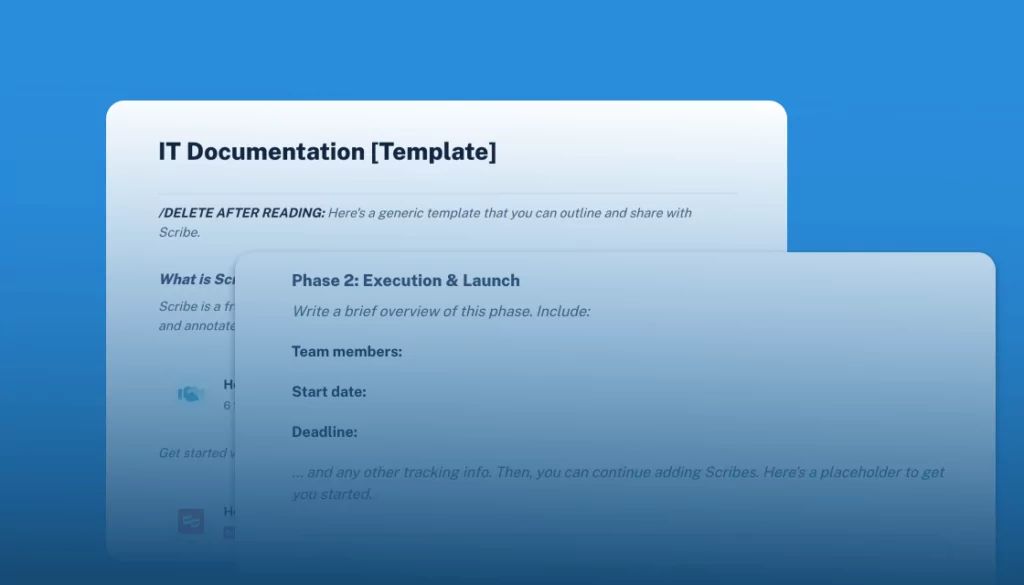
- AI-driven documentation automation: Automatically generates standard operating procedures (SOPs) by capturing user actions such as clicks and keystrokes, creating structured step-by-step documentation.
- Automated asset documentation: Integrates with external systems to automatically document devices, software assets, and infrastructure information.
- Secure password sharing: Provides password management capabilities, including secure sharing through expiring or usage-limited links to reduce exposure to security risks.
- Integration with IT tools: Connects with tools such as PSA, RMM, Microsoft services, and collaboration platforms to centralize documentation and operational data.
- Automated reporting and summaries: Generates reports and executive summaries using collected data from integrated tools, supporting operational oversight and documentation consistency.
Source: IT Glue
3. IT Portal

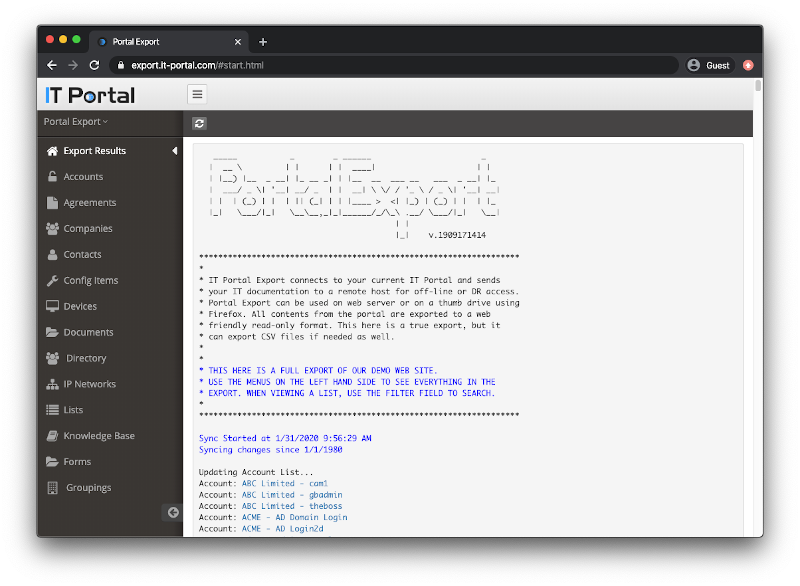
IT Portal is an IT documentation platform that centralizes infrastructure information for IT teams and managed service providers. The platform organizes documentation using a hierarchical structure that mirrors real-world infrastructure layouts, enabling teams to track systems, locations, and assets across multiple environments. It combines documentation management with discovery, integration, and security features to maintain accurate infrastructure records.
Key features of IT Portal:
- Hierarchical documentation structure: Organizes documentation by company, site, facility, cabinet, and network, allowing teams to map infrastructure in a structure that reflects physical environments.
- Synopsis view dashboard: Provides a centralized overview of infrastructure resources, including asset counts, expirations, and other operational metrics across environments.
- Integrated network discovery: Automatically identifies network infrastructure and populates documentation records, reducing manual data entry.
- Secure credential management: Includes password management capabilities to securely store and control access to credentials.
- API integration: Offers open API access for integrating with other IT systems and automating data exchange between tools.
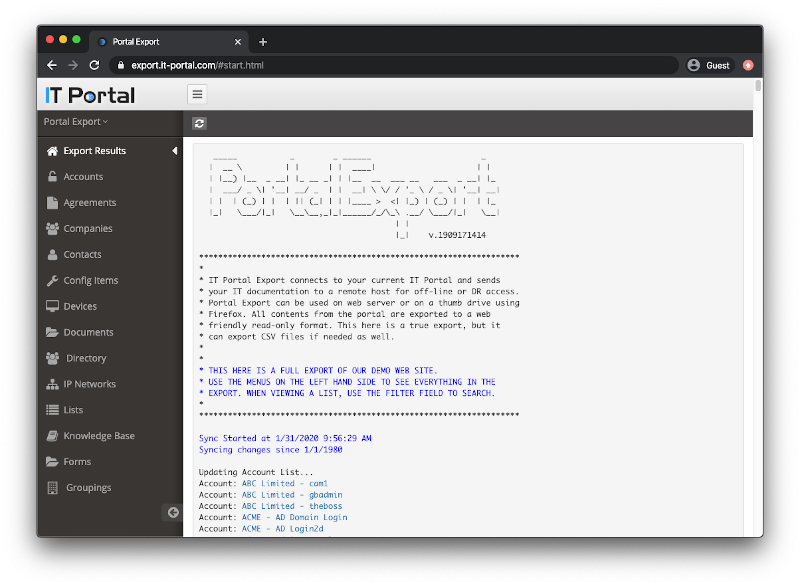
Source: IT Portal
4. Whatfix
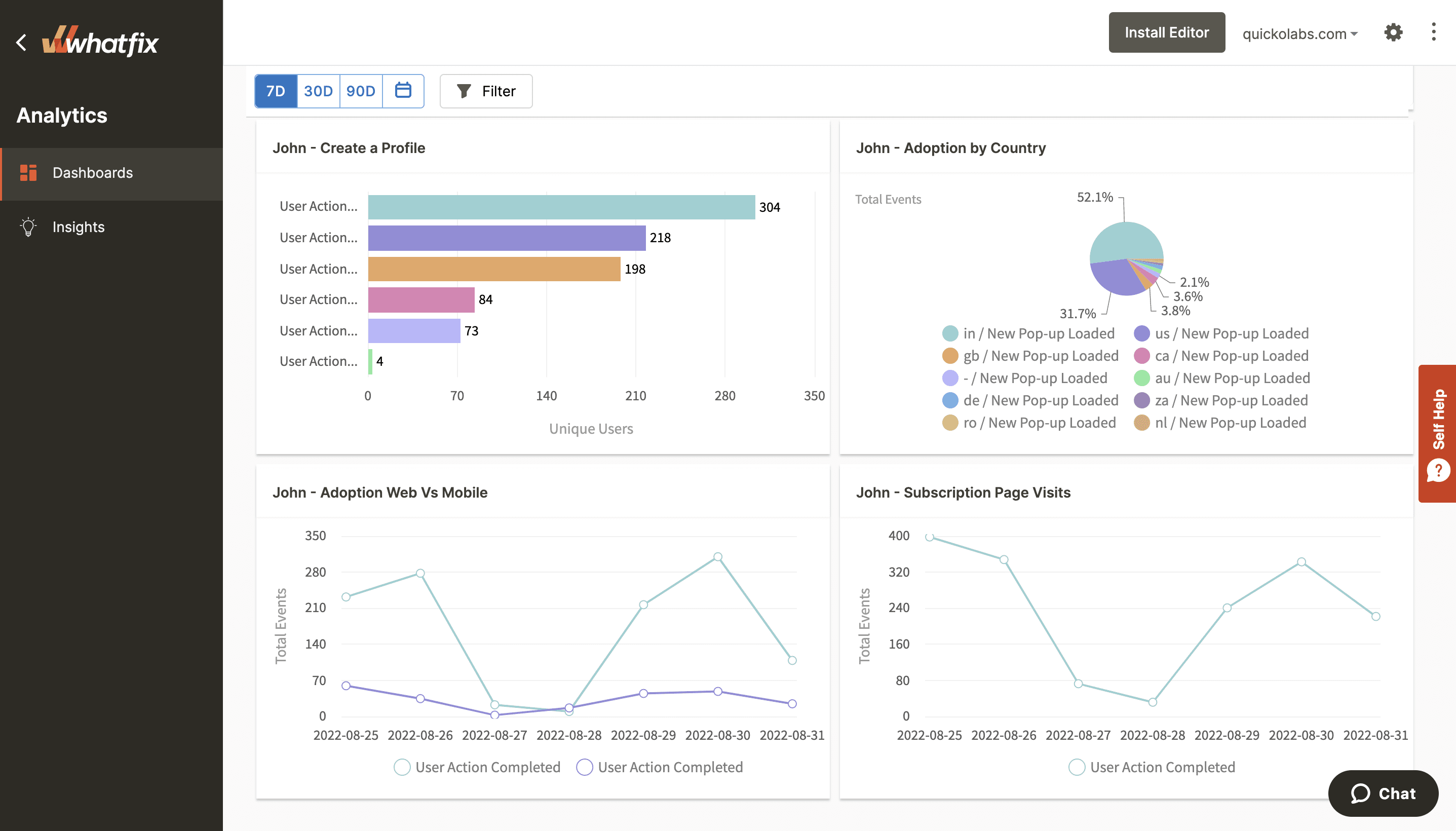
Whatfix is a digital adoption platform that supports documentation and user guidance within software applications. It provides contextual in-app guidance, training resources, and analytics that help organizations deliver documentation directly within the tools employees use. This approach enables teams to combine documentation with onboarding and user support.
Key features of Whatfix:
- In-app guidance: Delivers contextual walkthroughs, task lists, and tooltips directly inside applications to guide users through workflows.
- No-code content creation: Allows teams to create training and documentation content without programming knowledge.
- AI-powered assistance: Uses generative AI to help create content, summarize information, and assist with in-application tasks.
- Self-help support menu: Provides users with on-demand documentation and support resources inside the application interface.
- Multi-format content export: Converts in-app documentation into formats such as videos, slide decks, PDFs, or written guides that can be used in knowledge bases or learning systems.
Related content: Read our guide to IT documentation software
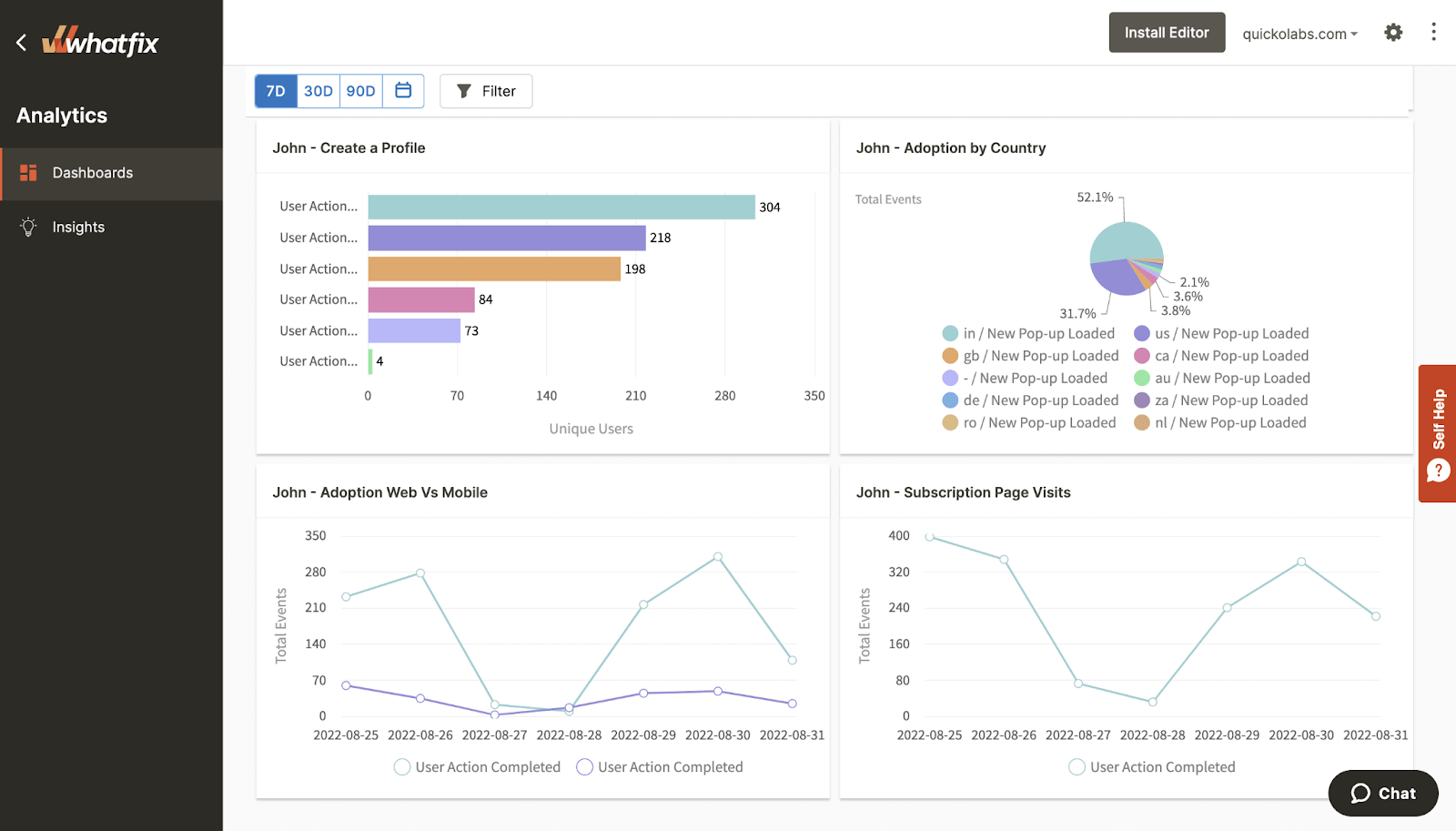
Source: Whatfix
Knowledge Base and Developer-Focused Documentation Platforms
5. Confluence

Confluence is a collaboration and documentation platform used by teams to create and organize shared knowledge. It provides a centralized workspace where users can document processes, store technical information, and collaborate on projects. With support for structured pages, templates, and collaborative editing, Confluence helps teams maintain accessible documentation across departments.
Key features of Confluence:
- Flexible content creation: Allows users to create documentation using pages, databases, and whiteboards, supporting multiple formats for organizing technical information.
- Pre-built templates: Provides templates for common documentation needs such as meeting notes, project plans, and technical documentation.
- Real-time collaboration: Enables multiple users to edit documents simultaneously, leave comments, and provide feedback directly within pages.
- Centralized knowledge hub: Stores team knowledge in a shared workspace, helping organizations capture institutional knowledge and make it easier to locate information.
- Integrated collaboration environment: Supports discussion, updates, and knowledge sharing across teams within the documentation platform.
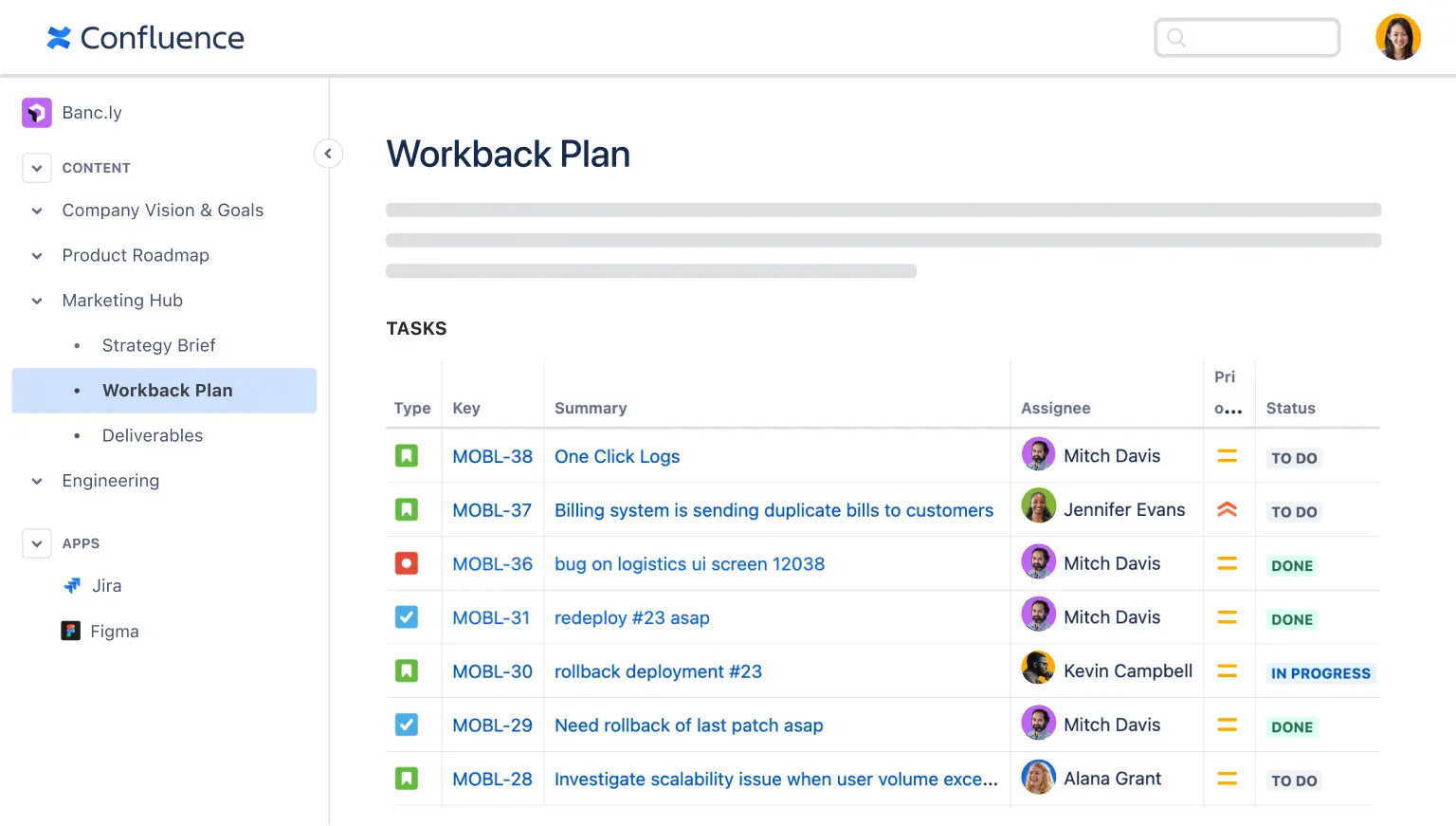
Source: Confluence
6. ProProfs Knowledge Base

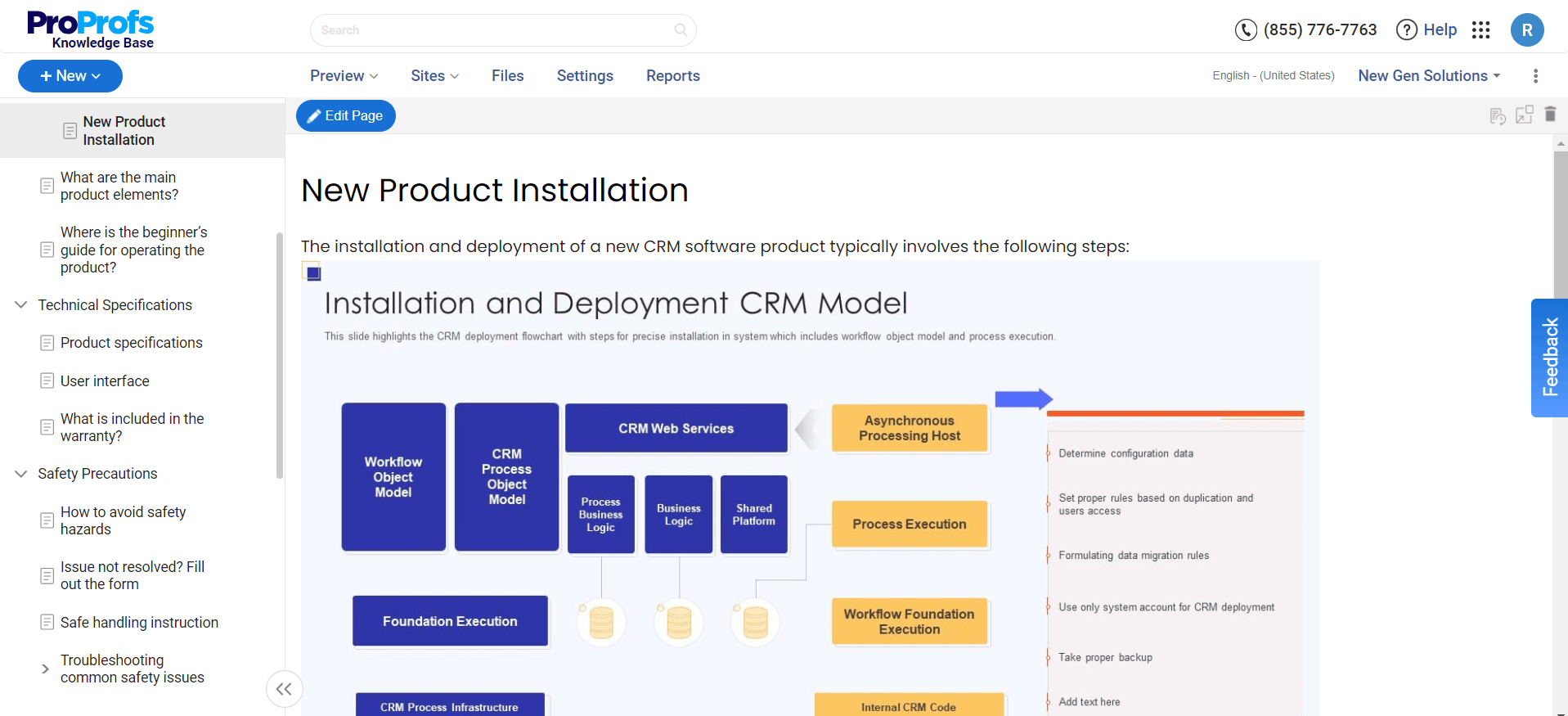
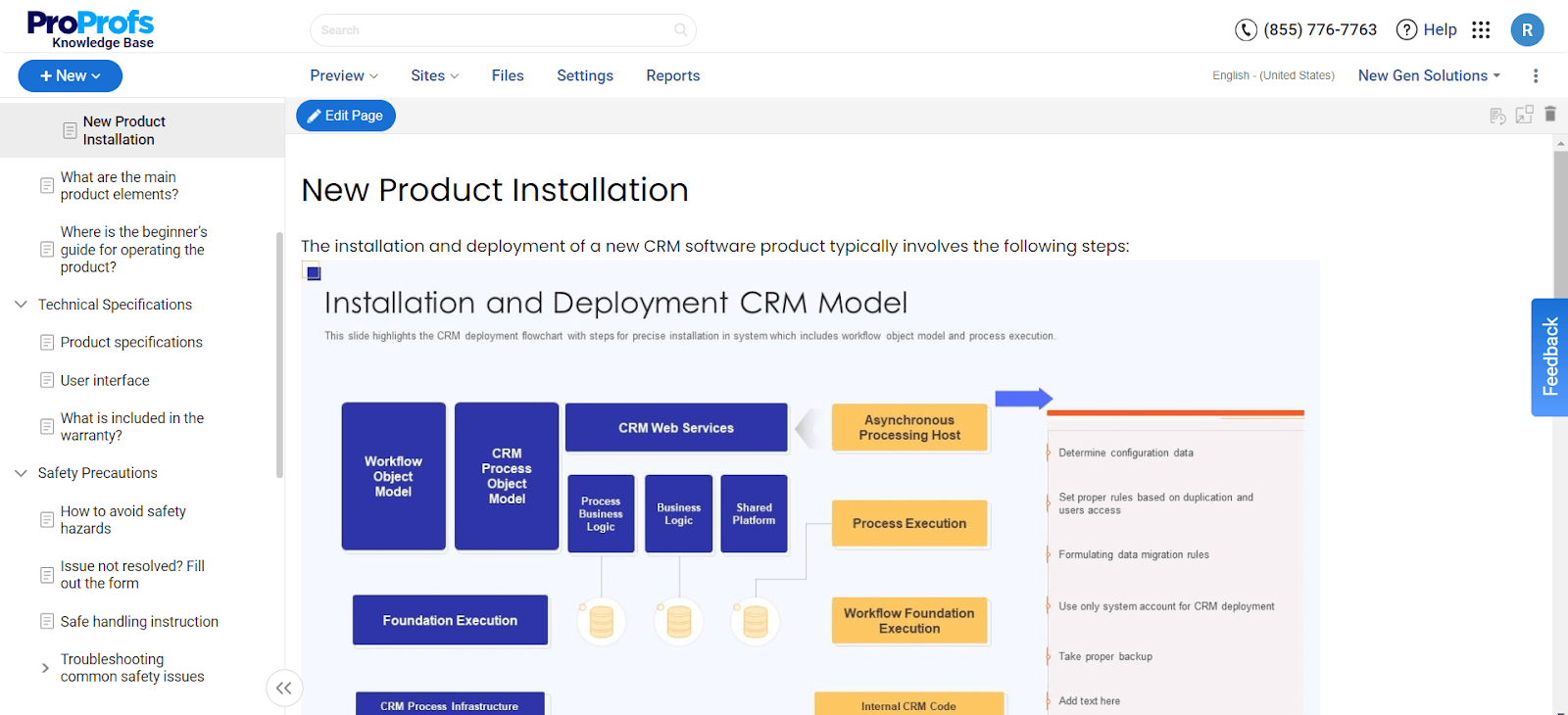
ProProfs Knowledge Base is a documentation platform that helps teams create internal or public knowledge bases for storing technical information and documentation. It allows organizations to organize documentation into structured help sites and provide users with searchable access to articles, guides, and troubleshooting resources.
Key features of ProProfs Knowledge Base:
- Content authoring tools: Includes a WYSIWYG editor that allows users to create documentation with text, images, tables, and videos.
- AI-powered search: Provides search capabilities that quickly surface relevant articles and answers across the knowledge base.
- Access control and permissions: Supports role-based permissions and secure access through authentication and privacy controls.
- Collaboration features: Allows multiple contributors to create, edit, and comment on documentation content.
- Analytics and reporting: Tracks user behavior, search queries, and knowledge base usage to help identify content gaps and improve documentation quality.
Source: ProProfs Knowledge Base
7. ClickHelp
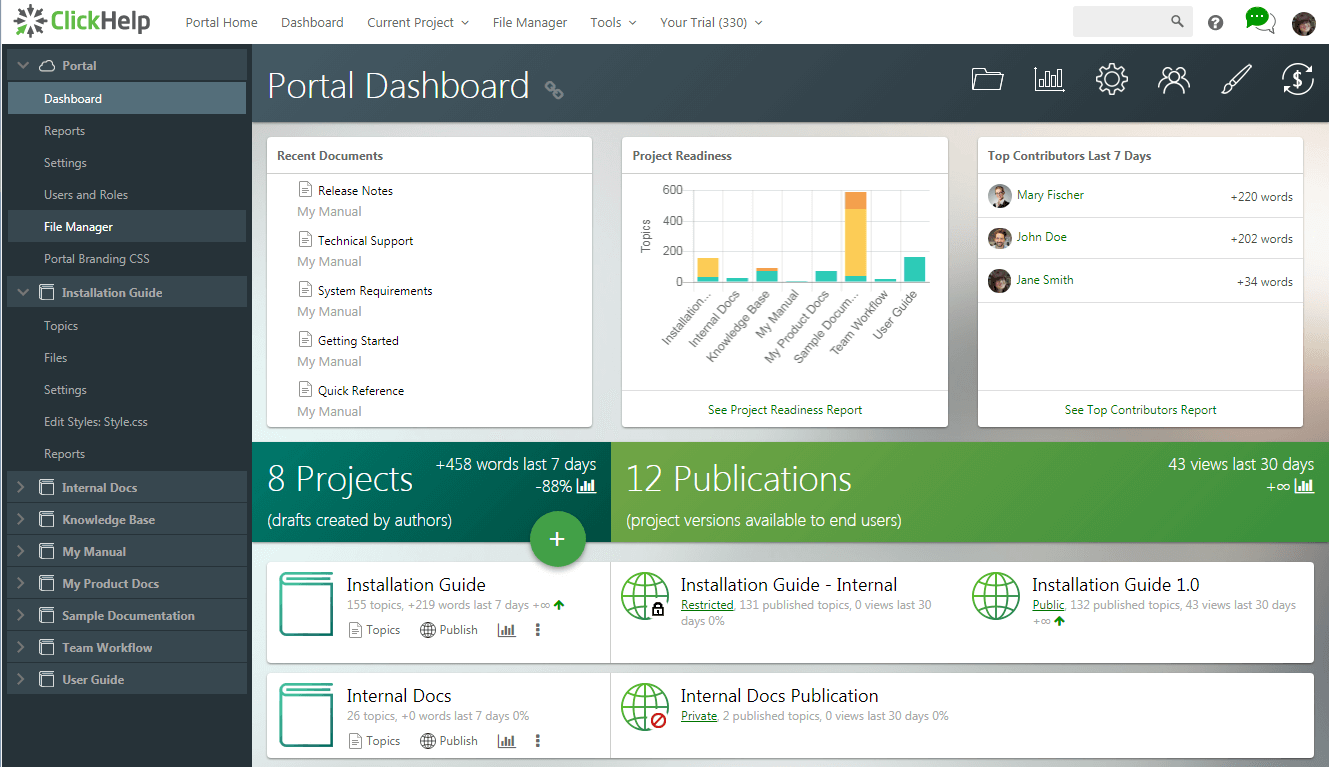
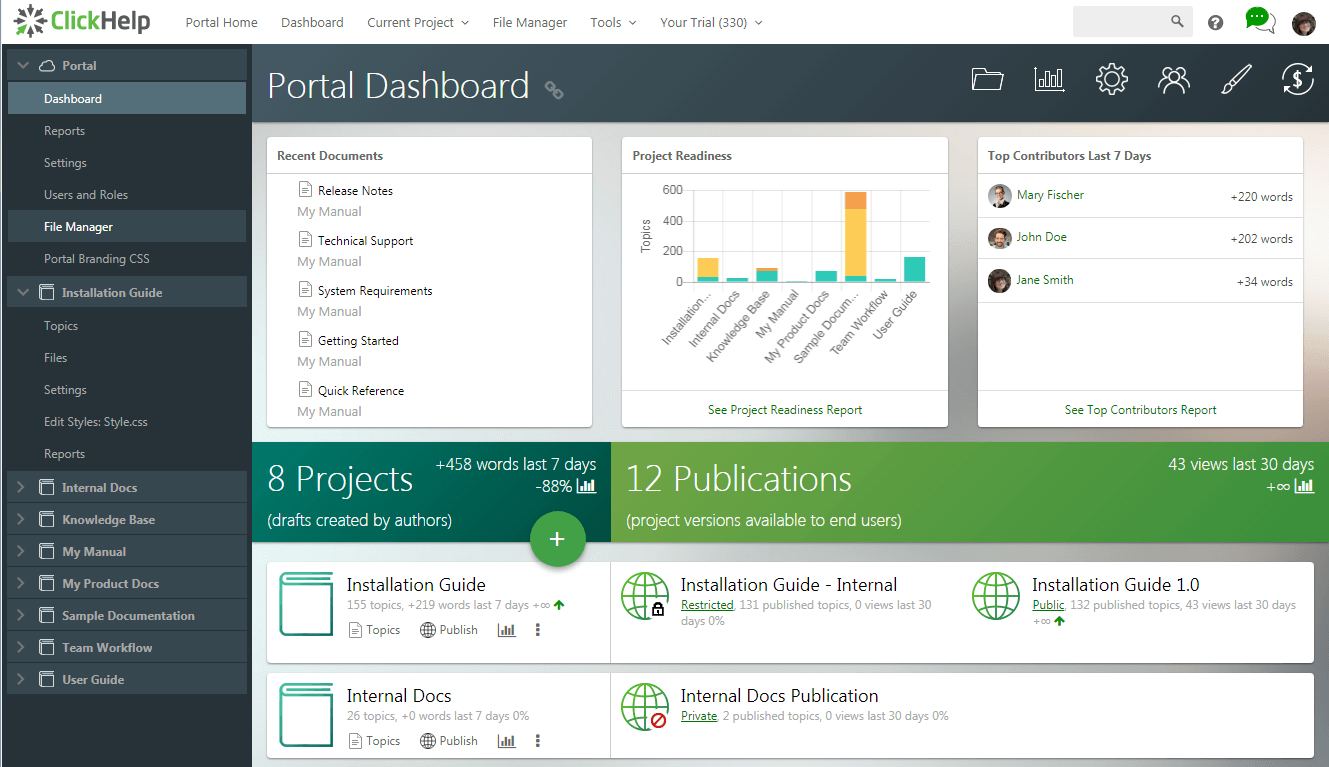
ClickHelp is a cloud-based documentation platform for technical documentation teams. It supports collaborative content creation, content reuse, and multi-channel publishing. The platform enables teams to manage documentation projects and distribute content across different formats and delivery channels.
Key features of ClickHelp:
- Interactive content support: Allows documentation to include videos, surveys, feedback forms, and other interactive elements.
- Cloud-based collaboration: Hosts documentation in a shared environment where teams can collaborate, manage workflows, and track updates.
- Single-sourcing and content reuse: Enables teams to reuse documentation components across multiple projects using snippets, variables, and conditional content.
- Multi-channel publishing: Publishes documentation in various formats, including online documentation portals and PDF files.
- Analytics and content insights: Provides metrics on documentation usage, readability, and user engagement.
Source: ClickHelp
8. Document360
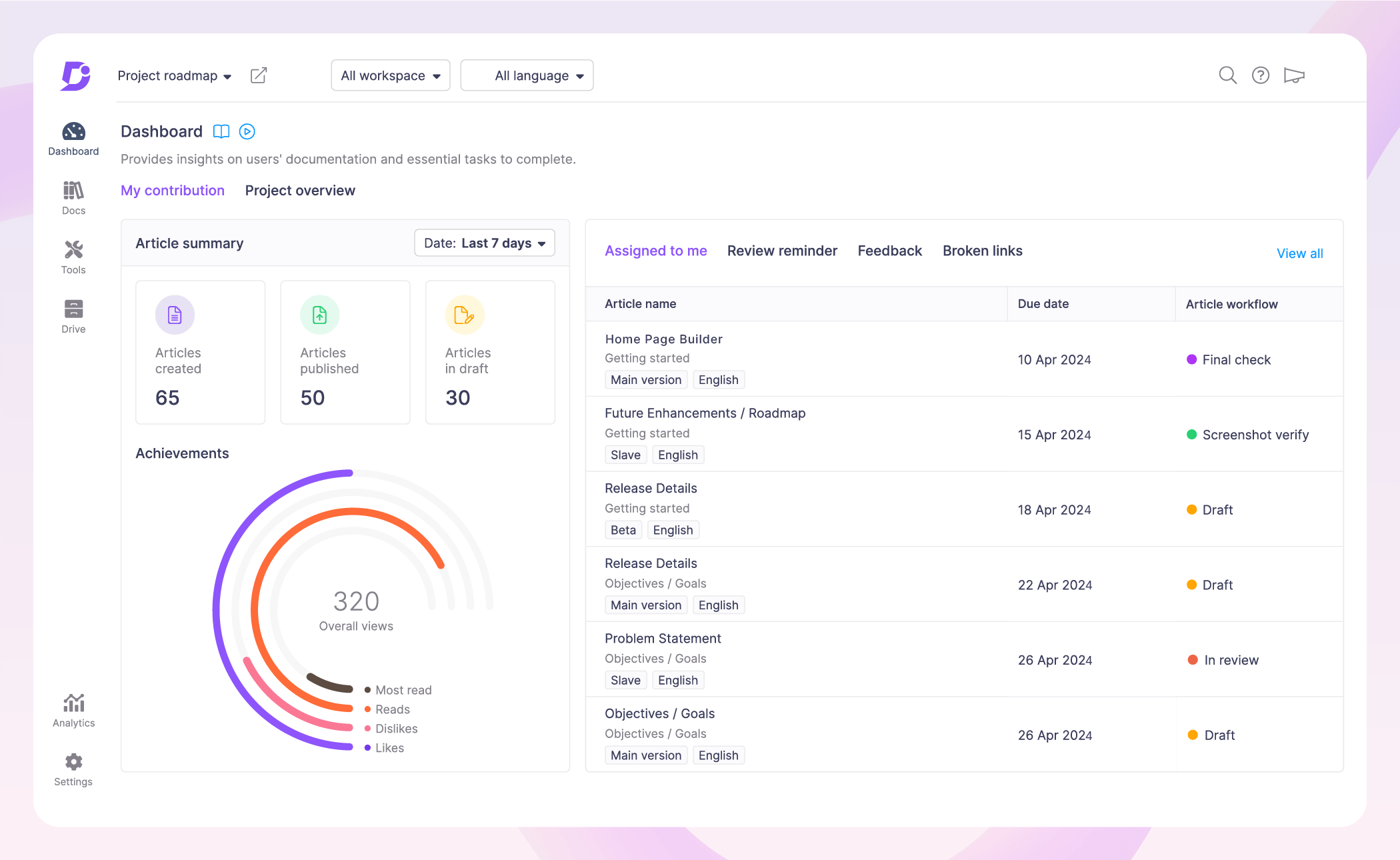
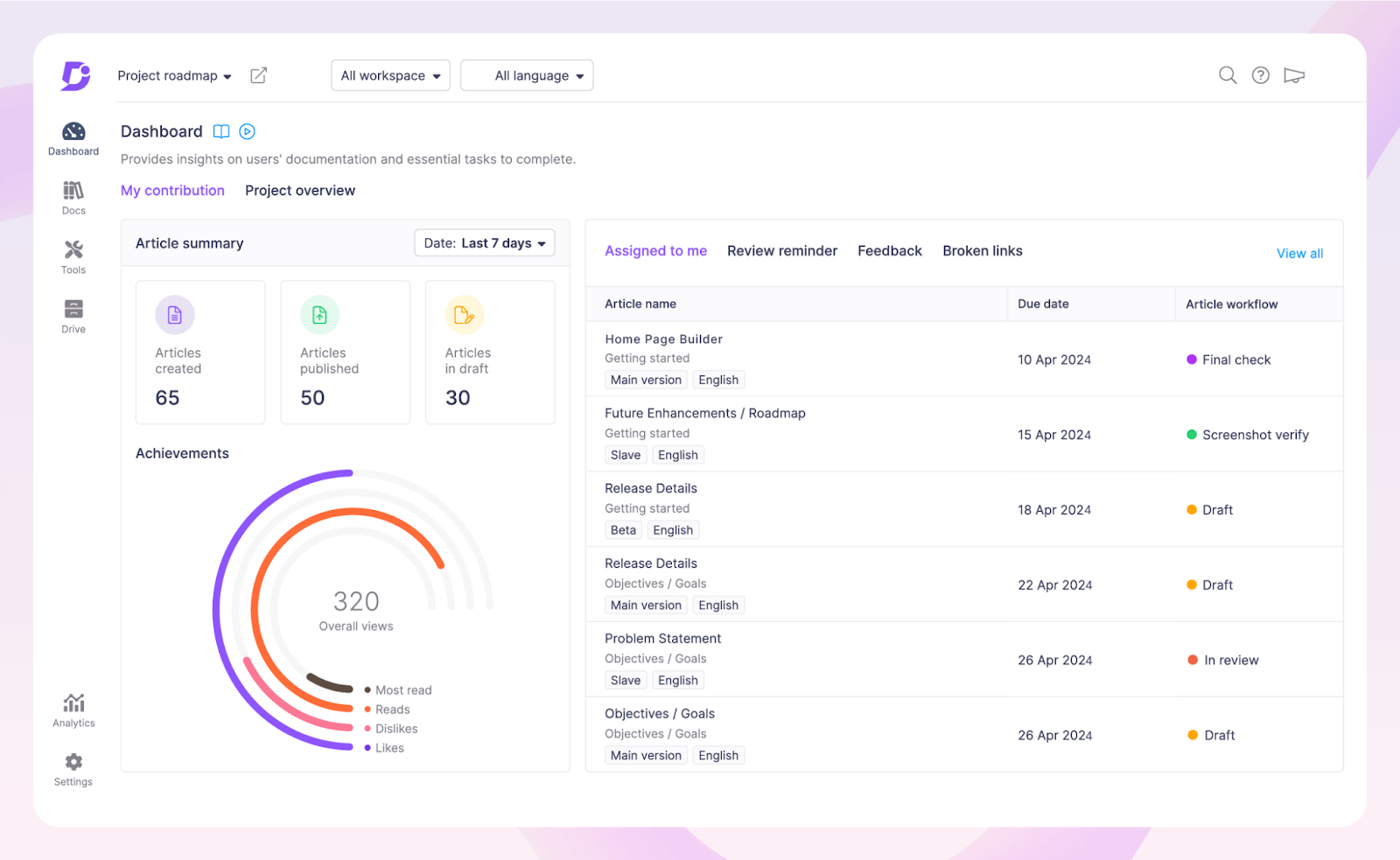
Document360 is a documentation platform for creating and managing knowledge bases, product documentation, and technical manuals. It provides a centralized environment where teams can organize documentation into structured articles and categories. The platform supports internal knowledge bases for employees as well as external documentation for customers.
Key features of Document360:
- Centralized knowledge management: Stores documentation in a structured knowledge base, helping teams organize guides, manuals, FAQs, and technical documentation.
- Self-service documentation portals: Enables organizations to create knowledge bases that allow users to find answers independently, reducing support requests.
- Structured article organization: Breaks documentation into individual pages and categories to improve readability and navigation.
- Internal and external knowledge bases: Supports documentation for both internal teams and external users, allowing organizations to manage multiple types of documentation in one system.
- Secure documentation platform: Provides security controls to protect organizational knowledge and ensure that documentation is safely managed.
Source: Document360
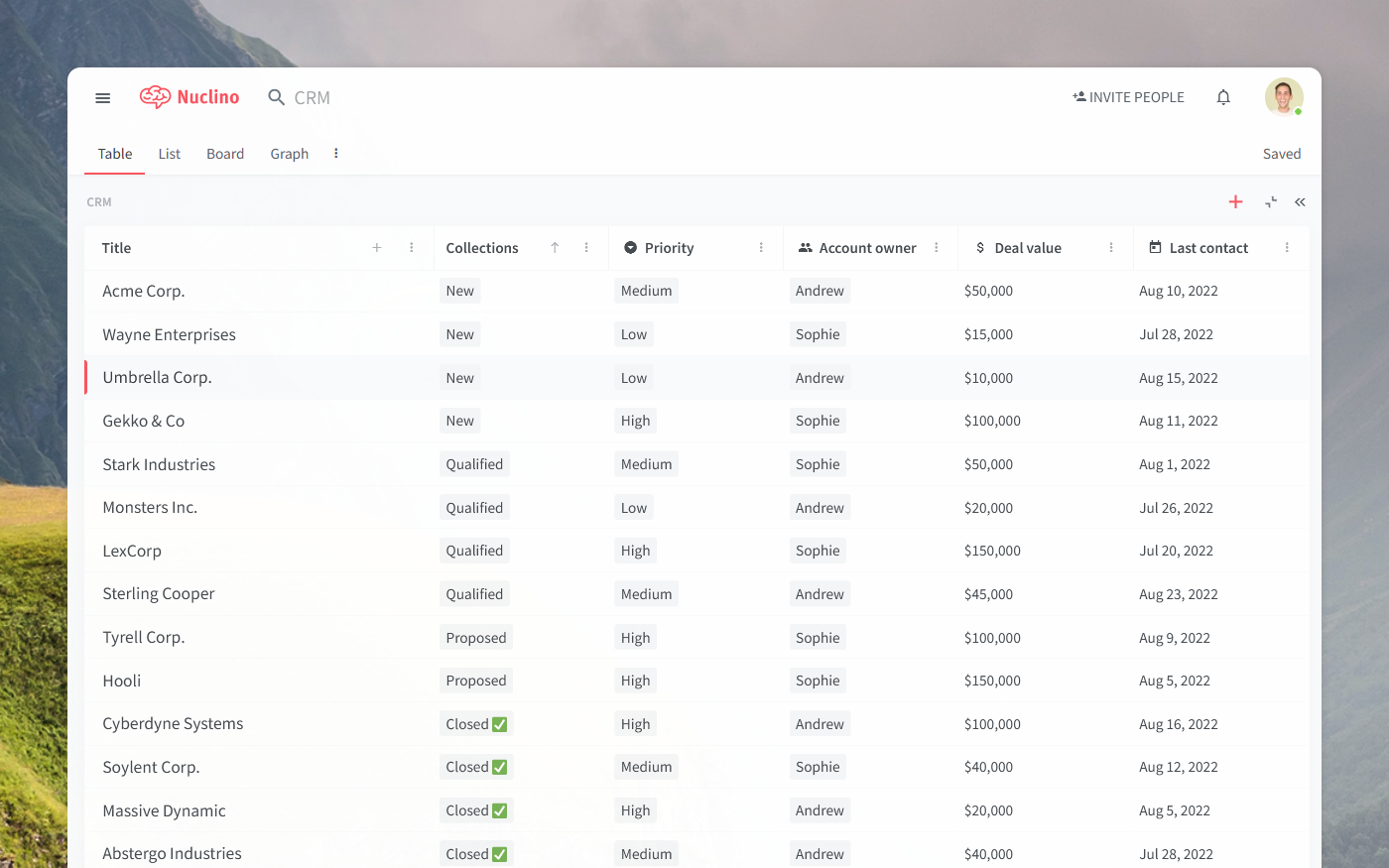
9. Nuclino

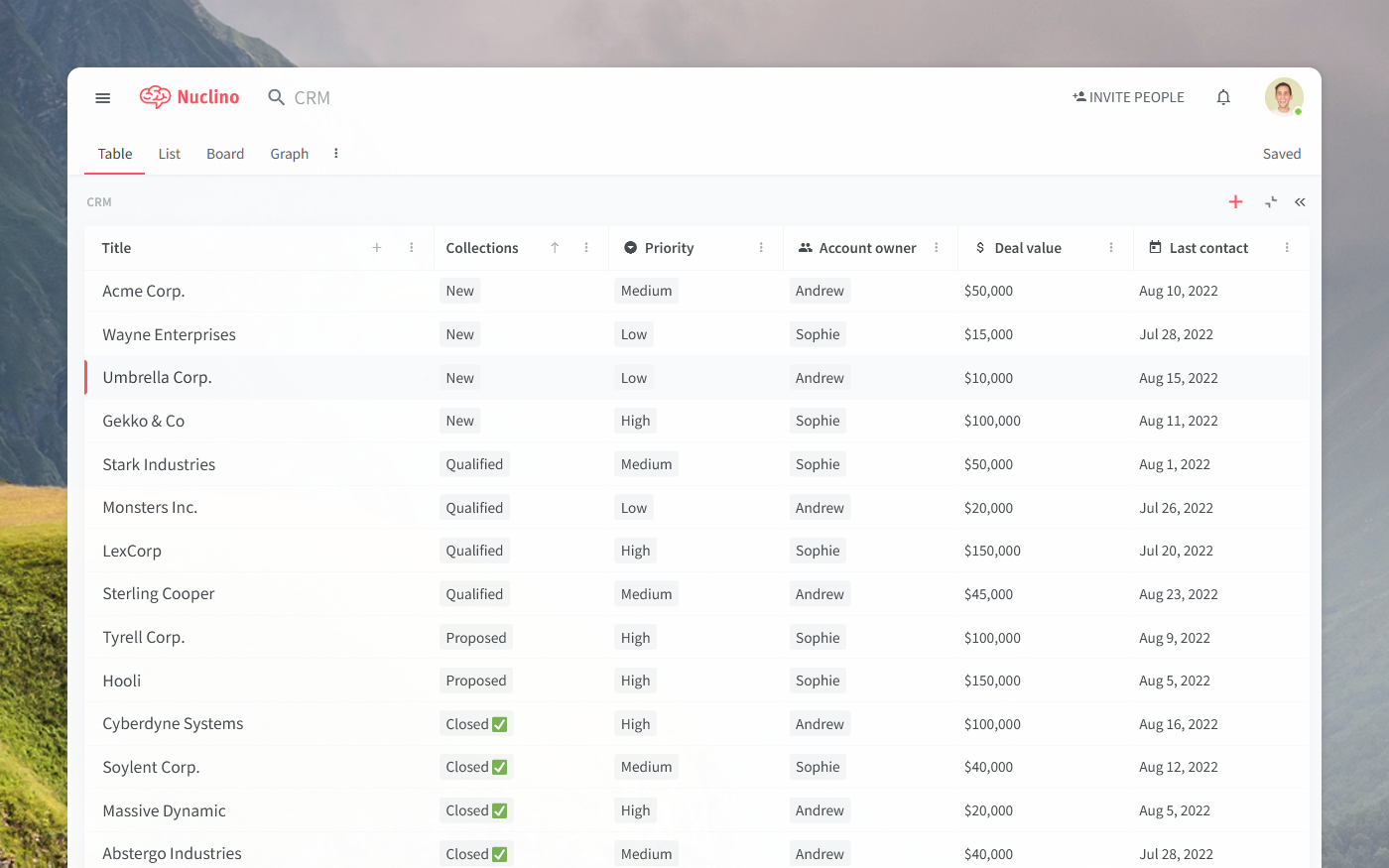
Nuclino is a collaborative documentation platform that helps teams organize knowledge, documents, and projects in a single workspace. It offers a clean interface that allows users to create and manage documentation without complex configuration. Teams can store technical information, notes, and process documentation in a centralized location.
Key features of Nuclino:
- Centralized workspace: Combines documents, project information, and knowledge resources into a single platform.
- Collaborative documentation: Allows teams to work together on documents, share ideas, and maintain shared knowledge.
- Fast information retrieval: Provides quick search capabilities that help users locate documents and resources efficiently.
- Simple and intuitive interface: Uses a minimalist design to make creating and managing documentation straightforward for users.
- Flexible knowledge organization: Supports storing a variety of content types, including documentation, notes, and project information.
Source: Nuclino
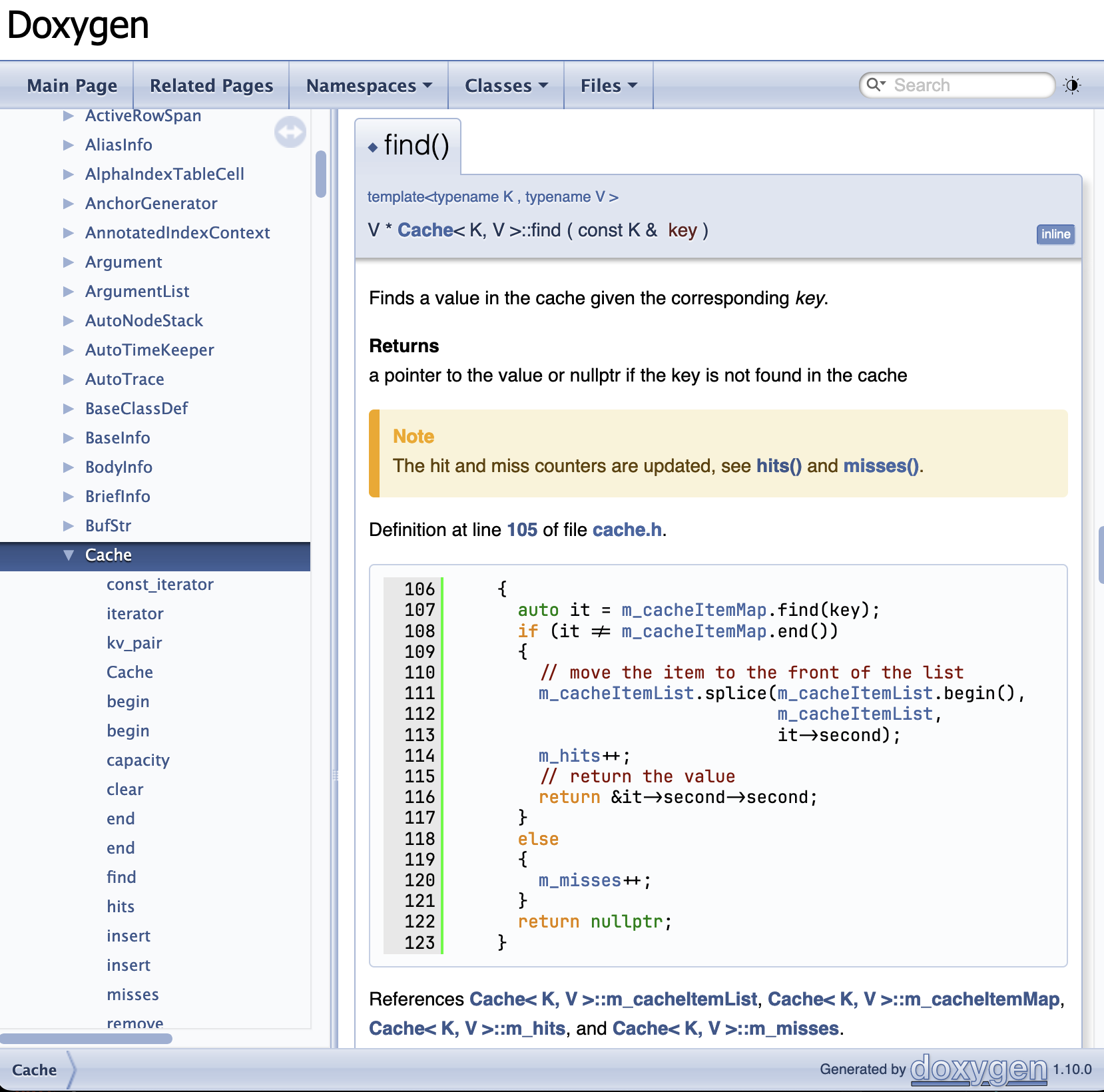
10. Doxygen

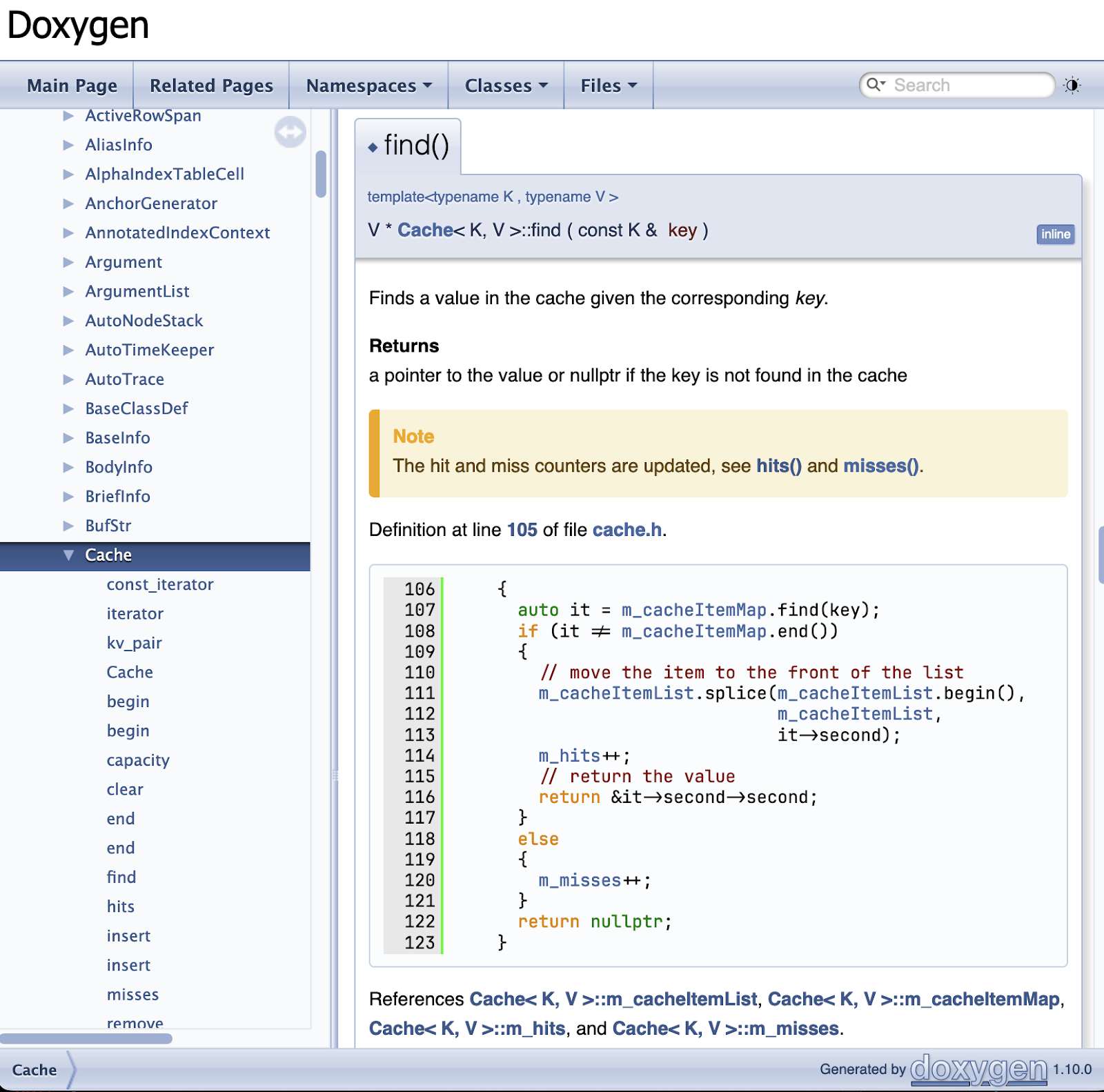
Doxygen is an open-source documentation generator used primarily in software development. It automatically generates documentation by extracting comments and structural information from source code. The tool produces structured documentation that helps developers understand codebases and maintain software projects more efficiently.
Key features of Doxygen:
- Automated documentation generation: Extracts comments and structural information from source code to create structured documentation.
- Multiple output formats: Generates documentation in formats such as HTML, PDF (via LaTeX), RTF, and XML.
- Markdown support: Allows developers to combine markdown syntax with documentation commands to describe functions, parameters, and return values.
- Multi-language support: Supports multiple programming languages including C++, C, Python, Java, PHP, C#, and Fortran.
- Code cross-referencing: Automatically links related functions, classes, and files, allowing users to navigate through the codebase easily.
Source: Doxygen
Conclusion
As IT environments grow more complex, the role of documentation tools becomes increasingly crucial. In 2025 and beyond, organizations need solutions that go beyond static record-keeping to deliver dynamic, actionable insights. The ideal IT documentation tool should offer automated real-time discovery to ensure accuracy, comprehensive dependency mapping to reveal critical relationships, and seamless integration with existing IT systems for a unified approach. Advanced access controls are essential for maintaining security and collaboration, while scalability ensures the tool can grow with your organization. Finally, built-in analytics help refine documentation by focusing on what matters most to users and operations.
By choosing tools with these capabilities, IT teams can enhance efficiency, maintain compliance, and support smoother operations in an ever-evolving technological landscape.
Dive deeper by scheduling a call with our expert team!