
What Are Data Center Migration Services?
Data center migration services involve transferring data center assets from one environment to another. This complex process includes moving applications, workloads, and infrastructure. Migration services aim to minimize downtime while ensuring data integrity and security.
These services often use automated tools and professional expertise for a seamless transition. They are useful for organizations looking to improve performance, reduce costs, or adopt new technologies.
Proper data center migration can lead to improved operational efficiency and competitive advantage. Whether migrating to a cloud environment or modernized on-premises systems, data center migration services provide the necessary framework and expertise to make such transitions successful.
Editor’s note: Updated the article to include recent data about the data center migration market, and updated information for data center migration tools to reflect features and capabilities in 2026.
This is part of a series of articles about Application Migration
The Data Center Migration Market and Trends
Key Drivers Of Market Growth
According to recent market research, one of the main drivers of the data center migration market is the growing adoption of cloud-based solutions. Cloud services allow organizations to access computing resources, storage, and applications through remote servers over the internet. This approach provides scalability, flexibility, and lower upfront infrastructure costs.
Data center migration services help organizations move applications, workloads, and data from traditional on-premises infrastructure to cloud environments. This shift can improve performance, reduce operational costs, and support stronger business continuity.
Emerging Technology Trends
Vendors are increasingly introducing AI-driven migration tools to simplify complex migration projects. These tools use autonomous software agents to analyze applications, discover dependencies, and automatically generate migration plans.
For example, AWS Transform, launched by Amazon Web Services in 2025, uses agentic AI to help migrate and modernize workloads such as VMware, mainframe, and .NET systems. The service automates discovery, dependency mapping, migration planning, and network conversion. This automation reduces manual effort and helps organizations complete large migration projects faster.
Other major trends include:
- Cloud-to-cloud migration acceleration
- Hybrid and multi-cloud migration strategies
- Zero-downtime cutover and live migration techniques
- Security-focused migration processes with automated compliance checks
Cloud-Based vs. On-Premise Data Center Migration Tools
Data center migration tools vary based on the target environment—cloud or on-premises. The choice of tools depends on factors like workload complexity, security requirements, and migration scale.
Cloud-Based Migration Tools
Cloud-based migration tools support the transition of workloads and infrastructure to public, private, or hybrid cloud environments. These tools often come with built-in integrations for cloud platforms like AWS, Azure, and Google Cloud. They offer automated orchestration, dependency mapping, and real-time replication to reduce downtime.
Tools like AWS Application Migration Service and Azure Migrate allow businesses to rehost applications and data with minimal reconfiguration, using features like continuous data replication and test cutovers for validation before go-live. These tools also provide scalability and flexibility, which are especially beneficial for large-scale or multi-region migrations.
They typically include dashboards and reporting features for monitoring progress and identifying bottlenecks. Some cloud-based tools also offer cost estimation and rightsizing capabilities to help organizations optimize cloud spending during and after the migration. Because they operate in the cloud, these tools eliminate the need for additional hardware.
On-Premise Migration Tools
On-premise migration tools focus on moving data center assets between physical locations or from legacy systems to newer on-site infrastructure. These tools are often used when regulatory, security, or latency requirements prevent cloud adoption. They support hardware-based replication, physical-to-virtual (P2V) conversion, and network reconfiguration.
Tools like VMware vMotion allow live migration of virtual machines and continuous data transfer without significant downtime. These tools are especially useful in scenarios involving complex application dependencies, low-latency workloads, or strict compliance mandates.
They provide granular control over each migration step and often include features like rollback capabilities, performance benchmarking, and failover testing. Unlike cloud-based tools, on-premise solutions can be tailored to specialized hardware or network configurations, making them suitable for highly customized or legacy environments.
Learn more in our detailed guide to data center migration tools
Notable Data Center Migration Services and Tools
Infrastructure / Cloud and Data Center Migration Tools
1. Faddom

Faddom is a hybrid application dependency mapping platform that simplifies data center migration by providing real-time, visual maps of application and infrastructure dependencies. Designed for fast deployment and deep visibility, Faddom enables organizations to plan and execute migrations confidently, whether moving to the cloud, modernizing on-premises infrastructure, or operating in hybrid environments. It supports a wave-based migration strategy, allowing IT teams to migrate by business applications. This approach reduces risk, maintains uptime, and improves control over the entire migration process.
Deployment model: Hybrid (on-premises and cloud)
Key features include:
- Real-time application dependency mapping: Automatically discovers and visualizes all application and infrastructure dependencies without installing agents or credentials.
- Migration planning and risk mitigation: Maps critical dependencies to prevent service disruptions during and after migration.
- Low-impact deployment: Installs in under 60 minutes with no agents or credentials required, minimizing disruption to ongoing operations.
- Risk assessment and validation: Enables pre-migration risk analysis and post-migration validation by continuously tracking traffic and application performance.
- Rightsizing and resource optimization: Identifies underutilized servers, unnecessary infrastructure, and overprovisioned environments to reduce waste and optimize costs before and after migration.
- Scalability and flexibility: Suitable for organizations of all sizes, with cost-effective pricing and the ability to scale as migration needs to evolve.
- Security and compliance: Since Faddom runs locally, no data leaves the organization, making it ideal for industries with strict data sovereignty or compliance requirements.

Source: Faddom
2. AWS Data Migration Services (DMS)

AWS Database Migration Service (DMS) is a managed service to migrate databases to AWS with minimal disruption. It supports both homogeneous and heterogeneous database migrations and keeps source systems operational during the process. The service emphasizes data integrity, security, and continuous replication to reduce downtime and ensure consistency.
Deployment model: Cloud
Key features:
- Continuous data replication: Keeps source and target databases synchronized to enable near-zero downtime migrations.
- Broad database support: Supports multiple database engines, including Oracle, SQL Server, PostgreSQL, MySQL, and MongoDB.
- Secure migration framework: Uses encryption, identity management, and access controls to protect data during transfer.
- Automated schema conversion: Uses AI-assisted tools to convert database schemas and accelerate migration processes.
- High availability and recovery: Provides multi-availability zone deployment and checkpoint-based recovery for resilience.
- Data validation and accuracy: Includes validation and re-synchronization mechanisms to ensure data consistency.

Source: Amazon
3. Azure Migrate

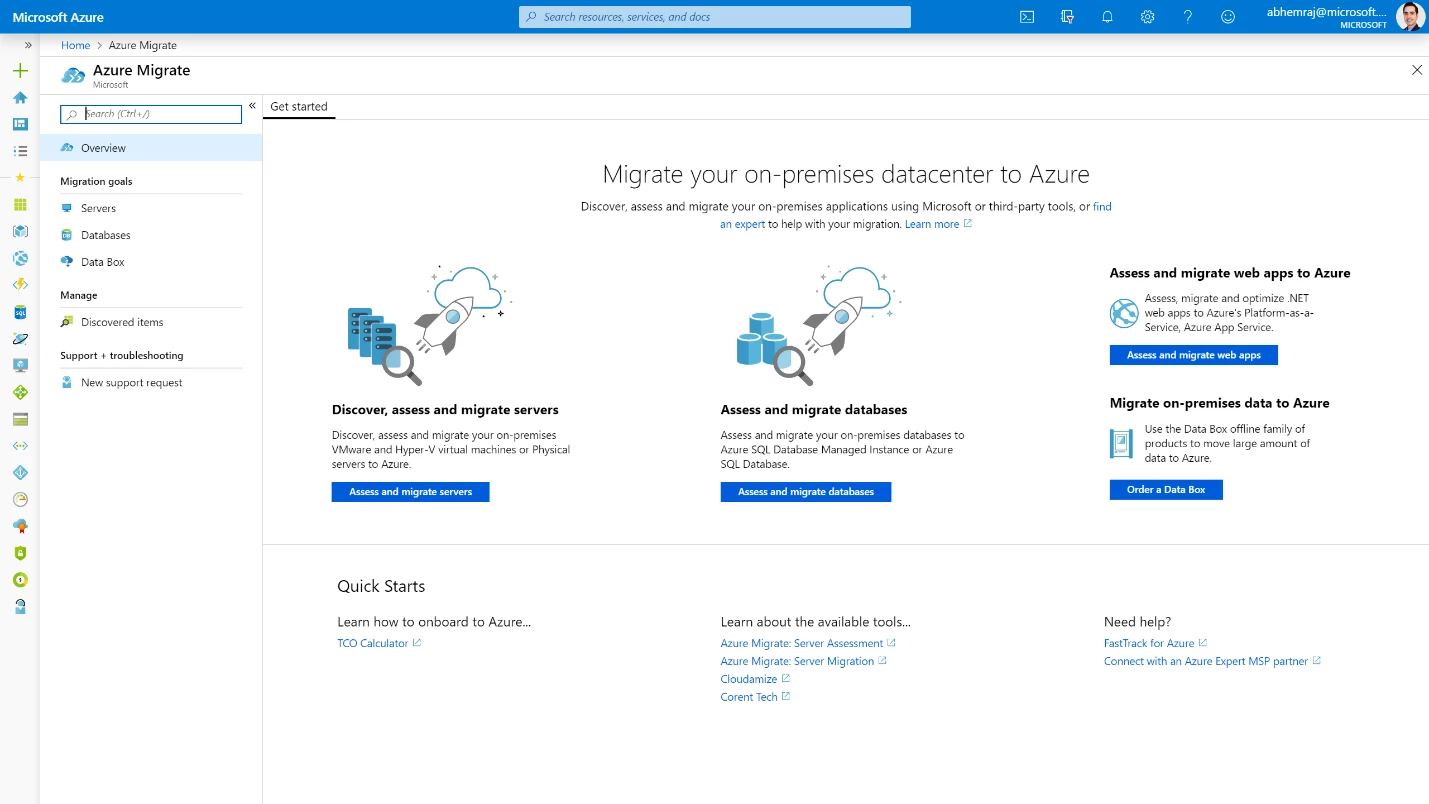
Azure Migrate is a centralized platform for assessing, planning, and executing migrations to Microsoft Azure. It provides automated discovery of infrastructure, applications, and dependencies, along with insights into readiness, cost, and migration complexity. The platform also incorporates AI-assisted capabilities to guide decision-making throughout the migration lifecycle.
Deployment model: Cloud
Key features:
- Automated discovery and assessment: Identifies infrastructure, applications, and dependencies to evaluate migration readiness.
- Cost estimation and rightsizing: Generates cost insights and recommendations for optimizing cloud resource usage.
- End-to-end migration workflow: Supports assessment, migration, and modernization within a single platform.
- AI-assisted migration guidance: Uses an agent-based approach to provide recommendations and next steps.
- Security and compliance support: Includes built-in security features and compliance coverage across regions.

Source: Microsoft
4. Google Cloud Migration Center

Google Cloud Migration Center is a unified platform that supports end-to-end migration from on-premises or other cloud environments to Google Cloud. It focuses on discovery, assessment, planning, and execution, helping organizations understand their infrastructure and optimize migration strategies before making changes.
Deployment model: Cloud
Key features:
- Asset discovery and inventory: Automatically scans environments to build a detailed inventory of servers and databases.
- Infrastructure assessment: Analyzes workloads, dependencies, and technical fit for migration to Google Cloud.
- Cost estimation and TCO analysis: Provides forecasts of cloud costs and total cost of ownership.
- Migration planning tools: Offers recommendations and best practices to reduce migration risks.
- Support for multiple migration strategies: Enables rehost, replatform, and refactor approaches.
Data Integration and Data Migration Platforms
5. IBM InfoSphere

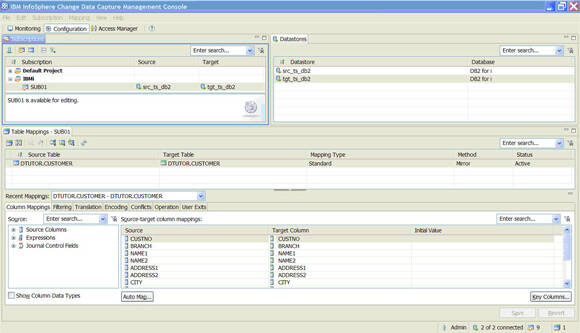
IBM InfoSphere Information Server is a data integration platform that supports migration, transformation, and governance of enterprise data. It enables organizations to move and standardize data across different systems while ensuring data quality and consistency. The platform is designed for large-scale environments with complex data pipelines.
Deployment model: Cloud, on-premises
Key features:
- ETL and data integration: Provides extract, transform, and load capabilities across multiple systems and environments.
- Data quality management: Includes tools for cleansing, monitoring, and improving data accuracy.
- Scalable processing: Uses massively parallel processing to handle large data volumes efficiently.
- Data governance and metadata management: Establishes standardized definitions and improves visibility into data assets.
- Flexible deployment: Supports on-premises, cloud, and hybrid environments.


Source: IBM
6. Talend

Talend is a data integration platform that enables organizations to connect, transform, and govern data across different systems. It supports a range of integration patterns and deployment models, allowing teams to build scalable data pipelines for migration and analytics.
Deployment model: Cloud, on-premises
Key features:
- Multi-modal data integration: Supports batch, real-time, ETL, ELT, and API-based integration patterns.
- Data quality and governance: Provides tools for ensuring trusted, reusable datasets across the organization.
- Flexible deployment options: Runs in cloud, on-premises, or hybrid environments.
- Pre-built integrations: Connects to a wide range of data sources and platforms.
- AI-augmented pipelines: Uses automation and no-code tools to accelerate data integration workflows.

Source: Talend

7. CloverDX

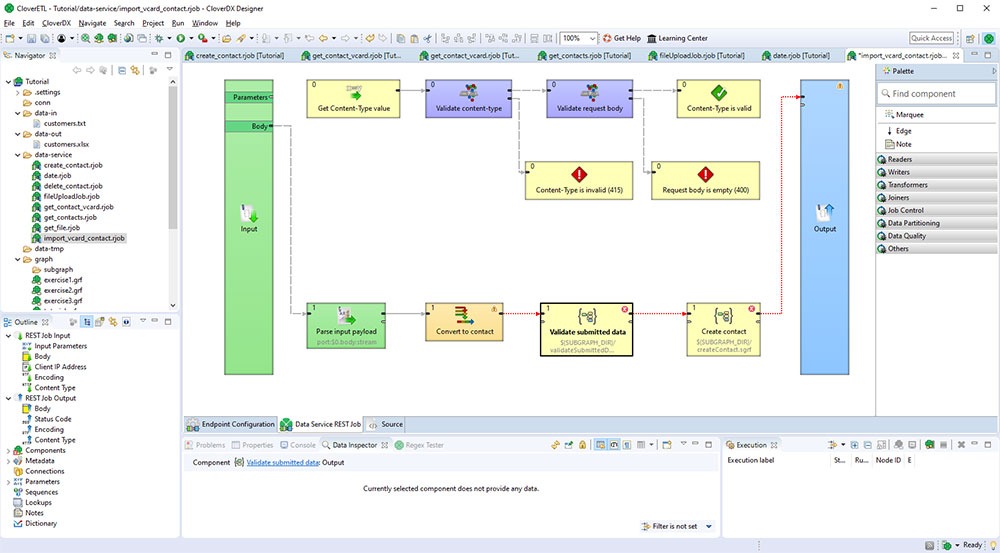
CloverDX is a data integration platform for building and automating complex data pipelines. It supports both technical and non-technical users by combining visual workflows with code-based approaches, enabling efficient data migration and transformation processes.
Deployment model: Cloud, on-premises
Key features:
- Automated data pipelines: Builds and manages end-to-end ETL workflows for data movement and transformation.
- Hybrid deployment support: Operates in cloud, on-premises, or hybrid environments.
- Low-code and full-code options: Allows users to design workflows visually or implement custom logic in code.
- Collaboration features: Enables business and IT teams to work together on data processes.
- Data quality and reliability: Combines automation with validation steps to improve accuracy and reduce errors.

Source: CloverDX
8. SnapLogic

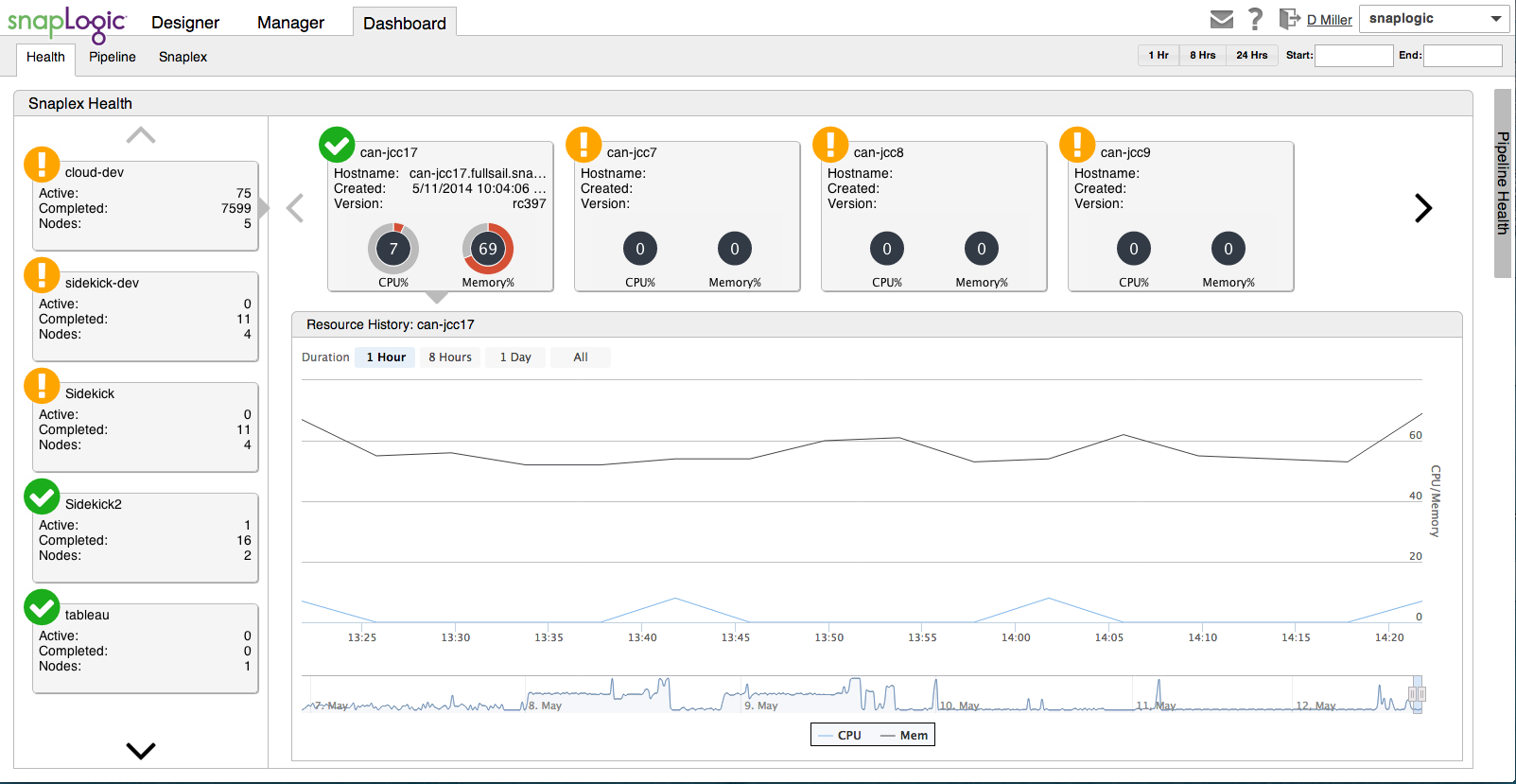
SnapLogic is an integration platform that connects data, applications, and APIs across environments. It uses a unified, low-code approach to build data pipelines and automate workflows, supporting large-scale data migration and integration initiatives.
Deployment model: Cloud, on-premises
Key features:
- Unified integration platform: Combines data, application, and API integration in a single environment.
- Pre-built connectors: Provides hundreds of connectors to integrate systems quickly.
- Low-code pipeline design: Enables users to build and manage integrations with minimal coding.
- AI-driven automation: Uses AI agents to automate workflows and data processing tasks.
- Scalable data processing: Supports large-scale data movement across cloud and on-premises environments.

Source: SnapLogic
Related content: Read our guide to data center migration companies (coming soon)
How to Choose Data Center Migration Services
Here are some important considerations for selecting a data center migration service.
1. Determine the Type of Migration Required
Before selecting a migration service, organizations must first define the type of migration they need. There are several common migration strategies:
- Rehosting (lift-and-shift): Moving applications and workloads to a new environment with minimal changes. This is the fastest and simplest migration approach but may not take full advantage of cloud-native features.
- Re-platforming: Making slight optimizations to applications while moving them to a new infrastructure. This balances speed with performance improvements.
- Re-architecting: Completely redesigning applications to fully leverage the capabilities of the target environment (such as cloud-native scalability). While this requires more effort, it often results in significant long-term benefits.
- Hybrid migrations: Combining multiple migration approaches, such as keeping some workloads on-premises while moving others to the cloud.
2. Evaluate Service Provider Expertise
Not all migration service providers are created equal. The expertise and experience of a provider can significantly impact the success of a migration. Key factors to evaluate include:
- Track record: Look for case studies, references, and testimonials that demonstrate successful migrations similar to the organization’s requirements.
- Certifications: Ensure the provider has certifications from relevant cloud or infrastructure vendors (such as AWS Certified Migration Competency or Microsoft Azure Expert MSP).
- Industry-specific knowledge: If the organization operates in a regulated industry (finance, healthcare, government, etc.), ensure the provider has expertise in handling compliance, data security, and regulatory requirements.
- Support and SLAs: Check for service-level agreements (SLAs) that guarantee minimal downtime, fast issue resolution, and 24/7 support.
3. Analyze Tools and Methodologies
The tools and methodologies used by a migration service provider can determine the efficiency and reliability of the migration process. Organizations should evaluate the following factors:
- Automation capabilities: Automated discovery, dependency mapping, and workload replication reduce manual effort and minimize migration errors.
- Migration strategy support: Does the provider offer support for lift-and-shift, re-platforming, or full re-architecting? Having a flexible approach ensures compatibility with business goals.
- Performance monitoring and testing: Look for tools that enable real-time tracking of migration progress, pre-migration testing, and post-migration validation to detect potential issues early.
- Integration with existing infrastructure: Some tools support specific cloud providers (AWS, Azure, Google Cloud) or hybrid environments better than others. Ensuring compatibility reduces post-migration complications.
4. Assess Cost Implications
Migration costs can vary based on workload complexity, data volume, and the level of customization required. A thorough cost assessment should include:
- Upfront vs. ongoing costs: Some services have one-time migration fees, while others operate on a subscription or pay-as-you-go model. Understanding the pricing structure helps in budget planning.
- Hidden costs: Licensing fees, additional storage, extended support, and post-migration optimization services can add unexpected expenses. Ensure all potential costs are accounted for.
- Cost estimation tools: Many providers offer calculators to estimate total cost of ownership (TCO) before migration. These tools help compare different service providers based on long-term financial impact.
- Downtime and productivity losses: A poorly planned migration can lead to unexpected downtime, affecting business operations and revenue. Evaluating potential productivity losses alongside service costs is essential.
5. Consider Scalability and Flexibility
A migration service should not only meet current needs but also accommodate future growth. Key considerations include:
- Scalability of infrastructure: Whether moving to a cloud or hybrid environment, the new infrastructure should support workload expansion without requiring a major overhaul.
- Flexible deployment options: Some migration services provide more adaptability in supporting on-premises, cloud, or multi-cloud environments. Ensuring flexibility prevents vendor lock-in and allows for future adjustments.
- Ongoing optimization: Some services include performance monitoring, auto-scaling, and cost optimization tools to adjust resources based on workload demands.
- Disaster recovery and redundancy: Ensuring that the migration service includes backup and failover options helps prevent data loss and ensures business continuity.
Conclusion
Selecting the right data center migration service involves balancing technical requirements, budget constraints, and long-term infrastructure goals. The best tools and services provide automation, flexibility, and robust support for various migration strategies, from simple lift-and-shift to full re-architecture. By carefully evaluating provider expertise, tool capabilities, and cost implications, organizations can reduce risk, minimize downtime, and ensure a smooth transition that supports ongoing digital transformation.