
TL;DR: Application migration tools span dependency mapping, migration execution, and cloud services. Best for: Faddom (agentless mapping), OpenText Migrate (byte-level replication), Azure Migrate (Azure migration), and AWS Transform MGN (rehosting).
What Are Application Migration Tools?
Application migration tools are software or services that facilitate the transfer of applications from one environment to another without requiring complete reconfiguration or re-coding. These tools help businesses shift applications to modern infrastructures like clouLearn more about Faddomd computing platforms, ensuring compatibility and functionality in the new environment. They are vital for organizations looking to modernize legacy systems, consolidate data centers, or adopt multi-cloud strategies.
Organizations typically reach for dedicated migration tooling when they are retiring aging on-premises hardware, consolidating data centers after a merger or acquisition, responding to end-of-life or end-of-support deadlines, or shifting spend from capital expenditure to operating expenditure by moving to the cloud. Without purpose-built tools, teams are left to manually inventory servers and applications, guess at hidden dependencies between systems, and coordinate cutover windows by hand. That manual approach is slow, error-prone, and raises the risk of outages, broken integrations, or missed dependencies once a workload actually moves.
The market for application migration tools spans several distinct roles, and most successful migrations combine more than one. Some tools focus on discovery and dependency mapping, while others handle the mechanics of moving workloads and data itself, from continuous byte-level server replication to cost-aware workload placement and sequencing. The major cloud providers also offer their own migration services, purpose-built to move workloads specifically into their platform with native discovery, assessment, and modernization tooling.
This is part of a series of articles about VMware Migration
Application Migration Tools At a Glance
The table below summarizes the key differences between these application migration tools. We explore each tool in more detail in the sections that follow.
|
Category |
Solution |
Best For |
Key Strengths |
Things to Consider |
|
Discovery and Dependency Mapping |
Faddom |
Agentless dependency mapping for wave-based migration planning |
Agentless credential-free discovery, real-time hybrid mapping, AI-driven correlation |
Setup can take longer in complex proof-of-concept environments; traffic-based mapping has reduced coverage in heavily encrypted zones; focused scope pairs well with a CMDB or AIOps tool |
|
Discovery and Dependency Mapping |
Splunk AppDynamics |
APM-driven migration validation with business transaction mapping |
Cloud migration performance baselining, business transaction topology mapping, AI-driven anomaly detection |
Expensive licensing; learning curve for advanced features; agent instrumentation requires manual effort |
|
Discovery and Dependency Mapping |
Datadog |
Unified cross-environment monitoring throughout a migration |
Single view across servers, containers, and services, service and network maps, 15-month metric retention |
Costs can climb quickly with usage; interface can feel cluttered; agent setup less straightforward than expected |
|
Migration Planning and Execution |
OpenText Migrate |
Byte-level replication for near-zero-downtime cutovers |
Real-time byte-level replication, platform-agnostic migrations, non-disruptive testing with fast rollback |
More difficult for multi-cloud or container migrations; RHEL and Linux migrations more challenging; pricing considered expensive |
|
Migration Planning and Execution |
Cloudsfer |
Cloud-to-cloud and ECM content migration for files and storage |
Broad cloud and ECM system support (30+), multi-user migration preserving permissions, automated cloud-to-on-premises backup |
No SFTP support; support responsiveness can be slow; platform maturity trails competing tools |
|
Migration Planning and Execution |
IBM Turbonomic |
Resource-aware migration planning tied to continuous optimization |
Real-time migration plans matched to workload needs, full-stack dependency and resource mapping, policy-driven automated actions |
Steep learning curve and setup effort; third-party integration gaps; licensing cost can be hard to justify |
|
Migration Planning and Execution |
Flexera |
Business-context-aware migration planning and cloud cost assessment |
Lightweight IT inventory collection, cloud cost assessment across providers, business-service mapping beyond infrastructure |
Setup and integration can be time-consuming; slow with large datasets; dated interface in places |
|
Cloud Provider Migration Services |
Azure Migrate |
Native discovery-to-execution migration into Microsoft Azure |
Automated discovery with 6R treatment assessments, dependency mapping with application grouping, AI-guided orchestration via Copilot |
Requires deploying and maintaining a discovery appliance; dependency analysis has capping and grouping constraints; scope oriented toward Azure targets |
|
Cloud Provider Migration Services |
AWS Transform MGN |
Automated rehosting into Amazon EC2 with minimal downtime |
Continuous block-level replication with orchestrated cutover, agentic or self-directed rehost paths, built-in modernization actions during migration |
Rehosting-focused, not for refactoring or real-time sync; clustered or shared-storage workloads often unsupported; analytics and reporting have room to grow |
|
Cloud Provider Migration Services |
Google Cloud Migration Center |
Unified discovery-to-planning migration into Google Cloud |
Rapid cloud cost estimation, automated asset discovery, application and network dependency analysis |
Costs can exceed initial estimates; some capabilities still in preview or maturing; scope oriented toward Google Cloud targets |
Key Features of Application Migration Tools
Discovery and Assessment
Application migration begins with discovery and assessment, where tools scan the existing setup to catalog applications and their dependencies. This phase is crucial for understanding the complexities of the IT landscape, including interconnected systems. Detailed assessments allow planners to identify potential challenges and dependencies that could impact migration success.
These tools also analyze the compatibility of current applications with the target environment. Analysis can include performance baselines, resource utilization, and security requirements, providing a comprehensive view that enables informed migration decision-making.
Migration Planning
Effective migration tools streamline the creation of a migration plan. They use data from the discovery phase to define a sequence of moving applications, often suggesting grouping strategies that minimize downtime and mitigate risk. Planning also involves setting realistic timelines and identifying required resources to ensure a smooth transition.
Migration planning tools typically include features like scenario modeling and cost projections. These capabilities allow organizations to compare different migration strategies and predict potential costs associated with each, enabling more strategic planning and budget allocation.
Workflow Automation
Workflow automation is a key feature of migration tools, simplifying the execution of migration processes. These tools automate repetitive tasks such as data copying, application provisioning, and configuration. Automation not only speeds up the migration but also reduces the likelihood of human errors, reducing migration risks.
Additionally, automation tools can synchronize changes across different environments during migration. This functionality is essential when maintaining operational continuity and ensuring that updates in the source environment are reflected in the target environment throughout the migration period.
Performance and Monitoring
Once applications have been moved, ongoing performance monitoring and optimization are critical. Migration tools commonly include features that monitor application performance in real-time in the new environment. They identify any issues that could affect application functionality or user experience, allowing for quick remediation.
These tools also provide analytics and reporting features that assess the impact of migration on application performance. Organizations use these insights to fine-tune systems, improve efficiency, and ensure that applications meet expected performance criteria post-migration.
Related content: Read our guide to application migration strategy
What Types of Applications Can Be Migrated?
Legacy Enterprise Applications
Legacy enterprise applications are among the most common migration candidates because they often run on aging hardware or unsupported operating systems. Migration tools help identify application dependencies, replicate workloads, and move these systems to modern infrastructure with minimal disruption. Depending on business requirements, applications may be rehosted, replatformed, or gradually modernized while preserving existing functionality.
Examples:
- ERP systems (SAP, Oracle E-Business Suite)
- Customer relationship management (CRM) platforms
- Mainframe-connected business applications
- Financial and accounting systems
Web and Mobile Applications
Web and mobile applications are frequently migrated to improve scalability, availability, and deployment flexibility. Migration tools help move application servers, supporting services, and associated infrastructure while preserving connectivity between front-end and back-end components. Many organizations also use migration projects as an opportunity to adopt cloud-native services or modern deployment pipelines.
Examples:
- E-commerce websites
- Customer portals
- Internal business web applications
- Mobile application back-end services
Databases and Data-Driven Applications
Applications that depend heavily on databases require careful migration to maintain data integrity and minimize downtime. Migration tools support database replication, schema assessment, synchronization, and cutover planning while ensuring applications remain connected to the correct data sources throughout the migration process.
Examples:
- SQL Server, Oracle, PostgreSQL, and MySQL databases
- Data warehouse platforms
- Business intelligence applications
- Data analytics platforms
Virtual Machines and Packaged Applications
Many migration projects focus on moving virtual machines rather than redesigning applications. Migration tools replicate entire server images, operating systems, and application configurations, allowing organizations to relocate workloads between data centers or cloud platforms with minimal changes to the application itself.
Examples:
- VMware virtual machines
- Microsoft Hyper-V workloads
- Packaged enterprise software
- Virtual desktop infrastructure (VDI) workloads
Containerized Applications
Containerized applications can be migrated between Kubernetes clusters, container platforms, or cloud providers while maintaining consistent deployment configurations. Migration tools help move container images, persistent storage, networking, and cluster resources, supporting both lift-and-shift migrations and broader platform modernization initiatives.
Examples:
- Kubernetes workloads
- Docker-based applications
- Microservices architectures
- Containerized APIs and backend services
SaaS and Commercial Applications
Commercial off-the-shelf and SaaS applications are often migrated during cloud adoption, mergers, or platform consolidation projects. Migration tools focus on transferring application data, user accounts, permissions, configurations, and integrations while minimizing business disruption and maintaining compliance requirements.
Examples:
- Microsoft 365
- Salesforce
- ServiceNow
- Atlassian Jira and Confluence
Notable Application Migration Tools
How we selected these tools: We shortlisted application migration tools based on the role each plays in a migration, spanning agentless discovery and dependency mapping, migration planning and execution, and native cloud-provider migration services, weighing discovery method, automation depth, and cloud coverage
Discovery and Dependency Mapping Tools
These tools focus on discovering what exists in an environment and how applications and servers depend on one another, which is the foundation of any low-risk migration plan.
1. Faddom

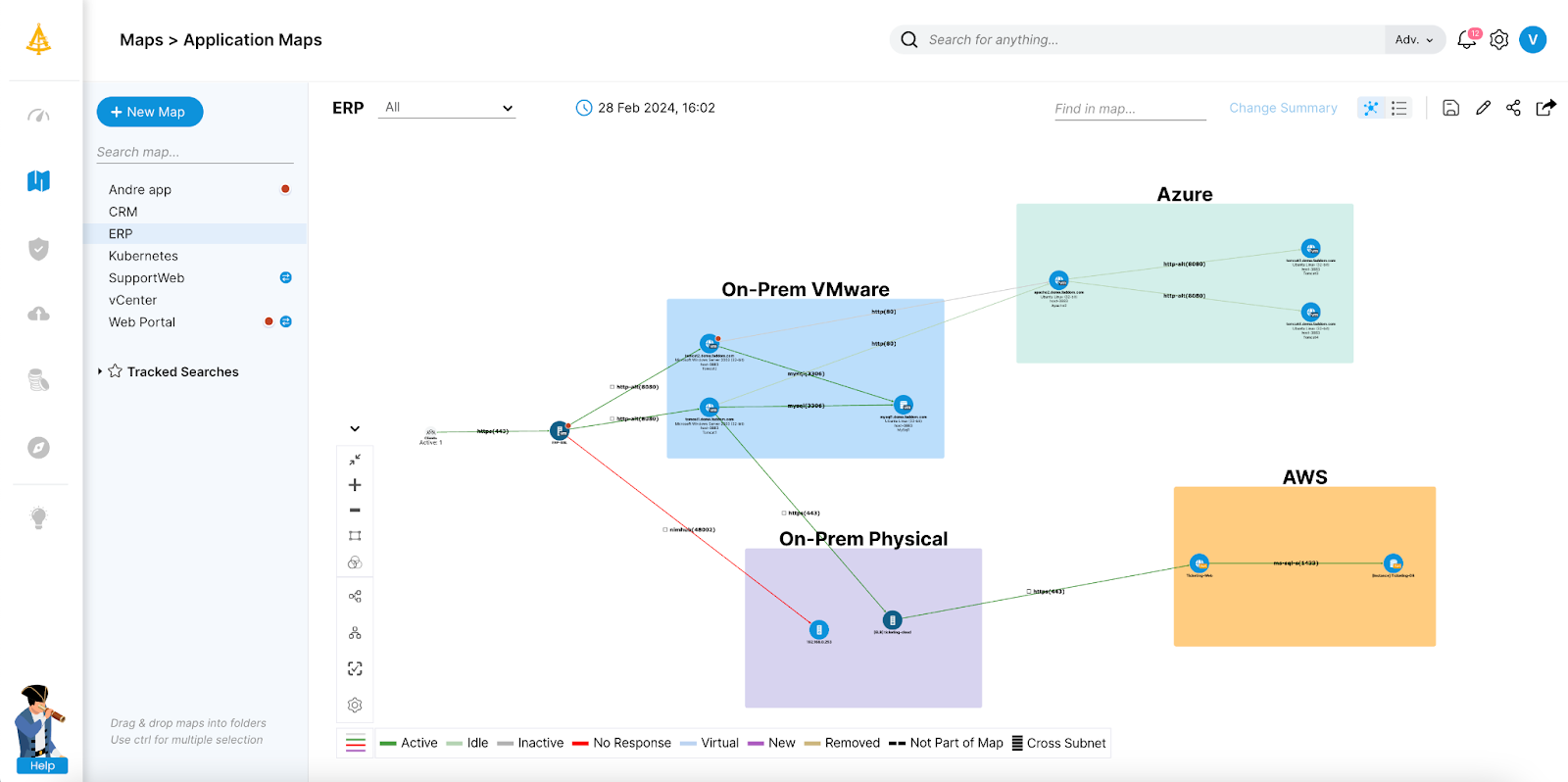
Faddom is an agentless application dependency mapping platform that discovers servers, applications, and the traffic flowing between them across on-premises, cloud, and hybrid environments. It maps an entire environment without installing agents, supplying server credentials, or opening firewalls, and produces a first map within about 60 minutes of deployment. The platform automatically groups servers into business applications and keeps the map current with real-time updates running 24/7. It uses AI-driven correlation to turn raw network data into application and dependency context, and it is designed to be read-only so that all data stays inside the user’s environment. For migration work specifically, Faddom supports wave-based planning to move groups of dependent systems together with minimal disruption.
Key features include:
- Agentless, credential-free discovery: Faddom maps servers, applications, and dependencies without installing agents, requiring server credentials, or reconfiguring firewalls. Data collection is passive and read-only, and the software can work offline, so the entire environment can be documented without exposing systems to additional access.
- Real-time hybrid mapping: The platform connects to on-premises, cloud, and hybrid sources and discovers business applications across them in minutes. Maps update continuously, 24/7, so teams always have a current view of communication flows and dependencies rather than a static, point-in-time diagram.
- Automatic application grouping: Faddom automatically classifies servers and groups them into the business applications they support. This makes it possible to see which components belong together and must move as a unit, which is central to planning migrations and avoiding broken services.
- Wave-based migration planning: For cloud migration and data center transformation, the platform supports strategic, wave-based planning that sequences dependent workloads into phased moves. This helps reduce disruption and keep applications running during the transition.
- AI-driven correlation and analysis: Faddom applies AI-driven correlation to transform raw network traffic data into real-time application and dependency context. This provides an operational layer that supports cost optimization, change management, audit and compliance, and security use cases alongside migration.
- Fast, lightweight deployment: Deployment is automated and lightweight, with the first maps typically visible within an hour. The approach is positioned to suit IT consultants, small businesses, and large enterprises alike, with plans intended to match different organization sizes.
Limitations (as reported by users on G2):
- Initial setup in complex environments: Some users report that getting started, particularly during proof-of-concept testing, can take longer than planned in more complex setups, and that documentation could be clearer in places.
- Traffic-based mapping coverage: Because discovery relies on observing network traffic, environments with heavily encrypted or tightly segmented traffic may not surface every dependency at full granularity.
- Focused scope: The platform concentrates on mapping and visibility, so teams that also need full CMDB or AIOps functionality may run it alongside other tool
2. Splunk AppDynamics

Splunk AppDynamics (formerly AppDynamics) is an application performance monitoring platform that supports cloud migration by giving teams real-time visibility into application behavior before, during, and after a move. It establishes performance baselines for applications, end-user experiences, and infrastructure, and uses those baselines to guide migration planning, prioritization, and cloud infrastructure sizing. During and after a migration, AppDynamics applies AI-driven anomaly detection and automated root-cause analysis to surface issues quickly, and it tracks service-level agreement compliance in real time. The platform also captures business performance metrics so teams can validate that a migration met its technical and business goals. It works across hybrid and on-premises applications as well as cloud-native infrastructures.
Key features include:
- Cloud migration monitoring: AppDynamics monitors real-time performance to streamline migrations while mitigating risk. It establishes a baseline for every application, end-user experience, and key infrastructure metric, and uses those insights to guide planning, prioritization, and cloud infrastructure sizing.
- Business transaction mapping: The platform automatically discovers business transactions, both known and unknown, and constructs a detailed topology map of how traffic flows through applications in real time. This reveals how components interact, which supports both migration sequencing and ongoing troubleshooting.
- AI-driven anomaly detection and root-cause analysis: Machine learning detects when application metrics deviate from normal ranges without manual preconfiguration, and automated root-cause analysis highlights the suspected sources of anomalies. This helps teams find and fix problems quickly during a cutover.
- Dynamic baselining: The platform learns the behavior of performance metrics over time and creates rolling averages to tune out noise and generate actionable alerts. Baselines provide a reference point for comparing application performance before and after a migration.
- Business performance monitoring: Through its business performance capabilities, AppDynamics ties application performance to business metrics across the customer journey, and supports validating new releases and migrations with pre- and post-migration metrics.
- Hybrid and infrastructure monitoring: AppDynamics scales across traditional and cloud-native infrastructures, providing infrastructure monitoring and network visibility that help teams size and optimize environments as workloads move to the cloud.
Source: AppDynamics
Limitations (as reported by users on G2):
- Cost: Several users describe the licensing as expensive, particularly for large environments or smaller organizations.
- Learning curve: Reviewers note there is a lot to learn, that getting started without basic training can be difficult, and that advanced features are less intuitive than the interface initially suggests.
- Instrumentation effort: Agent configuration can be manual, and the browser monitoring script must be re-injected when application code changes.
- Resource usage and setup: Monitoring can be resource-intensive, and complex or on-premises deployments may require dedicated effort for setup and tuning.
3. Datadog
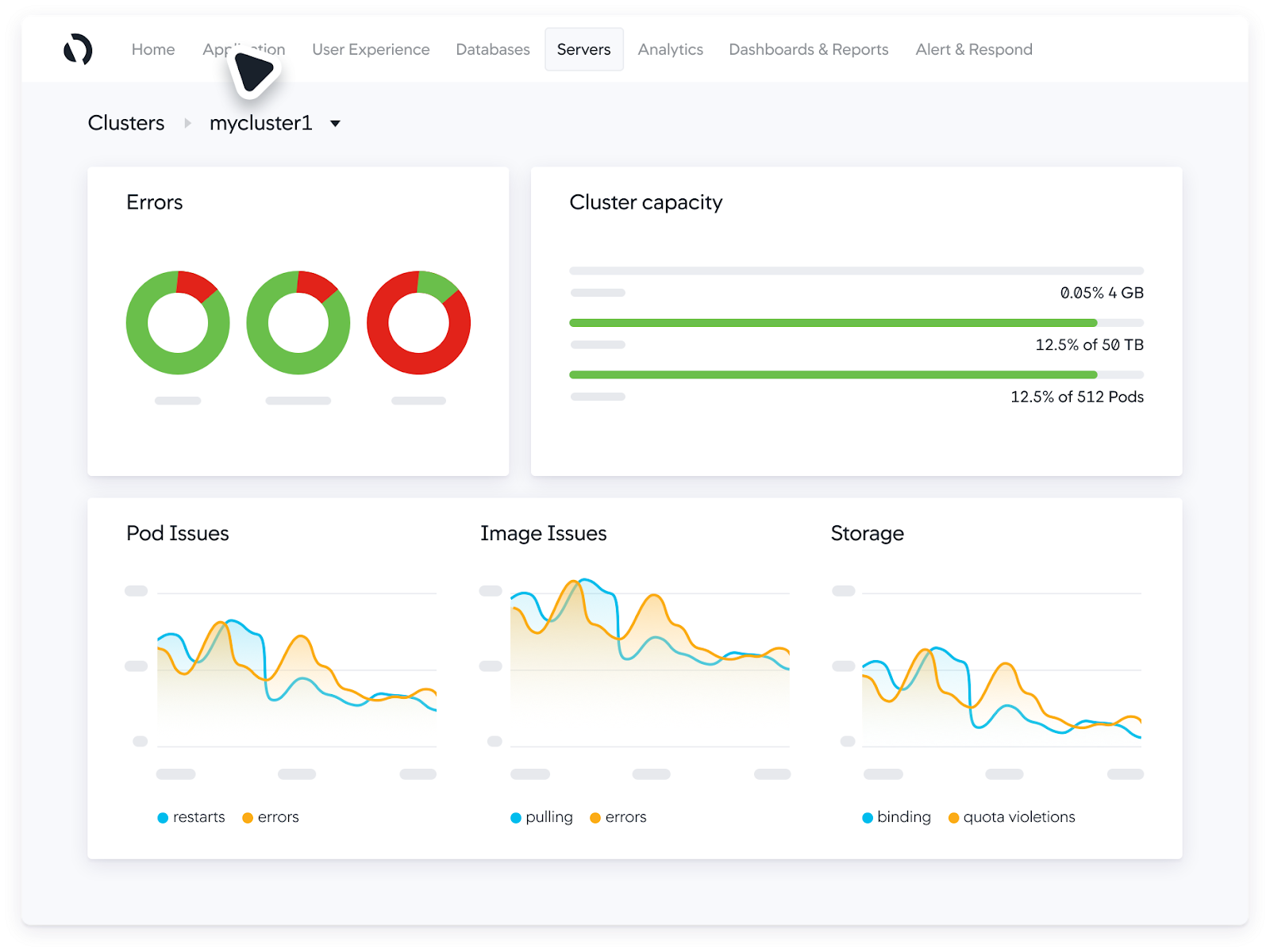
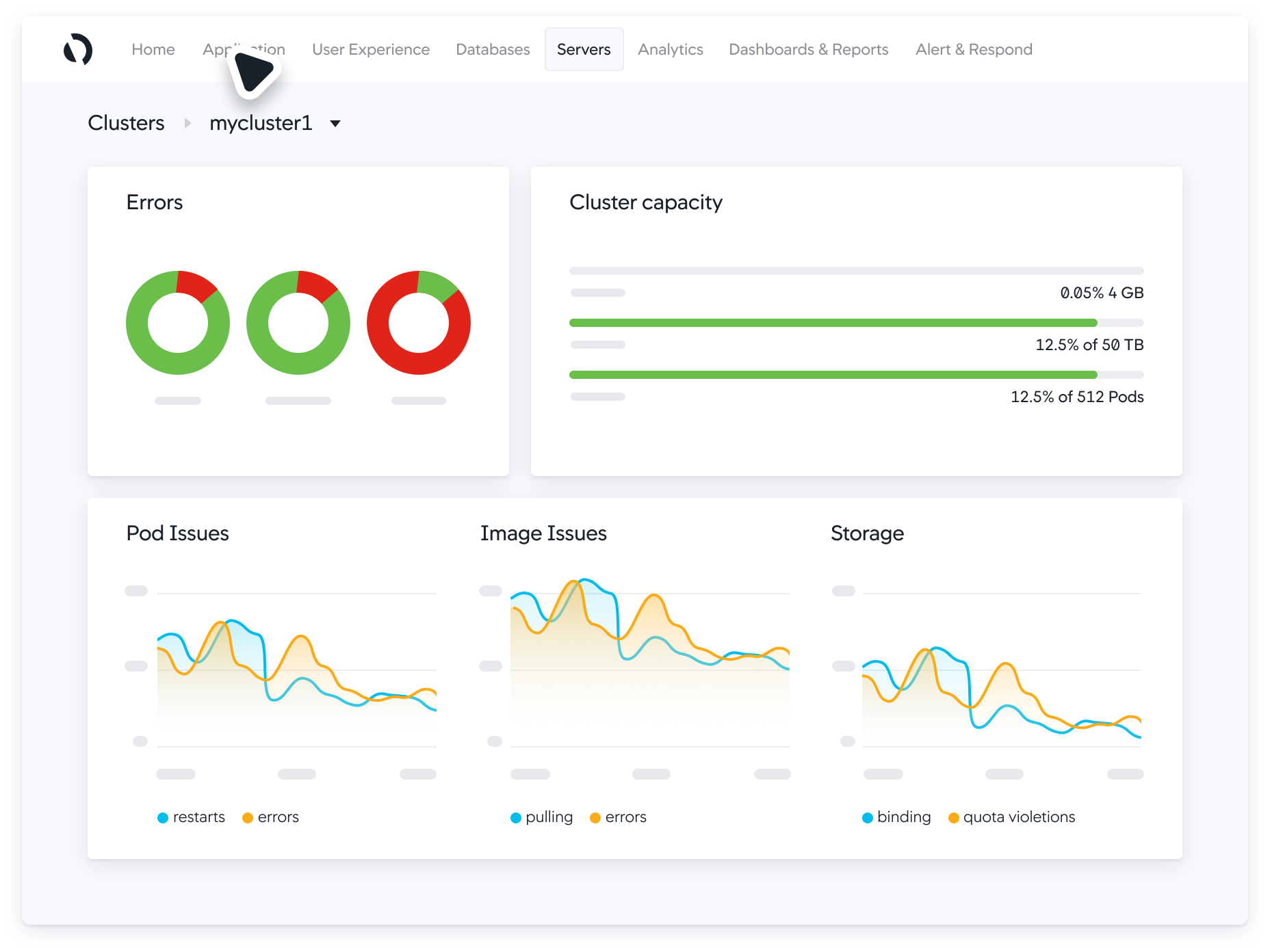
Datadog is a monitoring and observability platform that supports cloud migration by providing unified visibility across cloud, on-premises, and hybrid environments throughout a migration. It lets teams map their legacy and cloud-based systems, monitor real-time data during every phase of a move, and confirm that migrated applications meet performance targets. Datadog presents servers, containers, applications, and services in a single view, broken out by data center or cloud provider, which helps with capacity planning and right-sizing as workloads move. It retains performance metrics at full granularity for 15 months, so teams can compare behavior before, during, and after a migration. Service maps and network maps visualize how services and infrastructure components connect, supporting data-driven architectural decisions.
Key features include:
- Unified cross-environment visibility: Datadog offers a single view across servers, containers, applications, and services on any infrastructure, grouped by data center or cloud provider. This bird’s-eye view aids capacity planning and helps ensure cloud resources are right-sized when mapping out a migration strategy.
- Application and dependency mapping: Through service maps, network maps, and host maps, developers can visualize data flow between services and infrastructure components. This builds a complete understanding of an application’s architecture and dependencies before workloads are moved.
- Real-time migration monitoring: The platform provides real-time visibility into on-premises, public cloud, and private cloud platforms and lets teams monitor key performance indicators before, during, and after a migration. Teams can make real-time adjustments as they cut over legacy applications.
- Long-term metric retention: Datadog retains performance metrics at full granularity for 15 months, giving teams the historical data needed to compare environments and validate that migrated applications meet performance benchmarks.
- Framework-aligned migration support: Datadog provides visibility at the phases described in cloud adoption frameworks, acting as a single source of truth to plan and track migration progress and to identify problems as they occur.
- Parallel-environment monitoring: The platform can collect and display metrics from source and target environments on one platform while they run simultaneously, which helps confirm that assets transfer accurately during extended migration windows.
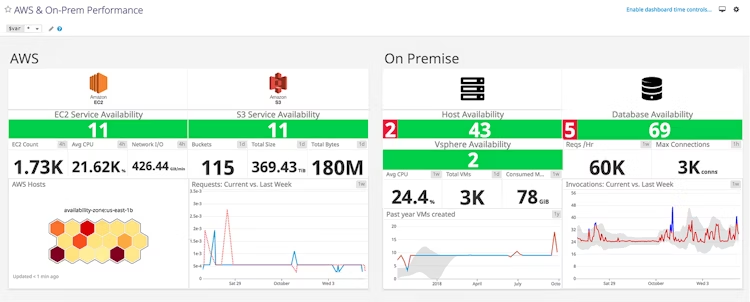
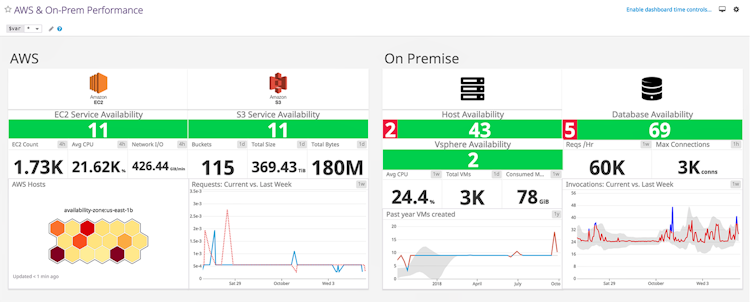
Source: Datadog
Limitations (as reported by users on G2):
- Cost and pricing model: Reviewers note that costs can climb quickly as usage grows, and that the model, especially the gap between ingesting and indexing logs, can be complex and hard to predict.
- Breadth and learning curve: Because the platform spans many products, the interface can feel cluttered and overwhelming for newer users.
- Agent setup: Some users find configuring agents to cover all resources less straightforward than expected.
- Interface performance: The web interface can feel sluggish when navigating large, data-heavy dashboards during intensive work.
Migration Planning and Execution Tools
These tools plan migrations and move workloads and data, ranging from byte-level server replication to cost and workload assessment that determines what to move and where.
4. OpenText Migrate

OpenText Migrate (formerly Carbonite Migrate) is a scalable, automated migration platform that moves entire systems—including files, applications, configurations, and permissions—across any combination of cloud, virtual, and physical environments. It uses continuous, byte-level replication to keep source and target in sync with minimal data loss, and orchestration tools to coordinate complex, multi-tier migration workflows. Migrations can run from physical to cloud, cloud to cloud, or legacy to modern systems, with cutovers completed in minutes and no disruption to end users. The platform begins by scanning the environment and deploying lightweight agents, then replicates systems in real time to the target while production continues. It includes non-disruptive testing and validation, and supports fast rollback if a cutover encounters problems, making the process repeatable from a single server up to thousands.
Key features include:
- Real-time, byte-level replication: OpenText Migrate continuously replicates data at the byte level across any distance, keeping the target environment synchronized with the source. This minimizes data loss and keeps systems available during the migration.
- Platform-agnostic migrations: The platform moves workloads between physical, virtual, and cloud targets, including major public clouds and hypervisors. This flexibility lets organizations switch platforms or consolidate infrastructure without being locked to a specific source or destination.
- Automated, repeatable workflows: Migrations follow structured, repeatable workflows that reduce manual effort and human error. Orchestration coordinates multi-tier application cutovers, and the same process scales from one server to thousands.
- Non-disruptive testing and cutover: Teams can test and validate in the target environment without interrupting production. When ready, an automated cutover shifts users over in minutes, and fast rollback is available if something goes wrong.
- Bandwidth controls and encryption: Built-in bandwidth throttling and compression manage network impact during replication, and data is protected in transit with AES 256-bit encryption to maintain confidentiality.
- Lightweight scan-and-deploy setup: The platform starts by scanning the environment and deploying lightweight agents to in-scope systems, then replicates them in real time to the target, whether cloud, virtual, or on-premises.
Limitations (as reported by users on PeerSpot):
- Multi-cloud complexity: Users report that the tool works smoothly for single-cloud moves, such as on-premises to a public cloud, but is more difficult to use across multi-cloud environments, with limited support for container-based and infrastructure-as-code migrations.
- Linux and RHEL migrations: RHEL and Linux migrations are described as more challenging, particularly when replicating the source environment at the destination.
- Cost: Several users consider the pricing expensive.
- Setup speed: Adding and authenticating servers in the management portal can be slow.
5. Cloudsfer
Cloudsfer, developed by Tzunami Inc., is a cloud-based migration and data transfer service focused on moving files and content across cloud storage providers and on-premises systems. It supports cloud-to-cloud, on-premises-to-cloud, and cloud-to-on-premises (backup) transfers, and connects to more than 30 cloud and on-premises systems, including over 20 cloud storage providers such as Google Drive, OneDrive, Box, Dropbox, Amazon S3, Azure Blob, and SharePoint Online. The service draws on more than 18 years of content migration experience and includes a multi-user migration capability that moves many users at once while preserving security, permissions, and metadata. Through the Tzunami Deployer tool, Cloudsfer also migrates content from older enterprise content management (ECM) systems into platforms like SharePoint Online, OneDrive, and Microsoft Teams. Migrations are automated, removing the need to manually download and re-upload files.
Key features include:
- Cloud-to-cloud migration: Cloudsfer moves data between more than 20 cloud storages through a single platform, including transfers such as Dropbox to Google Drive or Microsoft 365 to other providers. Migrations can carry security settings, permissions, and metadata, and can filter out unneeded files.
- On-premises to cloud transfer: The service migrates data from file systems and a range of ECM systems—such as FileNet, Documentum, LiveLink, DocuShare, eDocs, and Lotus Notes—into supported cloud storage providers, addressing on-premises-to-cloud requirements developed over years of projects.
- Multi-user migration: A multi-user capability transfers many users in a few steps while maintaining their permissions, security, and metadata. This is aimed at organizations moving large groups of accounts at once.
- Cloud-to-on-premises backup: Cloudsfer can move data from supported cloud services back to on-premises systems, including NAS, providing an automated way to back up or repatriate cloud content without manual downloading and re-uploading.
- ECM content migration: Using the Tzunami Deployer tool, the service migrates content from legacy ECM systems to SharePoint Online, OneDrive, Microsoft Teams, and other targets, with export filtering based on chosen conditions during the export process.
- Broad system support: The service integrates with more than 30 cloud and on-premises systems as sources and targets, including Amazon S3, Azure Blob, Box, Dropbox, Egnyte, Backblaze B2, FTP, WebDAV, Autodesk Construction Cloud, and SharePoint Online.
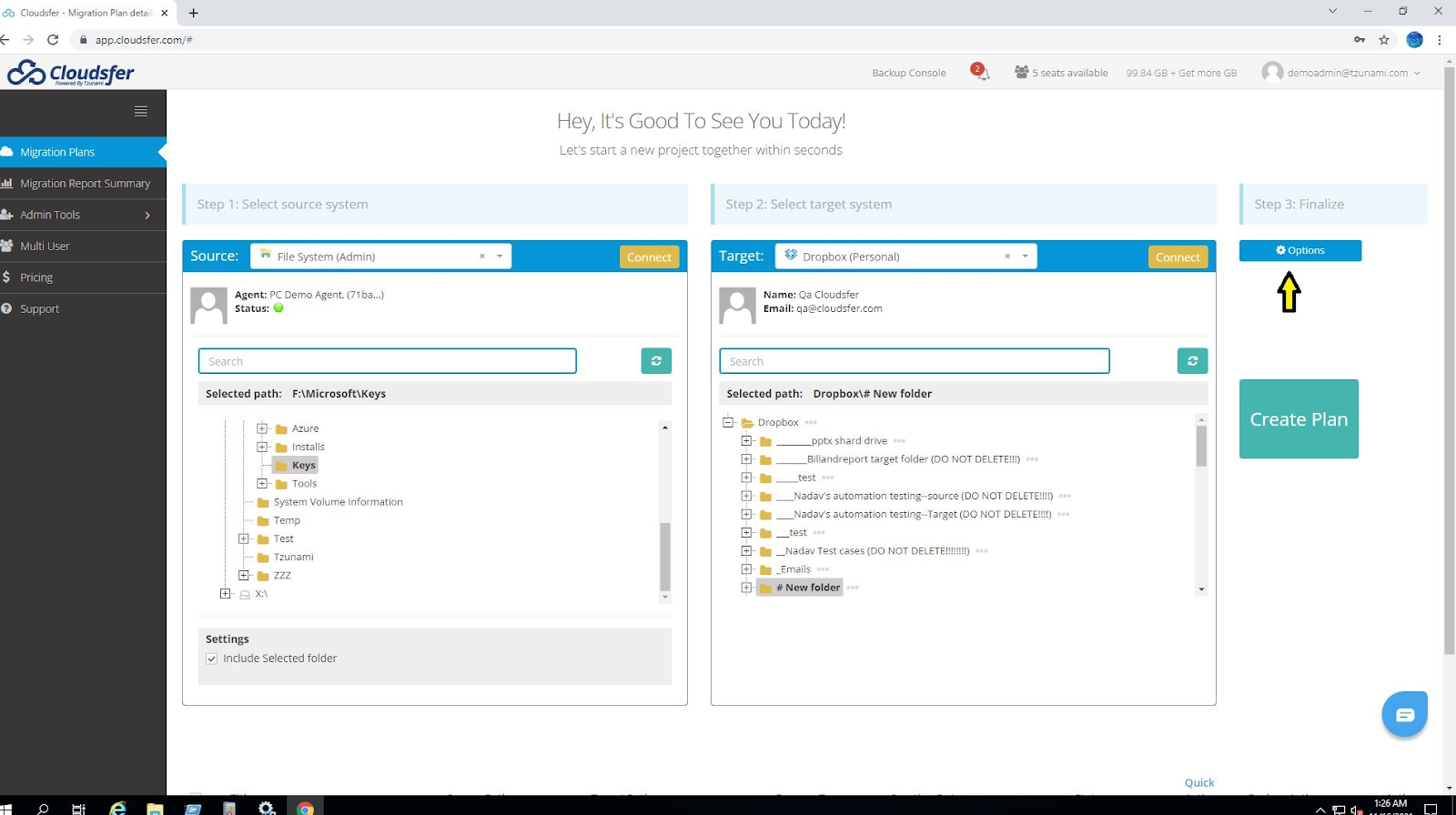
Source: Cloudsfer

Key features include:
- Cloud-to-cloud migration: Cloudsfer moves data between more than 20 cloud storages through a single platform, including transfers such as Dropbox to Google Drive or Microsoft 365 to other providers. Migrations can carry security settings, permissions, and metadata, and can filter out unneeded files.
- On-premises to cloud transfer: The service migrates data from file systems and a range of ECM systems—such as FileNet, Documentum, LiveLink, DocuShare, eDocs, and Lotus Notes—into supported cloud storage providers, addressing on-premises-to-cloud requirements developed over years of projects.
- Multi-user migration: A multi-user capability transfers many users in a few steps while maintaining their permissions, security, and metadata. This is aimed at organizations moving large groups of accounts at once.
- Cloud-to-on-premises backup: Cloudsfer can move data from supported cloud services back to on-premises systems, including NAS, providing an automated way to back up or repatriate cloud content without manual downloading and re-uploading.
- ECM content migration: Using the Tzunami Deployer tool, the service migrates content from legacy ECM systems to SharePoint Online, OneDrive, Microsoft Teams, and other targets, with export filtering based on chosen conditions during the export process.
- Broad system support: The service integrates with more than 30 cloud and on-premises systems as sources and targets, including Amazon S3, Azure Blob, Box, Dropbox, Egnyte, Backblaze B2, FTP, WebDAV, Autodesk Construction Cloud, and SharePoint Online.
6. IBM Turbonomic

IBM Turbonomic is an application resource management platform that automates the optimization of compute, storage, and network resources across hybrid and multicloud environments, and includes dedicated cloud migration planning. It continuously analyzes applications, containers, VMs, and infrastructure to map dependencies and resource flows, then generates data-driven actions for right-sizing, capacity modeling, and policy-compliant scaling. For migrations, Turbonomic produces real-time migration plans that aim to accelerate execution, control costs, and match workloads to suitable cloud configurations. Beyond migration, it executes safe, policy-driven actions—such as pod scaling in Kubernetes and VM placement in VMware—while keeping every action auditable. The platform integrates with cloud platforms, hypervisors, containers, and APM and ITSM tools without requiring changes to the existing application stack.
Key features include:
- Cloud migration planning: Turbonomic generates real-time cloud migration plans that accelerate execution and help match workloads to the right cloud configurations while controlling costs. The plans are based on the actual resource needs of the workloads being moved.
- Full-stack visibility: The platform continuously analyzes applications, containers, VMs, and infrastructure to map dependencies and resource flows. It surfaces risks before they affect performance and provides data-driven actions for right-sizing, capacity modeling, and scaling.
- Intelligent automation and action: Beyond recommendations, Turbonomic executes safe, policy-driven actions across hybrid and multicloud environments, from pod scaling in Kubernetes to VM placement in VMware. Each action is auditable, allowing teams to operate at scale with less manual intervention.
- Performance assurance at scale: The platform aligns compute, storage, network, and GPU resources with live demand to keep workloads within service-level objectives. It prevents resource contention by rebalancing and right-sizing resources in real time.
- Resource and cost optimization: Turbonomic continuously right-sizes workloads, optimizes server density, and reclaims unused capacity across data center, cloud, and Kubernetes environments to reduce overprovisioning and control spend.
- Broad integrations: It integrates natively with cloud platforms, hypervisors, containers, APM, and ITSM tools through REST APIs, webhooks, and scripts, and continuously optimizes workloads without requiring changes to the existing application stack.
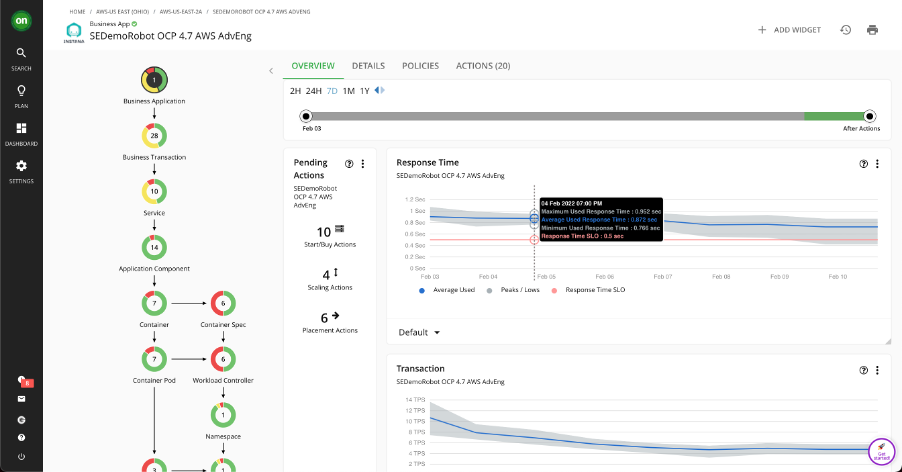
Source: IBM
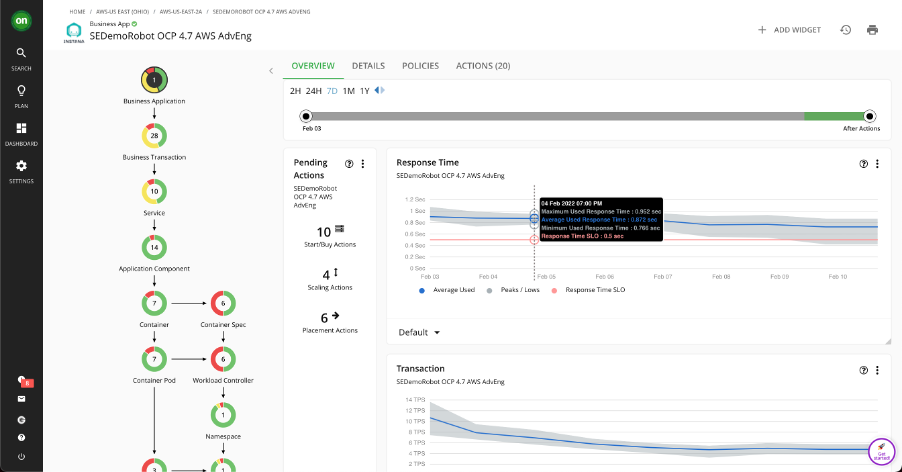
Limitations (as reported by users on G2):
- Learning curve and setup: New users often face a steep learning curve, and initial configuration and integration can be effort-intensive, especially in hybrid or multicloud environments.
- Third-party integrations: Some users report gaps or shallow integrations with certain niche tools or cloud services, which can require manual workarounds or custom scripts.
- Cost: The licensing model can be expensive, and some users find it hard to justify the cost.
- Reporting: Built-in reporting is seen by some users as limited.
7. Flexera
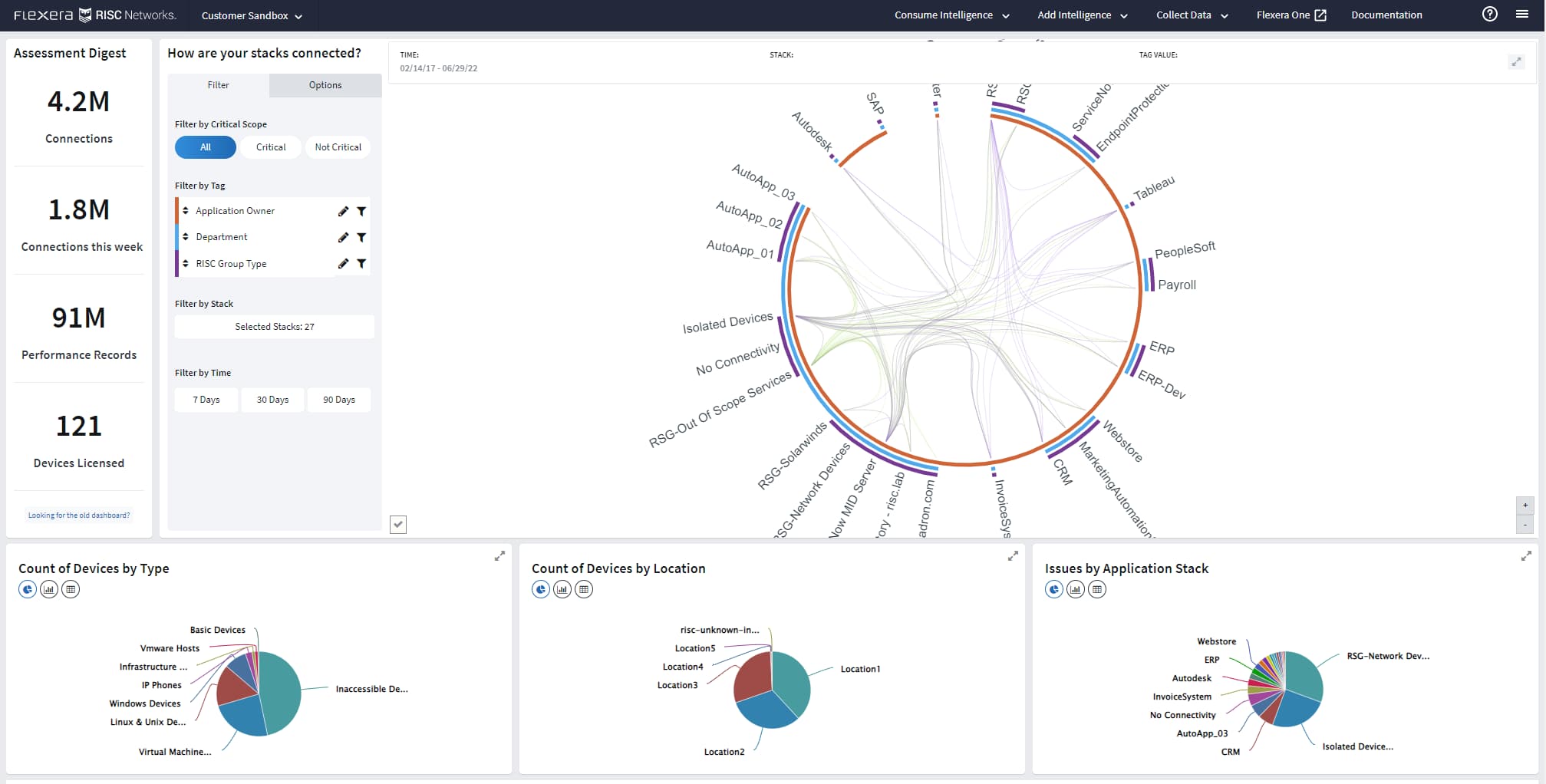
Flexera, through Flexera One Cloud Migration and Modernization, provides planning intelligence for moving applications and workloads from on-premises infrastructure or an existing cloud to a different cloud provider. The solution gathers IT inventory with a lightweight, low-impact collection method and adds business-service context so teams can make data-driven decisions about what to migrate and where. It includes cloud cost assessment to compare cloud type, provider, instance choice, buying type, and resource provisioning against workload, budget, and performance requirements. Workload placement assessments give full visibility into current workloads and help prioritize which providers best fit performance and cost needs. The platform maps how applications relate to business services—going beyond traditional dependency mapping—to inform migration sequencing and surface operational risk and potential cost savings.
Key features include:
- Cloud migration planning: Flexera One provides the planning intelligence to optimize an on-premises-to-cloud migration from start to finish, using full-context visibility into business services to guide decisions about what to move and in what order.
- Cloud cost assessment: The platform analyzes public, private, or hybrid cloud options to show which cloud type, provider, instance choice, buying type, and resource provisioning best fit a workload’s budget and performance requirements, helping optimize cloud spend.
- Workload placement: Workload assessments provide full visibility into current workloads so teams can prioritize and identify which providers are best for their performance and cost requirements, supporting on-premises-to-cloud and cloud-to-cloud moves.
- Lightweight IT inventory: The solution collects IT inventory with a fast, lightweight, and safe method that has minimal impact on the environment, reducing the time and expense of manual application inventory efforts.
- Business-service mapping: Flexera connects assets into the business services they support, going beyond traditional application dependency mapping, so migration decisions reflect business context and value rather than infrastructure alone.
- Automated grouping and risk visibility: The platform supports automated grouping and analysis of application consumption by location, and provides visibility into operational risk and potential cost savings across the migration.
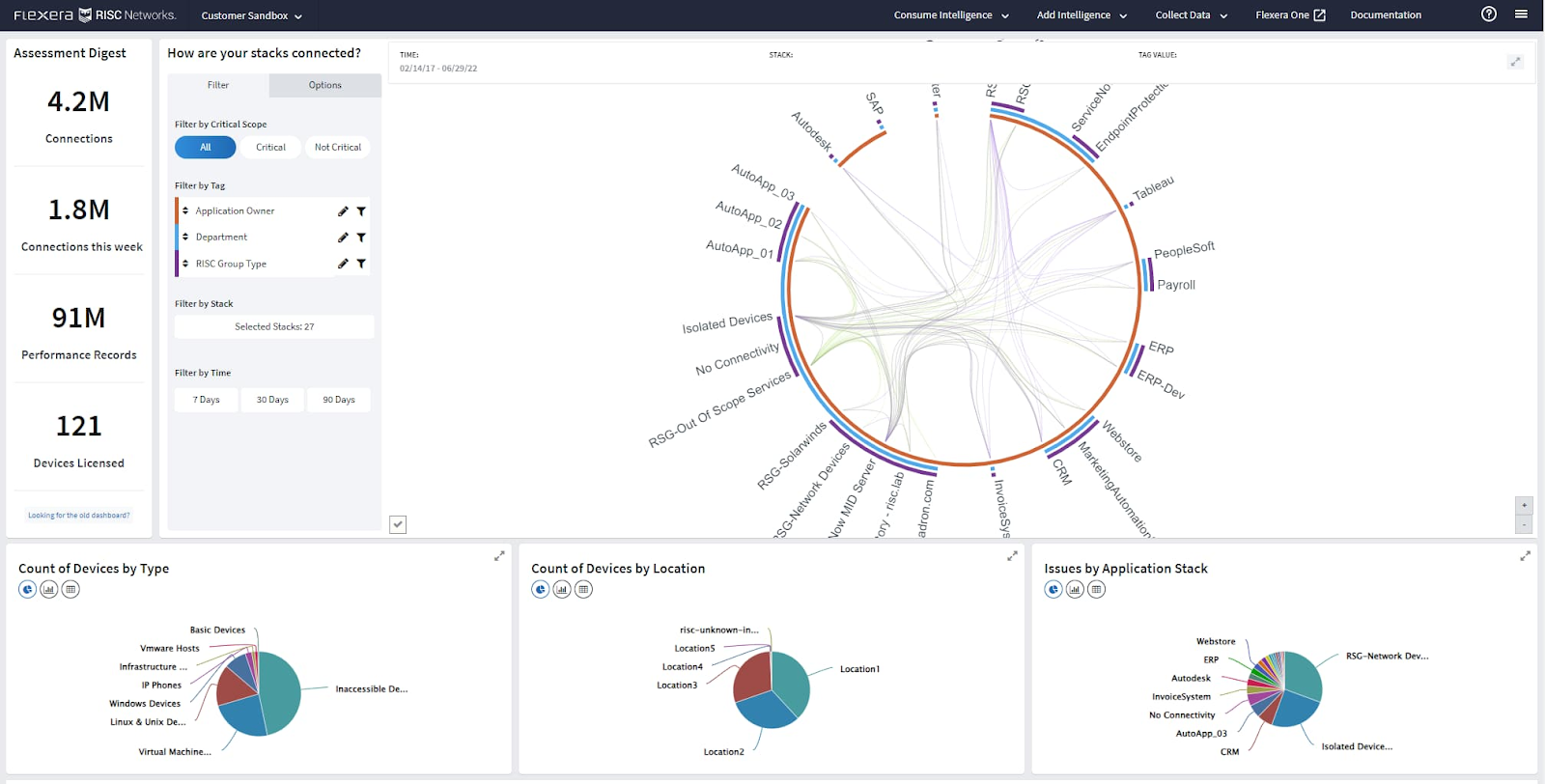
Source: Flexera
Limitations (as reported by users on G2):
- Setup complexity: Users report that initial implementation and integrating multiple data sources can be time-consuming and resource-intensive.
- Performance with large datasets: Some users experience slow loading times when working with large datasets and reports.
- Interface: Parts of the interface are described as dated and not always intuitive.
- Cost: Licensing and subscription costs can be high, particularly for smaller organizations.
Cloud Provider Migration Services
The following services are offered by the major cloud providers to plan and automate migrations from on-premises data centers and other clouds into their respective platforms.
8. Azure Migrate
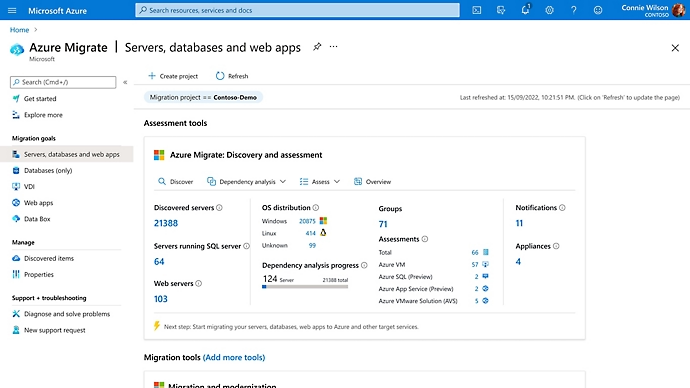
Azure Migrate is Microsoft’s platform for assessing, migrating, and modernizing on-premises and other-cloud workloads into Microsoft Azure. It automatically discovers infrastructure, applications, and data, then builds readiness assessments and dependency maps to help teams understand what to move and how. Using its assessments, Azure Migrate aligns workloads with one of the “6R” treatments—rehost, refactor, rearchitect, rebuild, replace, or retire—and provides right-sizing and cost insights to plan the move. The service supports discovery and migration of servers running on VMware, Hyper-V, and physical hardware, as well as databases and virtual desktop infrastructure, and can modernize ASP.NET web apps to Azure App Service or Azure Kubernetes Service. A central dashboard tracks the migration, and a newer Azure Copilot migration agent orchestrates the end-to-end journey with AI guidance across discovery, assessment, and execution.
Key features include:
- Discovery and assessment: Azure Migrate automatically discovers infrastructure, applications, and data, and produces readiness assessments that estimate cloud readiness, risks, costs, and complexity. It supports assessment of servers, databases, and virtual desktop infrastructure.
- Dependency mapping and application awareness: The platform creates dependency maps and, through application awareness, groups tagged dependent resources so they can be collocated for optimal cost and performance and moved together to avoid breaking applications.
- 6R migration treatments: Assessments align each workload with the appropriate treatment—rehost, refactor, rearchitect, rebuild, replace, or retire—so teams can decide how each application should be handled during the move to Azure.
- Modernization options: Beyond lift-and-shift, Azure Migrate can modernize ASP.NET web applications to Azure App Service or Azure Kubernetes Service, containerize Java web applications, and modernize databases after migration.
- Centralized tracking and right-sizing: A central dashboard provides oversight of the migration process, while right-sizing and cost insights help teams stay on budget and compare options as they move workloads.
- AI-guided orchestration: A newer Azure Copilot migration agent, built on the Azure Migrate platform, orchestrates the end-to-end migration journey with AI guidance, coordinating first- and third-party tools and maintaining unified visibility from discovery through execution.
Source: Microsoft
Limitations (based on publicly available sources):
- Appliance and prerequisites: Accurate assessment generally requires deploying and maintaining an Azure Migrate appliance with the necessary network access, credentials, and permissions; in tightly controlled networks these prerequisites can slow the initial rollout.
- Dependency analysis constraints: Agentless dependency data collection is capped per appliance, the dependency view does not allow adding or removing a server from a group, a dependency map for a group of servers is not available, and visualized data appears only after a delay.
- Assessment accuracy and compatibility: Assessment quality depends on the data gathered during discovery, not all workloads are supported, and migrations involving complex application dependencies require careful planning.
- Azure-oriented scope: Recommendations and modernization paths are oriented toward Azure targets rather than broad multi-cloud destinations.
9. AWS Application Migration Service
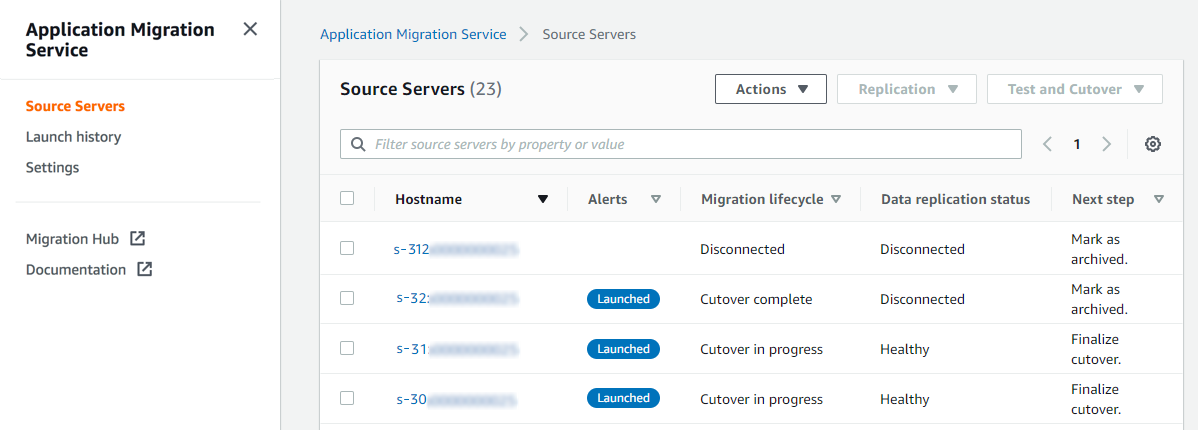
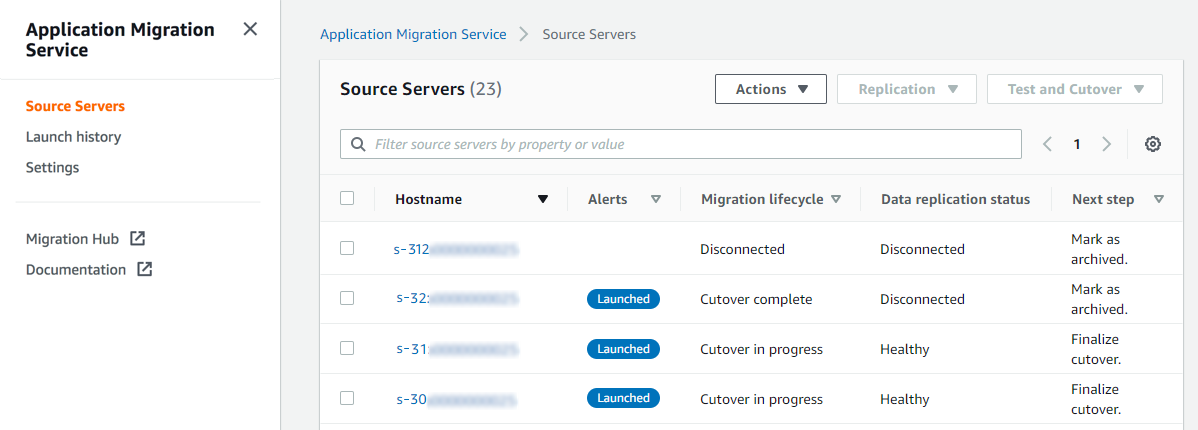
AWS Transform MGN (formerly AWS Application Migration Service) is Amazon Web Services’ dedicated rehosting service, which automates the conversion of source servers—physical, virtual, or cloud—into native Amazon EC2 instances. It performs continuous block-level replication to a low-cost staging area, automated machine conversion, and orchestrated cutover, enabling migrations with minimal downtime and without modifying the source environment. The service operates within a broader migration workflow that also includes discovery, wave planning, and network migration. It offers two rehost paths: an agentic option in which AI-driven automation handles the full setup and per-wave preparation, and a self-directed option managed step by step through the MGN console, both using the same replication and cutover engine. AWS Transform MGN can migrate applications from on-premises infrastructure such as VMware vSphere and Microsoft Hyper-V as well as from other public clouds, and can apply modernization actions during the move.
Key features include:
- Automated rehosting to EC2: The service automates the conversion of source servers into native Amazon EC2 instances, handling continuous block-level replication, machine conversion, and orchestrated cutover so workloads migrate with minimal downtime and without source changes.
- Two rehost paths: Teams can choose an agentic rehost in which AI-driven automation handles setup and per-wave preparation—initializing MGN, configuring permissions, generating launch templates, installing replication agents, and more—or a self-directed path managed through the MGN console, with both using the same underlying engine.
- Broad source support: AWS Transform MGN migrates applications from any source running supported operating systems, including physical servers, VMware vSphere, and Microsoft Hyper-V, as well as workloads running on other public clouds.
- Modernization during migration: During a migration, the service can apply built-in or custom modernization actions such as cross-Region disaster recovery, Windows Server version upgrades, and Windows MS-SQL bring-your-own-license to AWS license conversion.
- Operational continuity: Normal business operations continue throughout the replication process, helping maintain service availability while servers are prepared and tested before cutover.
- Consolidated tooling: Organizations can use a single tool for a wide range of applications, including SAP, Oracle, and SQL Server, reducing the need to invest in application-specific migration skills, and can also move EC2 workloads across Regions, Availability Zones, or accounts.
Source: AWS
Limitations (as reported by users on PeerSpot):
- Rehosting focus: The service is designed for lift-and-shift rehosting and does not natively handle application refactoring or real-time data synchronization, so other tools are needed for those scenarios.
- Clustered and shared-storage workloads: Most clustered file server or database cluster configurations that rely on shared storage are not supported, such as SQL Server clusters using Storage Spaces Direct.
- Analytics and reporting: Some users note room for improvement in analytics capabilities, reporting tools, and broader third-party cloud support.
- Automation and orchestration: A few users would like stronger automation and orchestration around the migration workflow.
10. Google Cloud Migration Center

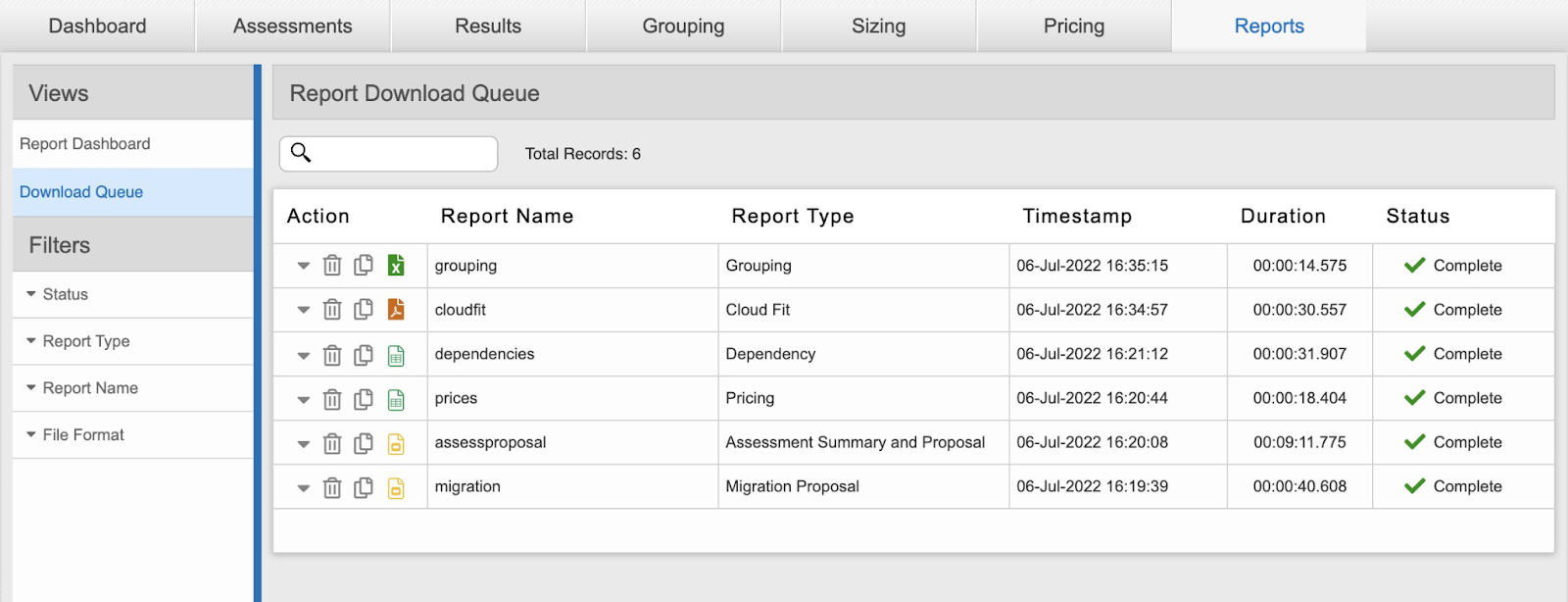
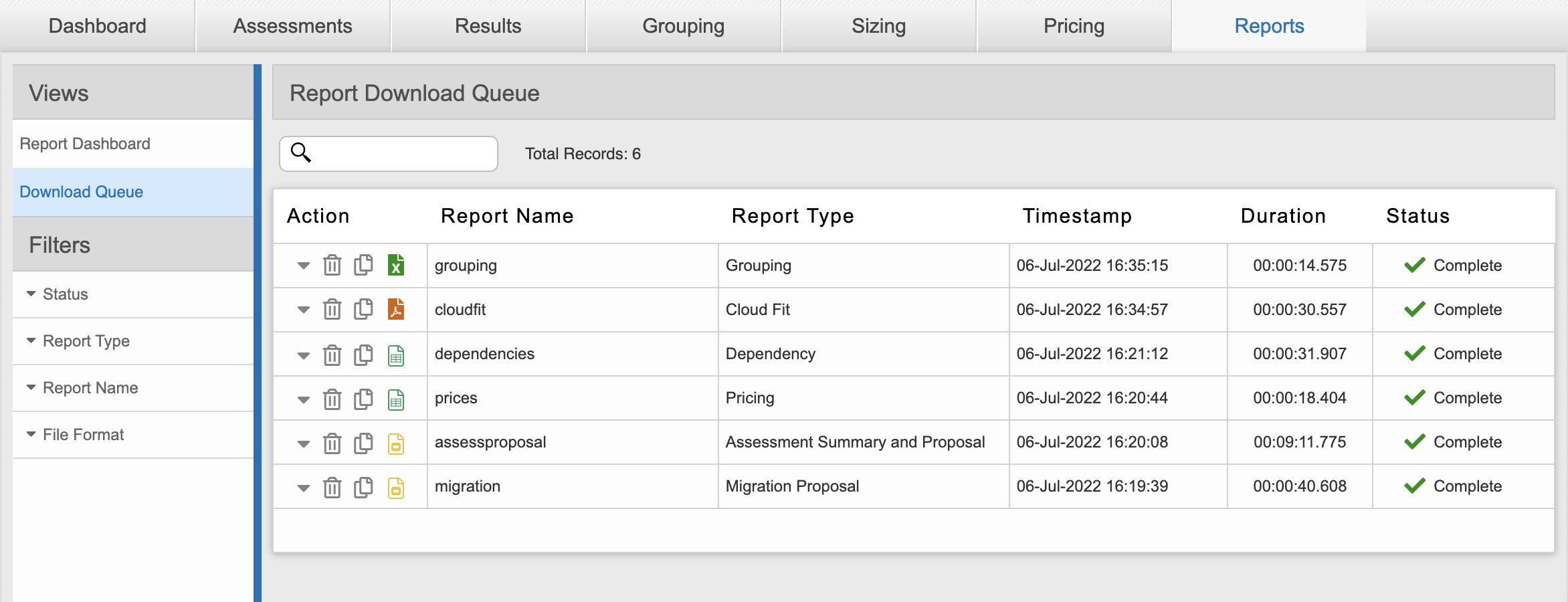
Google Cloud Migration Center is Google’s unified platform for planning and running migrations from on-premises or other cloud environments into Google Cloud. It combines cloud spend estimation, automated asset discovery, infrastructure assessment, and planning tools in one place, and lets teams assess their environment without changing their applications or workloads. The platform generates a rapid estimate of future Google Cloud costs based on the size and configuration of current resources, and automatically inventories assets such as servers and SQL Server, MySQL, and PostgreSQL databases. For assessment, it produces total cost of ownership reports, identifies application and network dependencies to show which components must move together, and offers data-driven suggestions on which Google Cloud products to migrate to, with costs known in advance. Migration planning then uses those assessments to organize workloads into waves, evaluate risks, and apply best-practice recommendations.
Key features include:
- Cloud cost estimation: Migration Center generates a rapid estimate of future Google Cloud costs based on the size and configuration of current on-premises or other-cloud resources, helping with budget planning before a migration begins.
- Automated asset discovery: The platform automatically scans the environment to create an inventory of assets, including servers and SQL Server, MySQL, and PostgreSQL databases, and supports manual data upload when automatic collection is not desired.
- Infrastructure assessment: Migration Center provides a holistic view of the environment, generating total cost of ownership reports based on specified migration preferences and offering data-driven recommendations on the Google Cloud products best suited to each asset, with costs known in advance.
- Application and network dependency analysis: The assessment identifies application and network dependencies so teams know which components must be migrated together, and can generate and visualize network dependency reports.
- Migration planning: Using detailed assessments, teams can plan migration waves, evaluate and mitigate risks, and follow best-practice and prescriptive recommendations on what to migrate and how, lowering overall migration risk.
- Unified end-to-end platform: The service brings cost estimation, discovery, assessment, planning, and a variety of migration tooling together in one platform to support different migration strategies, including rehost, replatform, and refactor.
Source: Google
Limitations (based on publicly available sources):
- Cost predictability: Migration-related costs, including data transfer fees, additional resources, and premium features, can increase the overall expense beyond initial estimates.
- Maturity of some capabilities: The rapid cost-estimation capability is offered in preview, and some users report that virtual machine deployments can be glitchy with occasional latency.
- Discovery prerequisites: Accurate assessment depends on installing and configuring the discovery client and data collection across the environment.
- Google Cloud-oriented scope: Assessments, recommendations, and tooling are oriented toward migrating into Google Cloud rather than broad multi-cloud targets.
Conclusion
Application migration tools play a critical role in helping organizations transition their IT infrastructure and applications to new environments, particularly cloud platforms. These tools help minimize the risks associated with such transitions by automating processes, optimizing resource usage, and ensuring operational continuity. With features that support discovery, planning, monitoring, and optimization, they are indispensable for businesses aiming to modernize their operations and leverage the advantages of cloud technology.
Learn more about Faddom for application migration by booking a demo with one of our experts!