
TL;DR: Cloud migration tools span planning, performance monitoring, and workload execution. Best for: Faddom (agentless dependency mapping), Flexera (cost-aware planning), Datadog (migration monitoring), and OpenText Migrate (workload replication).
What Are Cloud Migration Tools?
Cloud migration tools are software solutions that enable the transfer of data, applications, and workloads from on-premises infrastructure to cloud environments or from one cloud platform to another. These tools simplify the migration process by automating many of the tasks involved, reducing manual effort, and minimizing the risk of data loss or downtime during the transition.
These tools address various aspects of cloud migration, including initial assessment, planning, workload migration, post-migration validation, and optimization for performance and cost.
By leveraging cloud migration tools, organizations can achieve a smoother, faster transition to the cloud while ensuring their digital assets are properly transferred and optimally configured in their new environment.
Choosing among these tools starts with knowing which part of the migration you’re trying to solve. A migration project typically moves through three phases: understanding what you have and planning the move, watching performance as workloads shift, and actually executing the transfer. Trying to use a single tool for all three often means settling for a tool that’s only adequate at each job, rather than picking specialized tools that excel at the phase they’re built for.
This is part of a series of articles about data center migration
Cloud Migration Tools At a Glance
The table below summarizes the key differences between these cloud migration tools. We explore each tool in more detail in the sections that follow.
|
Category |
Solution |
Best For |
Key Strengths |
Things to Consider |
|
Discovery, Dependency Mapping, and Migration Planning |
Faddom |
Agentless dependency mapping for wave-based migration planning |
Agentless real-time discovery, wave-based migration planning, cloud cost calculator for right-sizing |
Terminology learning curve; reporting and export experience could improve; occasional duplicate host entries after VM moves |
|
Discovery, Dependency Mapping, and Migration Planning |
Cloudamize |
Data-driven TCO and cloud suitability analysis across AWS, Azure, and GCP |
150+ performance metrics for right-sizing, cloud TCO comparison across providers, custom migration designer for what-if scenarios |
Dependency and stacking views could be clearer; fullest data set requires agent-based collection; ownership and branding changes (Atos CloudPlatform) can complicate tracking |
|
Discovery, Dependency Mapping, and Migration Planning |
Flexera |
Cost-aware migration planning tied to business services |
Lightweight inventory collection, cloud cost assessment across providers, business-service dependency mapping |
Data normalization gaps for unrecognized software; setup effort often needs vendor support; extensibility and integrations lag for newer container platforms |
|
Discovery, Dependency Mapping, and Migration Planning |
IBM Turbonomic |
Resource-aware migration plans comparing lift-and-shift versus optimized moves |
Lift-and-shift versus optimized modeling, discount-aware planning, guided workflows for AWS and Azure migrations |
Can be expensive; configuration complexity for advanced dashboards; limited or shallow integrations with niche tools and clouds |
|
Performance Monitoring and Observability |
Splunk AppDynamics |
APM-driven migration validation with pre- and post-move baselining |
Cloud migration performance baselining, AI-driven anomaly detection, business transaction topology mapping |
High cost for smaller organizations; setup often needs professional services; agents can have a notable resource footprint |
|
Performance Monitoring and Observability |
Datadog |
Unified cross-environment monitoring throughout a migration |
Single view across servers, containers, and services, service and network dependency mapping, 15-month full-granularity metric retention |
Usage-based cost can escalate quickly; breadth of features has a learning curve; setup and agent configuration can be complex in container environments |
|
Performance Monitoring and Observability |
Dynatrace |
AI-driven observability with automated dependency mapping across migration phases |
Automatic Smartscape dependency mapping, causal AI root-cause analysis, broad platform coverage (AWS, Azure, GCP, OpenShift, and more) |
Steep learning curve including its query language; premium consumption-based pricing; dense interface that can be slow to load |
|
Workload and Data Migration |
OpenText Migrate |
Byte-level replication for near-zero-downtime cutovers |
Real-time byte-level replication, broad platform support (AWS, Azure, GCP, VMware, Hyper-V), non-disruptive testing with fast rollback |
Harder to use across multi-cloud or hybrid scenarios; RHEL and Linux migrations can be difficult; considered expensive |
|
Workload and Data Migration |
Cloudsfer |
Cloud-to-cloud and on-premises file and content migration |
Broad cloud, on-premises, and ECM system support, in-environment security model with no data routed through vendor servers, automated, scheduled, and delta transfers |
Support responsiveness can be slow; some connectors and protocols (such as SFTP) are unsupported; per-volume pricing can make large transfers costly |
|
Workload and Data Migration |
CloudFuze |
Enterprise-scale migration of files, chat, email, and tenant data |
40+ platform coverage including Microsoft 365 and Google Workspace, context and metadata preservation with a Hyperlink Fixer, batch processing at enterprise scale |
Reports of slow migrations and unresponsive servers; migration accuracy issues with permissions, shared links, and version history; heavy reliance on vendor support with possible added API costs |
What Can Be Migrated Using Cloud Migration Tools?
Virtual Machines and Physical Servers
Virtual machines and physical servers are among the most common migration targets. Cloud migration tools replicate operating systems, applications, configurations, and data to cloud environments while minimizing downtime. Many platforms support lift-and-shift migrations that allow workloads to move without significant architectural changes.
Modern migration tools also support heterogeneous environments, enabling migrations from physical servers, VMware, Hyper-V, and other virtualization platforms into public cloud infrastructure. Automated replication and cutover capabilities reduce disruption while providing rollback options if issues arise during migration.
Applications and Application Dependencies
Cloud migration extends beyond moving individual servers—it also involves migrating the applications that run on them. Migration tools discover application components, map dependencies between services, and help organizations move interconnected workloads together to avoid broken integrations or unexpected outages.
Dependency mapping is particularly valuable during large-scale migrations because it reveals communication patterns between applications, databases, APIs, and supporting infrastructure. This information helps teams build migration waves that preserve application functionality throughout the transition.
Databases
Databases require careful migration because they often contain business-critical information and support multiple applications simultaneously. Cloud migration tools automate database replication, synchronization, schema validation, and cutover while minimizing downtime and protecting data integrity.
Many platforms support both homogeneous migrations, such as SQL Server to SQL Server, and heterogeneous migrations between different database engines. Continuous replication also allows organizations to keep cloud databases synchronized until the final migration window.
File Systems and Object Storage
Cloud migration tools move large volumes of files, shared folders, and object storage between on-premises infrastructure and cloud platforms. They preserve metadata, permissions, timestamps, and directory structures to ensure users can continue accessing information after migration with minimal disruption.
Many solutions also support incremental synchronization, transferring only changed files after the initial migration. This reduces bandwidth usage and shortens final cutover windows, making large-scale file migrations more practical for enterprise environments.
Containers and Kubernetes Workloads
As organizations adopt cloud-native architectures, migration tools increasingly support containerized applications and Kubernetes environments. These tools migrate container images, cluster configurations, networking, persistent storage, and associated resources while maintaining application portability across platforms.
Migration support for Kubernetes also enables organizations to modernize existing applications by moving workloads into managed container platforms without rebuilding them entirely. This simplifies hybrid and multi-cloud deployments while supporting ongoing application modernization initiatives.
Key Features of Cloud Migration Tools
A cloud migration solution typically offers the following capabilities:
-
- Pre-migration assessment: Provides organizations with an evaluation of their existing IT infrastructure. This assessment helps identify what applications and data are suitable for cloud migration, uncovering potential challenges, such as compatibility issues or security concerns. It also involves a detailed analysis of the current IT environment against the capabilities and offerings of potential cloud platforms. This includes evaluating performance requirements, compliance needs, and cost considerations.
- Automated workload migration: Simplifies the process of moving applications, data, and services from one environment to another without manual intervention, ensuring consistent and error-free transfer of workloads and minimizing downtime and operational disruptions. It is typically achieved with features like batch processing for simultaneous migrations, scheduling for off-peak hours to reduce impact on business operations, and automatic retries in case of failures.
- Performance and health monitoring: Enables continuous oversight of applications and infrastructure during and after the migration process. This monitoring is vital for detecting and addressing performance bottlenecks, ensuring that the migrated systems meet or exceed their pre-migration performance levels.
- Migration process tracking: Offers visibility into the entire cloud migration journey, enabling teams to monitor progress, manage tasks, and identify bottlenecks. Dashboards, reports, and alerts ensure that migration projects stay on schedule and within budget, while also facilitating communication and collaboration among team members.
- Security and compliance management: Protects data during the transition to the cloud and ensures adherence to regulatory standards. This includes capabilities such as encryption for data in transit and at rest, access controls to manage who can modify or move data, and logging for audit trails. These help to identify and mitigate potential security risks and ensure the migration process complies with industry regulations.
- Cost management and optimization: Provides insights into usage patterns, identifies underutilized resources, and suggests areas where costs can be reduced without compromising performance. By implementing cost management strategies during and after migration, organizations can ensure their cloud migration is ROI-positive.
Related content: Read our guide to cloud implementation
10 Notable Cloud Migration Tools
How we selected these tools: We shortlisted cloud migration tools based on the phase of the migration each is built for, spanning discovery and dependency mapping for planning, performance monitoring and observability for validation, and workload and data migration for execution.
Discovery, Dependency Mapping, and Migration Planning
1. Faddom

Faddom is an agentless application dependency mapping platform that maps on-premises and cloud infrastructure, business applications, and the dependencies between them. It is built around the idea that most migration work is planning, and that a clear picture of dependencies is needed before moving a data center, consolidating infrastructure, or building business continuity and disaster recovery strategies. The platform discovers and maps an environment without installing agents and keeps the map updated in real time, so teams can see how servers, applications, and subnets connect before, during, and after a move. It organizes migrations into waves of applications that need to move together, which is meant to reduce the risk of missed dependencies and downtime. Faddom can map all servers and cloud instances in under 60 minutes, replacing manual spreadsheets and fragmented documentation with a continuously updated view.

Source: Faddom

Key features include:
- Agentless dependency mapping: Discovers and maps applications, servers, subnets, and their connections without installing agents on each machine. The map covers both on-premises and cloud environments and is intended to give complete visibility before, during, and after a migration.
- Real-time, continuously updated view: Maps the entire environment in under an hour and keeps it current, so teams work from an up-to-date single source of truth rather than outdated documentation when planning a move.
- Wave-based migration planning: Groups applications and servers that must move together into migration waves, so each move group can be planned and executed with its dependencies already understood, reducing the chance of breaking a connection mid-migration.
- Cloud migration assessment: Maps application dependencies so migration waves can be planned accurately and teams can see exactly what each application communicates with before it is moved.
- Cloud cost calculator: Estimates compute, storage, and network requirements so target resources can be right-sized, helping reduce unnecessary expense in the destination environment.
- BC/DR planning: Identifies all of the components an application relies on, so a complete and reliable backup or recovery strategy can be built around accurate dependency information.
Limitations (as reported by users on G2):
- Terminology learning curve: Some users report that the product’s terminology and the range of available features take a little time to learn before a team is fully productive with the tool.
- Reporting and export experience: Some users would like improvements to exportable reports and to the working area for certain fields, for example when exporting external network lists.
- Duplicate host entries: In some cases the tool can display more than one hostname for a single server, for instance after a virtual machine is moved or an IP address changes, which can briefly cause confusion in the map.
2. Cloudamize

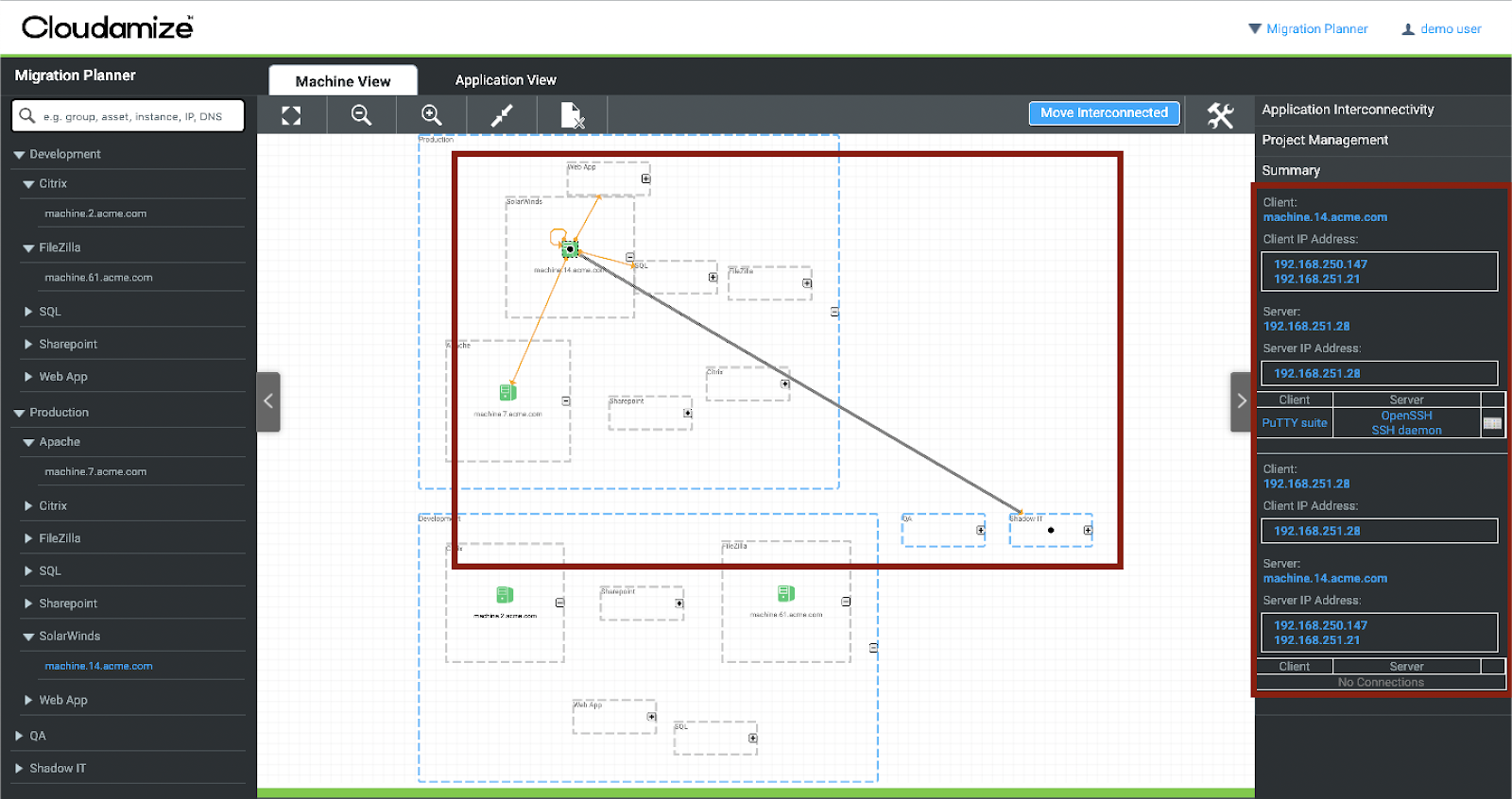
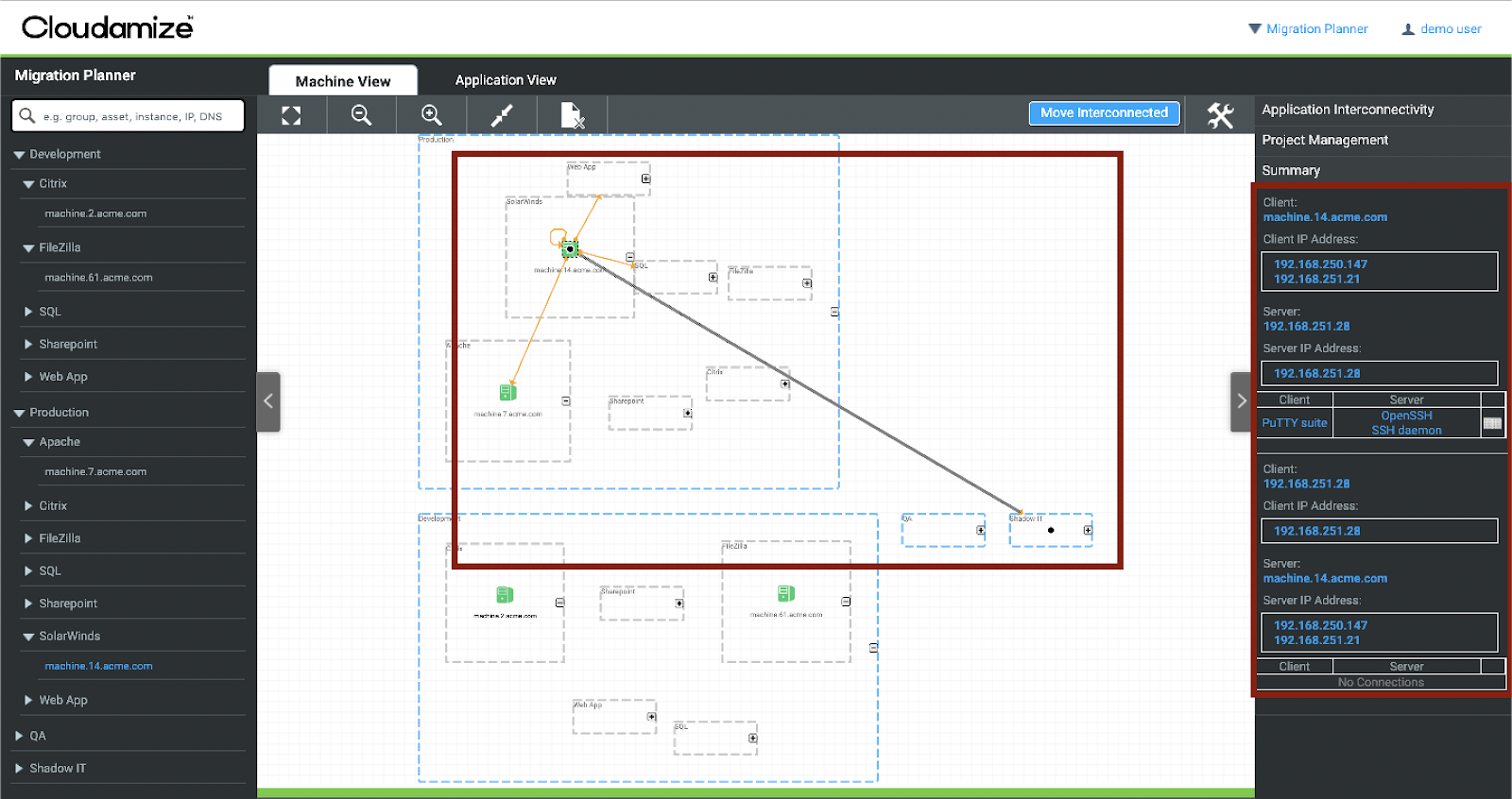
Cloudamize is a cloud migration analytics and planning platform that helps organizations assess their current environment, plan a move, and select target configurations across AWS, Azure, and Google Cloud. The platform is organized into stages that span discovery, analysis, planning, migration, management, and modernization. It collects performance data through hypervisor, agent, and agentless methods and uses more than 150 metrics to profile workloads and recommend right-sized cloud configurations. It builds a total cost of ownership business case for moving to the cloud and lets teams group applications and run “what if” scenarios before committing to a migration. The goal of the platform is to base migration decisions on detailed performance and cost data rather than estimates.
Source: Cloudamize
Key features include:
- Cloud TCO assessment: Builds a business case for migration using high-precision analytics, drawing on over 150 performance metrics and what-if analysis. Data can be collected via hypervisor, agent, or agentless methods, and teams can drill down to the machine level to compare current performance against a recommended right-sized configuration.
- Cloud suitability analysis: Scores an application’s cloud compatibility and potential efficiency gain based on its performance profile, usage patterns, and available cloud options, which is used to prioritize which applications to migrate.
- Cloud cost calculator and comparison: Calculates and compares the total cost of ownership of moving to AWS, Azure, and GCP based on the current infrastructure performance profile, to identify the lowest-cost fit for a given performance requirement.
- License optimization: Reviews existing licensing options and recommends choices that meet workload performance needs while reducing cost in the cloud.
- Migration planning and grouping: Groups applications by business user, migration phase, and tags, and supports custom uploads of asset inventories to build migration groups; it then maps workloads to cloud configurations for AWS, Azure, and GCP.
- Custom migration designer: Runs what-if scenarios for each move group by changing region, pricing plan, discount level, instance type, instance family, and performance thresholds to compare the resulting cost of ownership.
Limitations (based on publicly available sources):
- Interface depth for dependencies: A publicly posted user review notes that the application dependency and stacking views could present their information in a way that is easier to interpret.
- Collection method overhead: The platform’s fullest data set relies on agent-based collection, which requires installing and running an agent with administrative rights on the machines being assessed.
- Ownership and branding changes: The product has changed hands through acquisition and is also presented under the Atos CloudPlatform name, which can make it harder to track the product and its roadmap.
- Scope and language: The platform is focused on assessment, planning, and analytics rather than executing the data transfer itself, and English is the only listed interface language.
3. Flexera
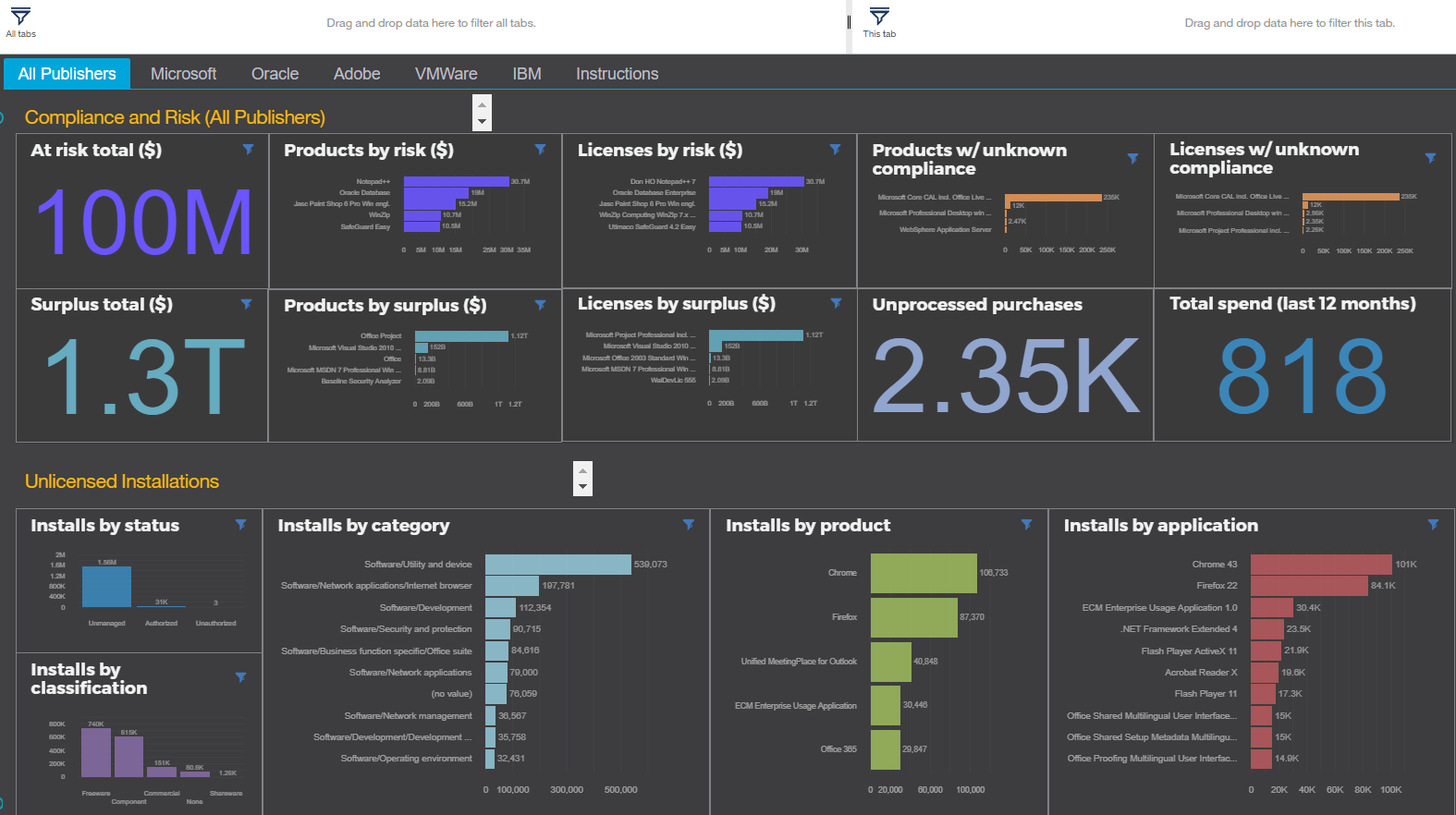
Flexera One Cloud Migration and Modernization is the migration-planning capability within Flexera’s broader Flexera One platform. It concentrates on the analysis and planning stages of a migration, giving organizations data about their workloads so they can decide which applications to move, where to place them, and what the move will cost. It collects an inventory of the existing environment using a lightweight method and maps how applications connect to the business services they support. It then provides cost analysis across public, private, and hybrid options so teams can compare cloud types, providers, instance choices, and buying models. The source environment can be on-premises or an existing cloud, and the target can be any supported provider.
Source: Flexera
Key features include:
- Migration planning with dependency context: Provides actionable intelligence to optimize the on-premises-to-cloud journey and shows how application dependencies affect the business services they support, so plans account for those connections.
- Cloud cost assessment: Delivers a comprehensive cost analysis that shows which cloud type, provider, instance choice, buying type, and resource provisioning best fit a workload’s budget and performance requirements.
- Workload placement: Produces comprehensive workload assessments for full visibility into current workloads and helps prioritize which providers fit performance and cost requirements, for either on-premises-to-cloud or cloud-to-cloud moves.
- Lightweight inventory collection: Collects IT inventory using a method the vendor describes as fast, lightweight, and low-impact on the IT environment, reducing the time and expense of manual application inventory.
- Automated grouping and business-service mapping: Groups applications, reports application consumption by location, and maps assets to the business services they support to support data-driven decisions.
- Operational-risk and savings visibility: Surfaces operational risk and potential cost savings across the estate so they can be weighed during planning.
Limitations (as reported by users on G2, reflecting the Cloud Migration and Modernization module of Flexera One):
- Data normalization gaps: Users report that some software is not recognized by the default mappings, requiring custom normalization rules and naming conventions before everything in the estate can be identified.
- Setup effort: Users describe the initial setup and configuration as time-consuming and note that vendor support assistance is often needed.
- Extensibility and integrations: Users note that the plug-in architecture is difficult to extend without professional services and that some newer container and Kubernetes integrations have lagged.
- Proprietary scripting: Users mention that the proprietary configuration and automation language carries a learning curve.
4. IBM Turbonomic

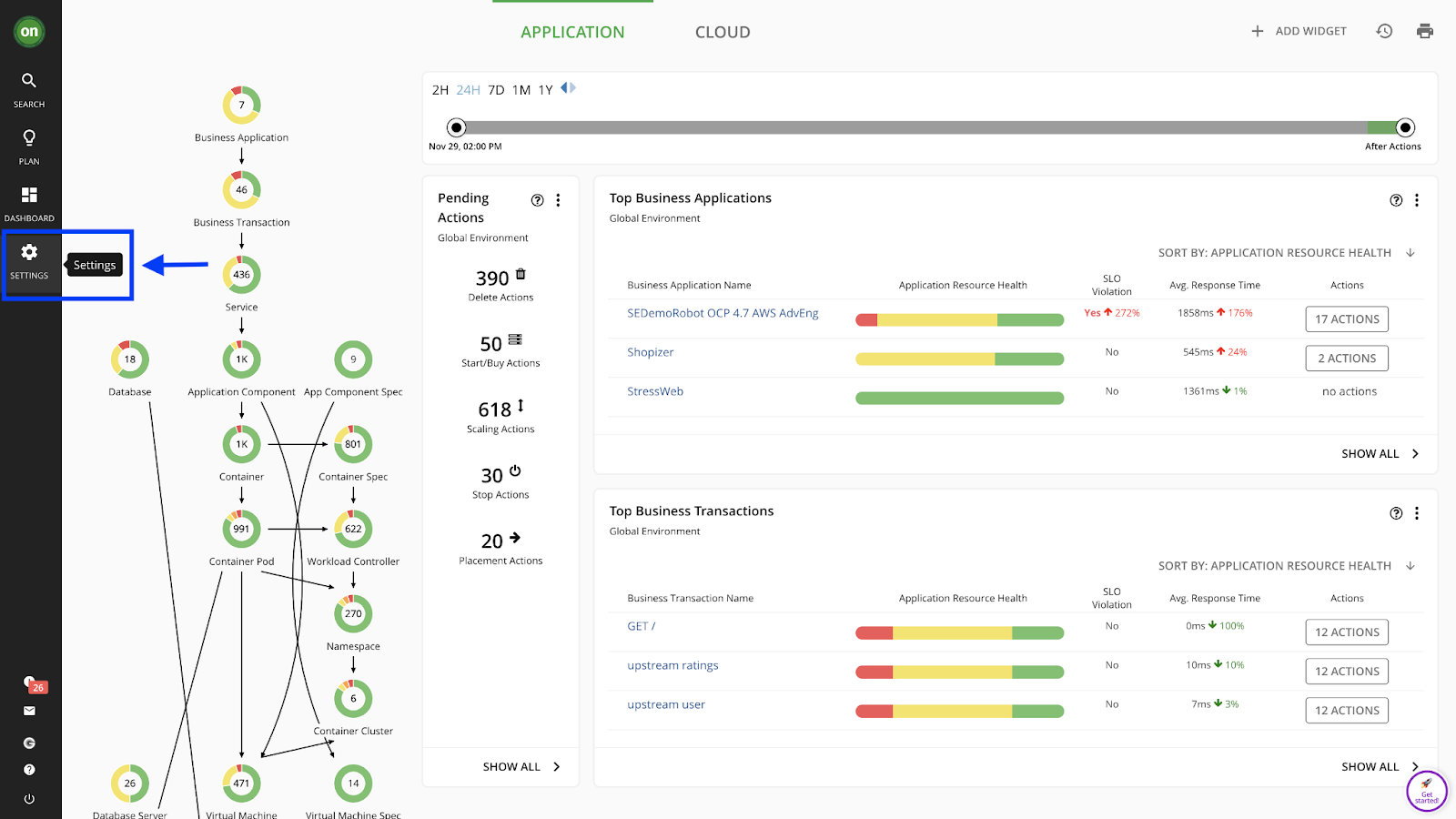
IBM Turbonomic is a resource-management platform whose cloud migration planning capability generates migration plans by analyzing the real-time resource needs of application workloads, whether they run on-premises or in the cloud. It recommends specific actions for each application migration and identifies the cloud configurations that will meet a workload’s requirements. The planning function is built around comparing a straight “lift and shift” move against an optimized move, so teams can weigh the performance and cost trade-offs of each. It factors in negotiated pricing and discounts to lower the cost of the target environment, and it currently supports planning for migrations to AWS and Microsoft Azure.
Source: IBM

Key features include:
- Migration plan optimization: Models both lift-and-shift and optimized scenarios, evaluating compute, storage, IOPS, and discounts to build cost-aware plans for migrations to AWS and Azure.
- “What if” scenario planning: Runs scenarios tailored to a specific environment so teams can compare different migration strategies across public cloud providers before committing to one.
- Lift-and-shift versus optimized comparison: Models and compares a direct rehost against an optimized workload and its cost, so the decision is based on data rather than assumptions.
- Compute and storage sizing: Assesses the compute and storage requirements of workloads in the target cloud while factoring in negotiated savings plans and provider discounts.
- Discount-aware planning: Incorporates billing details and negotiated pricing into plans and can recommend shifting workloads from on-demand to reserved or savings-plan pricing to reduce cost.
- Guided workflows: Lets users select which workloads to move, where to place them, and which discount or licensing options to apply, then generates an optimized migration plan from those inputs.
Limitations (as reported by users on G2):
- Cost: Users describe the platform as expensive, which can be a barrier for organizations working within tighter budgets.
- Configuration complexity: Some users find parts of the product complicated to configure, noting that while some dashboards are simple, others take considerable effort to learn.
- Integration breadth: Users report limited or shallow integrations with some niche tools and clouds, which can require manual workarounds, and they ask for more out-of-the-box targets and dashboards.
Performance Monitoring and Observability
These platforms are used to baseline, watch, and validate performance throughout a migration. They map dependencies and track applications and infrastructure before, during, and after a move so teams can confirm migrated workloads still perform as expected.
5. Splunk AppDynamics
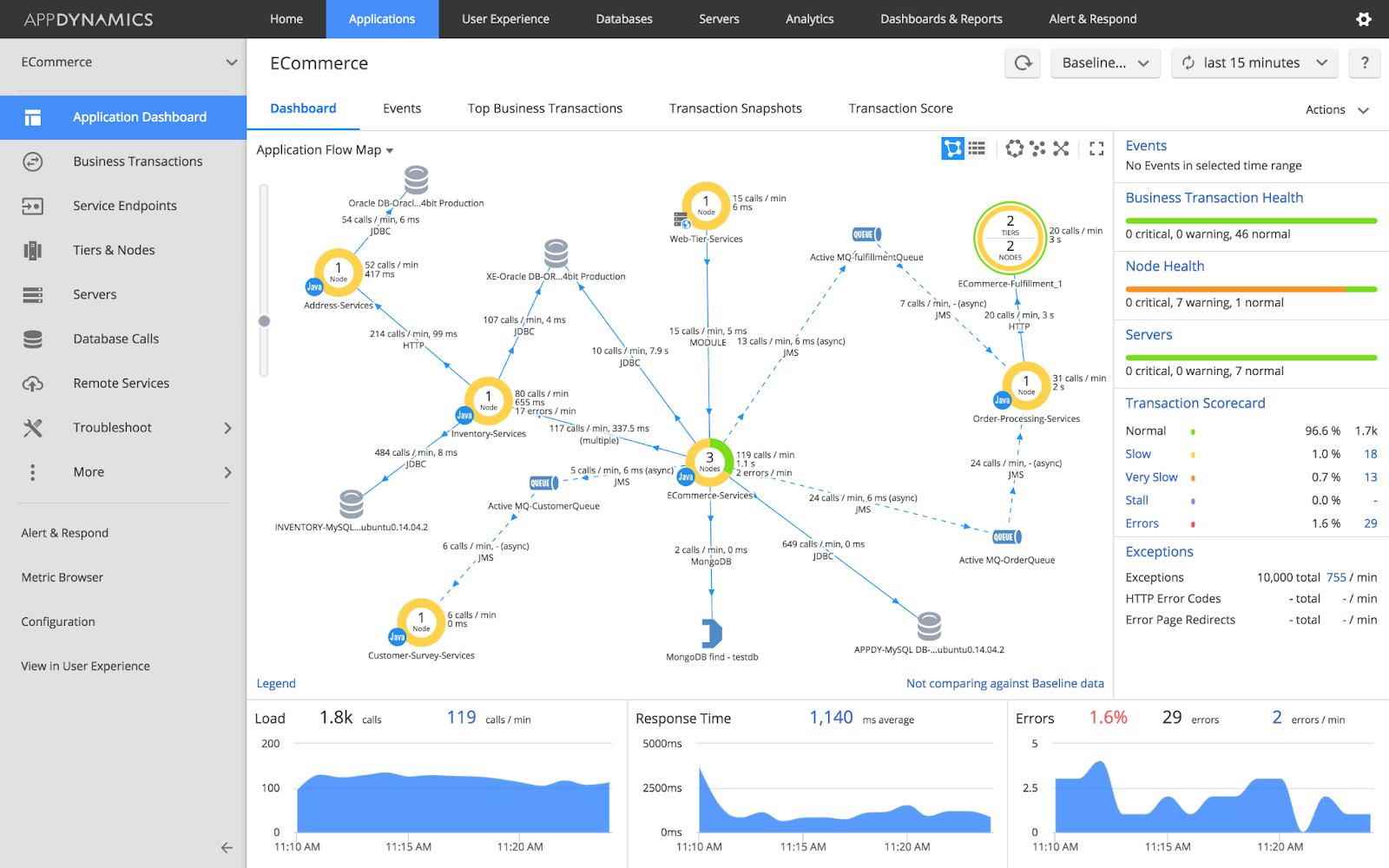
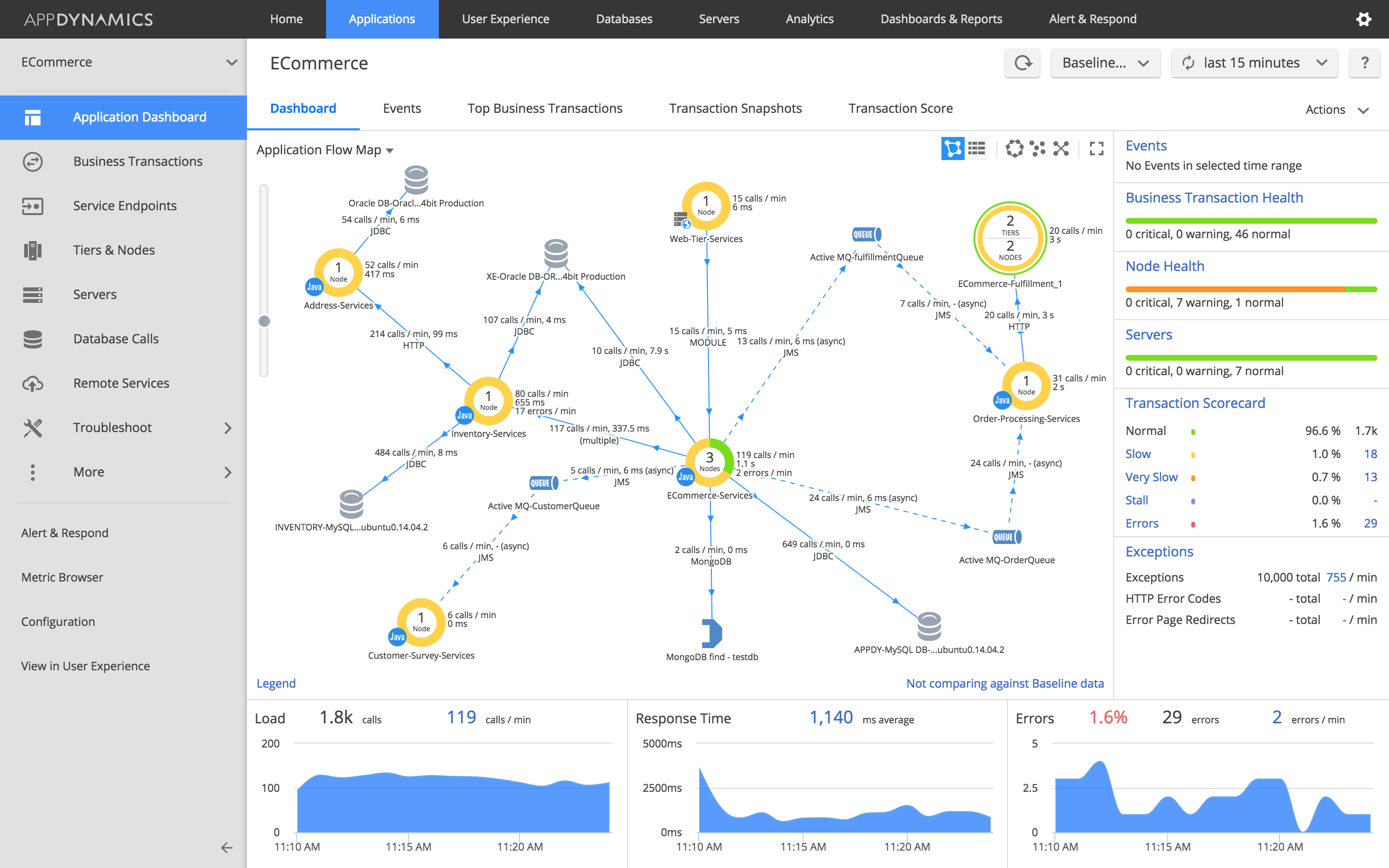
Splunk AppDynamics (formerly AppDynamics, now part of Splunk’s observability portfolio) is an application performance monitoring and observability tool. While it covers broad full-stack monitoring, it includes a dedicated cloud migration capability that watches performance before, during, and after a move. It baselines applications, end-user experience, and key infrastructure metrics so teams have a reference point going into a migration, and it uses those insights to guide planning, prioritization, and cloud sizing. During and after a move, it applies AI-driven anomaly detection and root-cause analysis to surface problems quickly, and it compares pre- and post-migration metrics to validate the outcome.
Source: AppDynamics
Key features include:
- Cloud migration monitoring: Baselines every application, end-user experience, and key infrastructure metric before a move, uses those performance insights to guide planning, prioritization, and cloud sizing, and then validates success by comparing pre- and post-migration metrics.
- Application performance monitoring: Identifies hybrid and on-premises application issues in real time and diagnoses the root cause anywhere in the stack, down to the line of code, with business context attached.
- Business transaction monitoring: Automatically discovers business transactions and builds a topology map of how traffic flows through applications in real time, establishing baselines for normal performance.
- AI-driven anomaly detection and root-cause analysis: Uses machine learning to learn an application’s normal behavior, detect anomalies without preconfiguration, and identify the suspected causes of issues.
- Dynamic baselining: Learns performance metrics over time and creates rolling averages to reduce false alerts and generate more actionable ones.
- Infrastructure and network monitoring: Monitors hybrid and cloud-native infrastructure and, through the Cisco ThousandEyes integration, isolates network, ISP, and third-party service issues that affect users.
Limitations (as reported by users on G2):
- Cost: Users describe a high price that can be a barrier for smaller organizations and for providers folding the cost into their own offerings.
- Setup complexity: Users report that setup and configuration can be complex and often require professional-services help to get right.
- Resource footprint: Users note that the agents can require substantial memory and CPU and that agent startup can be slow for some applications.
- Administration and rebranding: Users mention that the administration interface could be more usable and that repeated rebranding through ownership changes has caused some churn.
6. Datadog
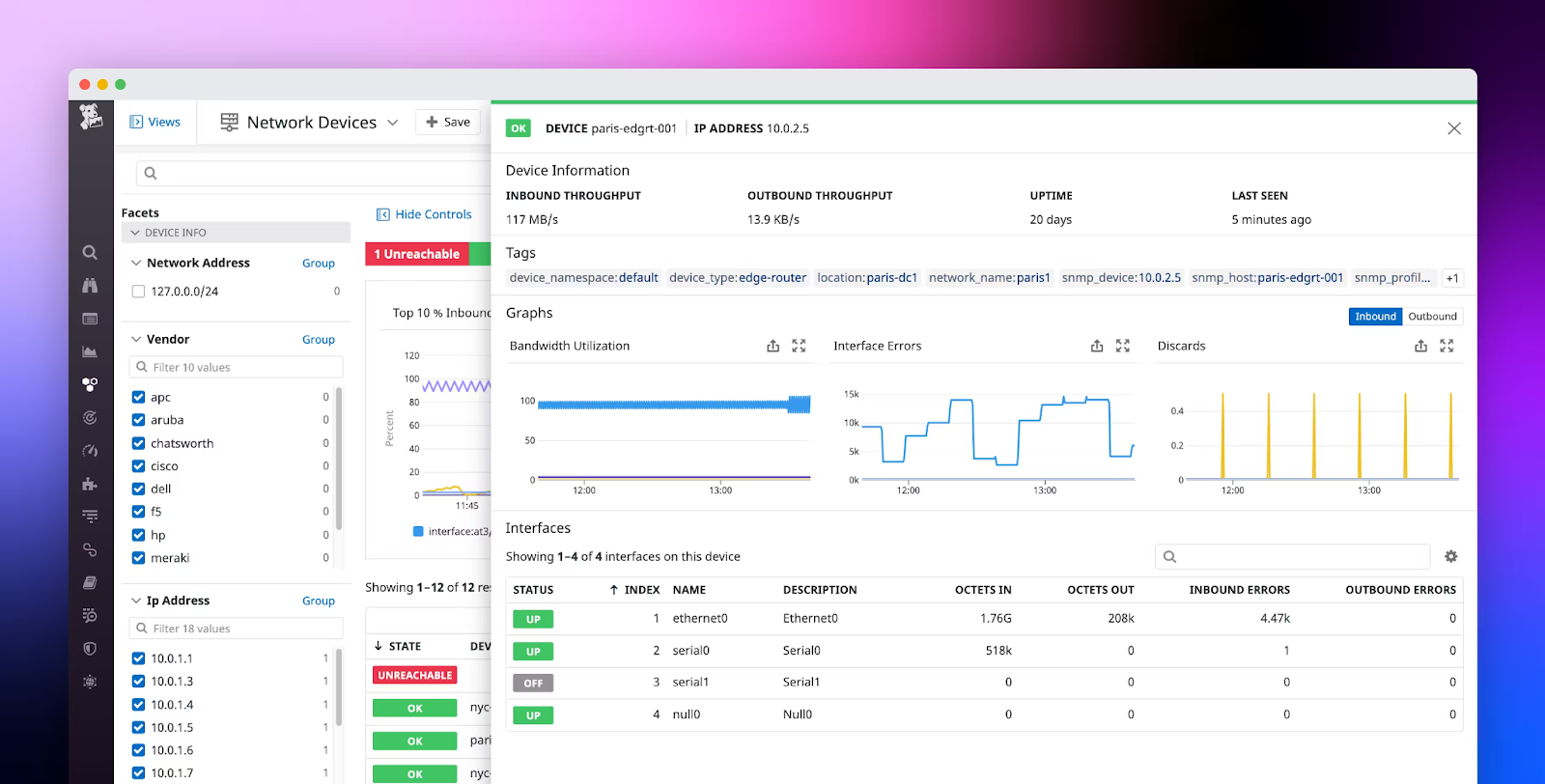
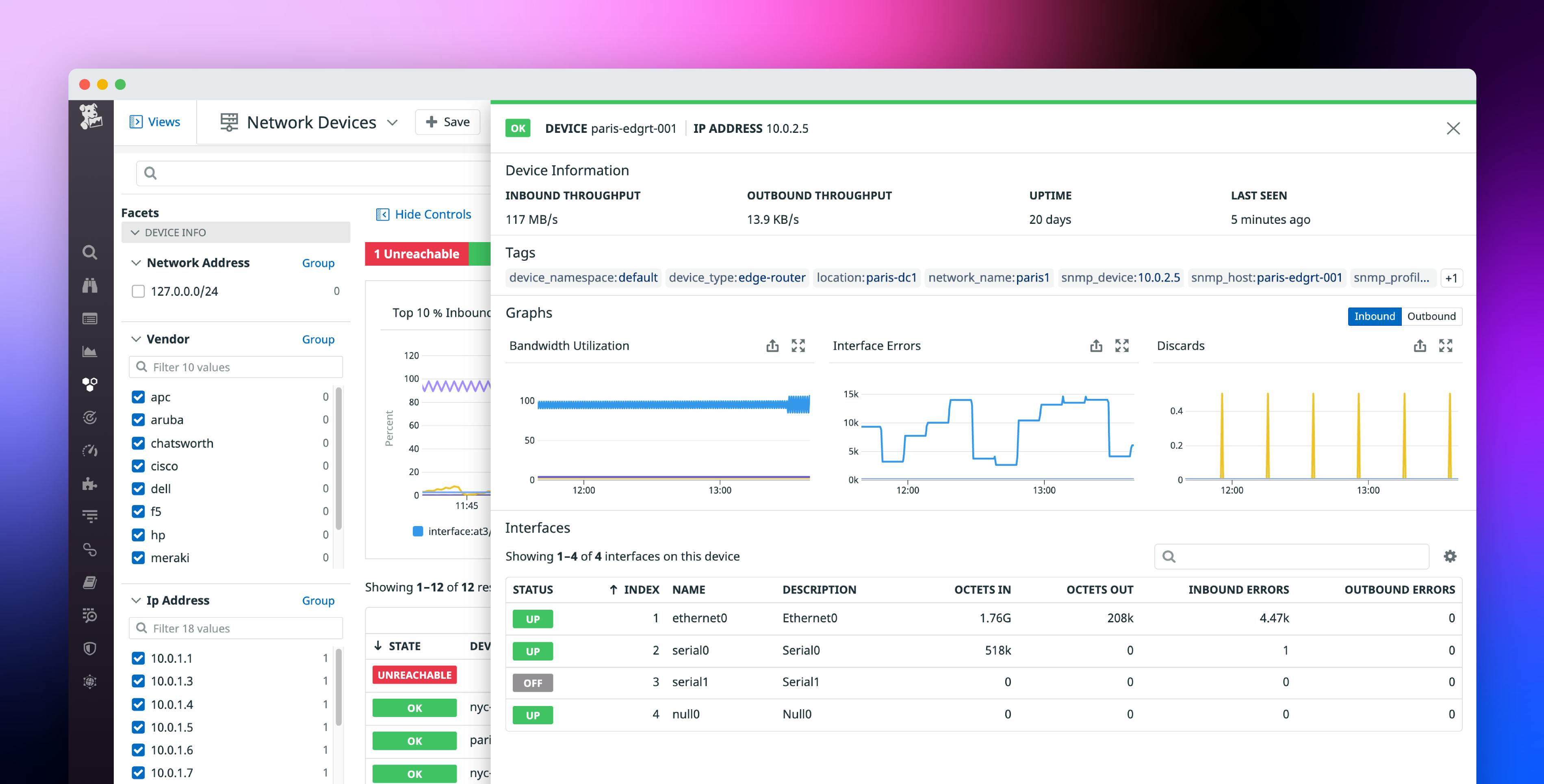
Datadog is a monitoring and observability platform that supports cloud migration by providing visibility into on-premises, cloud, and hybrid environments throughout a move. It collects metrics, traces, and logs across servers, containers, applications, and services, so teams can map their existing systems and watch performance as workloads shift. It is designed to let legacy and cloud environments be monitored side by side on a single platform during a transition, which helps confirm that migrated applications meet their performance targets. The platform retains performance metrics at full granularity for 15 months, supporting before-, during-, and after-migration comparison.
Source: Datadog
Key features include:
- Unified infrastructure and application visibility: Provides a single view of servers, containers, applications, and services across on-premises and cloud, broken out by data center or cloud provider, which supports capacity planning and right-sizing of cloud resources during planning.
- Dependency and architecture mapping: Uses service maps and network maps to visualize data flow between services and infrastructure components, and a host map to color-code metrics across hosts, helping teams map legacy systems before a move.
- Cross-platform monitoring: Offers real-time visibility into on-premises, public cloud, and private cloud and retains performance metrics at full granularity for 15 months for real-time and historical analysis across every phase of a migration.
- Migrated-application validation: Monitors key performance indicators as workloads cut over so teams can confirm that migrated applications meet performance benchmarks and make real-time adjustments.
- Cloud Adoption Framework alignment: Provides visibility across the phases of a provider’s cloud adoption framework and acts as a single source of truth to plan and track migration progress and spot problems as they occur.
Limitations (as reported by users on G2):
- Cost escalation: Users report that the usage-based pricing can grow quickly and unpredictably as logs, custom metrics, hosts, and data retention scale up.
- Learning curve: Users find the breadth of features and the number of monitoring products overwhelming and note a learning curve to use them efficiently.
- Setup effort: Users note that initial setup and agent configuration can be complex, particularly in container-based environments and when trying to cover many resource types.
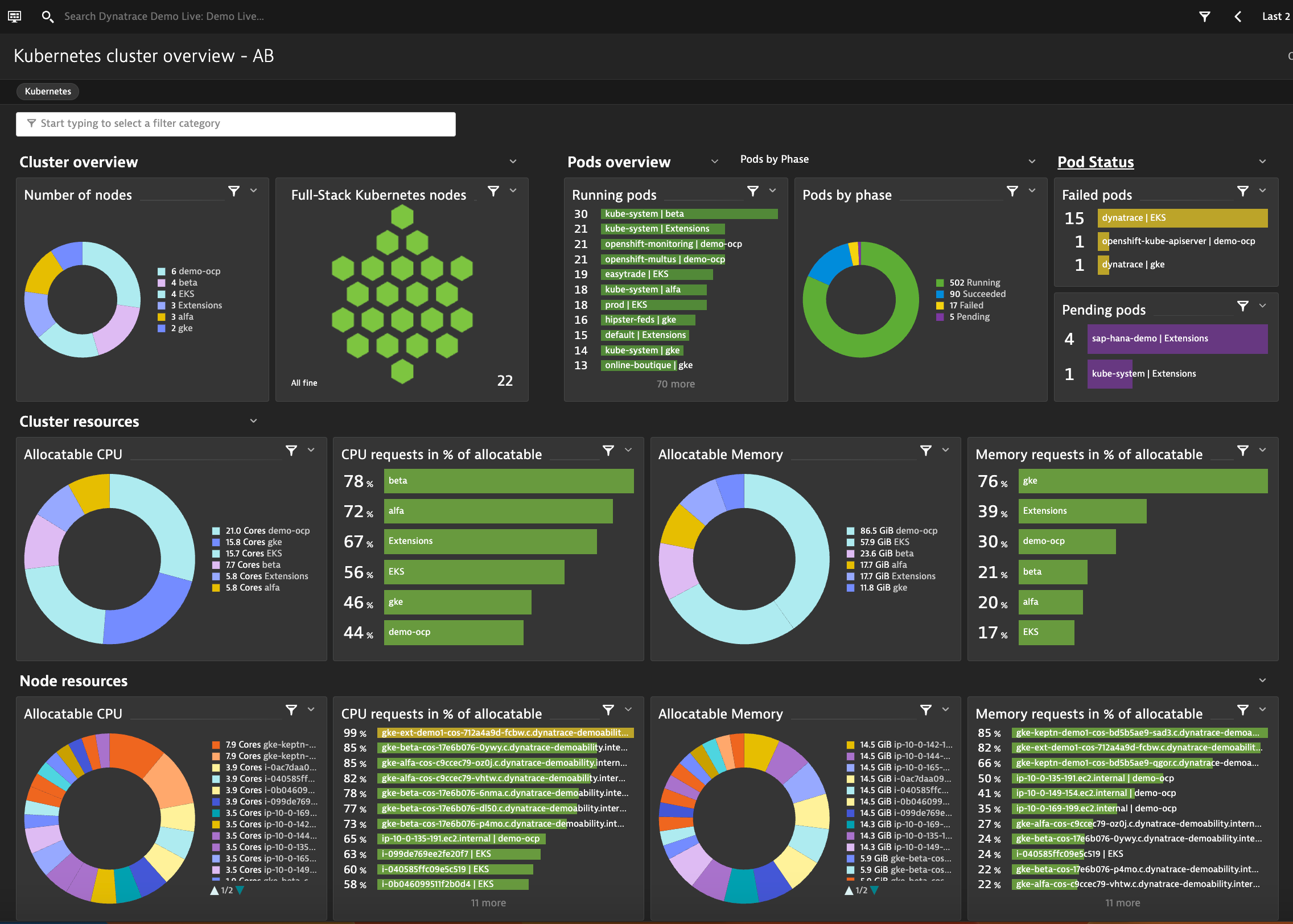
7. Dynatrace

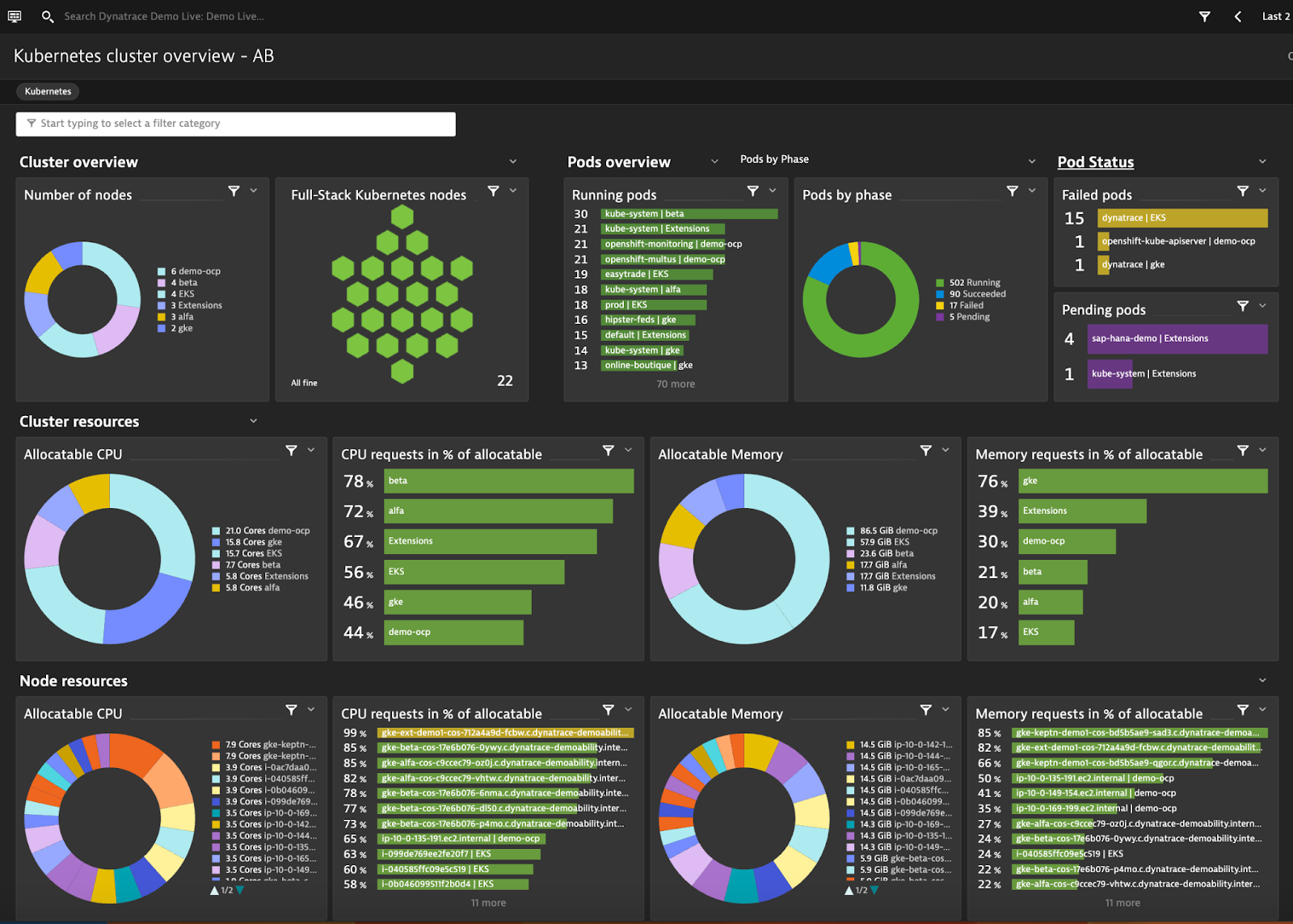
Dynatrace is an observability platform that supports cloud migration across planning, execution, and post-move optimization. It uses automatic discovery and its Smartscape topology to map dependencies, usage patterns, and application architecture before workloads are moved, which helps teams decide what to refactor and which workloads to prioritize. During a move, it provides before-and-after performance data to limit degradation, and it uses a causal AI engine to identify the root cause of issues as they arise. After migration, it helps maximize the performance of applications that now rely on microservices, containers, and serverless components.
Source: Dynatrace
Key features include:
- Assessment and dependency mapping: Automatically creates a complete, interactive dependency map across the stack in minutes and uses Smartscape to show dependencies, patterns, and current usage before applications are refactored.
- Cloud-native technology assessment: Helps teams assess which cloud-native technologies, such as Kubernetes or serverless functions, are best suited to their needs and prioritize workload migration accordingly.
- Before-and-after performance data: Provides granular performance data through each migration cycle to minimize degradation and instantly identifies the root cause of migration issues to speed resolution.
- Causal AI and automation: Uses a causal AI engine to identify the root cause of issues and an automation engine to discover microservices and act when problems arise.
- DevOps and security integration: Integrates into DevOps pipelines to support the development process and flags security vulnerabilities so they can be remediated during the move.
- Broad platform coverage: Integrates with environments including AWS, Microsoft Azure, Google Cloud, Red Hat OpenShift and OpenStack, Oracle Cloud, SAP Business Technology Platform, VMware Tanzu, and Heroku.
Limitations (as reported by users on G2):
- Learning curve: Users describe a steep learning curve and an extensive feature set, including its query language, that can overwhelm new users.
- Cost: Users report premium, consumption-based pricing that can rise if the platform is not carefully configured, and they note it is less suited to small teams.
- Interface load: Users note that dashboards can be dense and slow to load at times and that the interface can take time to learn and adjust to.
Workload and Data Migration
8. Carbonite Migrate

OpenText Migrate (formerly Carbonite Migrate) is an automated migration platform for moving entire systems, including files, applications, configurations, and permissions, across physical, virtual, and cloud environments. It uses continuous byte-level replication to keep the target in sync with the source, so data loss is minimized and cutovers are fast. The platform is built for repeatable, structured migrations, with orchestration for multi-tier applications and the ability to test the target environment without interrupting production. It supports moves between physical, virtual, and cloud platforms, including AWS, Azure, Google Cloud, VMware, and Hyper-V, and scales from a single server to thousands across multiple data centers.
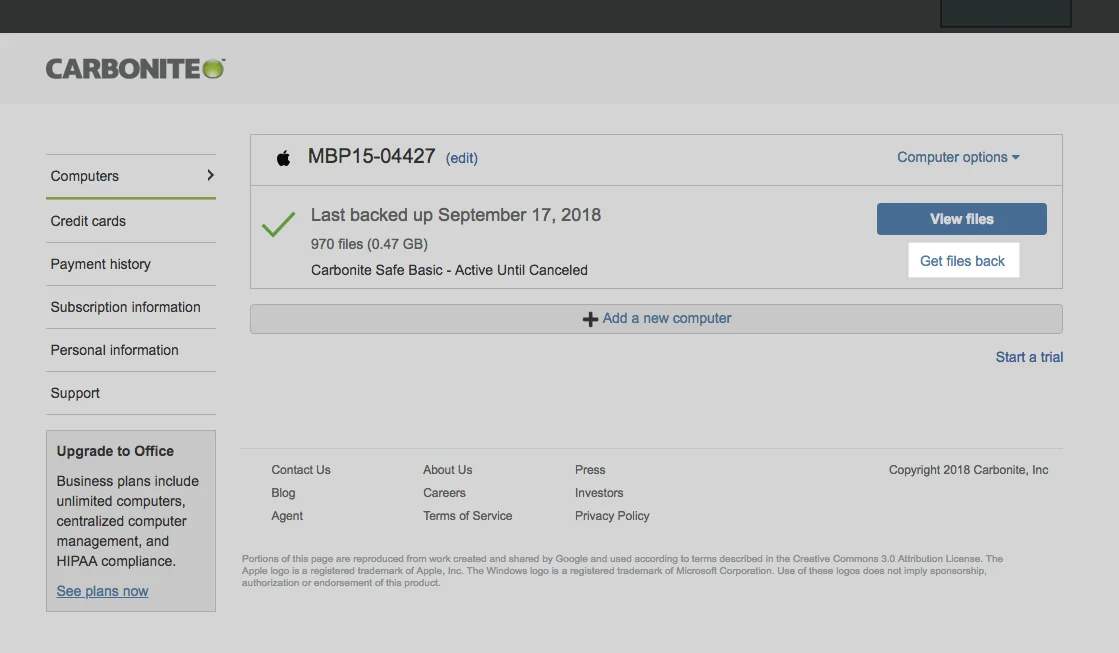
Source: Carbonite

Key features include:
- Real-time, byte-level replication: Continuously replicates systems across any distance to keep data, configurations, and permissions in sync between source and target and reduce the risk of data loss.
- Broad platform support: Moves workloads between physical, virtual, and cloud targets, including AWS, Azure, Google Cloud, VMware, and Hyper-V, which lets organizations move freely without locking into one platform.
- Non-disruptive testing and validation: Allows teams to test and validate the target environment without interrupting production operations before the cutover.
- Quick cutover with rollback: Completes most cutovers in seconds or minutes with no impact to end users and supports a fast rollback to the original environment if needed.
- Orchestration for complex migrations: Begins with a scan and deploys lightweight agents to systems in scope, and orchestrates multi-tier application cutovers so complex workflows can be moved in order.
- Encryption and bandwidth control: Encrypts data in transit with AES 256-bit encryption and includes built-in bandwidth throttling and compression to manage network usage during a move.
Limitations (as reported by users on PeerSpot):
- Multi-cloud and hybrid scenarios: Users report that the tooling is oriented to single-cloud use and is harder to use across multi-cloud or hybrid environments.
- Linux and RHEL migrations: Users note that RHEL and Linux migrations can be difficult, partly because a similar source environment has to be recreated at the destination.
- Heavy or specialized data: Users describe scalability challenges with very heavy data and report failures in some specialized cases, such as GIS data.
- Cost: Users frequently describe the product as expensive.
9. Cloudsfer

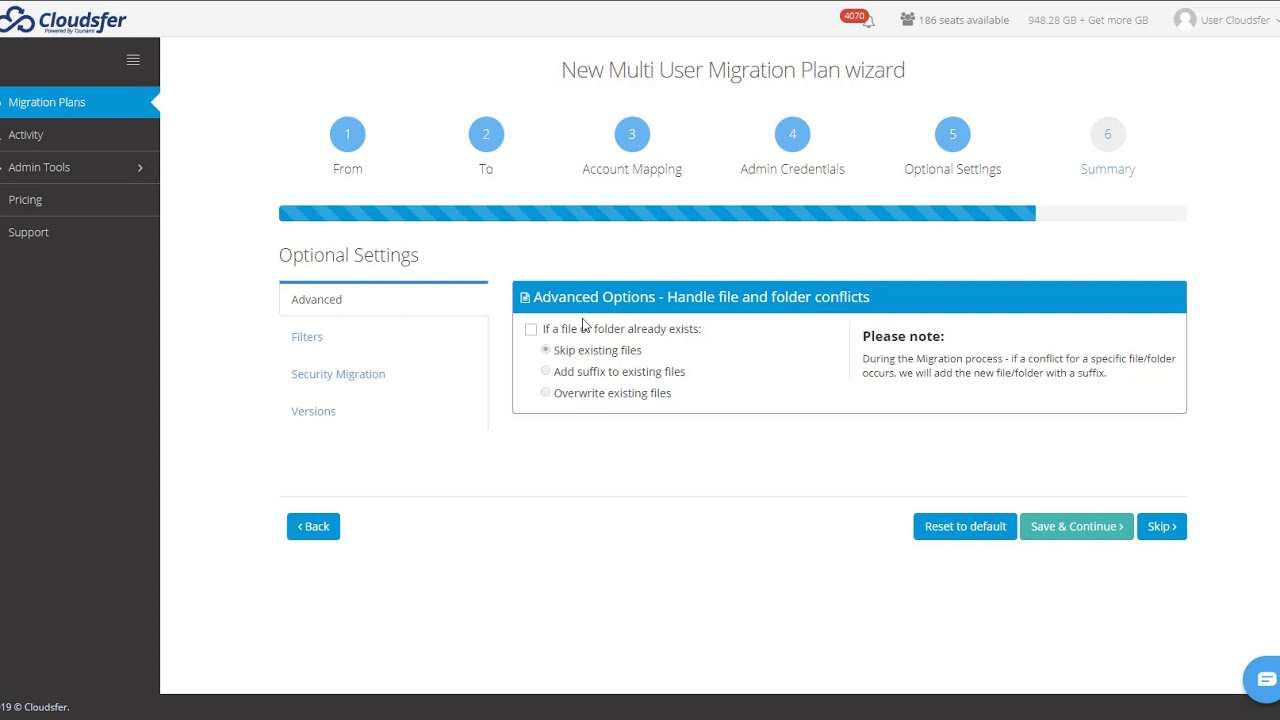
Cloudsfer is a cloud-to-cloud transfer and backup service that moves data between more than 20 cloud storage and content systems, as well as between on-premises systems and the cloud. It supports cloud-to-cloud, on-premise-to-cloud, and cloud-to-on-premise scenarios, and it is aimed at file and content migration rather than server or application migration. The service runs transfers without storing or routing data through its own servers, keeping files inside the customer’s own cloud environment and using encrypted protocols and token-based authentication. It can migrate multiple users while preserving permissions, security settings, and metadata, and it offers backup and synchronization alongside one-time transfers.
Source: Cloudsfer

Key features include:
- Broad cloud and on-premise support: Transfers data between more than 20 cloud storage systems, and according to the vendor up to 30 or more, as well as on-premise file systems, SharePoint, and various ECM systems such as Documentum and OpenText LiveLink.
- Multi-user migration with metadata: Migrates multiple users’ data in a few steps while keeping permissions, security settings, and metadata, with the option to set custom permissions where needed.
- In-environment security model: Does not store, see, or pass data through its own servers; files remain inside the customer’s cloud environment, encrypted with TLS and protected by token-based authentication.
- Automated, scheduled, and delta transfers: Runs scheduled or recurring transfers on a daily, weekly, or monthly basis and supports delta migrations that move only new or changed files, with parallel transfers to reduce time.
- Monitoring and reporting: Provides real-time progress tracking and full audit logs and migration reports for each transfer, including details such as data volume and any errors.
- Backup and ransomware features: Creates automatic cloud backups and includes ransomware-protection features such as a virtual recycle bin and file restoration.
Limitations (as reported by users on G2):
- Support responsiveness: Users report that customer support can be slow to respond, and the platform’s support rating sits below several alternatives.
- Connector and protocol limits: Users note restrictions with certain cloud storage connectors and that some protocols, such as SFTP, are not supported.
- Multi-user handling: Users describe confusion when several people use the tool to run migrations at the same time.
- Cost and interface: Users mention that per-volume pricing can make large transfers costly and that the platform can feel dated compared with some newer tools.
10. CloudFuze
CloudFuze, whose migration product is CloudFuze Migrate (formerly CloudFuze X-Change), is an enterprise data migration platform for moving files, chats, emails, and tenant data across more than 40 cloud platforms. It focuses on transferring data along with its context, including permissions, timestamps, versions, hyperlinks, external shares, and comments, while maintaining integrity and minimizing downtime. The platform is built for large, complex migrations to and between services such as Microsoft 365 and Google Workspace, and it uses batch processing and dedicated instances to handle thousands of users and terabytes of data. It follows a structured enterprise methodology that runs from pre-migration analysis through test, one-time, and delta migration to post-migration cutover.
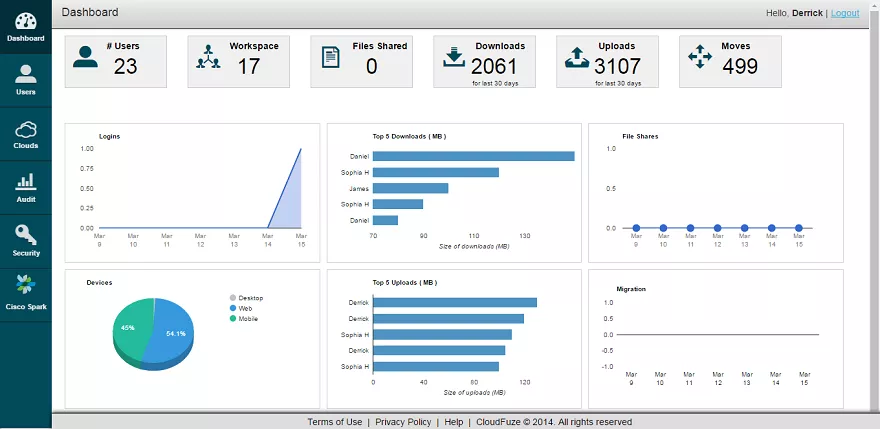
Source: CloudFuze
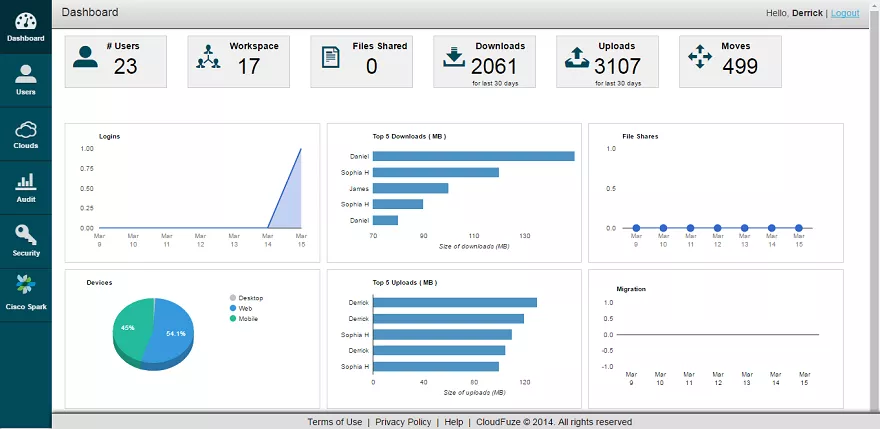
Key features include:
- Broad platform and workload coverage: Migrates content, chat, email, and tenant data across more than 40 cloud platforms, including Microsoft 365 and Google Workspace, as well as chat moves such as Slack to Microsoft Teams or Google Chat.
- Context and metadata preservation: Transfers permissions, timestamps, versions, hyperlinks, external shares, shared links, and in-line comments, and includes a Hyperlink Fixer to correct links embedded in files.
- Enterprise migration methodology: Runs a defined sequence of pre-migration analysis, scope planning, user mapping, batch creation, test migration, one-time migration, delta migration, and post-migration cutover.
- Scale through batch processing: Uses dedicated enterprise-grade instances and batch processing to move thousands of users and terabytes of data, allocating separate instances per workload for multi-workload migrations.
- User mapping options: Provides both automated and CSV-based user mapping and verifies that destination users and paths exist so that data is not misassigned.
- Security and compliance: Secures transfers with OAuth authentication and RSA 2048 encryption and adheres to SOC 2 Type II, ISO 27001, and GDPR.
Limitations (as reported by users on G2):
- Speed and performance: Users report slow migrations and slow or unresponsive servers, sometimes needing to switch servers during a project.
- Migration accuracy: Users describe errors and missing data after migration, including cases where permissions, shared links, or version history did not transfer as expected.
- Reliance on support: Users note that the process can depend heavily on the vendor’s team and that communication, mainly handled over email, could be slow.
- Commercial expectations: Some users mention capabilities being oversold and additional API costs surfacing after a contract was signed.
How to Choose a Cloud Migration Solution
Here are key considerations for selecting a cloud migration solution:
-
- Scalability and Flexibility: Select a tool that can handle the scale of your migration needs, including support for multiple cloud environments and hybrid setups. Ensure it can adapt to changing requirements and accommodate future growth.
-
- Comprehensive features: Ensure the solution offers a complete set of features, including pre-migration assessment, automated workload migration, performance and health monitoring, migration process tracking, security and compliance management, and cost optimization.
-
- Ease of use: Opt for a user-friendly interface with intuitive controls that simplify the migration process. Look for solutions with clear documentation, training resources, and responsive customer support to assist your team throughout the migration.
-
- Security and compliance: Verify that the tool has robust security measures, such as encryption and access controls, to protect your data during the migration. Ensure it supports compliance with relevant regulations and standards applicable to your industry.
-
- Performance impact: Evaluate the tool’s ability to minimize downtime and ensure high performance during and after the migration. Check for features that monitor and optimize application performance to meet or exceed pre-migration levels.
-
- Vendor support and community: Consider the level of support provided by the vendor, including technical assistance and regular updates. Check if urgent support is provided when experiencing live migration issues.
Conclusion
Selecting the right cloud migration tool is crucial for a successful transition to the cloud. These tools offer a range of features designed to simplify the migration process, enhance performance, and ensure security. By thoroughly assessing your organization’s specific needs and considering factors such as scalability, ease of use, and compliance, you can choose a solution that will facilitate a smooth and efficient migration, enabling your organization to fully leverage the benefits of cloud computing.
Learn about Faddom for cloud migration or start a free trial by filling out the form on the sidebar!