
TL;DR: Business continuity software spans IT dependency mapping and full continuity management platforms. Best for: Faddom (agentless mapping), Quantivate (BC/DR planning), LogicManager (risk-based continuity), and Riskonnect (crisis management).
What Is Business Continuity Software?
Business continuity software helps organizations prepare for, respond to, and recover from disruptions to their operations. It provides tools and automation for tasks like risk assessments, business impact analyses, plan creation and testing, and communication during emergencies. It simplifies the entire business continuity and resilience process.
Business continuity platforms provide a structured approach to identifying risks, managing crisis workflows, and planning for operational resilience. This type of software also supports proactive planning by simplifying documentation, supporting regular testing, and ensuring ongoing updates of continuity plans. It acts as a central repository for policies, plans, and post-incident reviews.
Ransomware attacks, natural disasters, extended power or network outages, and even a single failed vendor can halt operations within minutes, and the cost of downtime compounds quickly through lost revenue, regulatory exposure, and reputational damage. Yet many organizations still rely on static documents, outdated spreadsheets, and institutional knowledge that fail at the exact moment they’re needed most.
Business continuity software addresses this by turning continuity planning into a living, testable program. Some platforms focus on mapping IT dependencies and infrastructure, while others operate as full business continuity management platforms, tying together business impact analysis, plan authoring, testing, crisis communication, and reporting into a single governed program.
This is part of a series of articles about Business Continuity Plans.
Business Continuity Software At a Glance
The table below summarizes the key differences between these business continuity software solutions. We explore each tool in more detail in the sections that follow.
|
Category |
Solution |
Best For |
Key Strengths |
Things to Consider |
|
IT Dependency Mapping and Infrastructure Visibility |
Faddom |
Agentless real-time dependency mapping for continuity and impact analysis |
Agentless lightweight deployment, real-time dependency mapping, security and exposure visibility |
Duplicate host entries after VM migrations; initial learning curve; reporting and export flexibility could improve |
|
IT Dependency Mapping and Infrastructure Visibility |
Device42 |
Agentless CMDB-driven dependency mapping for continuity planning |
Agentless discovery across hybrid IT, Application Groups from communication patterns, impact charts and lists |
Add-on pricing structure; setup complexity for smaller teams; performance can slow with large datasets |
|
IT Dependency Mapping and Infrastructure Visibility |
Virima |
Live service mapping with operational overlays for change and impact planning |
ViVID interactive topology mapping, change impact analysis with blast radius, root cause analysis correlating live operational data |
Discovery scans can be slow; interface can feel clunky; sharp learning curve for non-Windows discovery setup |
|
Business Continuity Management Platforms |
Quantivate |
Centralized BC/DR planning within a GRC platform |
Guided question-based plan templates, mobile access with push notifications, Report Builder for compliance visualization |
Limited built-in learning resources; oriented toward regulated-finance needs; full value requires adjacent GRC modules |
|
Business Continuity Management Platforms |
SAI360 |
AI-assisted continuity planning tied to a broader GRC platform |
AI-assisted business impact analysis, exercises and testing with AI-summarized results, risk and threat monitoring dashboards |
Interface can feel dated; limited reporting customization; high alert volume needs review |
|
Business Continuity Management Platforms |
LogicManager |
Risk-based continuity tied to enterprise risk management |
Risk Ripple linking risks, processes, controls, and plans, dependency inventory as a single source of truth, response coordination with real-time dashboards |
Learning curve; occasional glitches reported; reporting and advanced features need extra training |
|
Business Continuity Management Platforms |
Riskonnect |
Centralized crisis management and resilience planning with emergency notification |
Always-current plan repository with automated reviews, scenario stress-testing with threat intelligence, multi-channel emergency notification |
Interface can feel cluttered; customization constraints for BIA structuring; large file uploads can be slow |
|
Business Continuity Management Platforms |
Archer Resilience Management |
Automated BC/DR planning tied to integrated risk management |
Single repository for BIA, plans, and testing, operational resilience scenario analysis, cross-team coordination via Archer’s risk foundation |
Steep learning curve and complex setup; dense interface; customization beyond defaults is resource-intensive |
|
Business Continuity Management Platforms |
ParaSolution |
Configurable BCM suite following ISO 22301 methodology |
Full BCM lifecycle module, integrated crisis management and emergency notification, IT DR management with dependency mapping |
SaaS-only, no on-premises option; fewer independent reviews as a smaller vendor; positioned alongside paid consulting and training services |
Why Is Business Continuity Software Important?
Reducing Operational Downtime
Unexpected disruptions can quickly interrupt critical business operations when organizations lack clear recovery procedures. Teams may struggle to identify affected systems, locate current recovery plans, understand application dependencies, or determine which business functions should be restored first. These delays increase downtime and can significantly impact productivity and service availability.
How business continuity software helps:
Business continuity software reduces downtime by centralizing continuity plans, business impact analyses, and recovery procedures in a single platform. Automated workflows, dependency mapping, and real-time status tracking help teams prioritize recovery activities, coordinate resources, and restore critical operations more efficiently during an incident.
Protecting Revenue and Customer Trust
Extended service interruptions can result in lost sales, missed contractual obligations, regulatory penalties, and dissatisfied customers. Even relatively short outages can damage an organization’s reputation, particularly when customers experience repeated disruptions or receive inconsistent communication during an incident.
How business continuity software helps:
Business continuity software helps protect revenue and customer confidence by enabling faster, more organized responses to disruptions. Integrated communication tools, predefined response plans, and coordinated recovery workflows reduce service interruptions while ensuring stakeholders receive timely and consistent updates throughout the recovery process.
Coordinating Responses Across Teams
Business continuity incidents typically involve multiple departments, including IT, operations, facilities, security, legal, communications, and executive leadership. Without a centralized system, teams often rely on disconnected documents, emails, or phone calls, leading to duplicated effort, unclear responsibilities, and slower decision-making during critical events.
How business continuity software helps:
Business continuity software provides a common operating picture that keeps every team working from the same information. Role-based task assignments, centralized documentation, incident dashboards, and automated notifications improve coordination, clarify responsibilities, and help response teams execute recovery plans in a structured and consistent manner.
Supporting Regulatory Compliance
Many organizations must demonstrate that they maintain documented business continuity programs and regularly test their recovery procedures. Manual documentation and spreadsheet-based processes make it difficult to maintain current plans, track changes, or produce evidence during audits, increasing the risk of compliance gaps.
How business continuity software helps:
Business continuity software supports regulatory compliance by maintaining version-controlled plans, recording testing activities, and generating audit-ready reports automatically. Built-in workflows and review reminders help ensure continuity documentation remains current and aligned with standards such as ISO 22301 and industry-specific regulatory requirements.
Improving Organizational Resilience
Organizations constantly face evolving risks, including cyberattacks, supply chain disruptions, infrastructure failures, and changing regulatory requirements. Business continuity programs that are reviewed only occasionally can quickly become outdated as business processes, technology, and dependencies change over time.
How business continuity software helps:
Business continuity software strengthens organizational resilience by making continuity planning an ongoing process rather than a one-time exercise. Regular testing, automated plan maintenance, dependency mapping, and continuous reporting help organizations identify weaknesses, validate recovery strategies, and improve preparedness before future disruptions occur.
Core Capabilities of Business Continuity Software
Business Impact Analysis (BIA)
Business impact analysis (BIA) is a foundational component of business continuity software. The BIA process evaluates the potential consequences of business disruptions by identifying critical business functions, operational dependencies, and vital resources. Software platforms make this assessment systematic and repeatable, enabling companies to collect quantitative and qualitative data about the risk factors and prioritize assets according to their criticality to business operations.
A BIA within continuity software helps quantify the potential losses from downtime, such as lost revenue, regulatory fines, and reputational damage. The software provides visual tools to map dependencies and automate calculations of recovery time and recovery point objectives. With this data in hand, organizations can develop targeted recovery strategies.
Dependency Mapping and Relationship Tracking
Dependency mapping tracks and visualizes the relationships between business processes, IT systems, third parties, and infrastructure. By using software tools, organizations can generate real-time maps that illustrate how the failure of one element—such as a network segment or supplier—could trigger cascading impacts across the enterprise. This insight is critical for identifying single points of failure and ensuring continuity strategies are comprehensive.
Modern business continuity software enables dynamic updates to these dependency maps as technology stacks and business processes evolve. Relationship tracking functionality allows teams to link assets, workflows, and responsibilities. This clarity improves coordination during exercises or actual incidents and reveals areas where redundancies or additional controls are needed.
Automated Plan Creation and Maintenance
Automated plan creation simplifies the laborious process of building, updating, and distributing business continuity plans. Business continuity software offers templates, guided wizards, role-specific workflows, and content libraries to ensure plans are consistent and complete. This automation reduces manual error and speeds up the creation of actionable, role-specific response strategies.
The maintenance component is just as critical, as organizations must update plans regularly to reflect changing risks, regulations, and business objectives. Good business continuity software automates plan reviews and reminders for testing or updates. Version control features track changes, ensuring that teams always have access to the most current procedures and can demonstrate compliance during audits or regulatory reviews.
Real-Time Monitoring and Dashboards
Real-time monitoring is a key advantage of digital continuity platforms. These tools ingest data from sensors, IT systems, and communication platforms to track disruptions, status changes, and critical events as they happen. Dashboards provide an at-a-glance overview of the organization’s resilience status, highlighting alerts, incident progress, recovery actions, and resource allocation in real time.
Having access to live metrics allows decision-makers to react quickly, coordinate efforts across teams, and proactively address bottlenecks or resource gaps during an incident. Dashboards are often customizable for different user roles—executives see high-level impacts while operations teams drill into workflows.
Reporting and Compliance Readiness
Robust reporting features in business continuity software support both day-to-day management and strategic oversight. These tools automate the collection of test results, incident logs, plan changes, and staff participation. Reports can be customized to demonstrate readiness, highlight improvements, or show action items for ongoing program development. Visualization tools and analytics aid in identifying trends and gaps in preparedness.
Compliance is a critical driver for many organizations adopting these platforms. Business continuity software simplifies the creation of compliance documentation for standards such as ISO 22301, FFIEC, and others. Automated audit trails, evidence collection, and policy tracking make it easier to demonstrate adherence during external reviews.
Related content: Read our guide to business continuity management
Notable Business Continuity Software
How we selected these tools: We shortlisted business continuity software based on the role each plays in a continuity program, spanning agentless IT dependency mapping and infrastructure visibility, and full business continuity management platforms that cover business impact analysis, plan authoring, testing, and crisis response.
IT Dependency Mapping and Infrastructure Visibility Tools
1. Faddom

Faddom is an agentless application dependency mapping (ADM) platform that automatically discovers and maps infrastructure, business applications, and their dependencies across on-premises and cloud environments. It connects to existing environments and builds its first maps in under an hour, without installing agents, supplying credentials, or making firewall changes, and can operate offline. Using a copy of network traffic together with AI-driven correlation, it turns raw network data into a continuously updated, real-time view of how servers and applications communicate. For business continuity, this gives teams an accurate, current picture of system interdependencies that supports impact analysis, change planning, and recovery preparation. It replaces outdated spreadsheets and tribal knowledge with a single, continuously refreshed source of truth.
Key features include:
- Agentless, lightweight deployment: Requires no agents, credentials, or firewall changes and can work offline. Teams connect their environments and discover hybrid business applications within minutes, with first dependency maps typically generated in under an hour.
- Real-time application dependency mapping: Automatically discovers servers and groups them by business application, continuously mapping dependencies and communication flows so documentation stays accurate as the environment changes.
- Change management and impact analysis: Maps business applications and tracks changes so teams can visualize how components depend on one another and understand the potential impact of a change before it is made.
- Asset documentation and discovery: Maintains continuously updated IT asset documentation and visualization across on-premises and cloud, providing a current inventory rather than static, manually maintained records.
- Security and exposure visibility: Includes capabilities such as SSL/certificate tracking and external network discovery that help surface exposure—for example expired certificates or external traffic—across the environment.
- Migration and cost optimization: Supports wave-based migration planning and resource and cost optimization by exposing dependencies and usage across hybrid infrastructure.
Limitations (as reported by users on G2):
- Duplicate host entries: In some cases the tool can display multiple entries or hostnames for a single server, for example after a virtual machine is migrated or its IP address changes, which can require manual clarification.
- Initial learning curve: Some users note that the terminology and full feature set take a little time to learn before getting maximum value from the platform.
- Report and export flexibility: A few users would like more flexibility in exportable reports and larger on-screen working areas when handling longer server names or exporting lists.
Discover how Faddom can support your business continuity strategy by booking a demo through the form on the right!
2. Device42

Device42, now part of Freshworks, is an agentless discovery and dependency mapping platform for hybrid IT. It automatically discovers physical, virtual, and cloud assets across data centers and cloud using protocols such as WMI, SSH, and SNMP, and builds a continuously updated configuration management database (CMDB) intended as a single source of truth. Its application dependency mapping groups workloads by real communication patterns to show how applications connect across infrastructure. For continuity planning, Device42 surfaces upstream and downstream relationships and the components behind business services, which supports impact assessment, migration planning, and recovery. Integrations and an open API let it exchange data with other IT tools.
Key features include:
- Agentless discovery across hybrid IT: Automatically discovers servers, network devices, cloud assets, and applications using WMI, SSH, and SNMP, keeping an up-to-date inventory across data centers and cloud without agents.
- Application dependency mapping and Application Groups: Maps how applications connect across infrastructure and auto-groups assets based on real communication patterns, with Calculation Rules to define what belongs in each group.
- Business Services modeling: Lets teams model complex business applications and visualize how components, devices, and resources combine to form critical business services.
- Impact charts and lists: Shows how a change or disruption to a single device ripples across the environment, with upstream and downstream relationships that help assess the full scope of an incident.
- Continuously updated CMDB and documentation: Keeps dependency documentation current to support audits and compliance frameworks such as ISO 27001, SOC 2, and HIPAA.
- Integrations and open API: Offers 30+ integrations and a REST API to import and export data and connect with other IT solutions.
- Migration support: Builds move groups and dependency maps to help plan low-risk cloud and data-center migrations.
Limitations (as reported by users on G2):
- Add-on pricing structure: Some users note that certain capabilities are priced as separate add-ons rather than included in a single all-inclusive package.
- Setup complexity for smaller teams: The platform’s depth can make initial setup and navigation feel complex, particularly for smaller teams, with a learning curve to master it.
- Performance with large datasets: Users report occasional slowdowns when handling very large data volumes or high request counts.
- Upgrade effort: Product upgrades can require manual effort to complete.
3. Virima

Virima is an IT asset management and operations platform whose ViVID service mapping feature builds live dependency and service maps from discovery data. It uses agentless and agent-based discovery to populate a CMDB, then converts that relationship data into interactive, filterable topology maps that show how servers, applications, network devices, and cloud resources support each business service. The maps overlay live operational data such as incidents, changes, and vulnerabilities. For continuity and change planning, this lets teams see blast radius, ownership, and downstream dependencies before a change, incident, or action takes place. Virima integrates with common ITSM platforms to keep configuration data and maps aligned.
Key features include:
- ViVID service mapping: Converts discovery and CMDB data into interactive, filterable topology maps that show how assets and applications roll up into the business services they support.
- Change impact analysis: Highlights blast radius, stakeholders, and downstream dependencies before a change and can surface pending changes on related assets to flag potential collisions.
- Root cause analysis: Correlates service dependencies with live operational data to help pinpoint root causes during outages and reduce mean time to resolution.
- Automated discovery and CMDB: Uses machine-learning-driven, agentless and agent-based discovery to keep the CMDB and maps continuously updated, with business rules controlling which items flow in.
- ITSM and vulnerability overlays: Overlays incidents, changes, alerts, and vulnerabilities on the maps and integrates with ITSM platforms such as ServiceNow, Jira Service Management, and Ivanti.
- Cross-team shared view: Centralizes incidents, changes, vulnerabilities, and asset context into a single view for IT operations, security, and DevOps teams.
Limitations (as reported by users on Capterra):
- Discovery scan duration: Users note that discovery scans can be slow and vary in length depending on how much and how deeply the environment is scanned.
- Interface refinement: Some find the interface can feel clunky at times, with limited customization such as adjusting column widths, and certain administration or backend tasks not available within the application.
- Form and alerting setup: Forms are not WYSIWYG, requiring some rearranging, and outbound email and alert notifications are configurable but not enabled by default.
- Onboarding effort: A few users mention a sharp initial learning curve and additional work to set up discovery probes for non-Windows operating systems.
Business Continuity Management Platforms
4. Quantivate

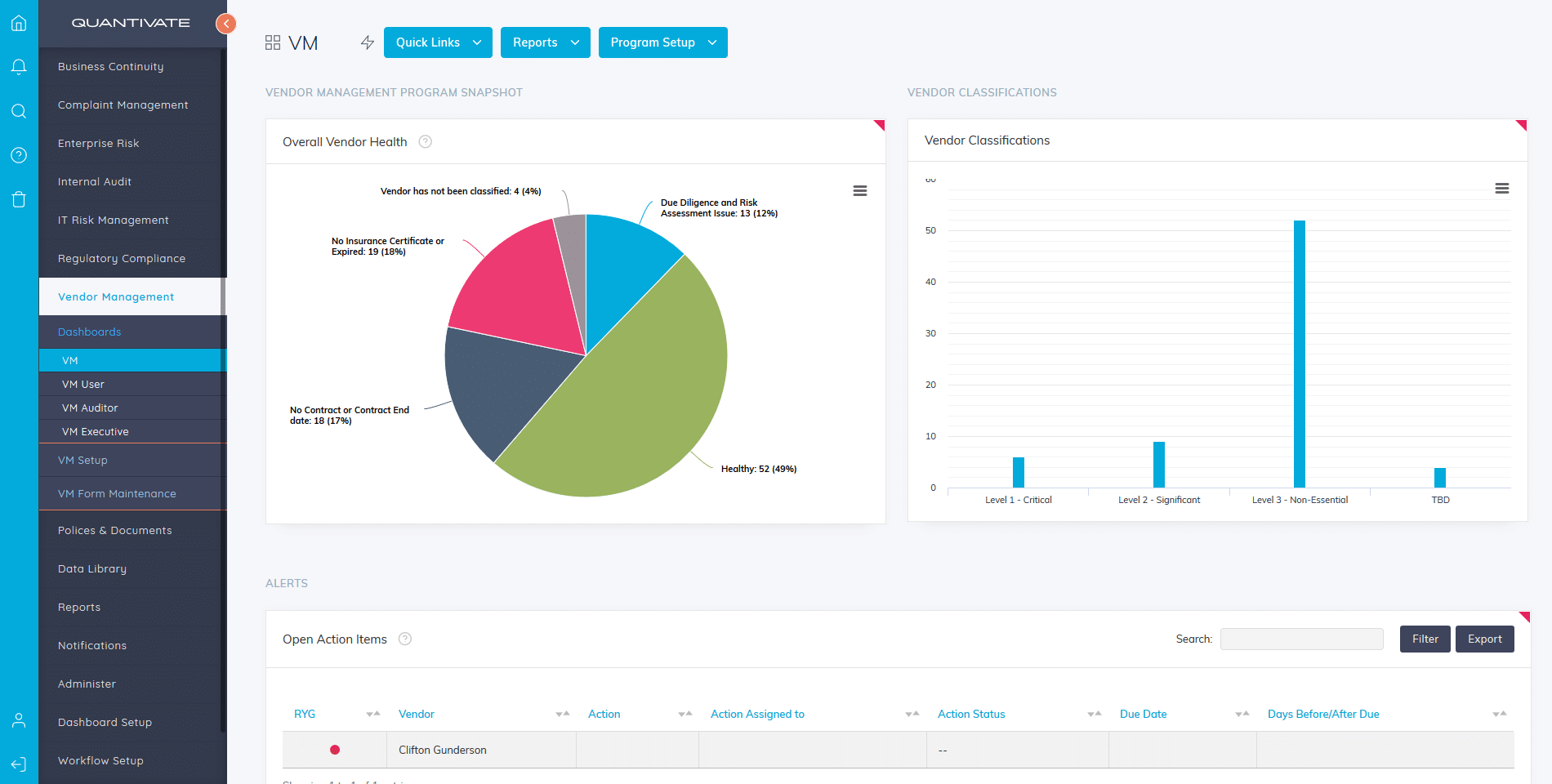
Quantivate Business Continuity Software is part of the Quantivate governance, risk, and compliance (GRC) platform and centralizes business continuity and disaster recovery (BC/DR) planning in a single system. It guides organizations through identifying critical operations and resources, assessing and monitoring risk, building plans, and managing incidents, using a repeatable methodology that aims to remove single points of failure. Question-based templates and a word-processor interface let teams build BC, DR, pandemic, and crisis management plans, and a mobile app gives staff access to current plans and procedures during an incident. Reporting tools visualize program data for decision-making and compliance, and the platform keeps BC/DR data flowing across the process without re-entry.
Key features include:
- Guided plan development: Question-based plan templates and a word-processor interface let teams build BC, DR, pandemic, and crisis management plans, with customizable pre-built templates to speed up creation.
- Centralized BC/DR management: Consolidates continuity and disaster recovery data into one platform so information flows through the BCP process without re-entering it across separately purchased modules.
- Business impact analysis and risk: Supports identifying critical operations and resources and assessing and monitoring risk using a repeatable methodology that targets single points of failure.
- Mobile access and notifications: A mobile app for iOS and Android synchronizes current plans, stores key contact details, supports push notifications, and lets staff follow incident procedures from anywhere.
- Reporting and dashboards: The GRC platform’s Report Builder organizes and visualizes program data with drag-and-drop reports and data visualizations for decision-making and compliance.
- Single sign-on and provisioning: Supports SSO using the organization’s directory, with automatic account provisioning on first login.
- Consulting services: Offers expert services that use Quantivate’s processes and software to build BC, DR, pandemic, crisis management, and emergency operations center plans.
Limitations (based on publicly available sources):
- Learning resources: Users have indicated a desire for more built-in learning resources and content to support onboarding.
- Industry orientation: The platform is built primarily around financial-services compliance needs such as those of banks, credit unions, and insurers, so organizations outside regulated finance may require more configuration.
- Suite dependency: Business continuity is one module within a broader GRC suite, so realizing full value can involve adopting adjacent modules.

Source: Quantivate
5. SAI360

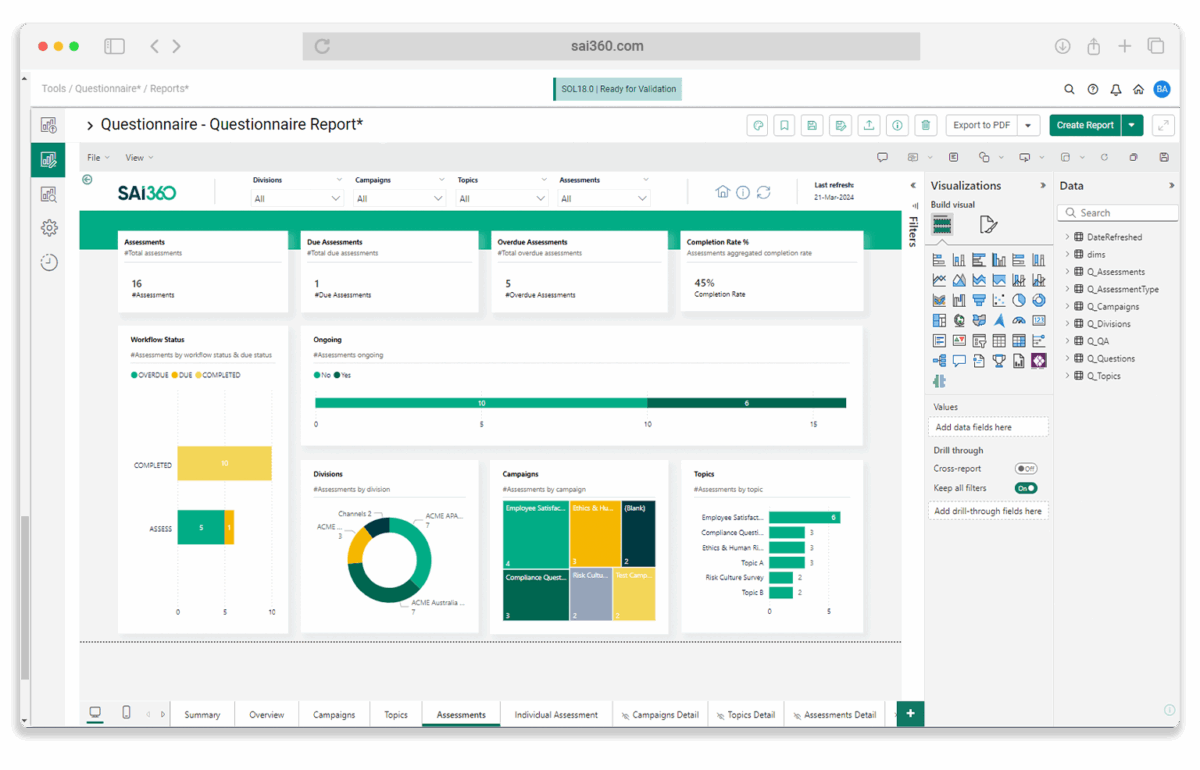
SAI360’s Business Continuity Management software is part of the SAI360 GRC platform and brings continuity planning, risk data, and response workflows into one connected system. It helps organizations identify critical processes, run business impact analyses, define recovery objectives such as RTOs and RPOs, and map dependencies across systems, teams, and third parties. Teams can build structured continuity and recovery plans, run simulations and tabletop exercises, and coordinate response through centralized workflows and dashboards. AI features assist with impact analysis, plan creation, and surfacing emerging risks across connected systems, and the platform supports alignment with recognized continuity standards.
Key features include:
- Business impact analysis: AI-assisted BIA identifies critical processes, assesses disruption impact, maps dependencies across systems and teams, and defines recovery objectives such as RTOs and RPOs.
- Plan creation and maintenance: Builds and maintains structured continuity and disaster recovery plans aligned to business processes, systems, and teams, with AI-assisted content generation and standardization.
- Exercises and testing: Designs and runs simulations and tabletop exercises to evaluate readiness, with AI used to summarize results and identify gaps.
- Incident response coordination: Centralized workflows, escalation paths, real-time tracking, and mobile workflows coordinate response and recovery and maintain visibility into incidents.
- Risk and threat monitoring: Connects to systems across IT, operations, and third parties to surface emerging risks, with dashboards that monitor threats, readiness, and recovery performance.
- Standards alignment: Supports alignment with standards such as ISO 22301 by documenting plans, tracking testing, and maintaining audit-ready records.
Limitations (as reported by users on G2):
- Dated interface: Some users find the interface can feel dated, which makes navigating complex tasks less smooth.
- Reporting customization: Reporting allows limited customization, and users cannot always build reports in their preferred format.
- Alert volume: The system can generate a high volume of alerts that must each be reviewed regardless of urgency.
- Advanced-feature learning curve: Some advanced features take extra effort to learn, which can slow initial adoption.

Source: SAI360
6. LogicManager

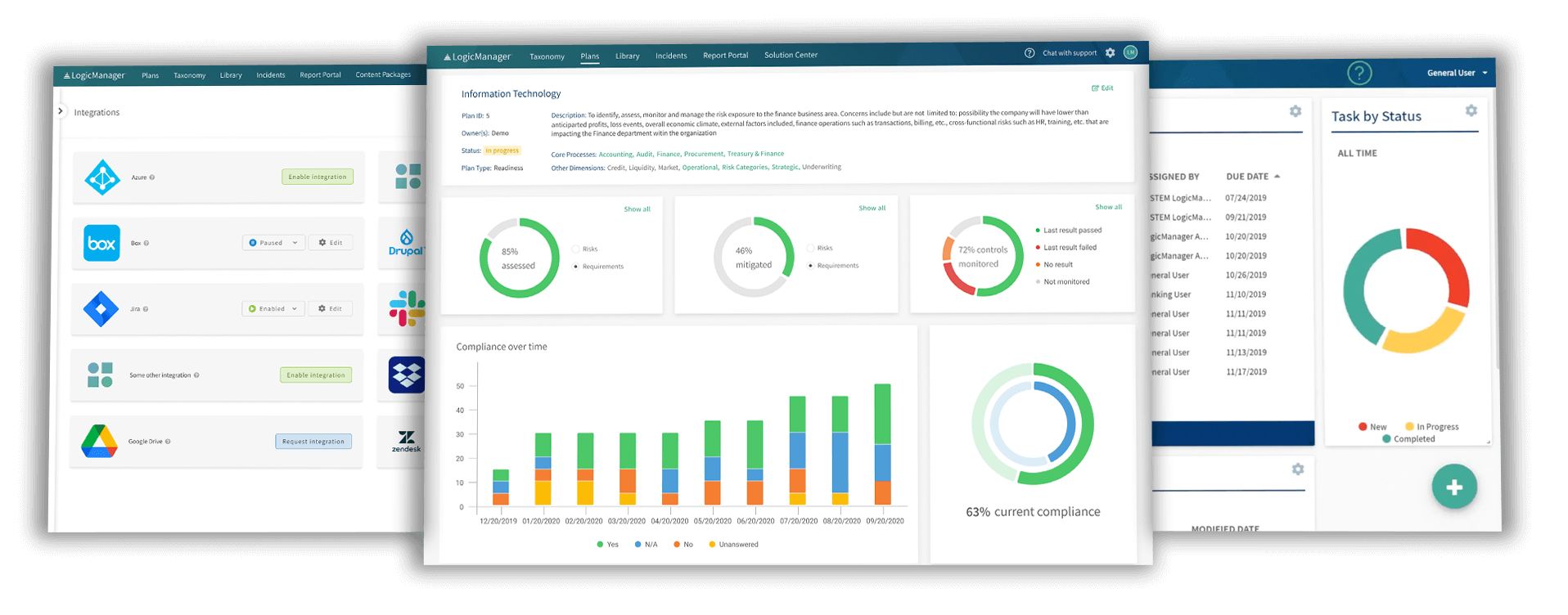
LogicManager’s Business Continuity Management program is built on its enterprise risk management (ERM) platform and ties continuity planning to enterprise-wide risk governance. Using what the vendor calls Risk Ripple intelligence, it links risks, processes, controls, and continuity plans so teams can see how a disruption in one area cascades across processes, systems, and third parties. It centralizes an inventory of business processes, critical systems, vendors, and personnel as a single source of truth, supports business impact analysis to set RTOs and RPOs, and coordinates response through roles, tasks, alerts, and dashboards. Testing and post-event reporting feed continuous improvement of the program.
Key features include:
- Risk-based continuity framework: Grounds continuity in enterprise risk management, linking risks, processes, controls, and plans so preparedness reflects the most critical threats.
- Business impact analysis: Translates risks into operational, financial, and reputational impacts, prioritizes processes by criticality, and defines recovery time and recovery point objectives.
- Dependency inventory: Centralizes business processes, critical systems, vendors, and personnel into a single source of truth for operational dependencies.
- Response plans and playbooks: Creates scenario-specific response plans and playbooks with assigned roles, backup workflows, and communication protocols linked to the processes they protect.
- Testing and exercises: Supports tabletop exercises, simulations, and drills that reveal gaps, validate roles, and feed insights back into the program.
- Response coordination: Activates response protocols, assigns and escalates tasks, and manages cross-team execution from a centralized system with real-time dashboards and alerts.
- Incident tracking and reporting: Centralized tracking, dashboards, and post-event reporting support audits, post-incident reviews, and continuous improvement.
Limitations (as reported by users on Capterra):
- Learning curve: Users report it can be difficult to learn to use effectively, and the interface can be confusing for new users.
- Occasional glitches: Some users mention occasional glitches that can cause problems during use.
- Reporting and advanced features: Reporting and more advanced functionality can require additional training to use well.

Source: LogicManager
7. Riskonnect

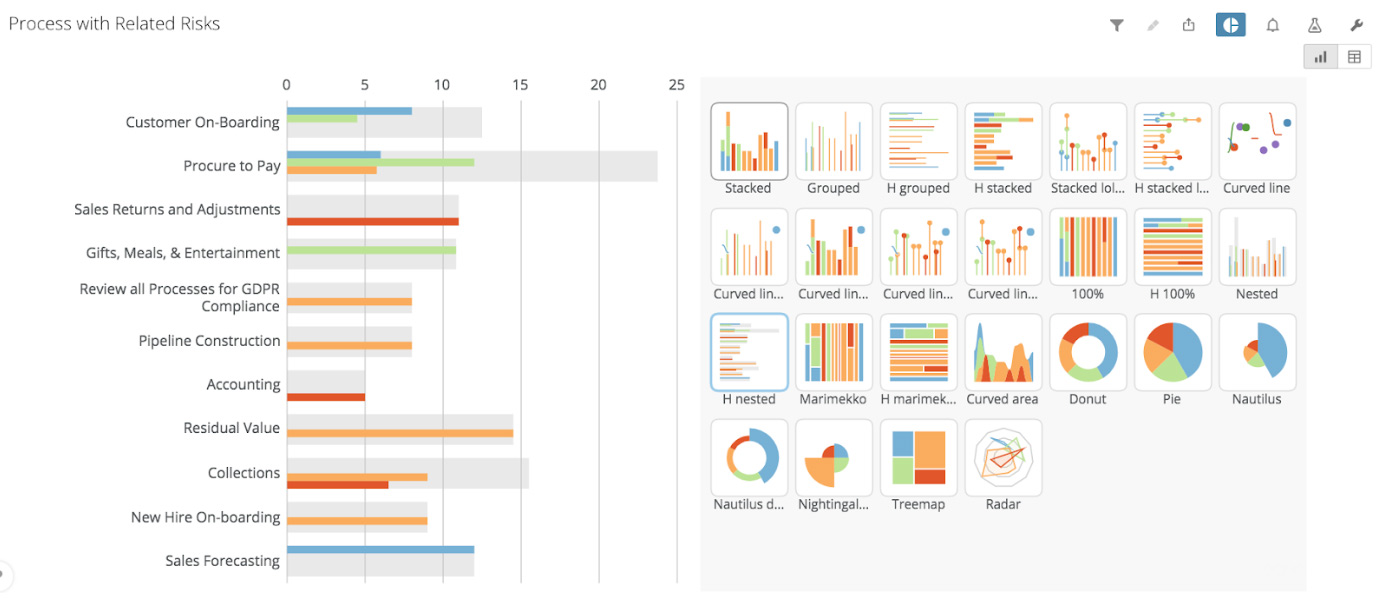
Riskonnect’s Business Continuity & Resilience software, formerly Castellan, centralizes continuity and resilience planning, crisis management, and emergency notification in one platform that also connects to Riskonnect’s broader risk management suite. It aggregates plans into a single, always-current repository with automated reviews and approvals, builds an end-to-end digital model of the organization to expose dependencies and vulnerabilities, and lets teams model disruption scenarios and stress-test plans. During an incident, it activates response plans, tasks and coordinates teams, and drives emergency communications across multiple channels. Threat intelligence and analytics bring plans, threats, incidents, and operations together for a real-time picture.
Key features include:
- Centralized plan management: Provides a single, always-current repository of continuity and resilience plans with automated reviews and approvals, accessible from any device.
- Vulnerability identification and modeling: Builds an end-to-end digital model of the organization to surface dependencies and hidden vulnerabilities and to identify plausible disruption scenarios.
- Scenario testing and stress-testing: Runs scenario-based simulations using threat intelligence to test plans under realistic conditions and recommends corrective actions for weaknesses.
- Crisis management: Activates response plans, tracks and manages tasks, and supports secure collaboration with encrypted chat and live situation reporting during disruptions.
- Emergency notification: Includes embedded, multi-channel emergency notification across SMS, email, voice, and app, integrated with crisis and continuity workflows and available on mobile.
- Threat intelligence and analytics: Monitors global threats in real time and brings data from plans, threats, incidents, and operations into dashboards and reports.
- Standards alignment: Offers out-of-the-box alignment with ISO 22301, including corrective actions and management reviews.
Limitations (as reported by users on G2):
- Interface density: Some users find the interface can feel cluttered, with a large number of tabs to navigate.
- Customization constraints: Reviewers note limits in customizing some areas, such as structuring BIAs across process, product, department, and location levels and integrating risk assessments into BIAs.
- Performance with large files: Uploading large files can be slow at times.

Source: Riskonnect
8. Archer Resilience Management

Archer Resilience Management is part of the Archer integrated risk management suite and provides an automated approach to business continuity, IT disaster recovery planning and execution, and operational resilience. It helps organizations catalog mission-critical products, processes, systems, and dependencies, set priorities and impact tolerances, build resiliency measures and plans, and test their assumptions. It uses a single process and repository for business impact analyses, continuity plans, and testing results, and coordinates across business, IT, operational risk, recovery, third-party, and cyber teams. The solution builds on Archer’s broader risk management data to drive risk-based actions before, during, and after a disruption.
Key features include:
- Automated business continuity and IT DR: Provides an automated approach to building and executing business continuity and disaster recovery plans for mission-critical operations.
- Business impact analysis: Uses a single process, repository, and reporting structure for all business impact analyses to identify and prioritize critical processes and dependencies.
- Operational resilience and scenario analysis: Lets organizations define important products and services, set impact tolerances, test plausible risk scenarios, and act quickly on the results.
- Incident and crisis management: Offers a centralized way to resolve incidents before they become a crisis and a coordinated process to manage crisis events from start to finish.
- Coordinated repository: Maintains one coordinated process and repository for risk assessments, continuity plans, and testing results across teams.
- Integrated risk foundation: Builds on Archer’s integrated risk management to align business, IT, operational risk, recovery, third-party, and cyber teams and to drive risk-based actions.
Limitations (as reported by users on G2):
- Learning curve and setup: Users report a steep learning curve and a complex initial setup and configuration that can be challenging without governance, risk, and compliance expertise.
- Interface density: The interface has many drop-downs and menus and can feel clunky or less intuitive; a simpler design is a common request.
- Customization effort: Changes beyond out-of-the-box configurations can be difficult and resource-intensive to build and maintain.
- Reporting and integration: Some users note that reporting capabilities are limited compared with other tools and that third-party integration can be less intuitive.

Source: Archer

9. ParaSolution

ParaSolution is Premier Continuum’s business continuity and organizational resilience software, available since 2002 and offered as a secure SaaS solution hosted on AWS. It centralizes, standardizes, and automates BCM activities and is built around methodologies and best practices such as ISO 22301. Available modules cover business continuity management, crisis management and emergency notification, IT disaster recovery, third-party risk, and integrated risk management. The platform is configurable to an organization’s structure, supports contributor engagement through streamlined data collection, and provides a web interface and mobile app for accessing current information and plans during an incident. Premier Continuum also offers consulting and certified training alongside the software.
Key features include:
- BCM module: Supports the full BCM lifecycle, including business impact analysis, risk assessment, plan development and activation, exercises, and reporting, with configurable structure and dashboards.
- Crisis management and EMNS: Automates crisis management workflows and emergency notification to gather information, coordinate response, and keep contributors informed during an incident through the web solution or mobile app.
- IT disaster recovery management: Aligns BCM and IT DR teams with IT BIA characterization, run books, DR orchestration, test coordination, live recovery tracking, gap analysis, and system dependency mapping.
- Third-party and integrated risk management: Helps identify and prioritize risks, map dependencies, define controls and treatment methods, measure residual risk, and define risk appetite, including third-party readiness.
- Configurability: Adapts to the organization’s structure, letting teams structure programs, documents, and plans to a granular level and build their own dashboards.
- Standards and security: Built around best practices such as ISO 22301 and certified to standards including ISO/IEC 27018, ISO 22301, AICPA SOC, and W3C WCAG 2.2 AA, hosted on AWS infrastructure.
Limitations (based on publicly available sources):
- SaaS-only deployment: ParaSolution is offered as a SaaS solution and is not available as an on-premises deployment, which may not suit organizations with strict on-premises requirements.
- Limited independent reviews: As a product from a smaller, specialized vendor, it has fewer independent third-party reviews than larger competitors, which can make external validation harder.
- Services-paired model: The platform is positioned alongside Premier Continuum’s consulting and training services, so organizations seeking a purely self-service tool should factor in that model.

Source: ParaSolution

Conclusion
Business continuity software provides organizations with the tools to build, maintain, and execute robust resilience programs. By centralizing critical IT documentation and automating workflows, these platforms enable faster responses to disruptions and support ongoing operational stability. They also help align business continuity practices with industry standards and regulatory requirements, ensuring organizations are better prepared to withstand and recover from unexpected events.