
What Are Network Mapping Tools?
Network mapping tools create visual representations of a network’s architecture, showing connections between devices, systems, and nodes. These tools help administrators quickly understand how network components interact, improving troubleshooting and optimization efforts.
By providing an organized view, mapping tools can highlight inefficiencies, misconfigurations, or potential security risks. They are crucial in both IT operations and cybersecurity for identifying vulnerabilities or bottlenecks within network infrastructure. Different tools offer varying levels of detail and automation.
Some tools focus on high-level topology mapping, while others deliver granular insights, such as real-time connectivity statuses and data flow. The choice of tool depends on the needs of an organization. A smaller network may only require simple visualizations, while a complex enterprise network with hundreds of devices needs more automated mapping solutions.
Editor’s note: Updated network mapping tool information to reflect features and capabilities in 2026, and added two new tools.
This is part of a series of articles about IT Mapping
Key Features of Network Mapping Tools
Network mapping tools vary in complexity, but most share a core set of capabilities. These features help teams visualize network structure, monitor connectivity, and maintain accurate documentation. Below are the key functions commonly found in these tools.
- Automatic network discovery: Scans the network to detect devices, connections, and subnets. Uses protocols such as SNMP, ICMP, or LLDP to gather data without manual input.
- Topology visualization: Generates visual maps that show how devices are connected. Views may include physical, logical, or hybrid topologies.
- Real-time monitoring: Displays current device status, link health, and connectivity changes. Helps teams detect outages or performance issues quickly.
- Device and interface details: Provides information about routers, switches, servers, firewalls, and endpoints. May include IP addresses, MAC addresses, firmware versions, and port usage.
- Dependency mapping: Identifies relationships between systems and services. Useful for understanding the impact of device failures or configuration changes.
- Alerting and notifications: Sends alerts when devices go offline or when performance thresholds are exceeded. Supports faster incident response.
- Customizable map views: Allows filtering by device type, location, VLAN, or subnet. Helps large organizations focus on specific network segments.
- Export and reporting capabilities: Generates reports or exports diagrams for documentation and audits. Supports formats such as PDF, PNG, or Visio files.
- Integration with other tools: Connects with monitoring platforms, configuration management systems, or security tools. Enables centralized visibility and automation.
These features help organizations maintain visibility into network structure and performance, reducing downtime and simplifying troubleshooting.
Free vs. Paid Network Mapping Tools
Free tools are often open source or community-supported. They are suitable for small to mid-sized networks or teams with limited budgets.
Key aspects of free network mapping tools:
- Low or no cost: No licensing fees. Some tools offer optional paid support or premium add-ons.
- Basic discovery and mapping: Provide core features such as device discovery and topology visualization. Advanced automation may be limited.
- Manual configuration requirements: Often require more setup and tuning. Documentation may be less structured.
- Community support: Support typically comes from forums or user communities. Response times vary.
- Limited scalability: May struggle with very large or highly dynamic environments.
Paid network mapping tools target enterprises with complex infrastructure:
- Advanced automation: Offer automated discovery, real-time updates, and dependency mapping with minimal manual input.
- Scalability and performance: Designed to handle large, distributed networks with thousands of devices.
- Vendor support and SLAs: Include formal technical support, updates, and service level agreements.
- Integrated ecosystem: Often integrate with monitoring, security, and configuration management platforms from the same vendor.
- Enhanced security and compliance features: Provide audit trails, role-based access control, and reporting aligned with compliance requirements.
Paid tools are better suited for enterprises that require reliability, compliance support, and dedicated vendor assistance.
In practice, organizations often start with free tools and transition to proprietary solutions as network complexity and operational demands increase.
Notable Free Network Mapping Tools
Network Discovery and Mapping
1. Faddom

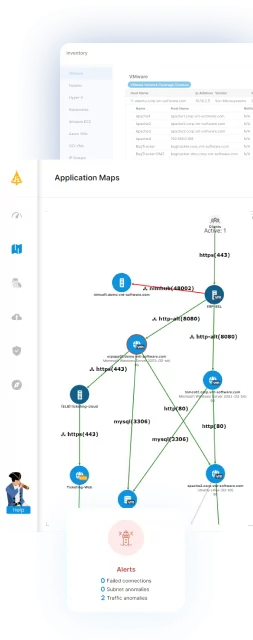
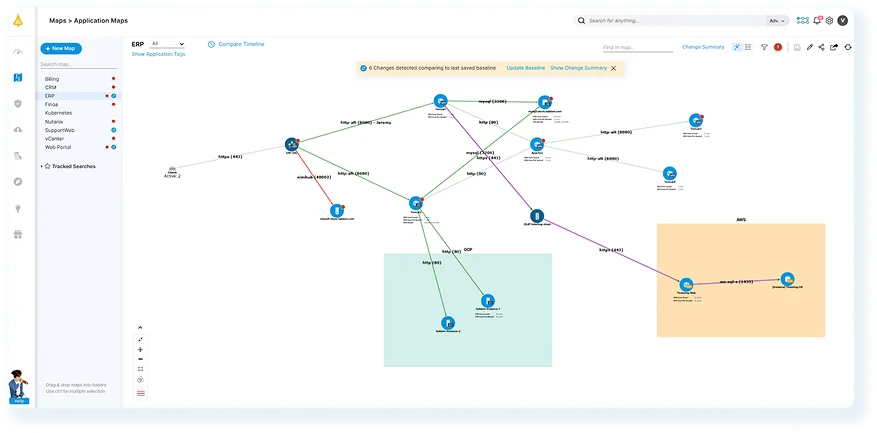
Faddom is an application dependency mapping platform that offers real-time visibility across hybrid environments. It automatically discovers assets, maps infrastructure, and illustrates how applications communicate, all without the need for agents or credentials.
Through Faddom’s Community License, organizations can map up to 50 servers at no cost. This license includes features such as application dependency mapping, asset discovery, software inventory, change management, and impact analysis. It is particularly beneficial for small businesses, nonprofits, and educational institutions looking to replace outdated manual documentation.
Key features of Faddom:
- Hybrid Application Dependency Mapping: See how applications interact across on-premises, cloud, and hybrid environments in real-time.
Automatic Asset Discovery: Identify servers and services continuously without manual input and guesswork. - Change Management and Impact Analysis: Understand the potential effect of infrastructure changes before taking action.
- Software Inventory: Keep a live record of installed applications and components.
- Compliance and IT Audit Readiness: Support audit preparation with accurate, real-time documentation.
- Simple to Deploy: Get up and running in under 60 minutes without complex setup.
Get your Community License free forever!
2. Nmap

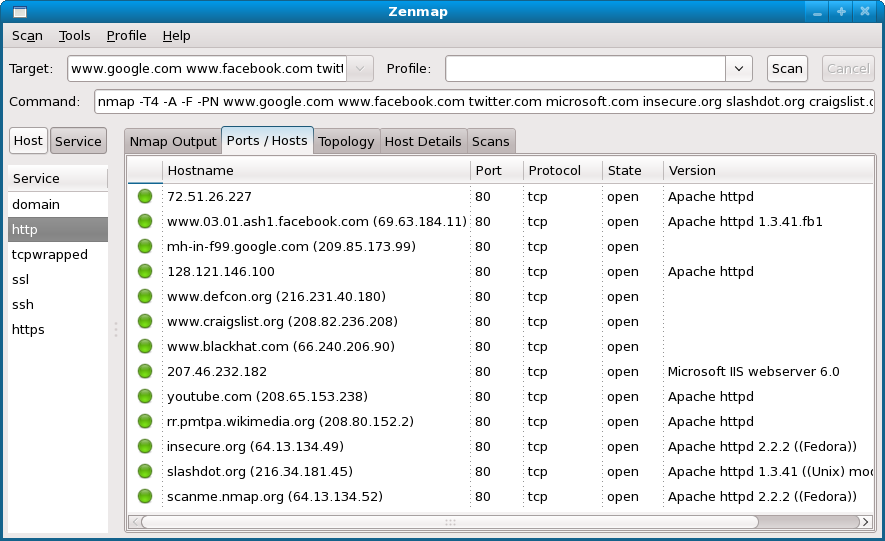
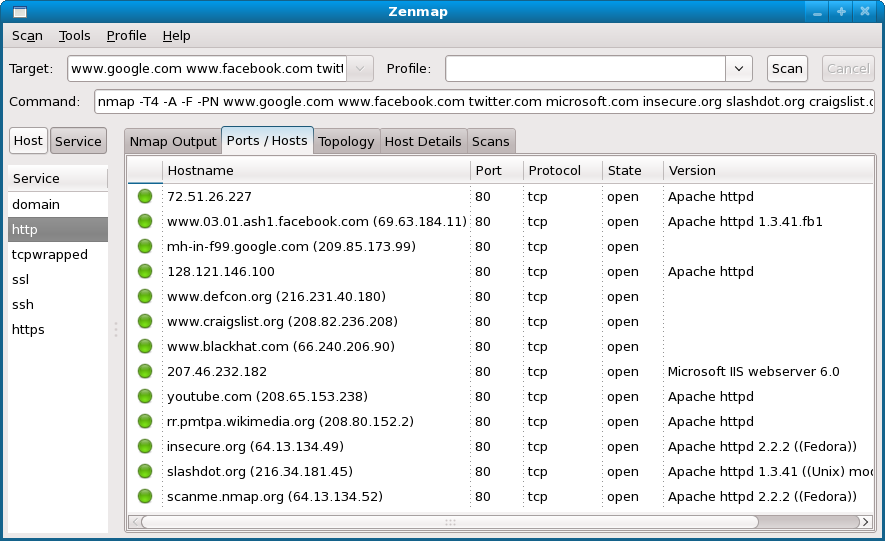
Nmap is an open-source network discovery and security auditing tool used to identify hosts and services on a network. It analyzes network responses to determine active devices, open ports, and available services. The tool supports command-line usage and also includes a graphical interface called Zenmap.
Key features of Nmap:
- Host and service discovery: Identifies active hosts and detects services running on networked systems.
- Port scanning techniques: Supports multiple scanning methods to determine open ports and reachable services.
- Operating system detection: Analyzes network responses to infer the operating system used by target devices.
- Graphical interface support: Includes Zenmap, which provides a graphical interface for running scans and reviewing results.
Source: Nmap
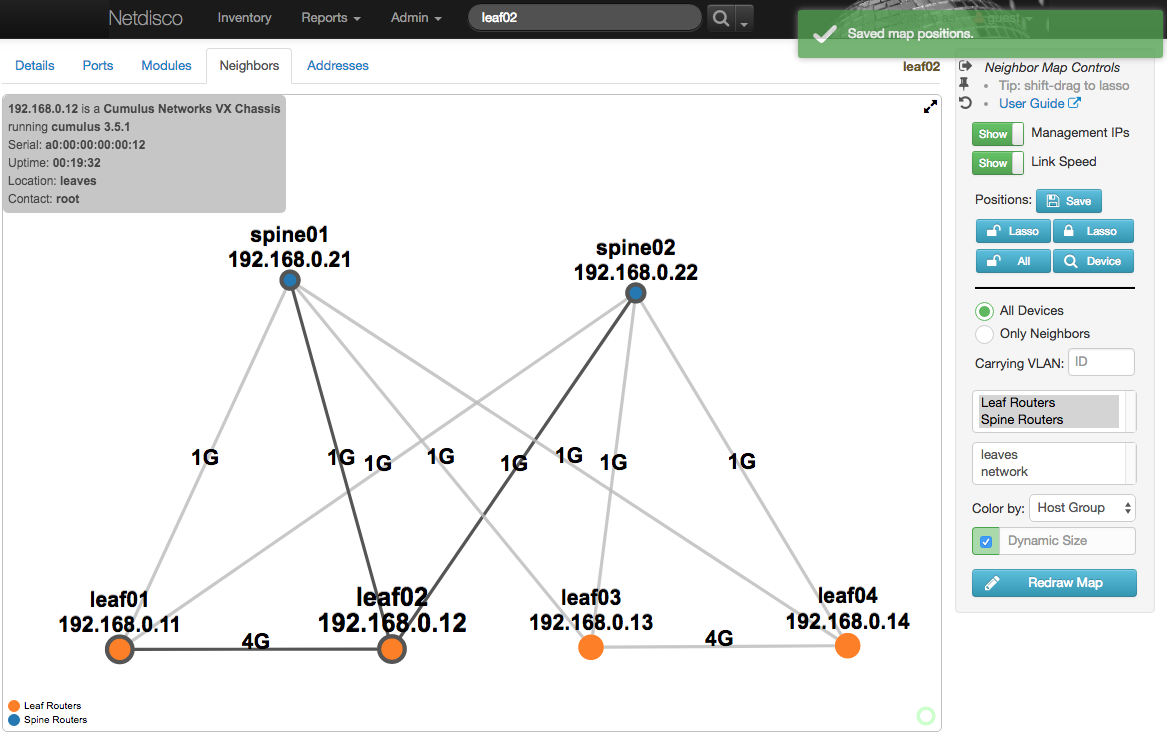
3. Netdisco
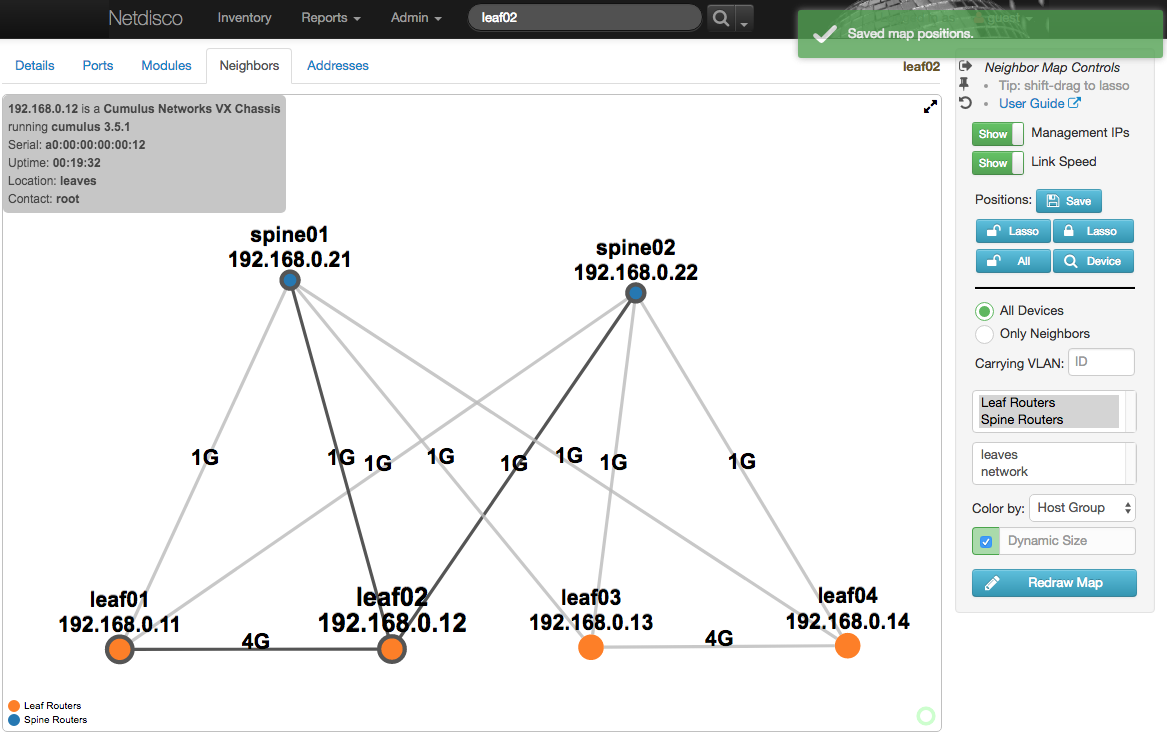
Netdisco is an open-source, web-based network management application used to monitor and manage network infrastructure. It collects network data such as IP and MAC addresses and stores it in a PostgreSQL database using protocols like SNMP, command-line interfaces, or device APIs. Administrators can use the interface to locate devices on the network, manage switch ports, and maintain hardware inventories.
Key features of Netdisco:
- Device and node discovery: Collects network device information using SNMP, CLI access, or device APIs.
- Network device location: Allows administrators to find devices on the network using IP or MAC addresses and identify the switch port they are connected to.
- Switch port management: Enables actions such as disabling ports or changing VLAN and PoE settings through the web interface.
- Hardware inventory tracking: Maintains records of network equipment including model, vendor, operating system, and software versions.
- Reporting and data access: Provides web-based reports and an API for searching and extracting network records.
Source: Netdisco
Network Monitoring and Traffic Analysis
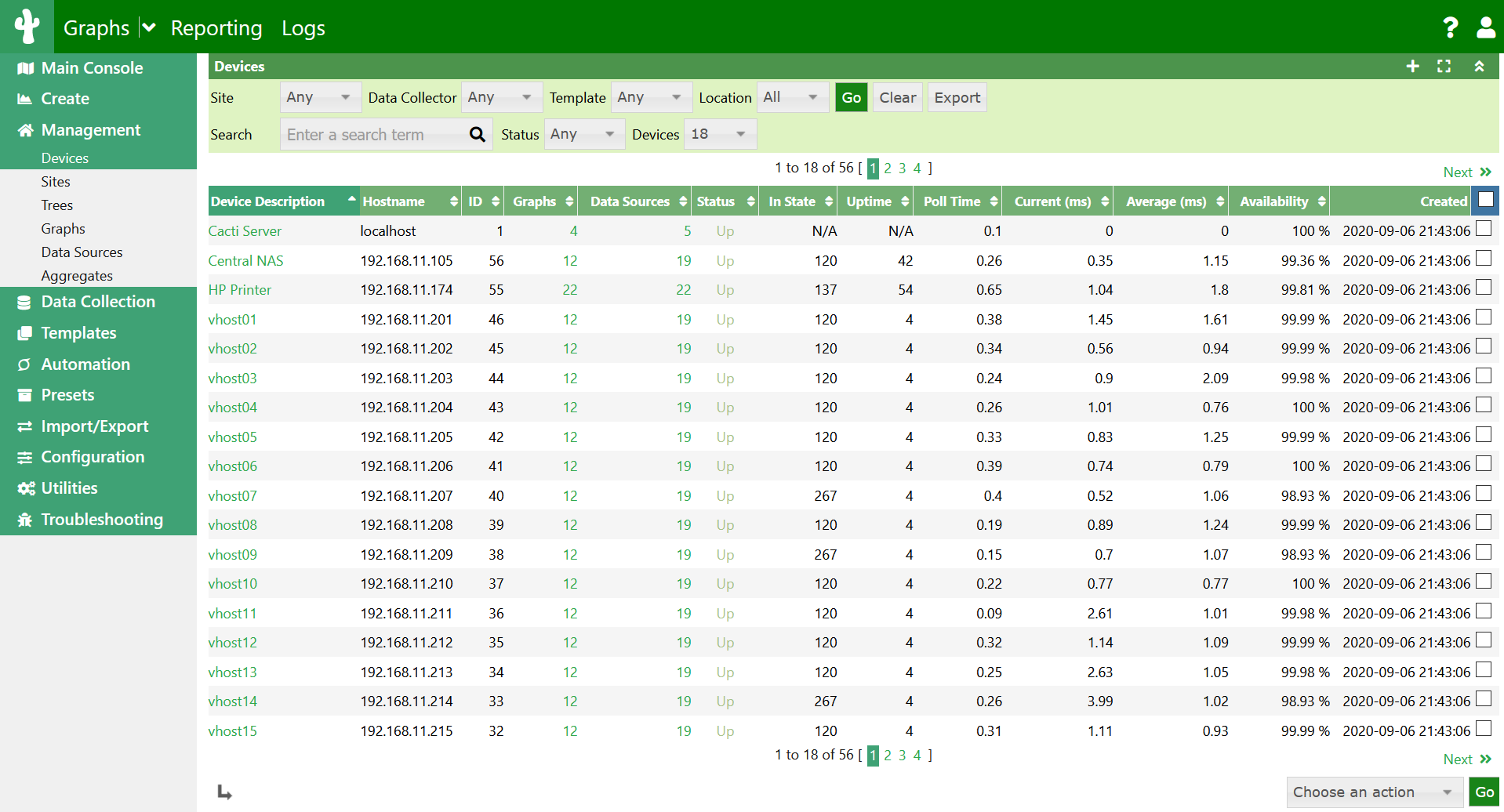
4. Cacti

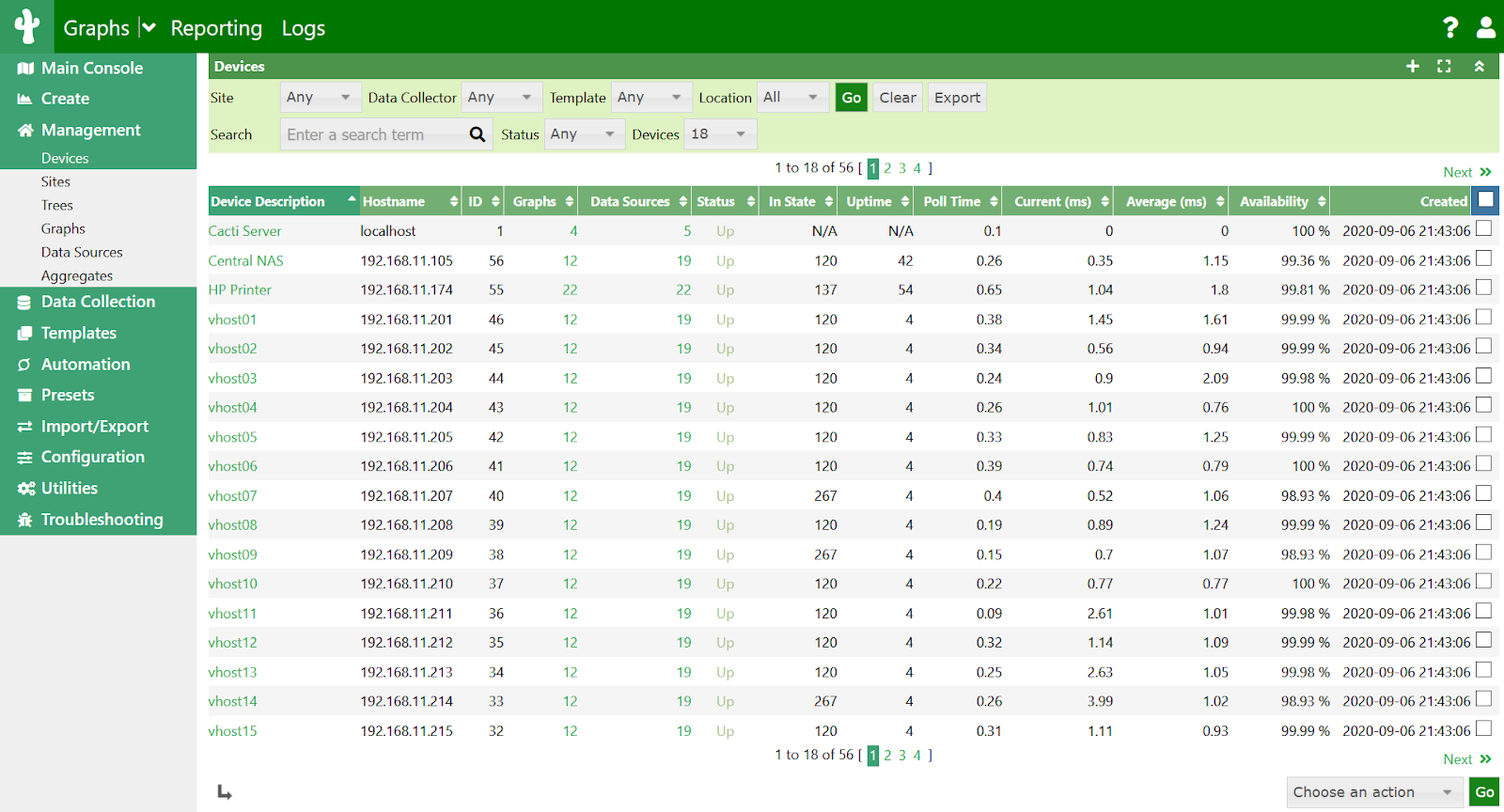
Cacti is an open-source network monitoring and graphing platform to collect and visualize performance data. It uses RRDTool for storing time-series data and generating graphs, and provides a web interface for managing devices, data sources, and visualizations. The platform supports template-based automation and can scale from small local networks to large environments with many monitored devices.
Key features of Cacti:
- RRDTool-based data storage: Uses RRDTool to store time-series performance metrics and generate visual graphs.
- Template-driven configuration: Uses templates for devices, graphs, and data sources to simplify configuration and standardize monitoring.
- Multiple data collection methods: Collects metrics through SNMP, scripts, or external commands.
- Distributed data collection: Supports distributed collectors and fault-tolerant architectures for larger deployments.
- Extensibility through plugins: Provides plugin support to extend functionality and integrate additional capabilities.
Source: Cacti
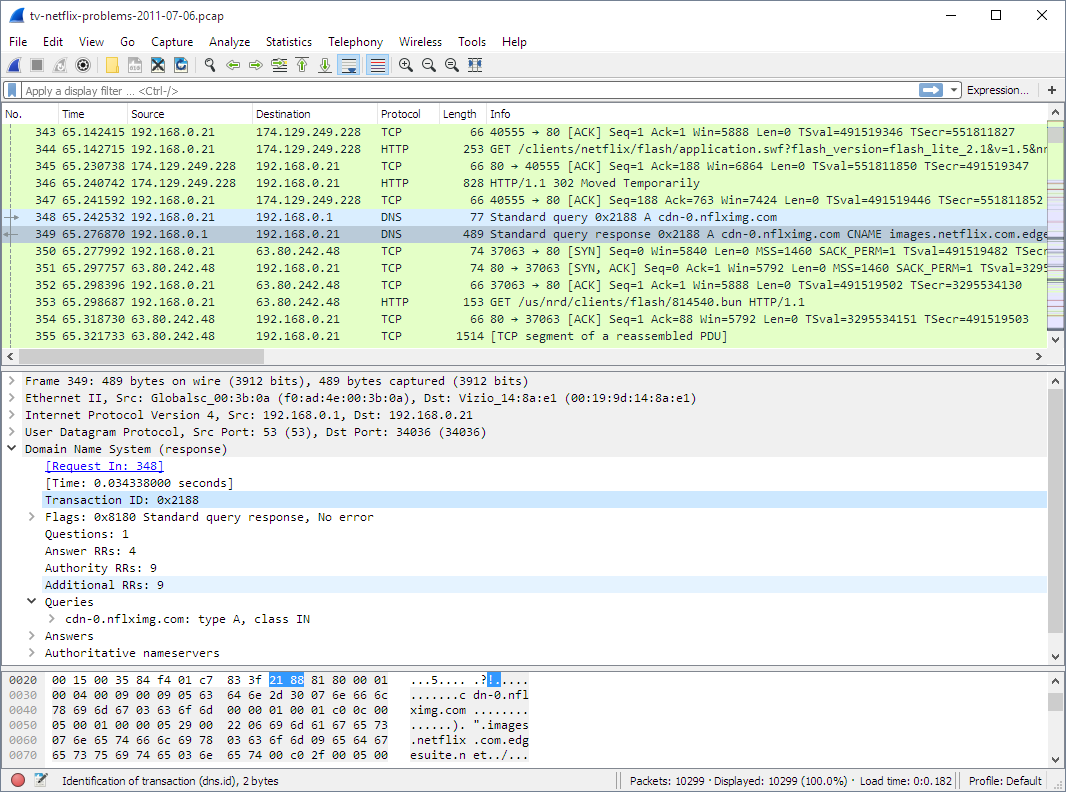
5. Wireshark

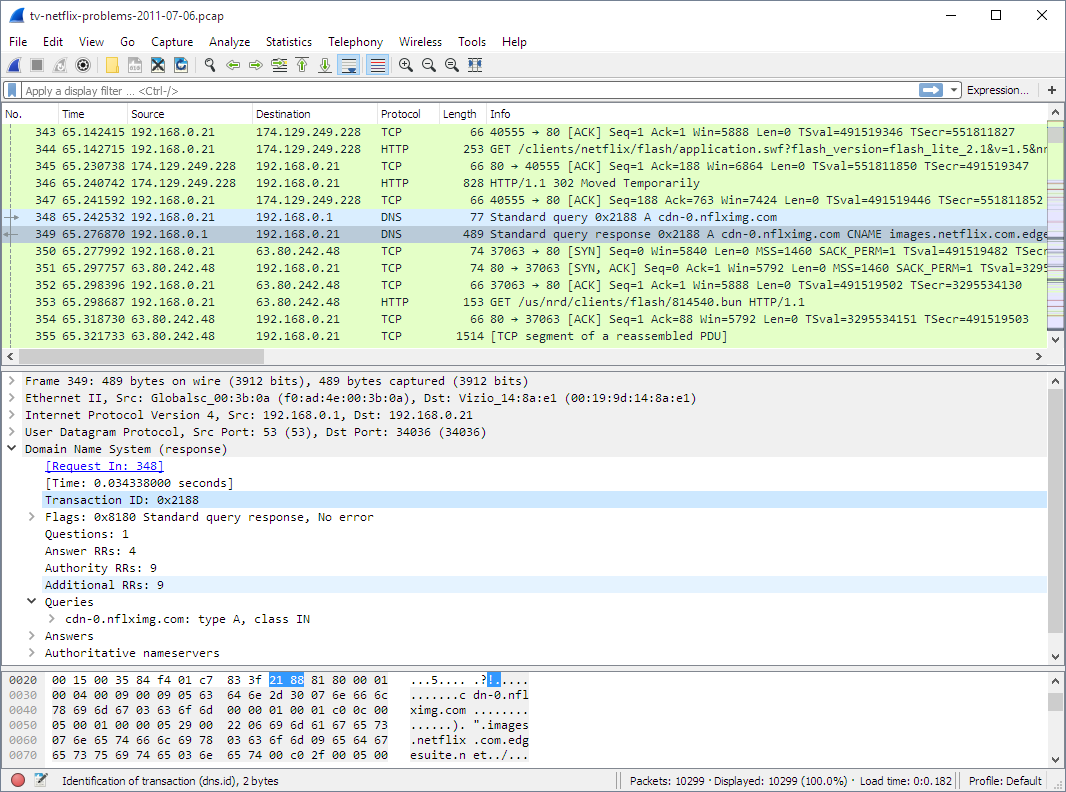
Wireshark is an open-source network protocol analyzer used to capture and inspect network traffic. It allows users to analyze packet data in real time or review captured traffic offline. The tool supports deep inspection of many network protocols and provides detailed views of packet structures to assist with troubleshooting, protocol analysis, and network diagnostics.
Key features of Wireshark:
- Network packet capture: Captures live network traffic and allows detailed inspection of packet contents.
- Protocol analysis: Provides deep inspection and decoding of hundreds of network protocols.
- Cross-platform support: Runs on major operating systems including Windows, macOS, Linux, and BSD.
- Traffic filtering: Supports capture filters and display filters to isolate specific traffic for analysis.
- Command-line analysis tool: Includes TShark for packet capture and analysis without a graphical interface.
Source: Wireshark
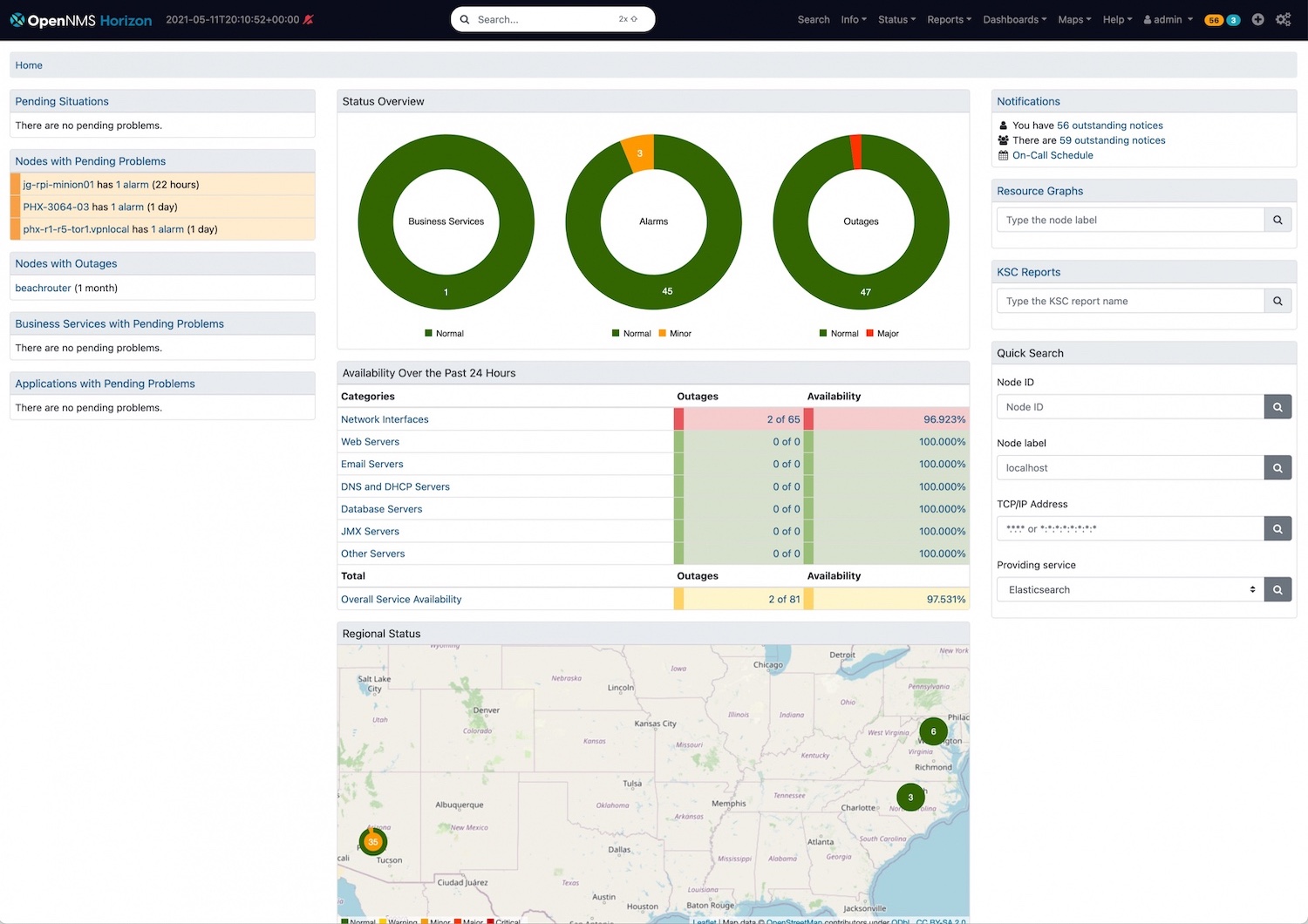
6. OpenNMS Horizon
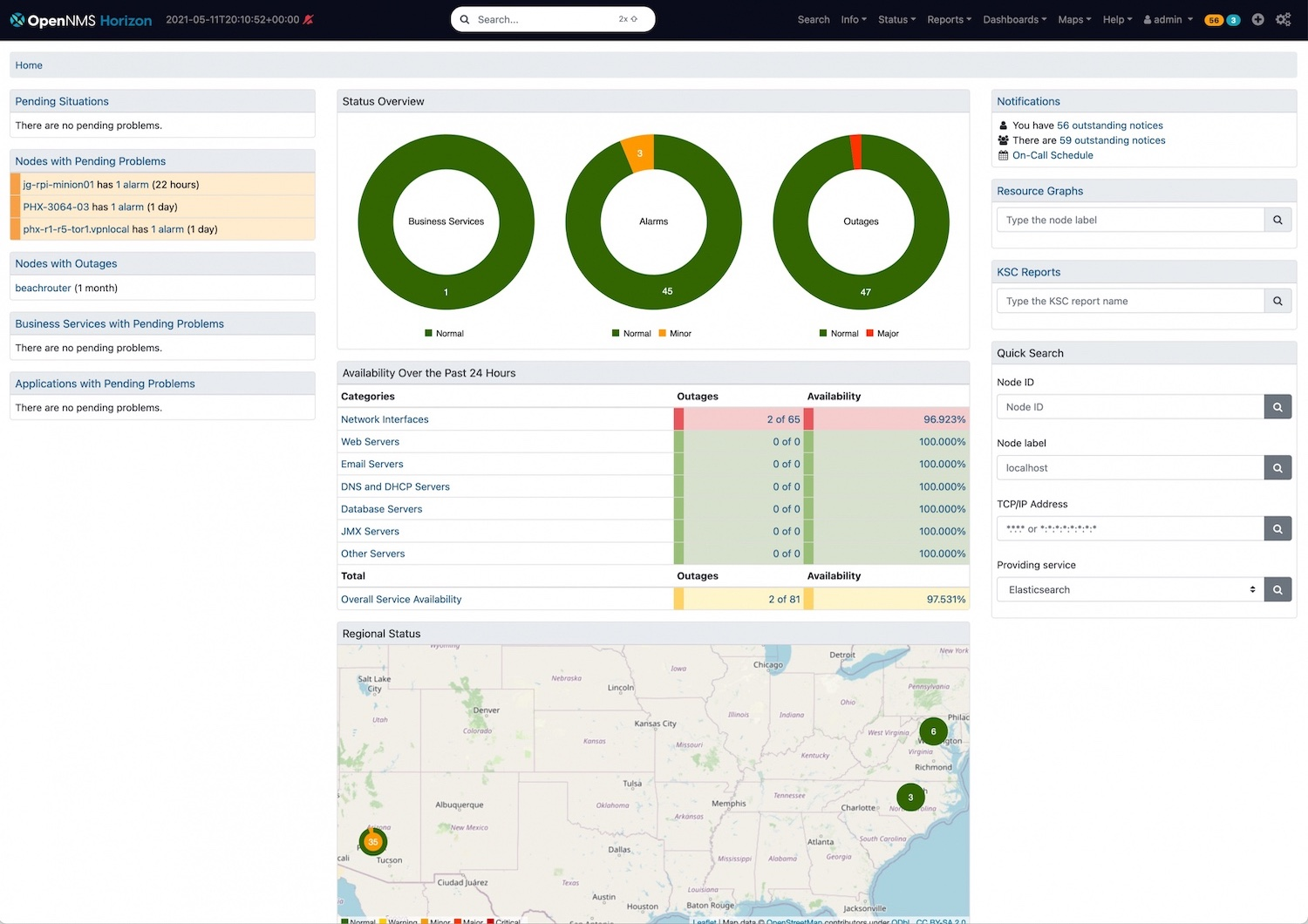
OpenNMS Horizon is an open-source network monitoring platform that tracks the health, performance, and availability of network infrastructure. It provides tools for monitoring devices, analyzing traffic flows, and managing events and alarms. The platform supports distributed monitoring and integrates with business applications and operational workflows.
Key features of OpenNMS Horizon:
- Network monitoring: Tracks infrastructure health, performance metrics, traffic flows, and fault conditions.
- Remote data collection: Supports distributed monitoring across multiple locations using remote collectors.
- Alarm correlation: Correlates network events and generates alarms to help identify underlying issues.
- Business service monitoring: Monitors logical services and links them to infrastructure components to understand operational impact.
- Scalable deployment: Supports deployments across physical servers, virtual machines, and containerized environments.
Source: OpenNMS
Security, Recon and Diagramming Tools
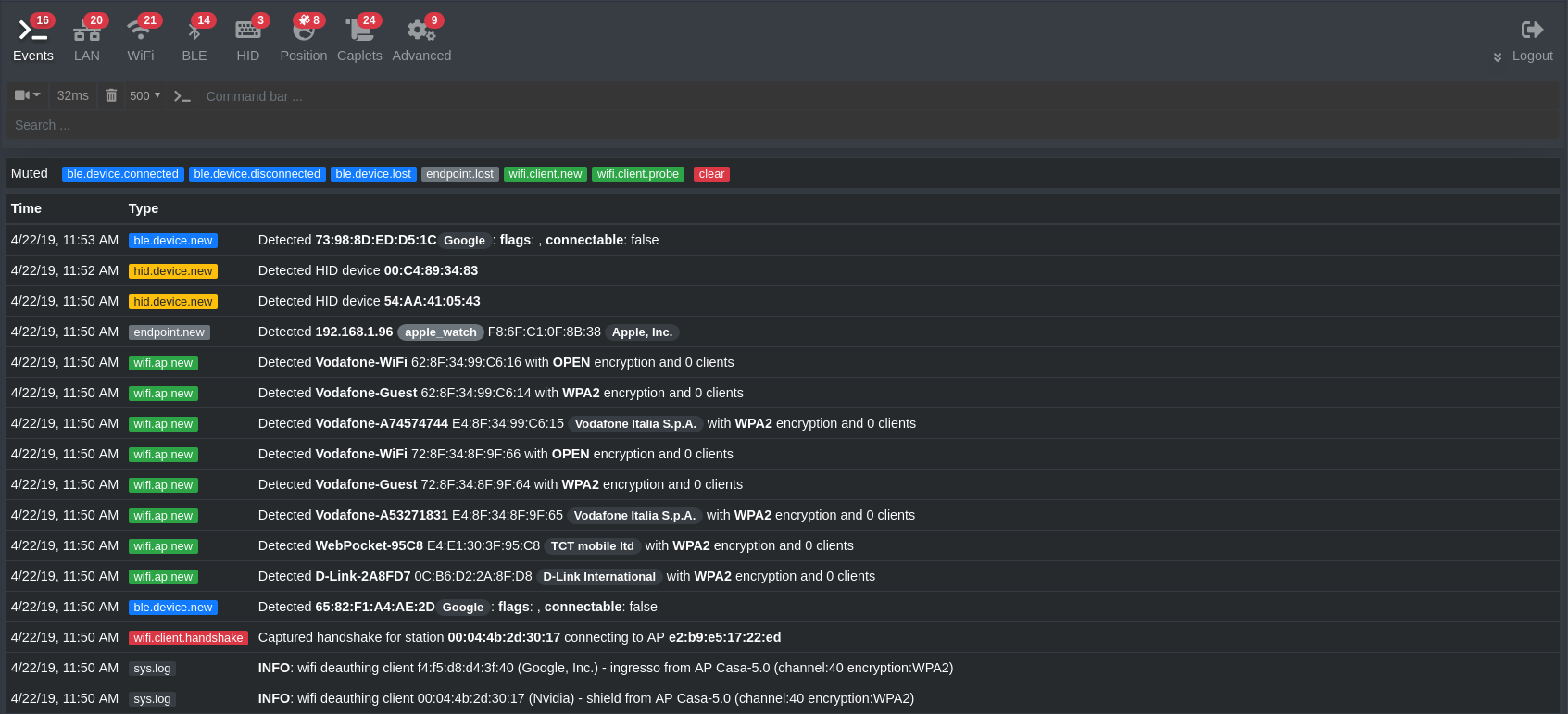
7. Bettercap

Bettercap is a modular network reconnaissance and attack framework for security testing and research. It supports multiple network technologies and allows users to interact with different communication protocols. The tool is implemented in Go and provides modules that enable monitoring, manipulation, and testing of network communications.
Key features of Bettercap:
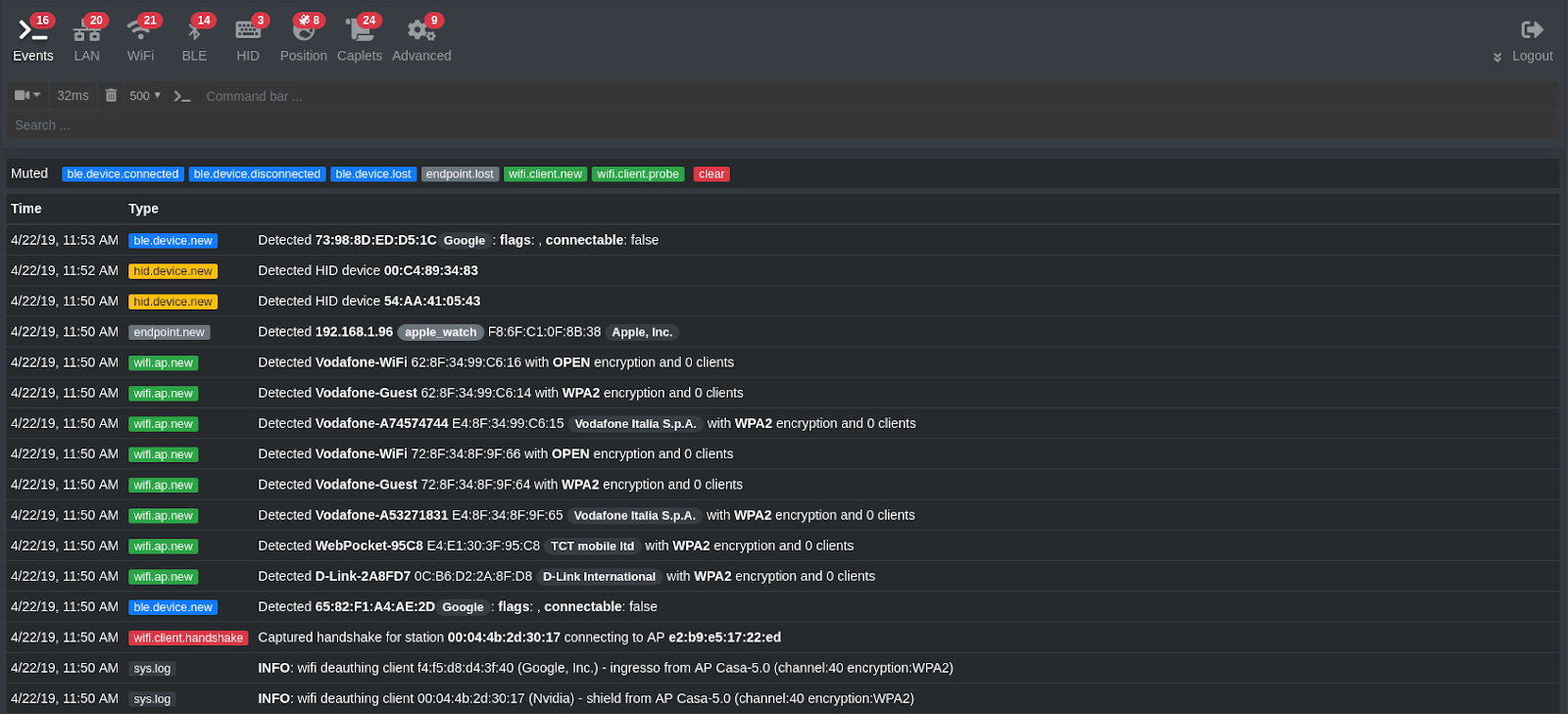
- Multi-protocol reconnaissance: Supports analysis and interaction with Ethernet, Wi-Fi, Bluetooth Low Energy, CAN-bus, and wireless HID communications.
- Modular architecture: Uses modules that allow users to extend capabilities and perform specific network testing tasks.
- Wireless network scanning: Enables discovery and analysis of wireless networks and connected devices.
- Network spoofing techniques: Supports techniques such as ARP, DNS, NDP, and DHCPv6 spoofing for network testing.
- Man-in-the-middle capabilities: Provides tools for intercepting and analyzing network communications during security testing.
Source: Bettercap
8. Lucidchart

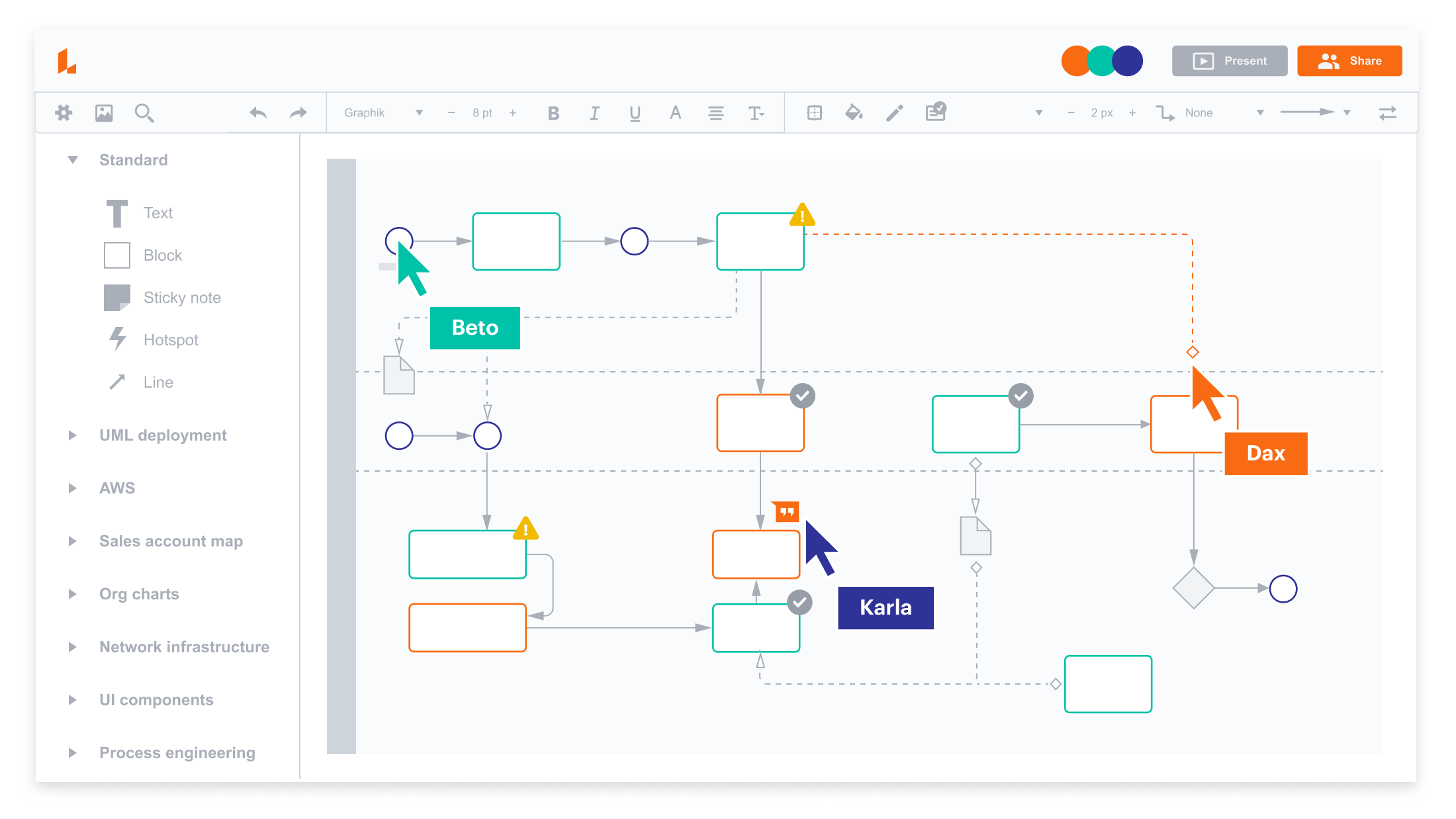
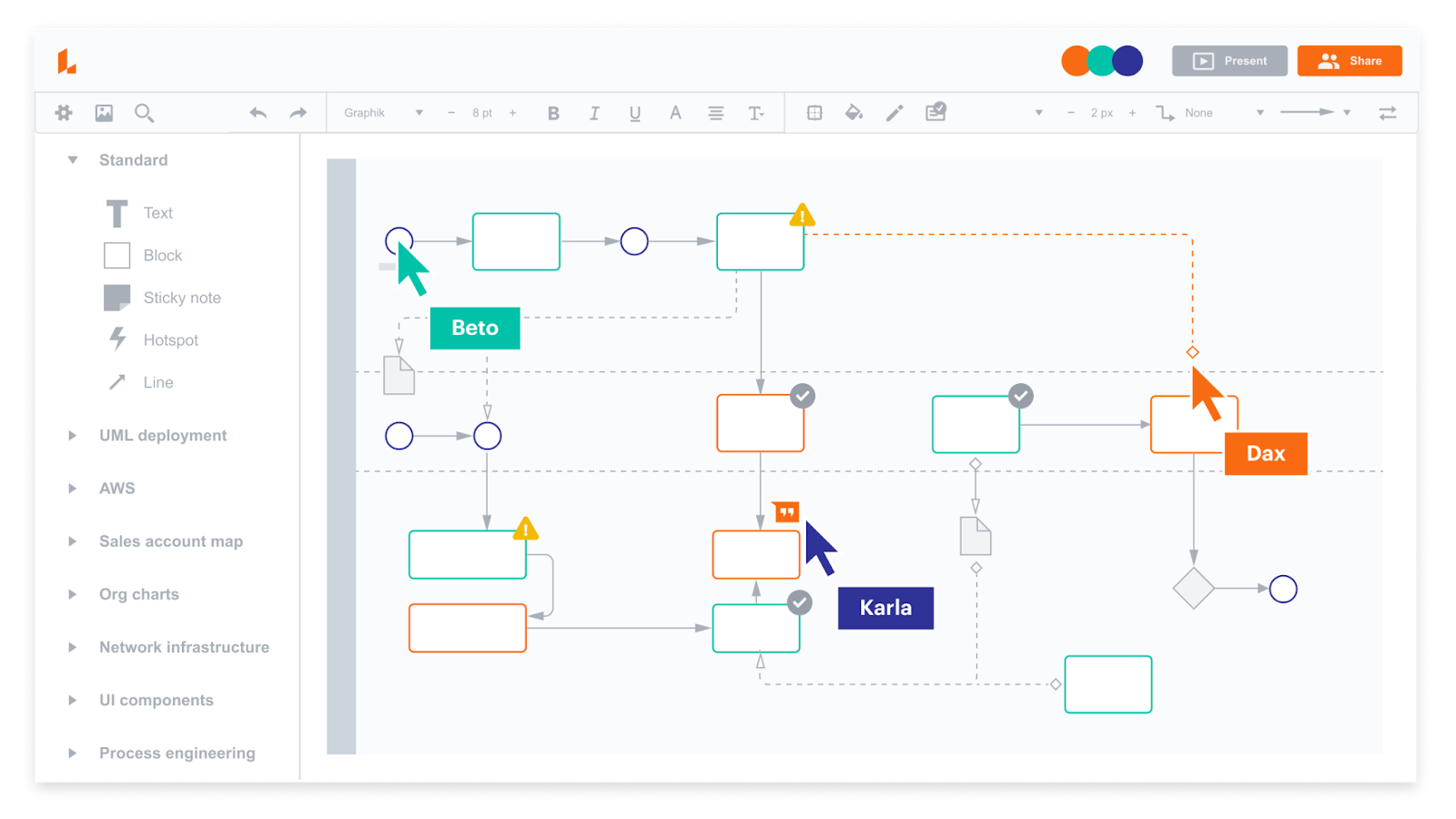
Lucidchart is a cloud-based diagramming platform used to create and share visual representations of systems, workflows, and network infrastructure. It provides a web-based interface with templates, shapes, and collaboration features that allow teams to build diagrams and maintain visual documentation. The platform integrates with a variety of productivity and development tools.
Key features of Lucidchart:
- Web-based diagramming environment: Enables users to create diagrams through a browser without installing local software.
- Template and shape libraries: Provides predefined templates and shape libraries for technical diagrams, including network infrastructure visuals.
- Real-time collaboration: Allows multiple users to edit diagrams simultaneously and communicate through built-in collaboration features.
- Integration support: Connects with platforms such as Jira, Slack, and Confluence for documentation and workflow integration.
- Layered diagram structure: Supports diagram layers and linked elements to organize complex diagrams.
Source: Lucidchart
9. Aircrack-ng

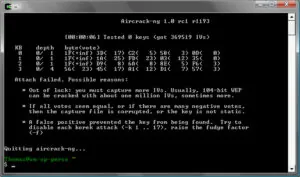
Aircrack-ng is a suite of command-line tools to evaluate the security of Wi-Fi networks. The toolkit focuses on monitoring wireless traffic, testing wireless adapters, performing attacks such as packet injection, and analyzing captured data to assess network security. It operates primarily on Linux but also supports several other operating systems.
Key features of Aircrack-ng:
- Wireless packet monitoring: Captures Wi-Fi traffic and exports captured data for analysis and processing.
- Wireless attack simulation: Supports techniques such as replay attacks, deauthentication attacks, and fake access point creation.
- Security testing tools: Includes utilities for evaluating wireless adapter capabilities such as packet capture and injection.
- WEP and WPA key analysis: Provides tools for analyzing captured traffic to recover WEP or WPA/WPA2 keys.
- Scriptable command-line toolkit: Command-line tools enable scripting and automation for wireless security testing.
Source: Aircrack-ng
10. draw.io

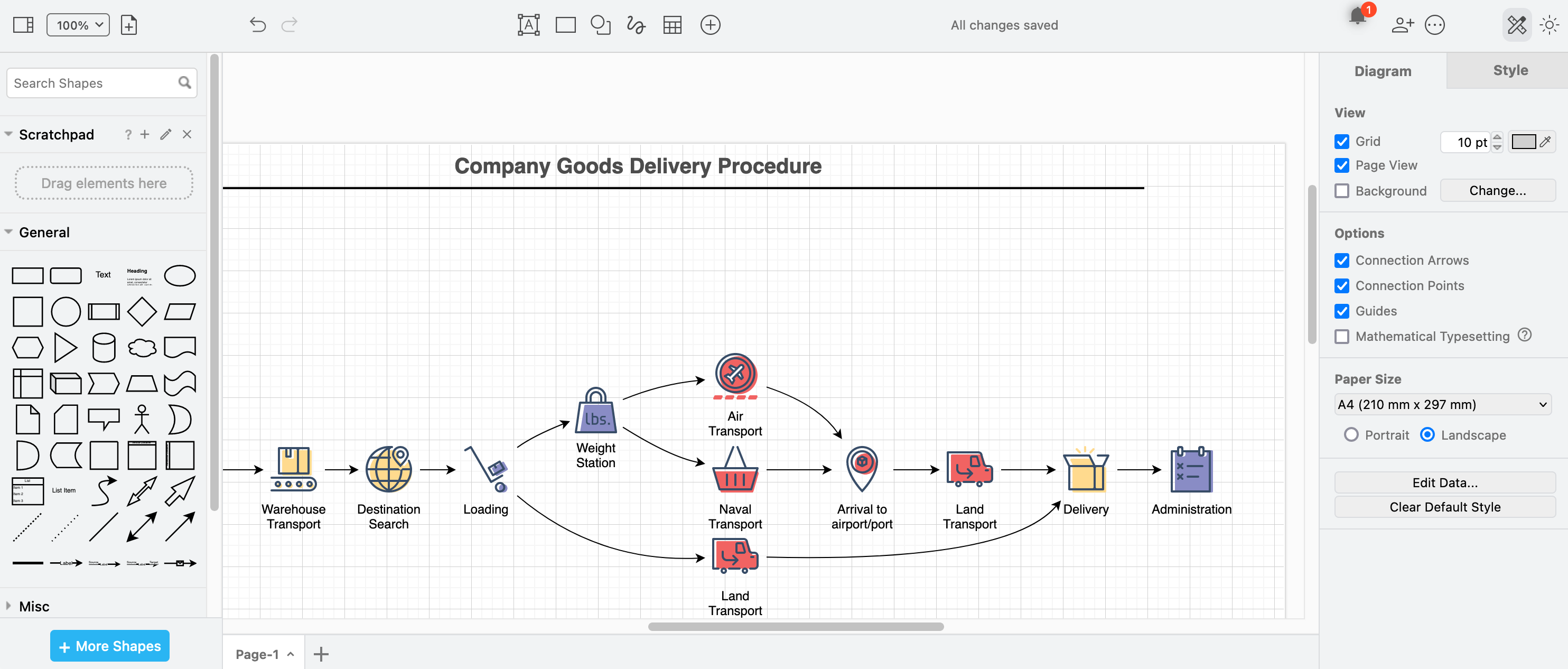
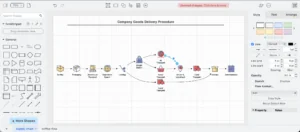
draw.io is a diagramming application used to create network diagrams, infrastructure diagrams, and other visual documentation. It allows users to design diagrams using shape libraries representing network devices and systems. The tool supports both online and desktop usage and integrates with multiple storage and collaboration platforms.
Key features of draw.io:
- Network diagram creation: Provides shape libraries for representing network devices such as routers, switches, firewalls, and servers.
- Template-based diagramming: Includes prebuilt templates for creating infrastructure and cloud architecture diagrams.
- Multiple storage integrations: Works with platforms such as Google Drive, OneDrive, GitHub, and Dropbox for storing diagrams.
- Web and desktop availability: Supports browser-based usage as well as offline editing through a desktop application.
- Collaborative editing: Enables shared editing and collaboration on diagrams through integrated platforms.
Source: draw.io
Considerations for Choosing Free Network Mapping Solutions
When selecting a free network mapping tool, evaluate how well the tool aligns with operational needs and network complexity. Consider the following points:
- Network size and complexity: Ensure the tool can scale to accommodate the network size.
- Mapping depth and automation: Some tools provide only static or manually generated maps, while others offer real-time, automated discovery and updates. Choose based on how frequently the network changes.
- Protocol and device support: Confirm the tool supports the devices and protocols used in the environment (e.g., SNMP, LLDP, CDP, IPv6).
- Visualization features: Look for features like interactive maps, zoom levels, and topology layers that help teams understand and troubleshoot the network.
- Data export and reporting: Check whether the tool allows exporting maps or generating reports for documentation and compliance.
- Integration and extensibility: Some tools support plugins or integrate with monitoring systems (like Zabbix, Nagios, or Prometheus), improving their utility.
- Resource usage: Consider how much CPU, memory, or bandwidth the tool consumes, especially when running on resource-constrained systems.
- User interface and usability: Tools with modern, intuitive interfaces can significantly reduce training time and increase operational efficiency.
- Community and documentation: Active community support and comprehensive documentation can ease setup and troubleshooting for open-source tools.
- Security features: For sensitive environments, ensure the tool supports secure communication, access controls, and audit logging.
Conclusion
Free network mapping platforms provide a valuable starting point for organizations looking to gain visibility into their IT environments without the expense of commercial software. These tools can assist with a range of tasks, from basic topology visualization to advanced traffic analysis and device management. The choice of the right platform depends on the organization’s specific technical needs, scalability requirements, and desired level of automation.
For smaller teams and resource-limited environments, the challenge often lies in finding a solution that is both easy to deploy and comprehensive enough to address real operational needs. This is where a platform like Faddom becomes essential. By offering core features such as discovery and application dependency mapping at no cost for up to 50 servers, it provides IT teams in startups, nonprofits, and educational institutions access to the kind of visibility that is typically available only to large enterprises.
Get your Community License free forever and start mapping up to 50 servers at no cost!