
What Are Application Dependency Mapping Tools?
Application dependency mapping tools automatically discover and visualize the real-time connections between software, servers, and network services, to improve troubleshooting, cloud migration, and security compliance. Top tools include Faddom, Device42, and Virima. These platforms help teams plan cloud migrations, fix network errors, and manage system changes safely. Modern tools typically use agentless discovery to map complex IT environments, reducing risk by revealing hidden interdependencies.
By using dependency mapping, IT teams can improve incident response, minimize downtime, and support efficient cloud migrations.
Core capabilities of ADM tools:
- Automated discovery: Scans IT environments using agent-based or agentless methods to find virtual machines, databases, and microservices.
- Visual topologies: Generates interactive graphs and data flow maps showing how components rely on each other.
- Impact analysis: Predicts what breaks or goes offline before executing a server update, patch, or migration.
Popular software options:
- Faddom: Offers quick, agentless application mapping designed for hybrid and cloud infrastructures.
- Device42: Groups assets automatically based on live communication patterns and traffic.
- Virima: Enhances service maps with visual health indicators and integrates with standard IT service management systems.
Key features and benefits of ADM tools include:
- Visualizing interdependencies: Automatically maps server and application relationships, including complex network, API, and process connections.
- Cloud migration planning: Identifies all components to prevent downtime and reduce risks during data center migrations.
- Root cause analysis: Helps teams quickly identify which component caused a service disruption.
- Compliance monitoring: Ensures compliance with HIPAA, GDPR, and ISO 27001 by documenting data flows.
Editor’s note: Updated the article to reflect features and capabilities of ADM tools as of 2026, and added 3 new tools.
The Importance of Application Dependency Mapping Tools
Application dependency mapping tools aid in maintaining stable, secure, and scalable systems. In modern environments where applications span on-premises and cloud infrastructure, understanding dependencies is critical to avoiding failures and managing change:
- Reduces operational risk: Hidden dependencies often cause unexpected failures during updates or outages. ADM tools expose these links, helping teams avoid breaking critical services.
- Improves incident response time: When an issue occurs, teams can quickly trace upstream and downstream dependencies. This shortens the time needed to identify the root cause and restore services.
- Supports change management: Before making infrastructure or application changes, teams can assess the impact across dependent systems. This reduces the likelihood of unintended disruptions.
- Enables safer cloud migrations: Migration projects often fail due to incomplete visibility. ADM tools ensure all dependencies are identified, preventing partial migrations and downtime.
- Strengthens security posture: By mapping data flows and service interactions, teams can detect unauthorized connections and enforce security policies more effectively.
- Enhances compliance readiness: Many regulations require clear documentation of data movement and system interactions. ADM tools automate this process, making audits faster and more accurate.
- Optimizes resource utilization: Understanding how applications use infrastructure helps eliminate unused or redundant resources, reducing costs and improving efficiency.
- Supports cross-team collaboration: Visual maps provide a shared understanding of system architecture, helping development, operations, and security teams work more effectively together.
Key Features of Application Dependency Mapping Tools
ADM tools typically include the following capabilities.
Automated Discovery of Application Dependencies
ADM tools automatically detect and document relationships between applications, databases, servers, and services. They achieve this through a combination of network traffic analysis, agent-based monitoring, and API integrations. Some tools use machine learning to refine dependency detection, identifying patterns and correlations that may not be obvious.
This automation eliminates the need for manual mapping, which is often time-consuming and prone to human error. It also ensures that dependency maps remain accurate as applications evolve. With automated discovery, IT teams can quickly gain a view of how applications interact, enabling faster troubleshooting.
Real-Time Monitoring and Visualization
Dependency mapping tools continuously track application interactions, updating maps in real time as components change. This live monitoring allows IT teams to detect performance bottlenecks, latency issues, and failures as they happen.
Visualization features, such as topology maps and interactive dashboards, provide a clear representation of dependencies. These visual tools make it easier to spot anomalies, such as unexpected spikes in network traffic or broken service connections. Some tools offer drill-down capabilities, allowing teams to investigate components and trace issues back to their root causes.
Integration with Cloud and On-Premises Environments
Modern IT environments are often hybrid, combining on-premises data centers with cloud-based infrastructure. Dependency mapping tools bridge this gap by integrating with major cloud providers like AWS, Azure, and Google Cloud, as well as traditional on-premises systems. These integrations provide a unified view of dependencies across all environments.
Cloud-native applications, microservices, and containerized workloads are mapped alongside legacy systems, helping organizations manage transitions to the cloud and optimize their hybrid environments. Additionally, some tools support integrations with configuration management databases (CMDBs), IT service management (ITSM) platforms, and DevOps pipelines.
Impact Analysis and Change Management
Changes in an IT environment can have wide-reaching consequences, potentially disrupting critical applications. Dependency mapping tools help mitigate risks by analyzing the impact of changes before they are implemented. These tools track configuration changes, software updates, and infrastructure modifications, providing insights into how they affect performance.
Some tools offer “what-if” analysis, allowing IT teams to simulate changes and assess potential risks. By maintaining a historical record of dependencies and system changes, these tools also aid in troubleshooting. If an issue arises, teams can quickly identify recent changes that might have contributed to the problem, speeding up root cause analysis and resolution.
Security and Compliance Monitoring
Dependency mapping tools provide visibility into all application connections, helping security teams detect unauthorized access, misconfigurations, and anomalous behavior. By continuously monitoring dependencies, these tools can flag risky connections or outdated components that might expose an organization to cyber threats. Some tools integrate with security information and event management (SIEM) systems to correlate dependency data with security logs.
Compliance monitoring is another key feature. Many regulations, such as GDPR, HIPAA, and PCI-DSS, require organizations to document and secure their application dependencies. Dependency mapping tools help maintain compliance by providing audit trails, enforcing security policies, and ensuring that sensitive data flows are properly controlled.
Notable Application Dependency Mapping Tools
Enterprise-Grade ADM and IT Operations Platforms
1. Faddom

Faddom is a lightweight application dependency mapping solution that provides real-time visibility across hybrid IT environments through fully automated, agentless discovery. It passively maps dependencies without requiring credentials or impacting performance. Designed to simplify complex environments, Faddom helps IT teams improve documentation, enhance security, and accelerate cloud and infrastructure projects.
Key features include:
- Agentless passive discovery: Deploys in under 60 minutes without requiring agents or credentials. Monitors north-south and east-west traffic across on-premises and cloud environments using a passive method that does not impact performance.
- Real-time visualization: Interactive, always-updated maps show application connections, ports, protocols, and traffic paths across cloud and on-premises environments.
- Change management and impact analysis: Logs infrastructure and application changes over time to support root cause analysis, governance, and compliance audits.
- Use case versatility: Supports a wide range of IT needs including cloud migration
- Network Security visibility: Identifies shadow IT, unauthorized connections, and unencrypted traffic to reduce risk and enforce segmentation policies.
- Easy integration: Connects with tools like ServiceNow and Splunk to enrich ITSM and SIEM workflows.

Source: Faddom
2. Dynatrace

Dynatrace is an AI-powered observability and application dependency mapping platform that provides across IT environments. Its Smartscape technology auto-discovers all components and dependencies of an entire technology stack within minutes, detecting billions of causal dependencies between websites, applications, services, processes, hosts, networks, and infrastructure.
Key features include:
- AI-powered auto-discovery: Deploys in under five minutes with a single agent and no manual configuration, automatically detecting the full technology stack across cloud and on-premises environments.
- Smartscape real-time topology mapping: Continuously and automatically maps data into a dependency map showing relationships and dependencies for all entities, both vertically up and down the stack and horizontally between services, processes, and hosts.
- Automated root cause analysis: Dynatrace Intelligence provides precise answers to the root cause of an incident by leveraging its full understanding of all relationships and dependencies in the environment, and can automate remediation through integrations with CMDB and continuous delivery tools.
- Change impact analysis: Visualizes how updates to one service may ripple across dependent services, helping teams analyze blast radius before and after changes are made.
- Broad technology coverage: Supports a range of technologies including AWS, Azure, Google Cloud, Docker, Kubernetes, Java, .NET, Node.js, and IBM z/OS, among many others, providing a unified view across hybrid environments.
- Cross-team collaboration: Enables teams to share filtered views of the dependency graph, helping different groups understand how their services interact and fostering better communication across the organization.

Source: Dynatrace
3. ServiceNow

ServiceNow IT Operations Management (ITOM) is an AIOps-driven platform that provides visibility and automation across IT environments. It federates signals from systems, services, and applications to support service mapping, and integrates natively with ServiceNow’s IT Service Management (ITSM) suite to connect operational data with broader IT workflows.
Key features include:
- Dynamic service mapping: Automatically builds and maintains service maps using the CSDM framework, providing business context across hybrid and cloud environments through a unified service graph.
- Event intelligence and noise reduction: Collects, aggregates, and correlates signals across the IT landscape, detecting anomalies and filtering alert noise to surface only the issues that matter.
- Change impact analysis: Augments service health data with system change information, giving teams an elevated view of how infrastructure modifications may affect dependent services.
- Agentic AI remediation: Automates workflows and applies policy-driven responses to repetitive incidents, reducing manual effort and accelerating recovery without requiring human handoffs at each step.
- Native ITSM integration: Connects IT operations data directly with ITSM processes, collapsing multi-step approval and resolution workflows into streamlined, automated actions.
- Third-party integrations: Supports a broad ecosystem of integrations, allowing organizations to bring existing software investments onto the ServiceNow platform and connect people, processes, applications, and data.

Source: ServiceNow
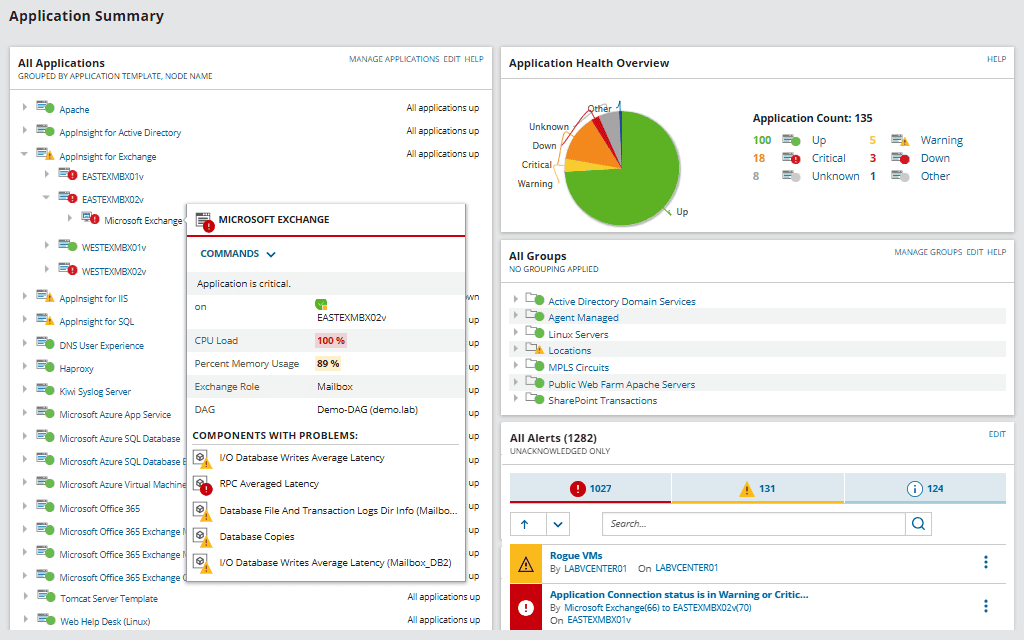
4. SolarWinds Server & Application Monitor

SolarWinds Server & Application Monitor (SAM) is an on-premises application monitoring solution that provides visibility into server and application performance across hybrid IT environments. It comes with over 1,200 out-of-the-box monitoring templates and more than 1,000 community-contributed templates, enabling tailored monitoring across a range of IT workloads.
Key features include:
- Application dependency polling: Maps interactions between applications and their server-based components, with a secondary Connection Quality polling method that tracks TCP data between nodes and differentiates between latency and packet loss.
- Automated dependency discovery and visualization: Auto-generates contextual maps of software and hardware components, displaying their relationships and updating automatically as changes occur.
- AppStack dashboard: Provides a contextual view of how applications are linked to servers, virtual machines, and storage systems within the broader IT infrastructure.
- Custom application monitoring: Supports custom monitoring builds using REST API, WMI, SNMP, and PowerShell scripts, in addition to the included templates.
- Cloud and hybrid environment support: Extends monitoring to IaaS environments such as AWS and Azure, PaaS services for Microsoft Azure, and SaaS services for Office 365.
- Cross-stack data correlation: Allows network performance metrics to be overlaid on a common timeline for visual correlation across the IT stack to accelerate root cause identification.

Source: SolarWinds
5. BMC Helix Discovery

BMC Helix Discovery is a cloud-native discovery and dependency mapping solution that provides visibility and control over IT assets across both cloud and on-premises environments. Each scan covers software, hardware, network, storage, hyperconverged infrastructure, and cloud services, giving organizations the context needed to build an application map from any available piece of information.
Key features include:
- Agentless continuous discovery: Operates as a SaaS-based application with all credentials and firewall rules remaining local to the customer, enabling rapid onboarding with minimal configuration overhead.
- Blueprint-automated service modeling: Allows IT teams to initiate dependency mapping from any point within an application’s architecture, useful for capturing dependencies across multi-environment deployments.
- Dynamic service modeling: Generates detailed datasets and topologies that enable IT teams to leverage AIOps and machine learning for anomaly detection, root cause analysis, cost optimization, and service management.
- CMDB synchronization: Automatically updates the CMDB with the latest asset and configuration data, reducing manual effort and errors in maintaining accurate records.
- Data provenance: Records the origin of discovered data, including the specific command executed, its output, and the time of execution, allowing IT teams to verify data accuracy directly within the interface.

Source: BMC
Monitoring, Discovery and Mid-Market ADM Tools
6. Lansweeper

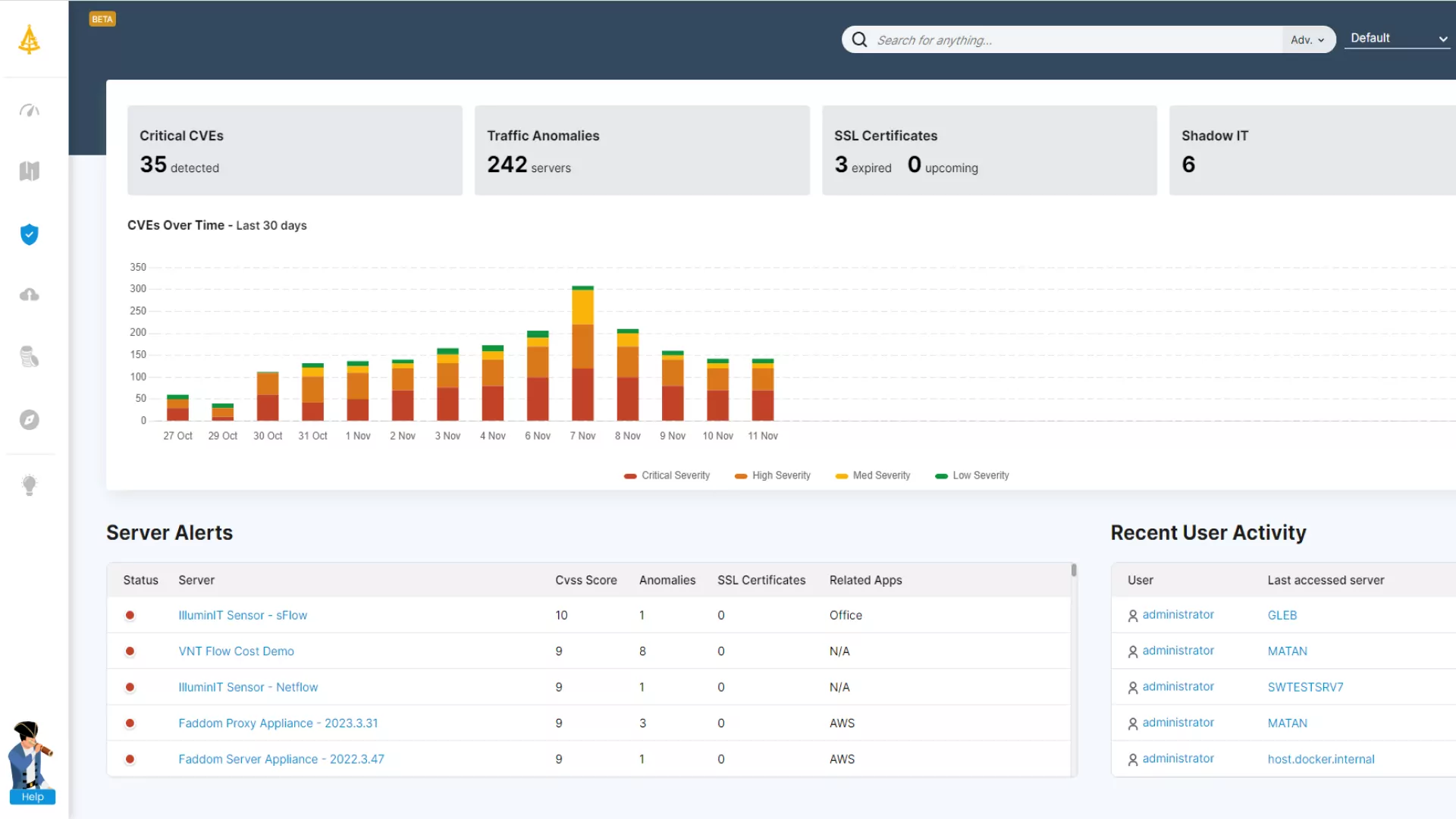
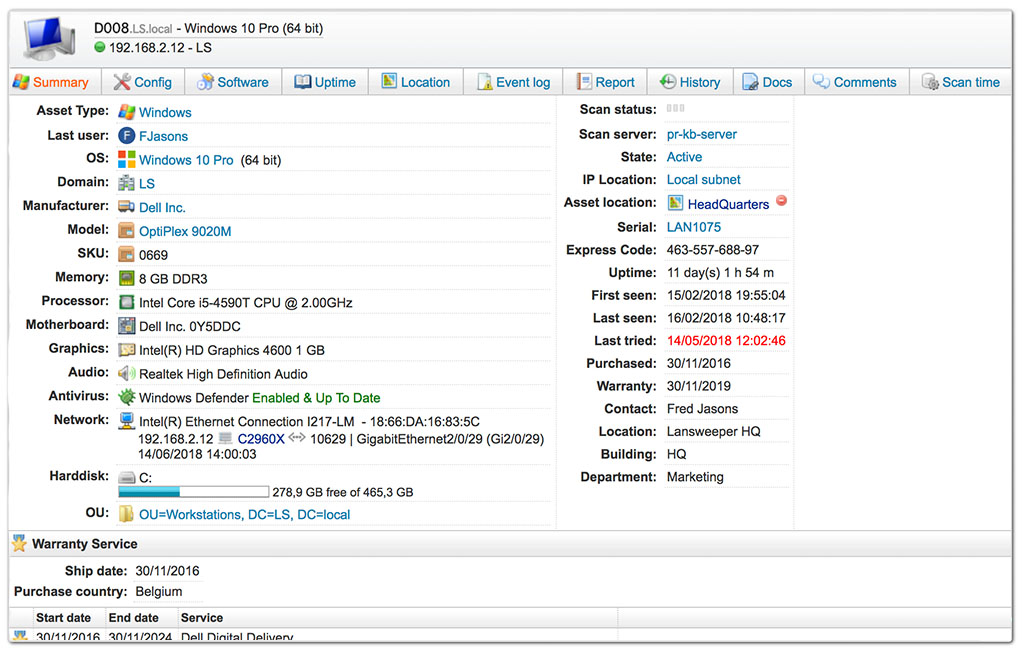
Lansweeper is an IT asset intelligence platform that provides discovery and inventory across IT, OT, and IoT environments. It automates the discovery and documentation of network devices, including computers, servers, routers, and peripheral devices, reducing manual tracking and providing insights into network status and performance.
Key features include:
- Automated asset discovery: Discovers all IT, IoT, OT, and public cloud assets within a network without requiring manual input, keeping inventory current across diverse environments.
- Network topology diagrams: Automatically generates visual dependency maps of network topologies and virtual environments, showing how assets are connected and interact with one another.
- Orphan and isolated asset detection: Surfaces unconnected or misconfigured assets in the network, allowing teams to create correct asset relationships and ensure no device is left undocumented.
- Passive dependency mapping via Redjack: Analyzes network communication flows to reveal application interdependencies, shadow IT, and potential single points of failure without deploying agents or disrupting operations.
- Diagram export and reporting: Allows dependency maps to be exported for use in audits, compliance reports, change management documentation, and stakeholder presentations.



Source: Lansweeper
7. ManageEngine Applications Manager

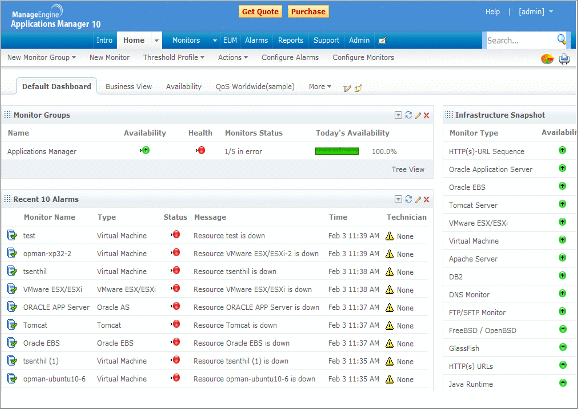
ManageEngine Applications Manager is a full-stack application performance monitoring and observability platform that supports over 150 technologies across cloud, on-premises, and hybrid environments. It covers a range of monitoring needs, from application performance and database health to containers, servers, and real user experience, within a single platform.
Key features include:
- Automated discovery and dependency mapping: Automatically discovers infrastructure components as they are added to the environment, maps application tiers, and updates live dependencies as the environment changes to support root cause analysis across services.
- Application performance monitoring (APM): Provides code-level insights and distributed transaction tracing for Java, .NET, Node.js, Python, PHP, and Ruby applications across development, QA, and production environments.
- Database monitoring: Supports agentless monitoring for a wide range of database types including relational, NoSQL, in-memory, and big data stores, with the ability to drill down to individual SQL statements and slow queries.
- Multi-cloud and container monitoring: Covers workloads on AWS, Azure, GCP, Oracle Cloud, and OpenStack, as well as Docker, Kubernetes, and Red Hat OpenShift container environments.
- Smart alerts and anomaly detection: Combines static and dynamic thresholds with machine learning-powered trend forecasting, supporting self-healing actions and alerting via email, SMS, and Slack.
- Log monitoring: Aggregates logs from across the application stack in one place, enabling real-time search, error identification, and correlation with performance metrics.

Source: ManageEngine
8. Device42

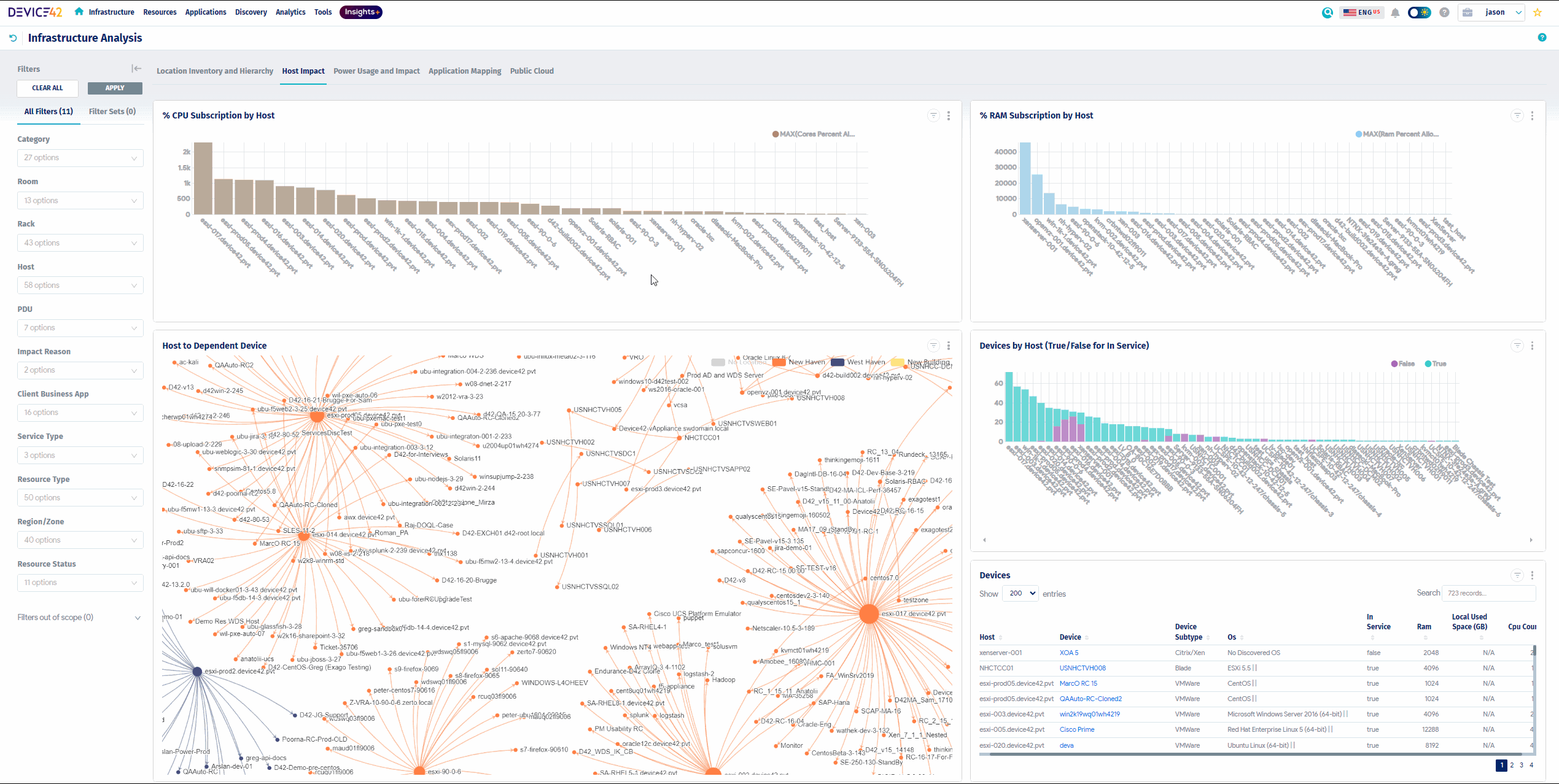
Device42 provides application dependency mapping as part of a broader discovery and asset management platform for hybrid IT environments. It focuses on automatically identifying infrastructure components and their relationships across data centers and cloud platforms. By combining dependency mapping with asset inventory and CMDB capabilities, it helps teams understand resource usage, plan capacity, and maintain system documentation.
Key features include:
- Automated hybrid discovery: Identifies infrastructure components across on-premises and cloud environments, building an up-to-date inventory of assets and their relationships.
- Dependency mapping visualization: Displays relationships between applications, services, and infrastructure to help teams understand how systems interact.
- CMDB integration: Maintains continuously updated configuration item data, improving visibility and supporting IT service management processes.
- Resource utilization insights: Highlights over-provisioned and underutilized resources, helping optimize capacity planning and cost management.
- Infrastructure data coverage: Includes discovery of compute, storage, and network resources to provide a complete view of the IT environment.

Source: Device42
9. Virima

Virima’s ViVID™ Service Mapping uses discovery data and machine learning to build dynamic maps of service dependencies. It focuses on combining dependency visualization with operational context, such as incidents, changes, and vulnerabilities. This approach helps teams understand how components are connected, and also how changes and risks affect services.
Key features include:
- Dynamic AI/ML relationships: Uses machine learning to identify and maintain accurate dependency relationships as environments change.
- Service maps with operational overlays: Combines dependency maps with ITSM data, including incidents, changes, and alerts, to provide context for troubleshooting.
- Change impact analysis: Shows how planned or recent changes affect services and identifies potential risks before implementation.
- Root cause analysis: Correlates dependency data with operational events to help teams quickly identify the source of issues.
- Vulnerability visibility: Integrates vulnerability data into service maps, allowing teams to prioritize remediation based on business impact.

Source: Virima

10. Datadog

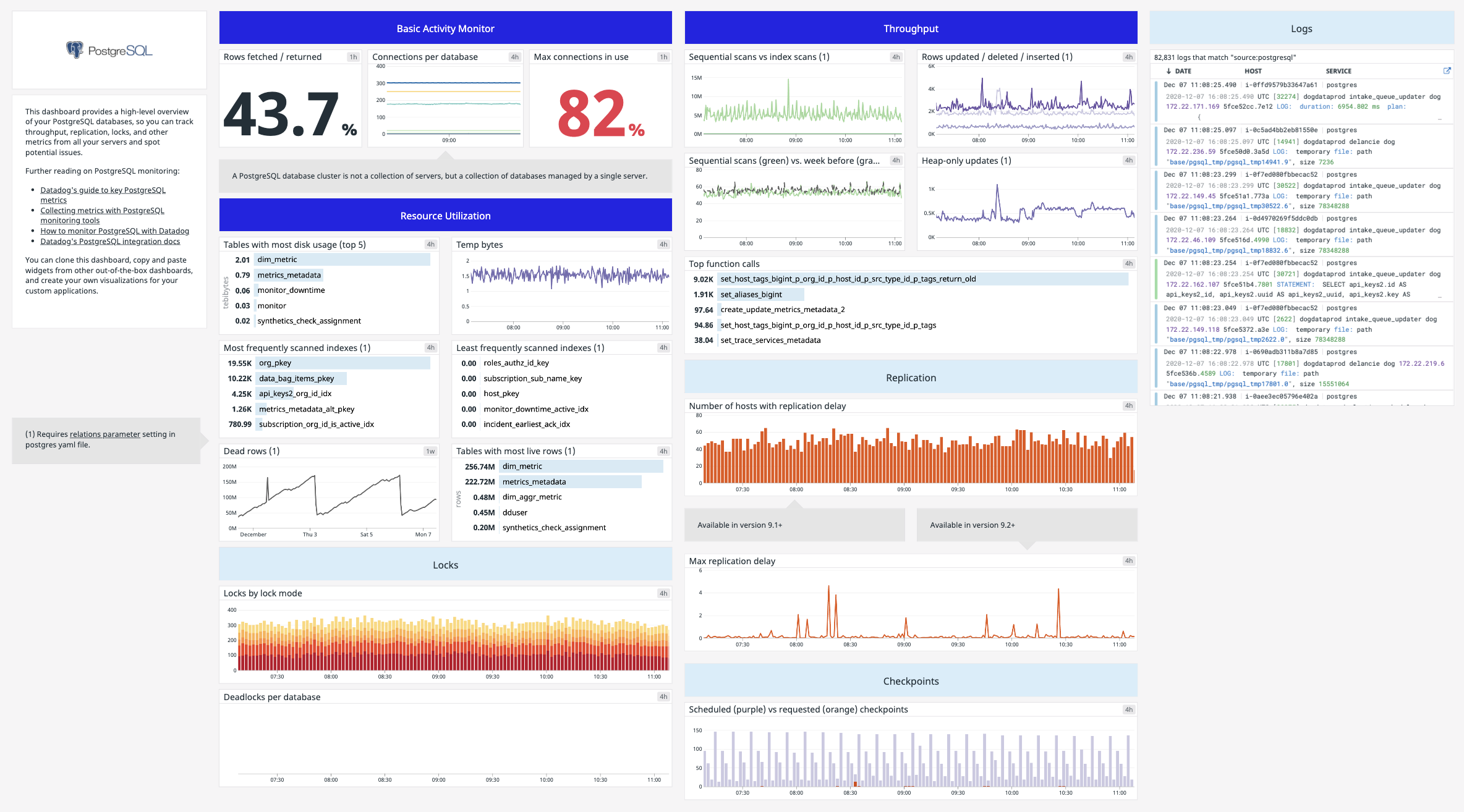
Datadog provides dependency mapping through its Software Catalog, which tracks relationships between services using telemetry data from monitoring tools. It supports both automatic discovery and manual definition of dependencies, allowing teams to build a more complete representation of their system architecture.
Key features include:
- Automatic dependency discovery: Uses telemetry from APM, real user monitoring, and service monitoring to detect relationships between services in real time.
- Telemetry-driven insights: Continuously updates dependency maps based on live performance and usage data.
- Manual dependency definition: Allows teams to define relationships that automated systems may miss, improving accuracy.
- Service catalog integration: Centralizes dependency data within a catalog that documents services, ownership, and system structure.
- Collaboration and context support: Makes dependencies explicit, helping teams share knowledge, onboard new members, and coordinate during incident response.

Source: Datadog
How to Choose Application Dependency Mapping Tools
Here are some of the steps that organizations should take when evaluating ADM tools.
1. Define Your Use Case
Before selecting an application dependency mapping tool, identify the challenges and goals the organization aims to address. Some organizations need a tool primarily for real-time troubleshooting and performance optimization, while others focus on security compliance, cloud migration, or IT asset management.
For example, if the priority is security, use a tool that integrates with SIEM solutions and provides risk assessments. If undergoing a cloud migration, look for tools that offer hybrid environment mapping and support for multi-cloud platforms. Additionally, consider the need for agent-based or agentless discovery, as agent-based solutions provide deeper insights but may require more configuration.
2. Evaluate Performance and Scalability
A dependency mapping tool should efficiently handle growing workloads without compromising performance. Key factors to evaluate include the tool’s ability to monitor thousands of dependencies in real time, its data processing efficiency, and whether it can support cloud-native architectures like microservices and Kubernetes.
Some tools use AI-driven anomaly detection and distributed monitoring to minimize overhead while providing deep insights. Also, consider whether the tool can handle dynamic environments where applications and services frequently change. A scalable solution ensures that the tool remains effective as the infrastructure expands.
3. Assess Deployment & Integration Complexity
The ease of deployment and integration with existing IT systems can significantly impact adoption and efficiency. Some tools require extensive manual configuration, while others offer automated discovery with minimal setup. Consider whether the tool supports agentless deployment for easier onboarding or requires installing agents on each monitored component.
Integration helps ensure the tool can connect with cloud providers (AWS, Azure, Google Cloud), on-premises environments, databases, ITSM platforms, and DevOps pipelines. API availability is also important for automation and custom integrations. A well-integrated tool reduces operational overhead and ensures that dependency data is shared across IT operations.
4. Analyze Cost and Licensing
Application dependency mapping tools come with different pricing models, including per-host, per-application, or usage-based licensing. Some tools offer free or open-source versions with limited functionality, while enterprise-grade solutions may have higher costs based on data ingestion, number of monitored components, or additional features like AI-driven analytics.
It’s important to consider the total cost of ownership (TCO), which includes not just licensing fees but also costs associated with deployment, maintenance, training, and potential third-party integrations. If the organization has a fast-growing infrastructure, ensure that the pricing model remains cost-effective when scaled up.
5. Vendor Support and Community
Check whether the vendor offers 24/7 customer support, dedicated account managers, or technical consulting services. Access to training materials, documentation, and professional certifications can also improve the effectiveness of the tool within the organization.
A strong user community can be a valuable resource for best practices, troubleshooting advice, and custom integrations. Look for tools with active forums, knowledge bases, and user groups where IT professionals share insights and solutions. Community-driven tools often receive frequent updates and improvements, making them more adaptable to evolving IT needs.
Conclusion
Application dependency mapping tools provide critical visibility into modern IT environments, helping organizations manage performance, troubleshoot issues, and enhance security. By automating dependency discovery, offering real-time monitoring, and integrating with both cloud and on-premises systems, these tools simplify IT operations and reduce downtime. With the right ADM solution, IT teams can gain deeper insights, improve operational efficiency, and support strategic initiatives such as cloud migration and security compliance.