
What Is IT Glue?
IT Glue is a cloud-based IT documentation platform for managed service providers (MSPs) and IT departments. Its primary function is to centralize and standardize information about networks, assets, passwords, processes, and more.
By consolidating documentation in a single location, IT Glue enhances team efficiency, reduces onboarding time for new staff, and lowers the risk of information loss. Its approach is structured and templatized, allowing organizations to maintain consistency in knowledge management.
This documentation solution offers features such as relationship mapping between assets, search capabilities, and granular access controls. Security is a core pillar, with strict user permissions and audit logs to track data usage and changes. IT Glue integrates with RMM, PSA, and other IT management tools to simplify workflows.
The Basic plan starts at $29/user and includes core functionality such as unlimited documentation, organizations, and Lite User access. It supports a single integration and includes one-way PSA/CRM and RMM syncs. Security features like IP access control, SSO/SAML, password management, and audit logs are also included, along with access to the Vault, workflows, and checklist features.
Select
The Select tier, priced at $38/user, builds on Basic by offering two integrations and enabling two-way PSA/CRM sync. It includes access to Kaseya University, a training resource for users, while maintaining all core security and automation capabilities found in the Basic tier.
Enterprise
This plan, at $44/user, supports unlimited integrations and adds functionality like IT Glue API Access, Runbooks, Cooper Copilot AI, Microsoft Cloud Editor, and Custom SSL branding. This tier is built for teams that need deeper automation, branding options, and integration flexibility. It also supports advanced identity provisioning and AI-assisted SOP generation.
For organizations with fewer than five users, 1–4 user pricing is available at a higher rate, ranging from $49 to $102 per user, depending on selected features.
Each tier scales functionality to support growing documentation complexity, integration needs, and automation capabilities.
This is part of an extensive series of guides about data security.
Key IT Glue Limitations
While IT Glue is a tool for documentation and workflow integration, it has several limitations that can affect user experience and operational efficiency. These limitations were reported by users on the G2 platform:
- Initial setup complexity: The setup process requires significant time and attention to properly configure permissions, integrations, and documentation structure.
- Performance and speed issues: Users report that IT Glue can be slow, especially when loading large client datasets or searching across multiple records. The system may also become sluggish or even go offline during peak usage.
- Permissions model complexity: Fine-tuning access controls for different user roles can be difficult. The granularity available is useful, but managing it at scale requires careful planning and ongoing oversight.
- Limited search functionality: The search engine is dependent on how well documentation is tagged and structured. Without consistent naming conventions and categorization, finding specific information can take longer than expected.
- Mobile app limitations: The mobile version of IT Glue lacks the functionality and responsiveness of the desktop platform. Key features are missing, and performance is subpar.
- Organizational constraints for multi-site clients: Managing clients with multiple locations is cumbersome. The current folder-based structure doesn’t allow for deeper hierarchical organization by site or department.
- Basic features missing out of the box: Some functions expected in a documentation platform are not available by default. Users have noted that features feel incomplete or added later.
- Integration gaps with Kaseya tools: While IT Glue supports integration with other Kaseya products, the implementation feels inconsistent. Users report that integrations work, but not as seamlessly as expected.
- High cost for small teams: Pricing can be a barrier for smaller MSPs. The per-user cost is relatively high, particularly for teams with fewer than five users.
- Distracting promotional content: Some users feel that the interface includes too much advertising or promotion of IT Glue events and partner products.
Notable IT Glue Alternatives
1. Faddom

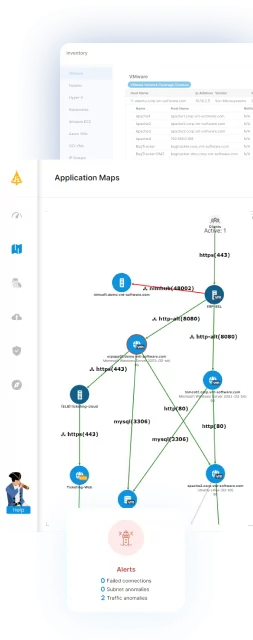
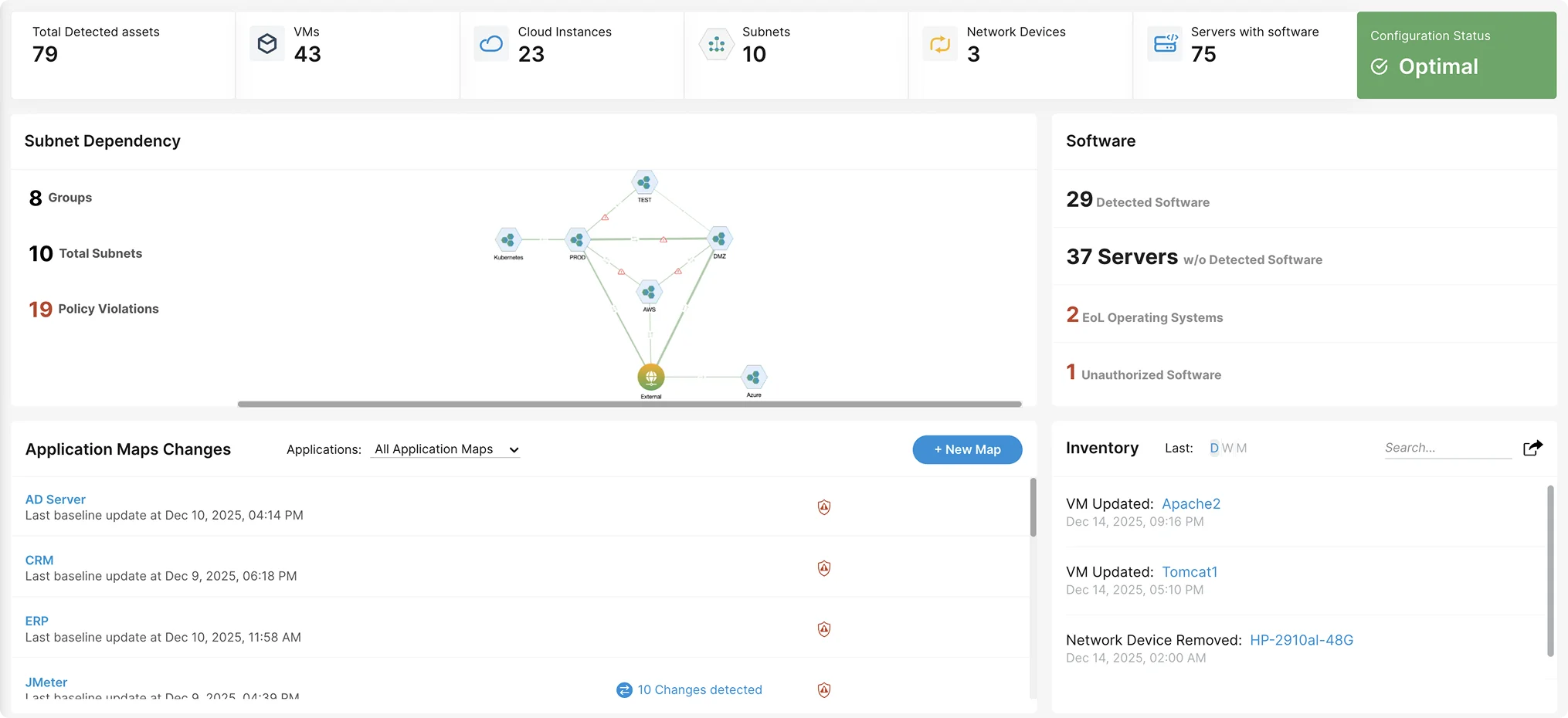
Faddom is an agentless, real-time application dependency mapping platform designed to provide IT teams with complete visibility into their infrastructure. With a fast deployment time of under 60 minutes, it offers seamless scalability for both on-premise and cloud environments. Its passive, non-intrusive approach ensures minimal network impact, making it an ideal solution for complex IT ecosystems.
Key features of Faddom:
- Agentless application mapping: Automatically detects and visualizes dependencies without requiring agents.
- Scalability: Adapts to organizations of any size, from small IT teams to large enterprises.
- Security-focused design: Operates without active network scanning, reducing security risks.
- Hybrid environment support: Maps dependencies across on-premise, cloud, and hybrid infrastructures.
- Change Impact Analysis: Helps IT teams assess the risks associated with infrastructure modifications before implementation.
Want to see it in action? Schedule a call with our experts!
2. Hudu
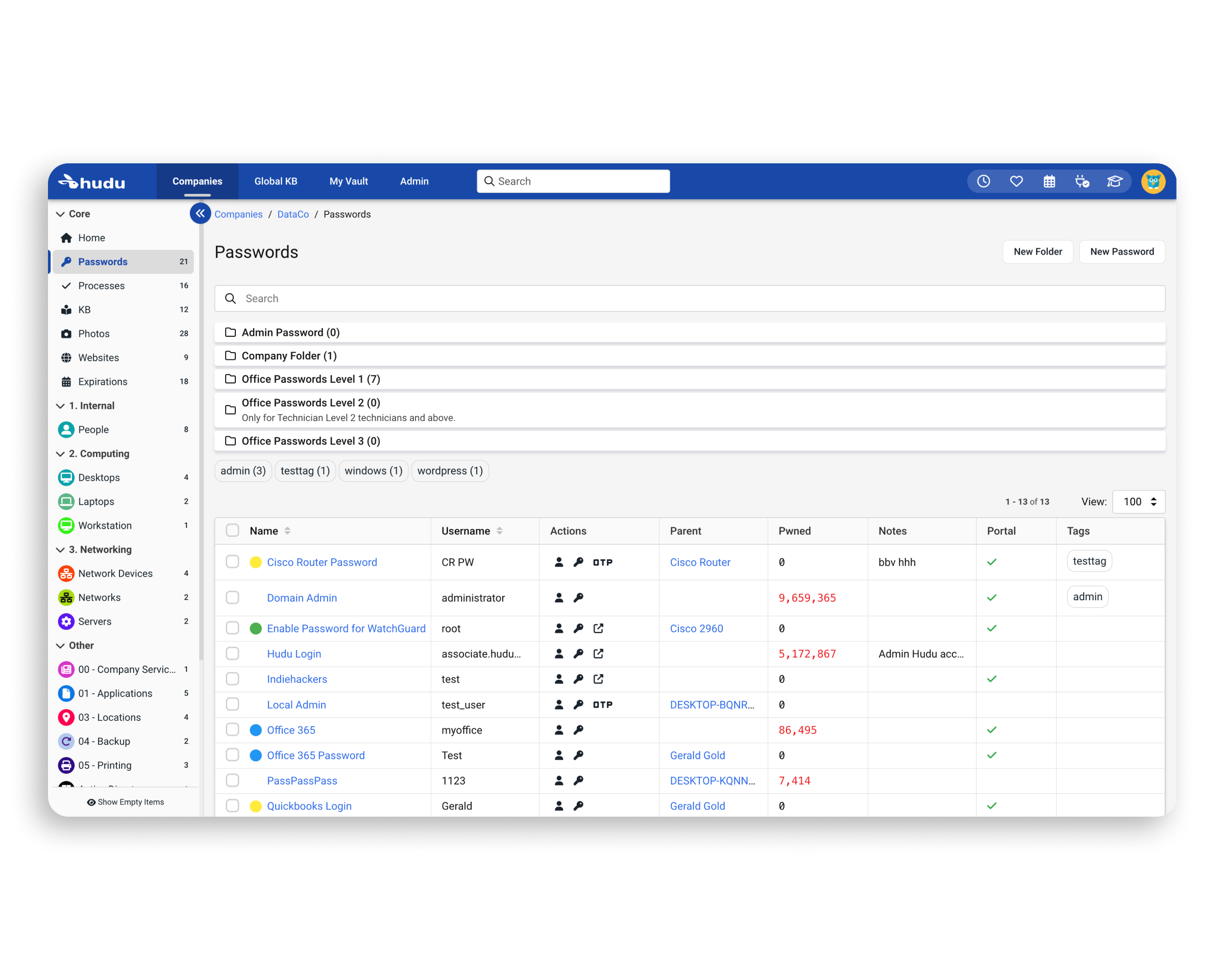
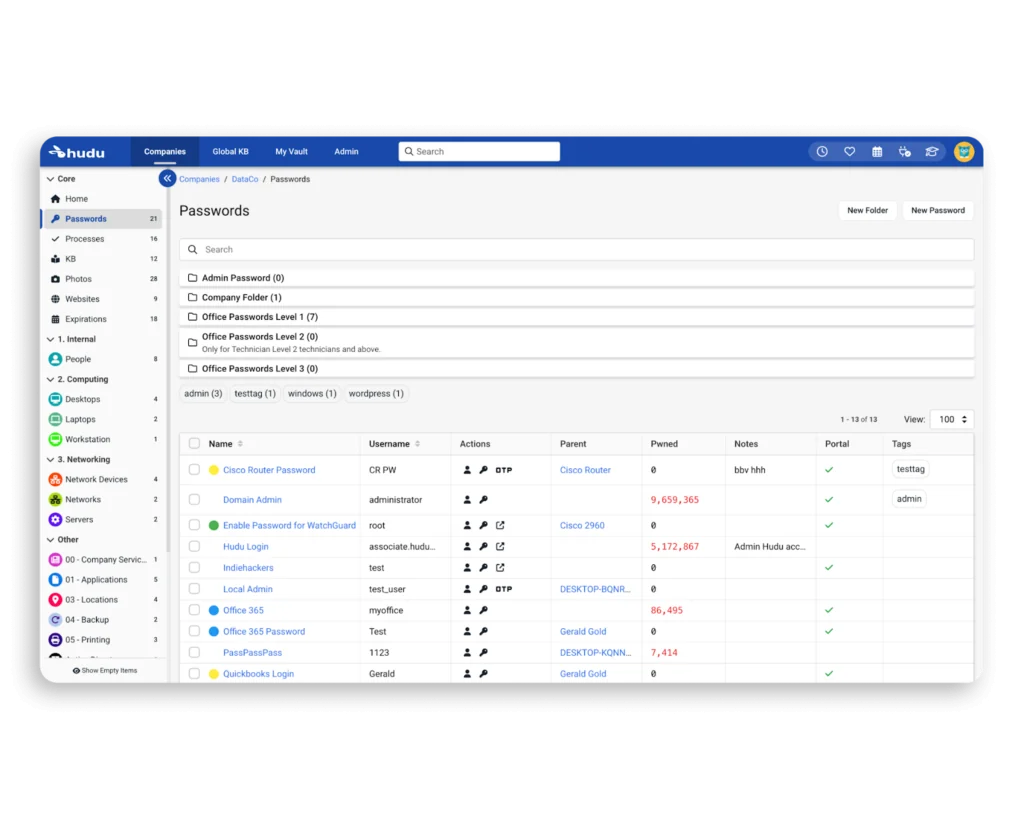
Hudu is a documentation platform built for IT teams and managed service providers. It helps organizations maintain structured, customizable documentation that can adapt as needs evolve. It supports the creation of standardized documentation across multiple environments, enabling teams to manage information.
Key features include:
- Customizable documentation assets: Structured templates that can be tailored to different teams and environments
- SOP management: Tools to document, track, and prioritize standard operating procedures
- Multi-company support: Manage multiple clients or internal departments from one platform
- Knowledge bases: Separate repositories for client-specific and global documentation
- Password management: Centralized vault for securely storing and sharing passwords
Source: Hudu
3. NinjaOne Documentation

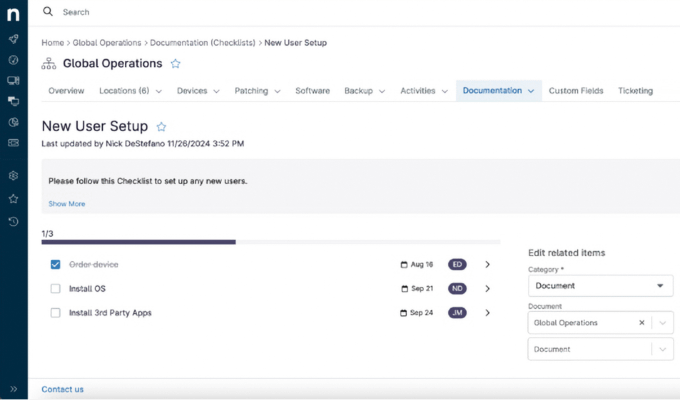
NinjaOne Documentation is a centralized knowledge management solution built into the NinjaOne platform, designed to simplify IT operations through structured, accessible documentation. It enables IT teams to store technical information such as asset details, credentials, workflows, and procedures in one place.
Key features include:
- Unified platform: Combines endpoint management, ticketing, and documentation in one interface
- Custom templates: Build and customize templates for documenting assets, workflows, and accounts
- Progress tracking dashboard: Monitor documentation completeness with visual indicators and mandatory status flags
- Enterprise-grade security: Encryption, MFA, and role-based access controls protect sensitive data
- Relationship mapping: Link related documents and assets like devices, passwords, and users for context
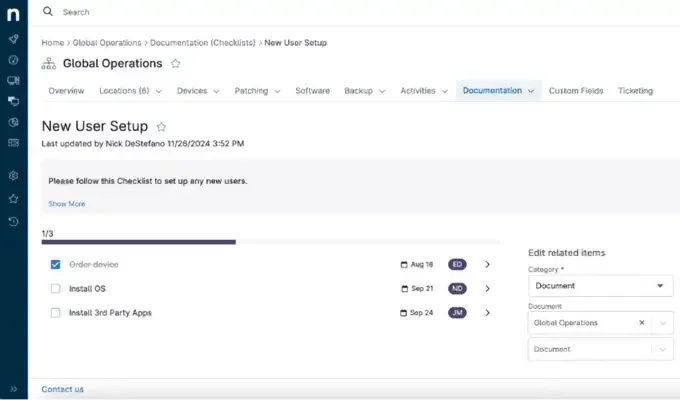
Source: NinjaOne
4. Atera IT Documentation

Atera IT Documentation is part of Atera’s IT management platform, offering tools to document systems, processes, credentials, and user details in a centralized environment. Designed for internal IT teams and MSPs, it simplifies collaboration, supports automation, and gives customers access to resources through a branded portal.
Key features include:
- Automated onboarding and offboarding: Set up and reset user devices based on predefined rules to simplify transitions
- Password management: Securely manage credentials across environments with strong encryption and easy recovery tools
- Customizable customer portal: Offer end-users a branded interface to submit tickets, track progress, and access documentation
- Knowledge base integration: Share guides, FAQs, and best practices directly from the portal for a self-serve experience
- Linked asset views: View devices by user or users by device, with cross-linked navigation for context switching
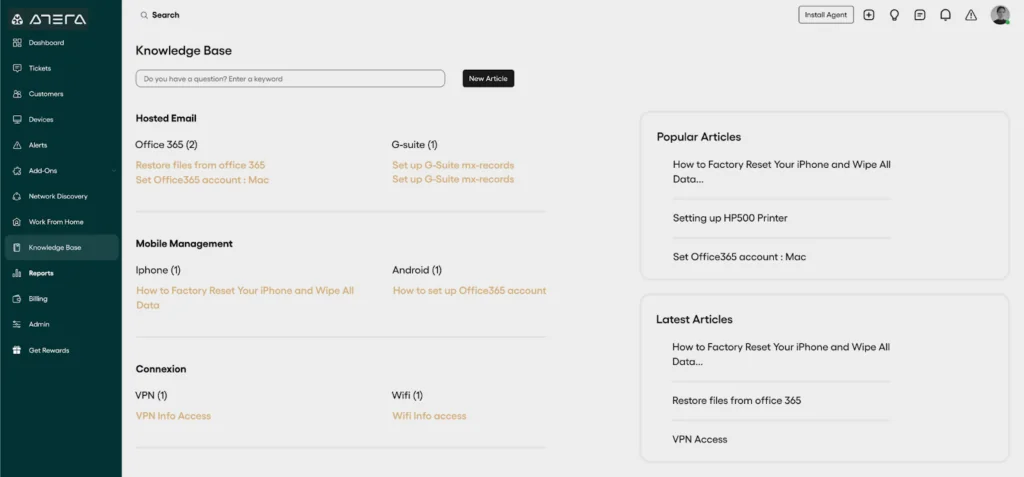
Source: Atera
5. SuperOps IT Documentation

SuperOps IT Documentation is a centralized platform that helps IT teams manage, secure, and scale their documentation processes. Positioned as a single source of truth, it allows users to consolidate IT information from assets, processes, and systems into one unified location. This reduces fragmentation, improves team productivity, and simplifies compliance.
Key features include:
- Unified documentation hub: Centralizes IT-related information in one platform to eliminate silos
- Scalable compliance management: Structures and helps manage documentation to meet compliance as organizations grow
- Consolidated knowledge base: Stores critical asset data and operational procedures in a single source of truth
- Secure access control: Lets users navigate documentation securely with role-based access and visibility into asset associations
- Asset-linked documentation: Maps documents to devices, users, or systems for operational context
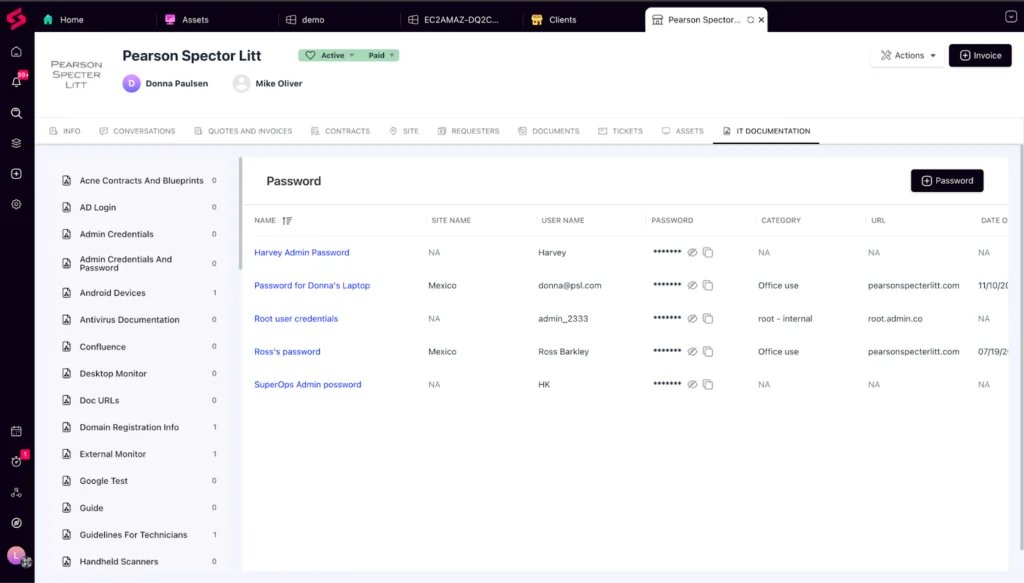
Source: SuperOps
Learn more in our detailed guide to IT glue alternative
Conclusion
Effective IT documentation is essential for maintaining operational continuity, reducing support burdens, and enabling scalable growth. A structured platform allows teams to centralize information, enforce standardization, and automate routine tasks, all while maintaining strong security and compliance controls. As IT environments grow more complex, having a reliable system to manage assets, credentials, and procedures becomes critical for both day-to-day operations and long-term strategic planning.
See Additional Guides on Key Data Security Topics
Together with our content partners, we have authored in-depth guides on several other topics that can also be useful as you explore the world of data security.
Data Catalog
Authored by Collate
- [Guide] Data Catalog – How It Works, Key Challenges & How AI Can Help
- [Guide] Data Discovery – Traditional Methods, Challenges & How AI Can Help
- [Guide] Data Dictionary in 2025 – 5 Use Cases & 5 Critical Best Practices
OpenSearch
Authored by Instaclustr
- [Guide] Complete guide to OpenSearch in 2025
- [Guide] Best managed OpenSearch platforms: Top 6 solutions to know in 2026
- [Blog] Debugging Jobs in the Apache Spark™ UI
- [Product] NetApp Instaclustr Data Platform | Open-Source Data Infrastructure Platform
Cloud Security
Authored by Faddom