
TL;DR: Application migration planning platforms discover infrastructure, map dependencies, and group workloads into migration waves. Faddom is best for fast agentless dependency mapping and wave planning across hybrid IT, Device42 for CMDB-based move groups, Azure Migrate for moves to Azure, and AWS Transform for agentic migrations to AWS.
What Are Application Migration Planning Platforms?
Reliable application migration planning platforms include cloud-native toolsets and multi-cloud agnostic solutions designed to discover dependencies, assess technical depth, and model costs. They are commonly used when moving applications from on-premises infrastructure to the cloud, between cloud providers, or from legacy systems to modern environments. These platforms provide visibility into application dependencies, infrastructure requirements, migration risks, and estimated costs.
Application migration planning platforms typically include application discovery, dependency mapping, migration readiness assessments, and workload analysis. They collect information about existing applications, including resource usage, operating systems, databases, network connections, and integration points. This information helps teams identify which applications can be migrated directly, which require modifications, and which should be replaced or retired.
Application Migration Planning Platforms at a Glance
The table below summarizes the key differences between the application migration planning platforms covered in this article. We explore each platform in more detail in the sections that follow.
Category | Solution | Best For | Key Strengths | Things to Consider |
Independent Discovery and Migration Planning Platforms | Faddom | Agentless dependency mapping and wave planning for hybrid IT | Maps servers and apps in under 60 minutes; built-in cloud calculator | Some features take time to locate for new users |
Independent Discovery and Migration Planning Platforms | Device42 | Hybrid IT discovery with automated move groups and cloud sizing | Affinity Groups build move groups; instance sizing with pricing | Setup and navigation can feel complex for smaller teams |
Independent Discovery and Migration Planning Platforms | Flexera One Cloud Migration and Modernization | Cost and workload placement analysis for cloud moves | Compares providers, instance types, and buying options per workload | Quote-based pricing; execution handled by partners or other tools |
Independent Discovery and Migration Planning Platforms | ServiceNow Service Mapping | Service-aware dependency maps for ServiceNow customers | Tag-based, top-down, and traffic-based mapping tied to the CMDB | Requires ITOM licensing and strong CMDB data governance |
Independent Discovery and Migration Planning Platforms | Dynatrace | Observability-based topology discovery across migration phases | Auto-discovered topology and before-and-after performance data | Steep learning curve; consumption pricing hard to forecast |
Cloud Provider Migration Planning Platforms | Azure Migrate | Discovery, assessment, and migration of workloads to Azure | 6R assessments, dependency maps, readiness and cost insights | Azure-only target; sizing needs enough performance history |
Cloud Provider Migration Planning Platforms | AWS Transform for migrations | Agentic discovery, wave planning, and migration to AWS | AI agents build migration waves and TCO business cases | AWS-only target; one target account and Region per VMware job |
Cloud Provider Migration Planning Platforms | Google Cloud Migration Center | Discovery, TCO, and migration planning for Google Cloud | Asset discovery, dependency identification, TCO reports | Results depend on completeness of discovery data |
Related content: Read our guide to application migration tools
Common Challenges in Application Migration Planning
Incomplete Visibility into IT Infrastructure
Organizations often lack a complete view of the infrastructure supporting their applications. Servers, virtual machines, databases, storage systems, and network resources may be distributed across multiple data centers and cloud environments. Without centralized visibility, migration teams can overlook critical components or underestimate infrastructure requirements.
This makes it difficult to assess migration readiness, estimate costs, and select suitable target environments. Infrastructure discovery tools can help identify existing resources, collect utilization data, and establish an accurate baseline for migration planning.
Undocumented Application Dependencies
Applications often rely on other services, databases, APIs, and network connections that are not fully documented. These dependencies can be difficult to identify, especially in legacy environments where architecture documentation is incomplete or outdated.
Migrating an application without understanding its dependencies can disrupt communication between systems, cause transaction failures, or introduce performance bottlenecks. Dependency mapping helps teams identify relationships between application components and determine which workloads must migrate together or follow an exact sequence.
Outdated Configuration and Asset Inventories
Configuration management databases (CMDBs) and asset inventories frequently contain outdated or incomplete information. Infrastructure changes, software updates, and newly deployed resources may not be reflected in these records, creating differences between documented configurations and actual environments.
Inaccurate inventories can lead to incorrect migration estimates, incompatible target configurations, and overlooked workloads. Automated discovery and continuous inventory updates help migration teams work with current information about application versions, operating systems, resource allocations, and infrastructure configurations.
Unexpected Downtime and Application Performance Issues
Application migrations can cause service interruptions when workloads are transferred, databases are synchronized, or network traffic is redirected to new environments. Unexpected downtime may result from missing dependencies, configuration errors, data inconsistencies, or insufficient testing before cutover.
Applications may also experience performance degradation after migration because of changes in network latency, storage throughput, compute capacity, or resource allocation. Performance baselining, workload testing, and rollback planning help teams identify potential issues before migration and reduce the impact of failures during deployment.
Related content: Read our ultimate application migration checklist
Key Capabilities of Application Migration Planning Platforms
Automated IT Asset Discovery and Inventory
Application migration planning platforms automatically discover infrastructure assets across on-premises, virtualized, and cloud environments. These assets include:
- Physical servers
- Virtual machines
- Databases
- Storage systems
- Network devices
- Installed software
Automated discovery reduces the need for manual data collection and helps teams establish a complete inventory before migration. Reliable platforms collect technical details such as operating system versions, hardware specifications, IP addresses, resource utilization, and configuration settings. This information helps teams identify migration candidates, assess infrastructure requirements, and detect assets missing from existing configuration management databases (CMDBs).
Application Dependency Mapping
Application dependency mapping identifies the connections between applications, servers, databases, APIs, and supporting infrastructure. It helps migration teams understand how workloads communicate and which components must remain connected for applications to function correctly. To identify dependencies, platforms typically analyze:
- Network traffic
- Communication patterns
- Infrastructure configurations
This information helps teams detect shared services, avoid separating tightly connected components, and determine the correct migration sequence. Dependency maps also support impact analysis by showing which applications could be affected when a resource is migrated.
Real-Time Infrastructure Visualization
Infrastructure visualization provides graphical representations of IT environments, including:
- Servers
- Applications
- Network connections
- Their relationships
Instead of reviewing separate inventory records, migration teams can use interactive topology maps to understand infrastructure architecture and identify critical components. Platforms with near-real-time visualization update infrastructure views as assets and connections change. This helps teams identify undocumented resources, investigate complex dependencies, and validate migration plans against the current environment. Visualization also makes it easier for infrastructure, application, and operations teams to review migration scope together.
Agentless Discovery and Mapping
Agentless discovery allows migration planning platforms to collect infrastructure information without installing dedicated software agents on every monitored system. These platforms typically retrieve asset configurations and dependency information using existing:
- Management interfaces
- APIs
- Network protocols
- Remote access mechanisms
This approach reduces deployment overhead and avoids the operational effort associated with maintaining agents across large environments. It can also simplify discovery in environments where installing additional software is restricted. However, the depth of information available depends on network access, permissions, supported protocols, and the capabilities of the target systems.
Hybrid and Multi-Cloud Environment Support
Many organizations operate applications across on-premises data centers, private clouds, and multiple public cloud providers. Migration planning platforms must support these environments to provide a consistent view of infrastructure assets and application dependencies. Hybrid and multi-cloud support enables teams to:
- Discover resources across different platforms
- Assess workload placement
- Plan migrations between environments
Integration with cloud provider APIs can provide information about virtual machines, storage, networking, and managed services. This helps teams evaluate compatibility, identify infrastructure requirements, and avoid overlooking dependencies that cross environment boundaries.
Application Grouping and Migration Wave Planning
Application grouping allows migration teams to organize related workloads based on:
- Technical dependencies
- Business functions
- Criticality
- Migration complexity
Applications that share databases, services, or infrastructure resources can be grouped to reduce the risk of disrupting communication during migration. Migration wave planning builds on these groups by defining the order in which workloads will move to the target environment. Platforms may help teams prioritize applications based on migration readiness, resource requirements, business impact, and operational constraints.
Continuous Infrastructure Monitoring and Change Tracking
IT environments continue to change during migration planning as applications are updated, resources are provisioned, and configurations are modified. Continuous monitoring helps platforms detect these changes and keep infrastructure inventories and dependency maps current. Change tracking records modifications to:
- Assets
- Configurations
- Application relationships
This allows migration teams to identify changes that could invalidate readiness assessments or affect planned migration waves. Comparing infrastructure snapshots also helps teams verify that dependencies remain intact and investigate unexpected changes before migration execution.
What Makes an Application Migration Solution Reliable?
A reliable application migration planning solution provides accurate infrastructure data, identifies dependencies, and helps teams make informed decisions before moving workloads. It should also maintain current information as environments change, reducing the risk of migration failures caused by incomplete inventories or outdated configurations.
Key factors to evaluate include:
- Accurate and comprehensive infrastructure discovery: The platform should identify physical servers, virtual machines, databases, network devices, and cloud resources across the target environment. Automated discovery reduces manual inventory errors and helps ensure that critical workloads are not overlooked.
- Reliable application dependency mapping: The solution should identify connections between applications, databases, services, and supporting infrastructure. Accurate dependency maps help teams group related workloads, plan migration sequences, and avoid disrupting communication between systems.
- Continuous data updates and change tracking: Infrastructure inventories and dependency maps should reflect changes throughout migration planning. Regular discovery and change tracking help prevent migration decisions from relying on outdated information.
- Migration readiness and compatibility assessments: The platform should evaluate operating systems, application configurations, resource requirements, and target environment compatibility. This helps teams identify workloads that can be migrated directly and those requiring modifications.
- Workload grouping and migration wave planning: Reliable solutions should support grouping applications based on dependencies, business criticality, and migration complexity. This allows teams to define migration waves that minimize service disruption and account for shared infrastructure.
- Cost estimation and resource sizing: The platform should use infrastructure specifications and workload utilization data to estimate target environment costs and recommend appropriate resources. This helps prevent overprovisioning, unexpected expenses, and performance issues after migration.
- Hybrid and multi-cloud visibility: The solution should support discovery and assessment across on-premises infrastructure and relevant cloud platforms. Centralized visibility helps teams identify dependencies that cross environment boundaries and evaluate migration options consistently.
- Migration validation and reporting: The platform should provide reports, infrastructure snapshots, or post-migration discovery capabilities to help verify that workloads and dependencies have been transferred correctly. This supports troubleshooting and helps teams identify discrepancies between planned and actual migration outcomes.
Notable Application Migration Planning Platforms
How we selected these platforms: We shortlisted application migration planning platforms based on automated infrastructure discovery, application dependency mapping, migration readiness and cost assessment, workload grouping and migration wave planning, and support for hybrid and multi-cloud environments.
Independent Discovery and Migration Planning Platforms
1. Faddom

Strengths: Maps servers and apps in under 60 minutes; built-in cloud calculator
Things to consider: Some features take time to locate for new users
Faddom is an application dependency mapping platform that discovers servers, business applications, and their dependencies across hybrid environments without installing agents. Discovery is non-intrusive and runs in real time, and the platform can map servers and business applications in an environment in under 60 minutes.
For migration projects, Faddom uses its dependency maps to group servers and applications into migration waves and move groups, so workloads that depend on each other are moved together and in the correct sequence. The same maps support data center transformation and BC/DR planning, and a cloud calculator estimates compute, storage, and network costs for the target environment.
Key features include:
- Agentless asset discovery: Discovers servers, operating systems, installed software, applications, and cloud services across on-premises and cloud environments. The inventory is updated continuously with no agents and no manual updates.
- Business application maps: Automatically groups servers into business applications and maps the dependencies between them. Changes to the environment are tracked and logged in the documentation automatically.
- Migration wave planning: Uses application dependencies to plan migration waves and move groups of applications that must move together. Teams can sequence moves and check that no dependent component is left behind.
- Cloud calculator: Estimates compute, storage, and network costs for migrated workloads and supports rightsizing of resources before the move.
- Change impact simulation: Simulates the impact of a planned change on operations before it is made, and uses dependency maps to pinpoint root causes when outages occur.
- Data center transformation and BC/DR planning: Groups servers and applications for data center moves and identifies all critical components needed for a complete backup and recovery strategy.
- Faddom AI and Lighthouse AI: Learns hybrid topology behavior to provide infrastructure recommendations, flag traffic anomalies, and answer questions in plain language. Lighthouse AI maps applications automatically.
- Integrations and resource optimization: Feeds dependency data into ITSM, monitoring, and segmentation tools, and identifies idle or overprovisioned resources.
Limitations (as reported by users on G2):
- Occasional duplicate entries: Some users report that a single server is sometimes displayed with more than one hostname.
- Feature discoverability: New users may need time to learn where some features and configuration options are located.
- Documentation format: Some users would prefer licensing details and a full administration guide to be consolidated into a single document.
2. Device42

Strengths: Affinity Groups build move groups; instance sizing with pricing
Things to consider: Setup and navigation can feel complex for smaller teams
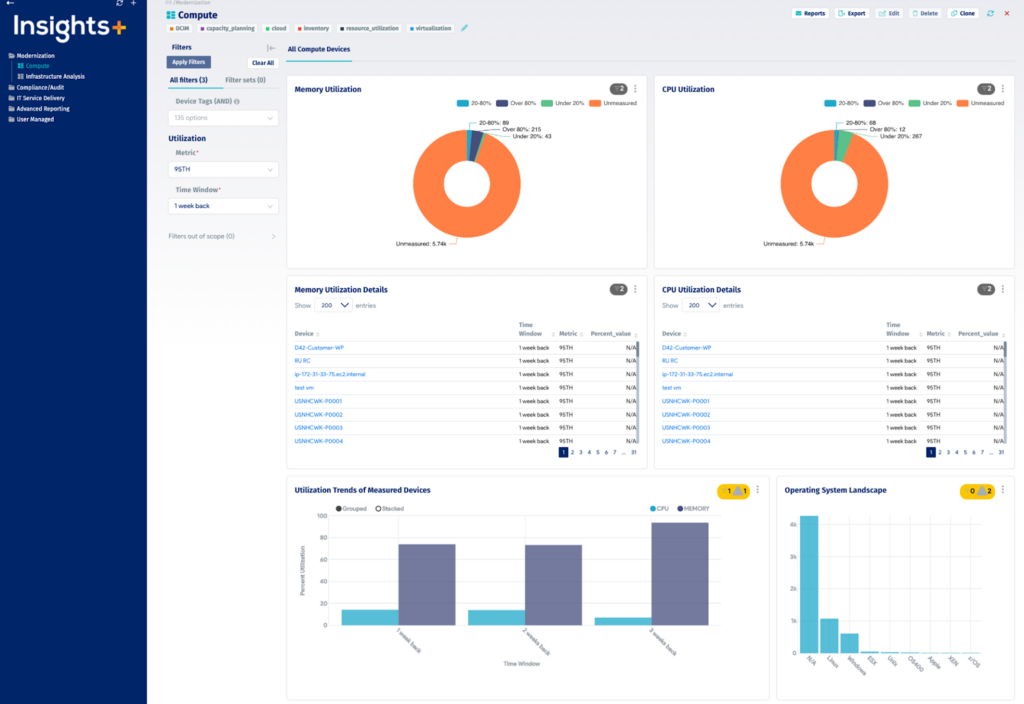
Device42, a Freshworks company, is a discovery and dependency mapping platform with a built-in CMDB. Its discovery and application dependency mapping (ADM) modules populate the CMDB, and Affinity Groups use the discovered dependencies to build move groups around core infrastructure services automatically.
For cloud migration planning, the Cloud Recommendation Engine combines dependency data with resource utilization collected from workloads to suggest target instance sizes and pricing on AWS and Microsoft Azure. Device42 documents changes during the migration, and teams can rerun discovery after cutover to verify what changed.
Key features include:
- Agentless discovery: Uses WMI for Windows, SSH for Unix, Linux, BSD, and Mac, and SNMP for routers, switches, and load balancers. Native discovery covers hypervisors, guest VMs, and cloud platforms including AWS, Microsoft Azure, Google Cloud, and Kubernetes, on a schedule or on demand.
- Application dependency mapping: Services discovery lists all services, running or not, with users, protocols, and ports. Software discovery collects configuration files, registry information, file system permissions, and software-to-service relationships.
- Affinity Groups: Builds move groups around key core services automatically and provides impact and topology diagrams for each group, showing relationships between applications, hardware, and facilities.
- Cloud Recommendation Engine: Provides instance recommendations for AWS and Azure based on actual workload usage, including sizing and pricing, using data from the Resource Utilization module.
- Dependency visualizations: Generates dependency flow diagrams, charts, and impact lists for application-to-server and application-to-application mappings. NetFlow and nmap collect data on servers that cannot be accessed directly.
- Post-migration verification: Rerunning auto-discovery near the end of a migration maps everything that changed so teams can verify the new environment.
- Supporting modules: Includes IPAM for subnets, VLANs, and IP addresses, software license management, an enterprise password vault, webhooks, and a REST API.
Limitations (as reported by users on G2):
- Setup complexity: Some users find the platform complex to set up and navigate at first, especially for smaller teams.
- ITIL alignment: Some users would like certain areas of the product to align more closely with ITIL practices.
- Appliance load: Users with high request volumes would like an option to use an external database to offload the appliance virtual machine.
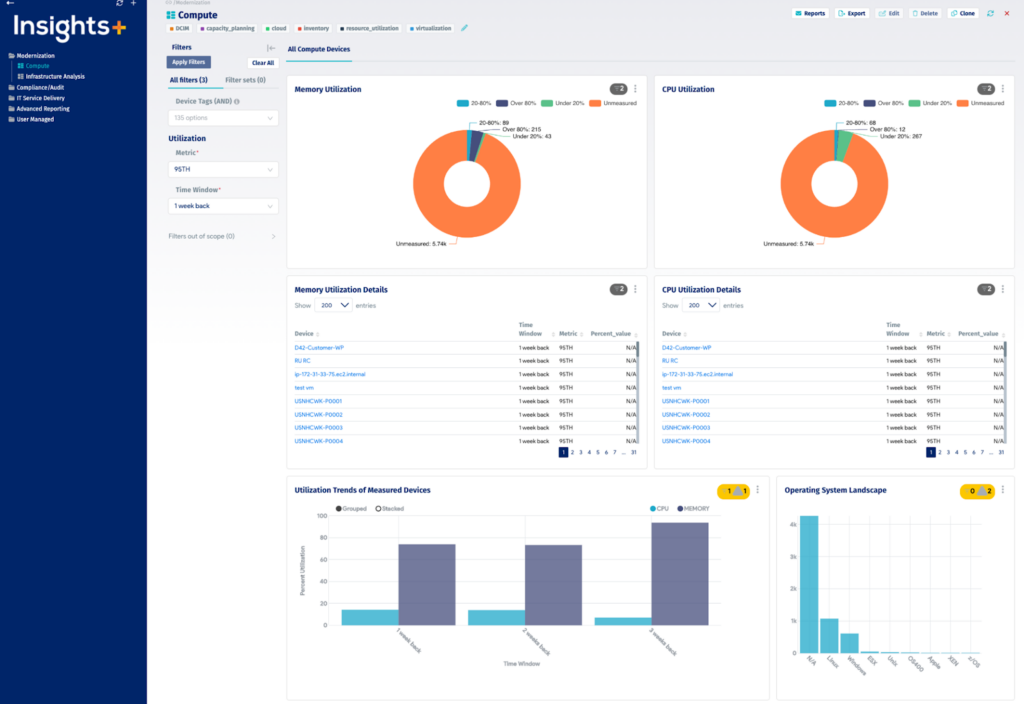
Source: Device42
3. Flexera One Cloud Migration and Modernization
Best for: Cost and workload placement analysis for cloud moves
Strengths: Compares providers, instance types, and buying options per workload
Things to consider: Quote-based pricing; execution handled by partners or other tools
Flexera One Cloud Migration and Modernization is a migration planning module within the Flexera One platform. It supports moving data, applications, and workloads from on-premises infrastructure or an existing cloud environment to a different cloud provider or platform.
The module collects an IT inventory with lightweight collection, groups assets automatically, and connects application dependencies to the business services they support. It then runs cost assessments and workload placement analysis to show which provider, instance type, buying type, and resource provisioning fit each workload’s budget and performance requirements.
Key features include:
- Migration planning with dependency context: Shows application dependencies and how they affect business services, so teams can see which applications communicate with each other before planning moves.
- Cloud cost assessment: Analyzes public, private, and hybrid cloud options and compares cloud type, provider, instance choice, buying type, and resource provisioning for each workload.
- Workload placement: Assesses current workloads to prioritize them and identify the providers that meet their performance and cost requirements, for on-premises to cloud or cloud-to-cloud moves.
- Lightweight inventory collection: Collects IT inventory with minimal impact on the environment, as an alternative to manual application inventory efforts.
- Automated grouping: Groups assets automatically and shows application consumption by location to support migration scoping.
- Business service mapping: Connects assets to the business units and services that own them, adding business context to migration decisions.
- Risk and savings visibility: Highlights operational risk and potential cost savings associated with each migration option.
Limitations (based on publicly available sources):
- Pricing model: Pricing is based on modules and usage, such as the number of workloads and cloud spend, and requires engagement with the vendor for a quote.
- Separate documentation: The Cloud Migration and Modernization user guide and release notes are published in a separate documentation section from the main Flexera One product documentation.
- Execution scope: The module focuses on assessment and planning, and migration execution is typically handled with Flexera’s partner network or separate migration tools.
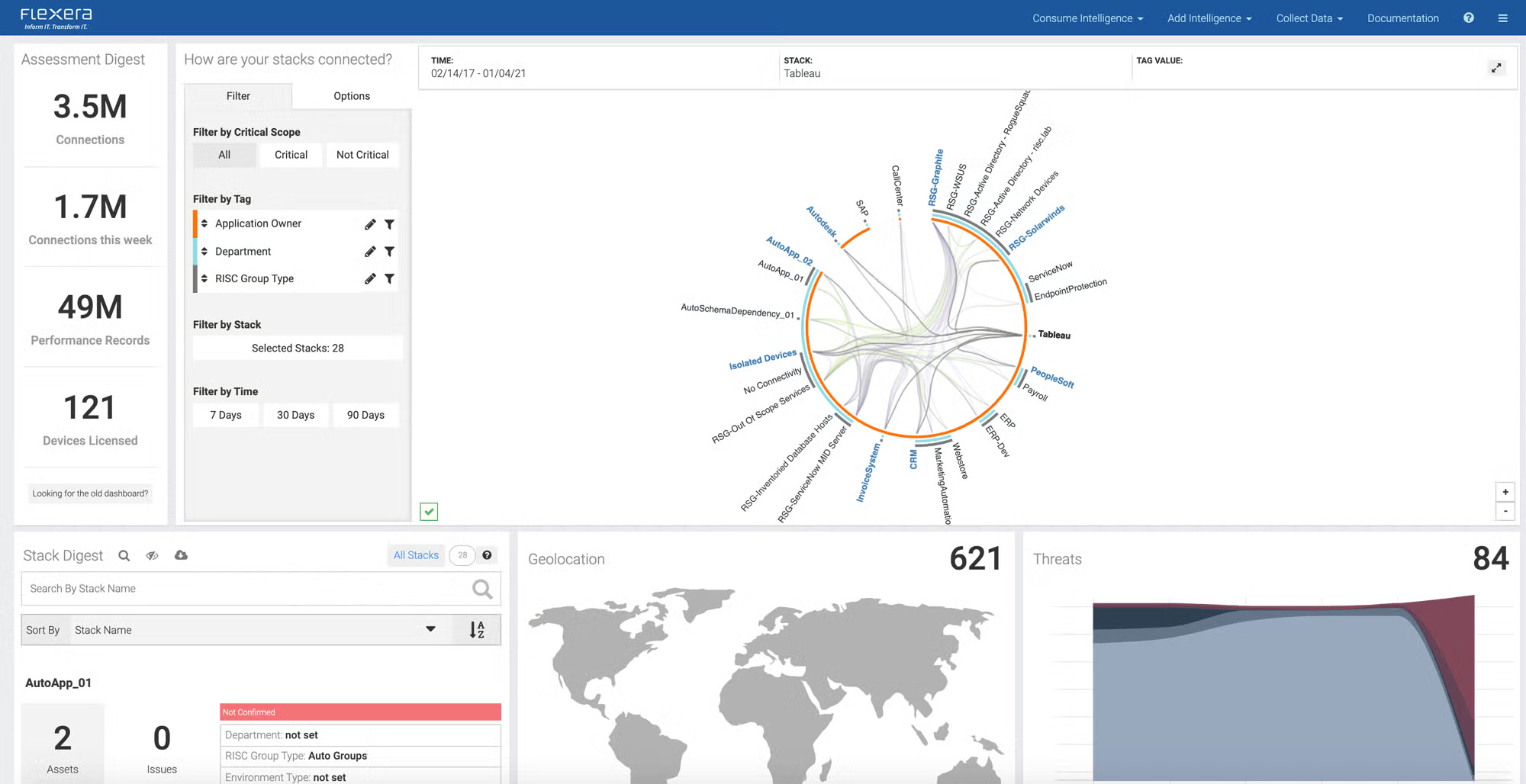
Source: Flexera
4. ServiceNow Service Mapping

Best for: Service-aware dependency maps for ServiceNow customers
Strengths: Tag-based, top-down, and traffic-based mapping tied to the CMDB
Things to consider: Requires ITOM licensing and strong CMDB data governance
ServiceNow Service Mapping maps the relationships between applications, IT components, and cloud services, and is available as part of ServiceNow IT Operations Management (ITOM). It builds service maps that show which infrastructure supports each business service.
Service Mapping generates maps with machine learning using tag-based, top-down, and traffic-based methods, and updates them automatically when changes are detected. Maps are stored in the ServiceNow CMDB, where they can be used to assess the impact of moving or changing a component before a migration.
Key features include:
- AI-assisted map generation: Builds service maps with machine learning using tag-based, top-down, and traffic-based mapping methods.
- Multicloud support: Provides out-of-the-box discovery and mapping for a range of cloud platforms, so services that span on-premises and cloud resources appear in one map.
- Automatic map updates: Updates service maps whenever a change is detected in the underlying infrastructure.
- CMDB integration: Stores service maps in the ServiceNow CMDB, linking dependency data to incident, change, and other ServiceNow workflows.
- Reuse of existing discovery data: Uses discovery data and mechanisms already in place to build and enrich service maps.
- Business impact analysis: Prioritizes problems based on the business services they affect, which supports impact analysis when planning changes to infrastructure.
Limitations (as reported by users on G2):
- Configuration effort: Users report that setting up Service Mapping and Discovery for complex applications requires careful planning, tuning, and experienced administrators.
- Dependence on CMDB quality: Map accuracy depends on CMDB data quality, and duplicate or missing configuration items can create gaps in service maps.
- Licensing cost: Users note that advanced ITOM modules such as Discovery and Service Mapping add significant licensing cost.
- Upgrade maintenance: Some users report that platform upgrades can break customized discovery patterns, requiring rework.
- Infrastructure overhead: Discovery relies on MID Servers, which some users note add management overhead.
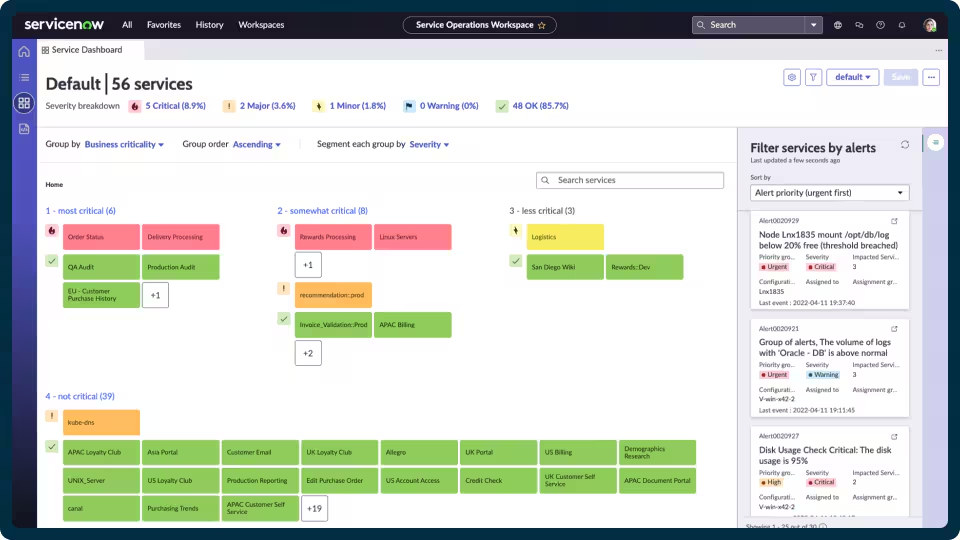
Source: ServiceNow
5. Dynatrace
Best for: Observability-based topology discovery across migration phases
Strengths: Auto-discovered topology and before-and-after performance data
Things to consider: Steep learning curve; consumption pricing hard to forecast
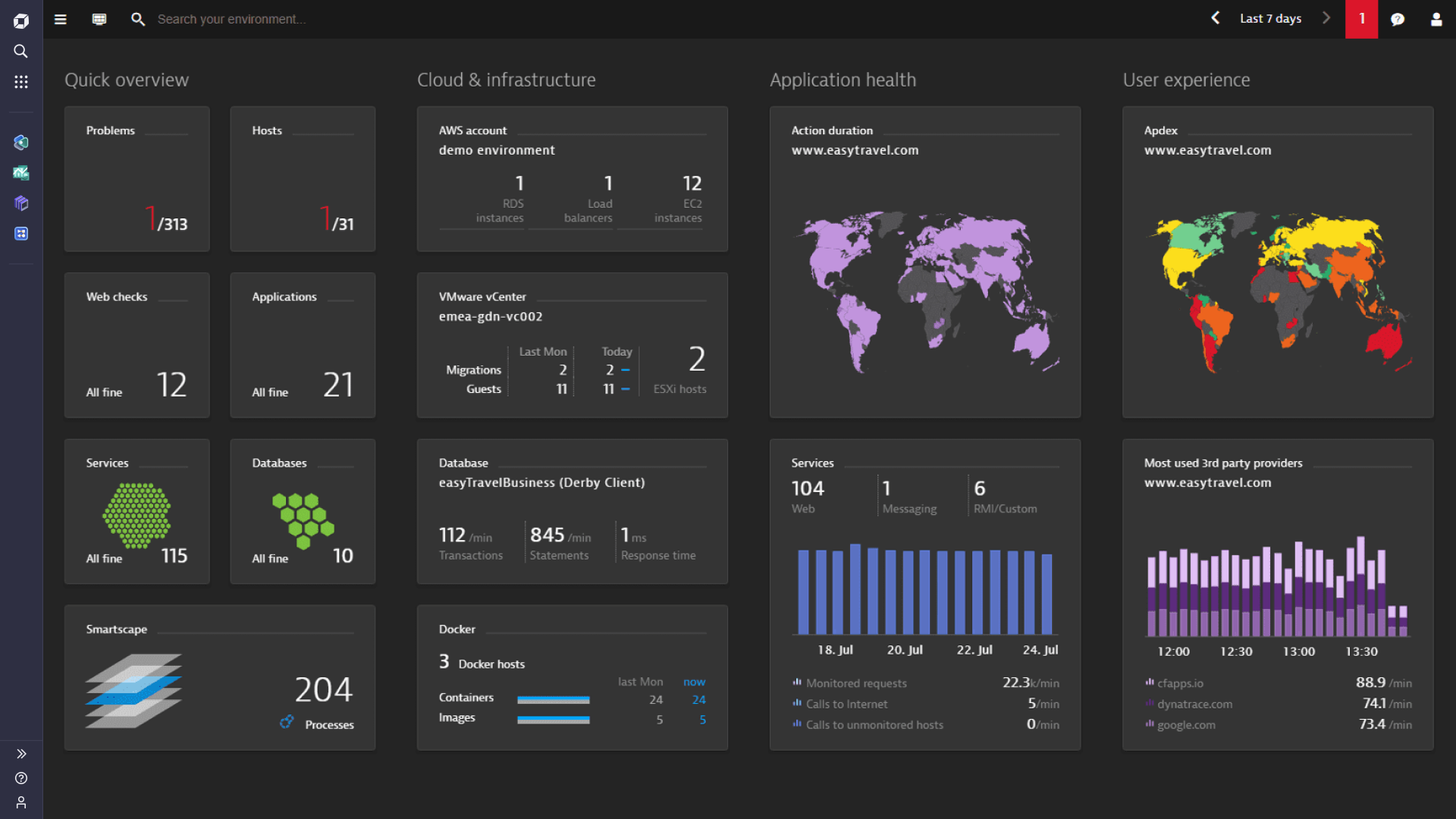
Dynatrace is an observability platform that provides visibility into applications and infrastructure before, during, and after a cloud migration. In the planning phase, it automatically discovers the full application topology through Smartscape, so teams can see what to move, how to architect it, and which cloud-native technologies fit each workload.
During migration, Dynatrace collects before-and-after performance data, identifies root causes of performance changes, and surfaces security vulnerabilities. After migration, it discovers microservices and containers automatically and applies deterministic AI to detect and resolve issues.
Key features include:
- Automatic topology discovery: Smartscape discovers the full application topology and keeps the dependency map continuously updated, giving migration teams a current view of the existing architecture.
- Migration strategy input: Uses dependency and architecture data to help teams decide what to move and which cloud-native technologies fit each workload.
- Before-and-after performance comparison: Provides granular performance data for each migration cycle so teams can detect regressions after workloads move.
- Root cause analysis: Pinpoints the root cause of performance issues during migration using deterministic AI.
- Security vulnerability detection: Surfaces security vulnerabilities during migration before they reach production.
- Post-migration monitoring: Discovers microservices and containers automatically, applies automated remediation, and integrates with DevOps pipelines.
- Cloud platform integrations: Integrates with AWS, Microsoft Azure, Google Cloud, Red Hat OpenShift, Red Hat OpenStack, and Oracle Cloud.
Limitations (as reported by users on G2):
- Learning curve: Users report that the platform’s breadth of features requires significant training before teams are comfortable using it.
- Pricing predictability: Users find consumption-based licensing difficult to forecast as data ingestion and environments grow.
- Dashboard density: Some users find dashboards dense with information and note limited flexibility in layout customization.
- Documentation gaps: Some users report that parts of the documentation are not always up to date for specific frameworks or troubleshooting scenarios.
Source: Dynatrace
Cloud Provider Migration Planning Platforms
6. Azure Migrate
Best for: Discovery, assessment, and migration of workloads to Azure
Strengths: 6R assessments, dependency maps, readiness and cost insights
Things to consider: Azure-only target; sizing needs enough performance history
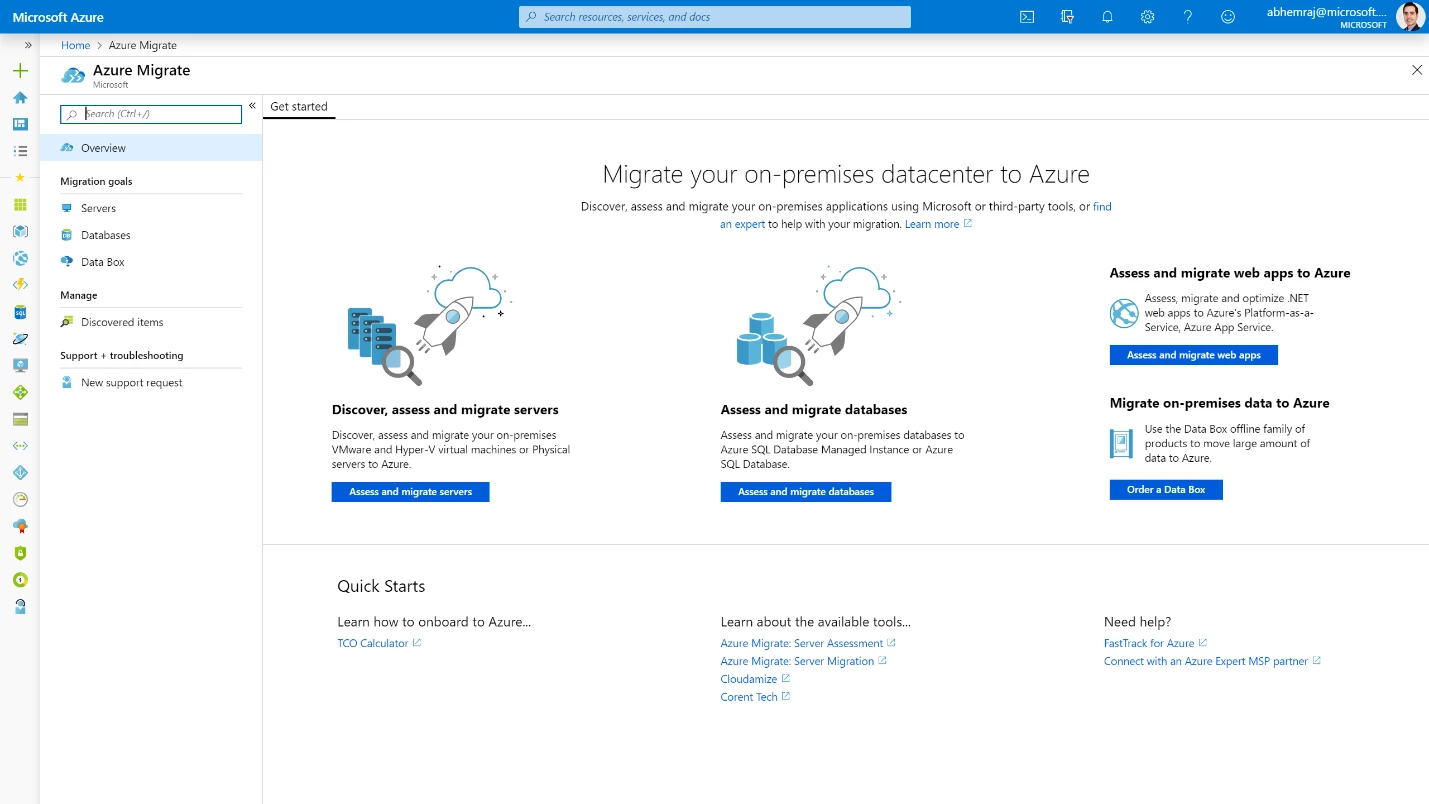
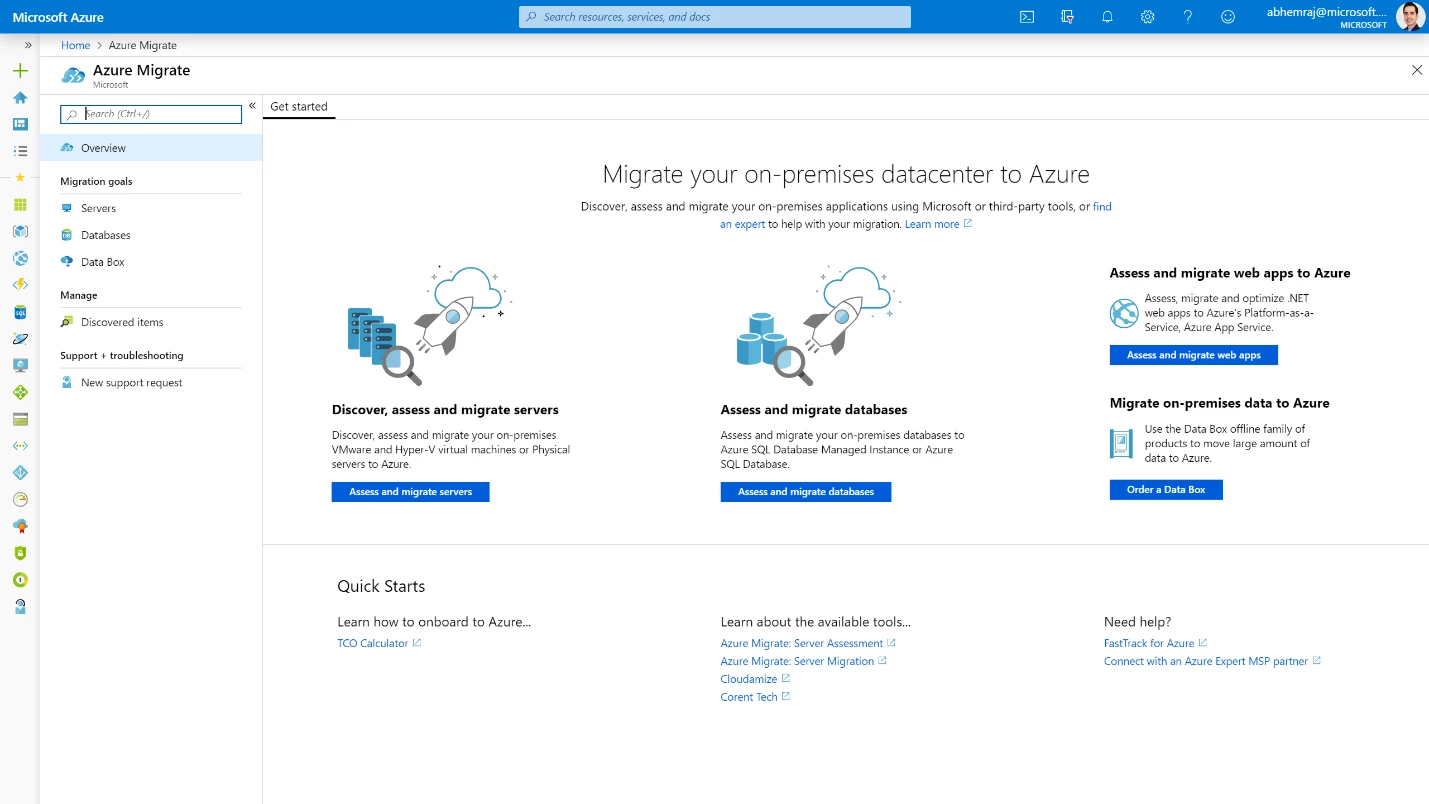
Azure Migrate is Microsoft’s platform for discovering, assessing, and migrating on-premises workloads to Azure. It automatically discovers infrastructure, applications, and data, analyzes dependencies and readiness, and generates assessments that map workloads to rehost, refactor, rearchitect, rebuild, replace, or retire options.
The Azure Copilot migration agent, built on Azure Migrate, guides the migration process and coordinates with first-party and third-party tools. Azure Migrate supports VMware environments, physical servers, databases, and web applications, and is a non-regional service.
Key features include:
- Automated discovery: Discovers servers, applications, and data across VMware environments and physical servers, and identifies dependencies and readiness for migration.
- Dependency mapping: Creates dependency maps that show how servers and applications communicate, so related workloads can be assessed and moved together.
- Assessments and 6R options: Measures cloud readiness, identifies risks, and estimates costs and complexity, then aligns each workload with a migration treatment.
- Application Awareness: Groups tagged, dependent resources so they are collocated in Azure and the application construct is maintained during migration.
- Azure Copilot migration agent: Provides an AI-guided experience that orchestrates the migration, coordinates with other tools, and tracks progress from discovery through execution.
- Cost and right-sizing insights: Generates readiness and cost insights and right-sizing recommendations that can be used to build a business case for stakeholders.
- Database and web app assessment: Assesses on-premises databases for Azure Database Migration Service and supports moving ASP.NET apps to App Service or AKS and containerizing Java web apps.
- VDI and partner tools: Supports VDI assessment through Lakeside and integrates with partner migration tools.
Limitations (as reported by users on SoftwareReviews):
- Right-sizing accuracy: Users report that without enough historical performance data, sizing is based on peak load, which can require additional right-sizing after migration.
- Integration breadth: Some users find its capabilities and integrations less comprehensive than vendor-neutral migration tools.
- Learning curve: Some advanced features take time to understand, especially for teams new to cloud migration projects.
Source: Microsoft
7. AWS Transform for Migrations
Best for: Agentic discovery, wave planning, and migration to AWS
Strengths: AI agents build migration waves and TCO business cases
Things to consider: AWS-only target; one target account and Region per VMware job
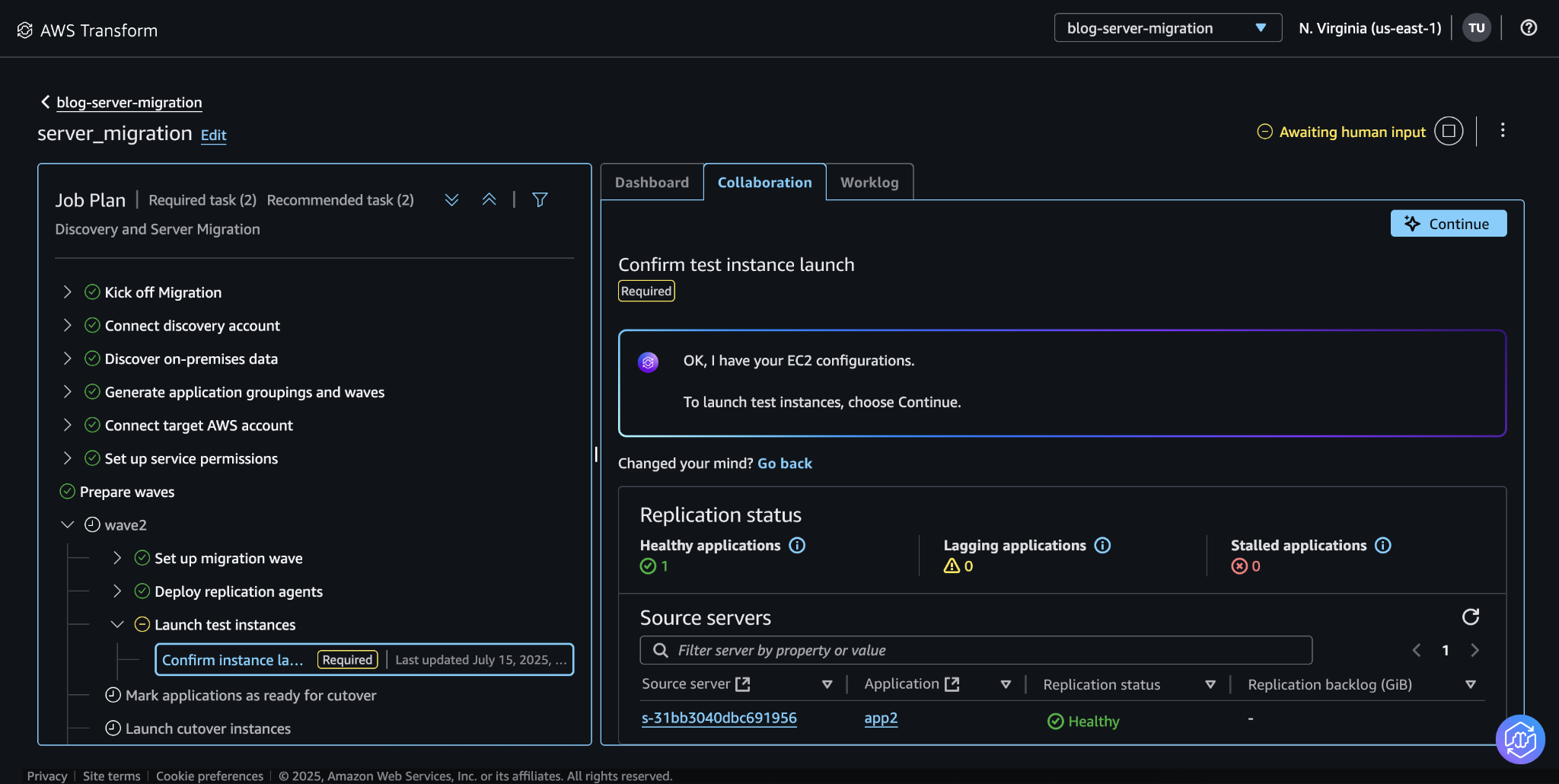
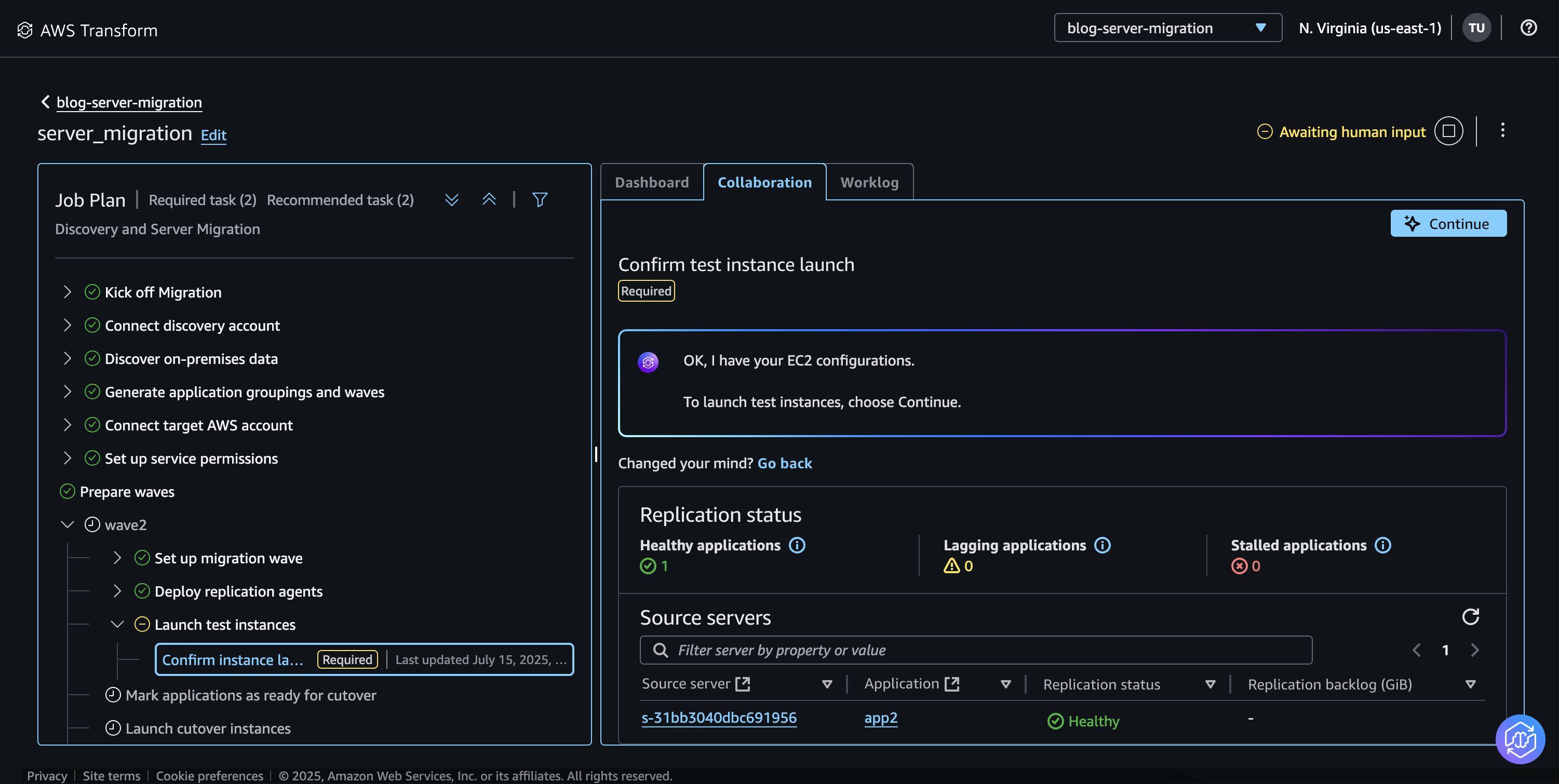
AWS Transform is an agentic AI service for cloud migration, application modernization, and tech debt reduction. AWS Transform for migrations automates the migration lifecycle from discovery through cutover for workloads running on VMware, bare metal, Hyper-V, and databases.
The service provides a shared workspace where project managers, architects, developers, and security engineers work with purpose-built AI agents. It supports first-party AWS agents, partner agents, and custom Bring Your Own Agent workflows.
Key features include:
- Discovery and assessment: Collects performance data, network connections, database metadata, and server specifications, and accepts RVTools, NetApp DII, Migration Evaluator, and MPA exports.
- TCO and business cases: Generates TCO projections and business cases, with what-if scenarios, customizable assumptions, and comparisons of migration paths.
- Migration wave planning: Analyzes application dependencies, business priorities, compliance requirements, and criticality to group workloads into migration waves. Teams can adjust wave composition, sequencing, and timing through conversational workflows.
- Landing zone creation: Generates Landing Zone Accelerator configurations for multi-account AWS environments with governance and security controls before workloads move.
- Network conversion: Translates on-premises network configurations into VPCs, subnets, security groups, transit gateways, and routing tables, with output in CloudFormation, CDK, Terraform, or LZA formats.
- Rehost and replatform paths: Rehosts VMs to Amazon EC2 or replatforms applications to containers on Amazon ECS or EKS, with replication, testing, and cutover orchestration.
- Storage migration: Migrates block storage to Amazon EBS or Amazon FSx for NetApp ONTAP as part of the same workflow.
- IDE and agent access: Provides access from Kiro, Claude, Cursor, and Codex through a Kiro power, agent plugins, and an MCP server.
Limitations (based on publicly available sources):
- Single target per job: Each VMware migration job supports one target AWS account and one target Region, so migrating to multiple accounts or Regions requires multiple jobs.
- AWS Organizations requirement: Multi-account migrations require all target accounts to be part of an AWS Organization.
- Validation required: Generated network configurations and migration strategies need to be reviewed and adjusted by the customer to meet security and compliance requirements.
- AWS-only target: Planning and migration workflows target AWS environments only.
Source: AWS
8. Google Cloud Migration Center



Best for: Discovery, TCO, and migration planning for Google Cloud
Strengths: Asset discovery, dependency identification, TCO reports
Things to consider: Results depend on completeness of discovery data
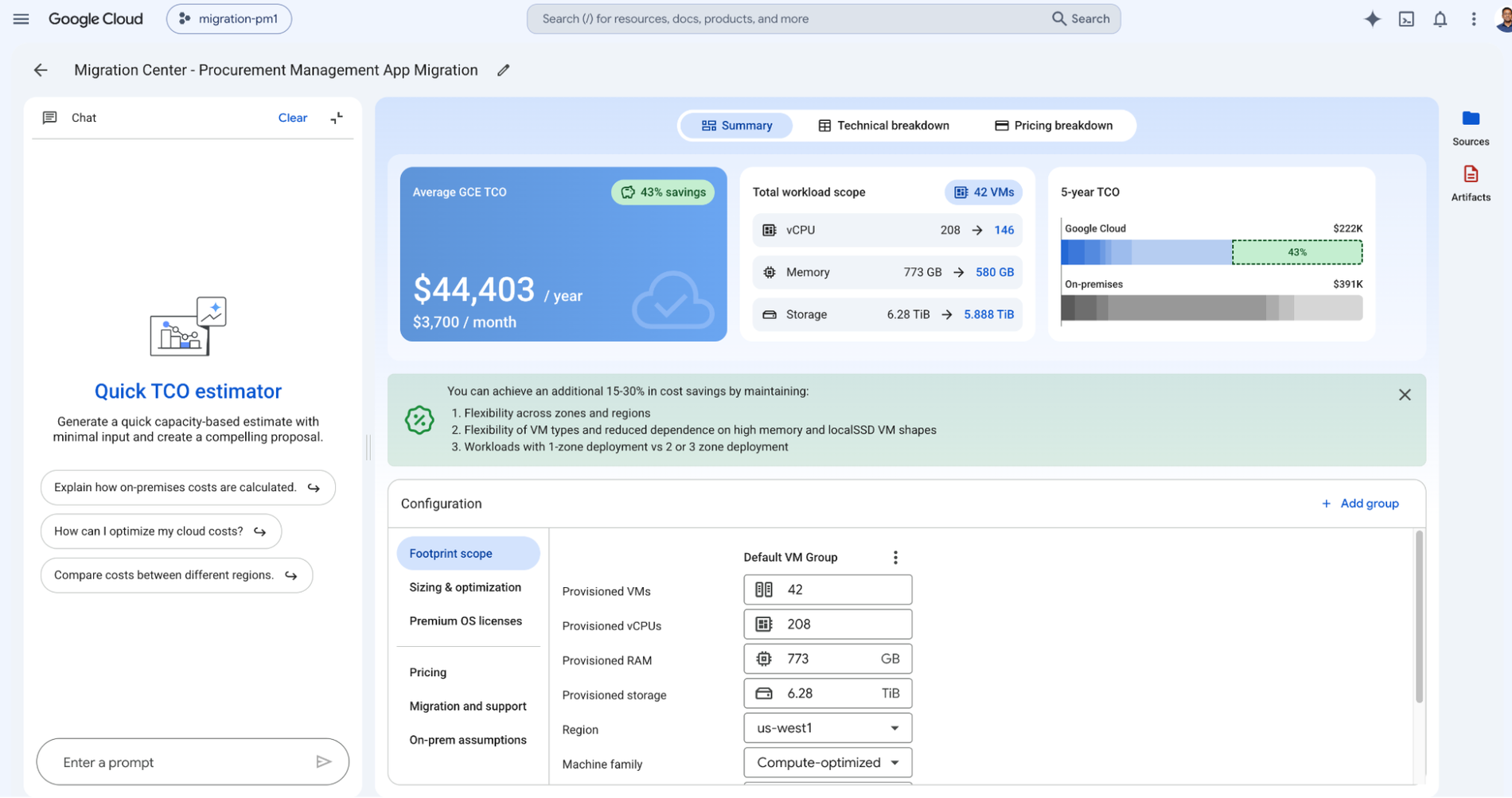
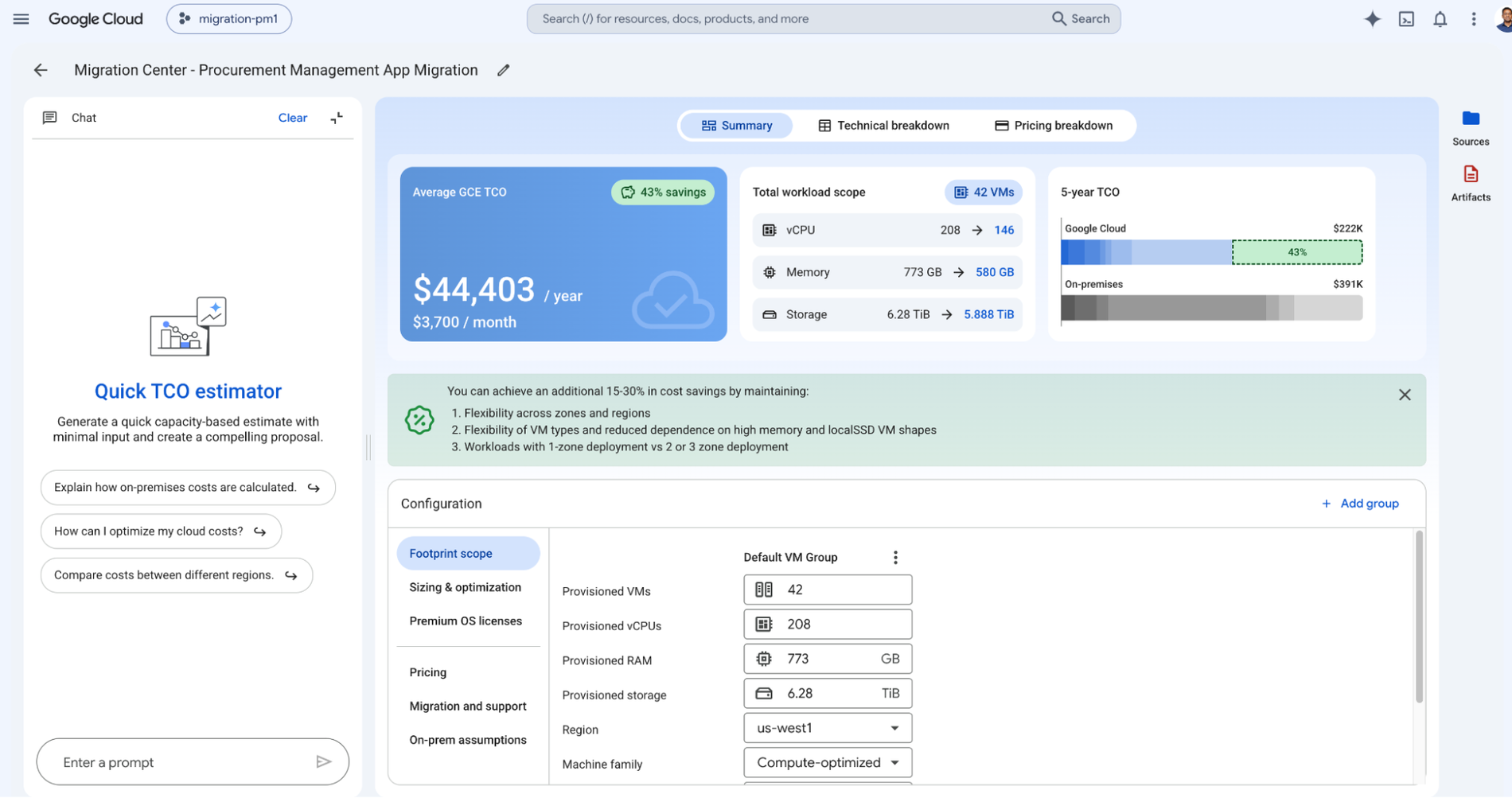
Google Cloud Migration Center is a unified platform for planning and executing migrations from on-premises or other cloud environments to Google Cloud. Its tools estimate cloud costs, scan and assess infrastructure, and support migration planning without changes to applications or workloads.
Migration Center builds an inventory of servers and databases through automatic scanning or manual data upload. It then generates total cost of ownership reports, identifies application and network dependencies, and suggests target Google Cloud products based on a technical fit assessment.
Key features include:
- Rapid cost estimate: Generates an estimate of future Google Cloud costs based on the size and configuration of current on-premises or cloud resources (in Preview).
- Asset discovery: Creates an inventory of servers and Microsoft SQL Server, MySQL, and PostgreSQL databases by scanning the on-premises environment, or by manual upload of infrastructure data.
- TCO reports: Generates total cost of ownership reports based on migration preferences that reflect business objectives and constraints.
- Dependency identification: Identifies application and network dependencies to determine which components must be migrated together.
- Technical fit assessment: Provides data-driven suggestions for the Google Cloud products to migrate each asset to, with costs shown in advance.
- Migration planning: Offers best practices and prescriptive recommendations on what to migrate and how, based on the detailed assessment.
- Migration tooling: Connects to tools that support rehost, replatform, and refactor migration strategies.
Limitations (as reported by users on SoftwareReviews):
- Dependence on discovery data: Users report that recommendations and financial projections depend on complete discovery data and may need extra validation in complex environments.
- Post-migration rework: Some users report integration challenges and note that migrated data may need to be modified after the move.
- Feature maturity: Some users find advanced features such as integration mapping and data shaping less developed, and would like broader, role-specific training resources.
Source: Google Cloud
Conclusion
Reliable application migration planning depends on accurate infrastructure discovery, dependency mapping, workload assessment, and migration wave planning before workloads are moved. Organizations should evaluate platforms based on their ability to maintain current asset data, identify application relationships, assess target readiness and costs, group dependent workloads, and track infrastructure changes throughout planning. The right approach should give migration teams enough technical and business context to sequence migrations correctly, reduce service disruption, and validate target environments before execution.