What Is IBM Tivoli?
IBM Tivoli refers to a suite of software products designed to manage various aspects of an organization’s IT infrastructure, including systems, networks, applications, and services. The Tivoli brand (acquired by IBM in 1996) is no longer actively used, as IBM has moved its portfolio products into a revised and rebranded hierarchy, with a focus on cloud and smart infrastructure.
Some notable examples of this rebranding include the renaming of Tivoli Storage Manager to IBM Spectrum Protect and IBM Tivoli Workload Scheduler to IBM Workload Scheduler. However, some Tivoli products are still offered under the original Tivoli name.
IBM Tivoli solutions, or their rebranded equivalents, offer a range of features including system monitoring, automation of IT tasks, security management, service management, and data and storage management. These functionalities help organizations track performance, improve efficiency, manage security, simplifyIT services, and protect data.
Benefits of these solutions include comprehensive IT management, increased efficiency through automation, real-time monitoring to reduce downtime, improved security and compliance, scalability, and potential cost reduction.
IBM Tivoli Solutions and Their New Names
Here are the primary solutions included in the IBM Tivoli suite, most of which now carry new names.
IBM Tivoli Monitoring
New name: None (this solution is still known as IBM Tivoli Monitoring)
IBM Tivoli Monitoring is an agent‑server‑client system that enables enterprises to track the availability and performance of systems and network applications across heterogeneous environments. It collects real-time metrics, raises alerts based on predefined or custom thresholds, and offers both real‑time workspaces and historical reporting—supporting trend analysis and troubleshooting.
Core components include:
- Tivoli Enterprise Monitoring Server (hub or remote servers): Collects alert and performance data from agents and maintains the Enterprise Information Base (EIB).
- Tivoli Enterprise Portal (TEP): A user interface (either browser- or desktop-based) for dashboard views, alerts, and analysis.
- Tivoli Data Warehouse: Stores historical data collected by agents for reporting and trend insights .
- Agents: Installed on various OSs (AIX, Linux, Windows, IBM i, etc.), these gather performance data and send it to the monitoring servers .
- Integration capabilities with other IBM tools such as Netcool/OMNIbus for event management and Jazz for Service Management .
IBM Tivoli Identity Manager (IBM Security Identity Manager)
New name: IBM Security Identity Manager (ISIM)
This solution handles identity lifecycle management by automating the creation, modification, and removal of user accounts across diverse systems and applications based on roles or requests .
Key capabilities include:
- Self-provisioning: Users can request access which can be automatically approved or routed based on policy.
- Offline account management and password vaulting for secure credential handling.
- The product traces its origins to IBM’s 2002 acquisition of Access360’s enRole solution; with version 6 around the end of 2012, it was rebranded as IBM Security Identity Manager.
- Post‑2021, identity management capabilities have increasingly been folded into IBM’s Verify Governance platform
IBM Tivoli Netcool (Netcool Operations Insight)
New name: IBM Netcool Operations Insight
This solution is a service-level management (SLM) solution that centralizes real-time event and alert consolidation from across complex IT domains .
Its architecture includes:
- ObjectServer: A high-performance, in-memory database at its core.
- Probes: Collect and forward events from monitored sources.
- Gateways: Enable failover, event replication, and forwarding to external systems such as helpdesks, CRMs, or databases.
- Desktop tools and a Web GUI for configuring, viewing, and managing event streams.
- Administration tools, including MIB parsers and rule configurators .
There’s a specialized monitoring agent within Tivoli Monitoring designed for overseeing Netcool/OMNIbus’s health, performance, automation triggers, and event processing
IBM Tivoli Storage Manager (IBM Storage Protect)
New name: IBM Security Identity Manager (ISIM)
This solution provides enterprise-grade automated, policy-driven data protection, backup, archiving, migration, and restore services across physical, virtual, and cloud environments .
Key components include:
- Server: Handles backup, archiving, space management, and orchestrates services across clients.
- Administrative interfaces: Command-line tools and web-based Operations Center for defining policies, managing servers, and scheduling tasks .
- Database and recovery logs: Track client metadata, policies, schedules, and server status.
- Storage pools: Abstract and group storage media (disk, tape, SAN, etc.) for efficient data management .
- Clients: Include backup/archive clients, HSM agents (for hierarchical storage management), and specialized application clients for databases, ERP, mail systems, etc. Many optional modules support LAN-free backups, NDMP for NAS devices, and API integration .
- Monitoring and reporting: Via integration with Tivoli Monitoring, enabling real-time and historical insight into Storage Manager performance, status, and trends; typically leveraging Tivoli Enterprise Portal and data warehouse for dashboards and reports .
Key IBM Tivoli Limitations
While IBM Tivoli offers comprehensive systems management tools, users should be aware of several notable limitations across its various components. These limitations were reported in IBM documentation:
- Automatic component startup: Tivoli Monitoring components are configured to auto-start by default during installation. There is no built-in option to disable this behavior. Disabling auto-start requires manual edits to operating system scripts. On Linux systems, the installer adds auto-start commands under all run levels, making global changes necessary to prevent automatic launch.
- Incomplete documentation steps: Installation guides for Tivoli System Automation for Multiplatforms omit critical commands. For example, two steps are missing when installing services on a node: stopping the node before deregistration and starting it before registration. Skipping these steps can cause unexpected behavior during service setup.
- Domain removal inconsistency: When removing a cluster domain from one node, the domain may remain active on the second node. Attempting to reuse the same domain name results in errors unless the domain is explicitly removed from all nodes using specific commands.
- Stuck resources: Resources can remain in a “stuck online” state if stop command timeouts are misconfigured. Administrators must manually time the shutdown process and update timeout values accordingly using chrsrc commands. Bringing the resource group offline and back online is required to apply changes.
- Portal server shutdown issues: The Tivoli Enterprise Portal Server automatically starts the Eclipse help server, but when the portal server is stopped, the help server remains running. This prevents proper cluster failover by keeping the portal resource in a “stuck” state. To fix this, an explicit command to stop the help server must be added to the shutdown script.
- Shared disk management on AIX: In some AIX test environments, shared disks were not released or remounted correctly after failures. This issue was resolved by installing the latest version of the storageRM component.
- RSCT process startup: In certain setups, lines in the system’s inittab file can block RSCT (Reliable Scalable Cluster Technology) processes from starting after reboot. These lines must be commented out if they precede RSCT-related entries to ensure correct service startup.
Notable IBM Tivoli Alternatives and Competitors
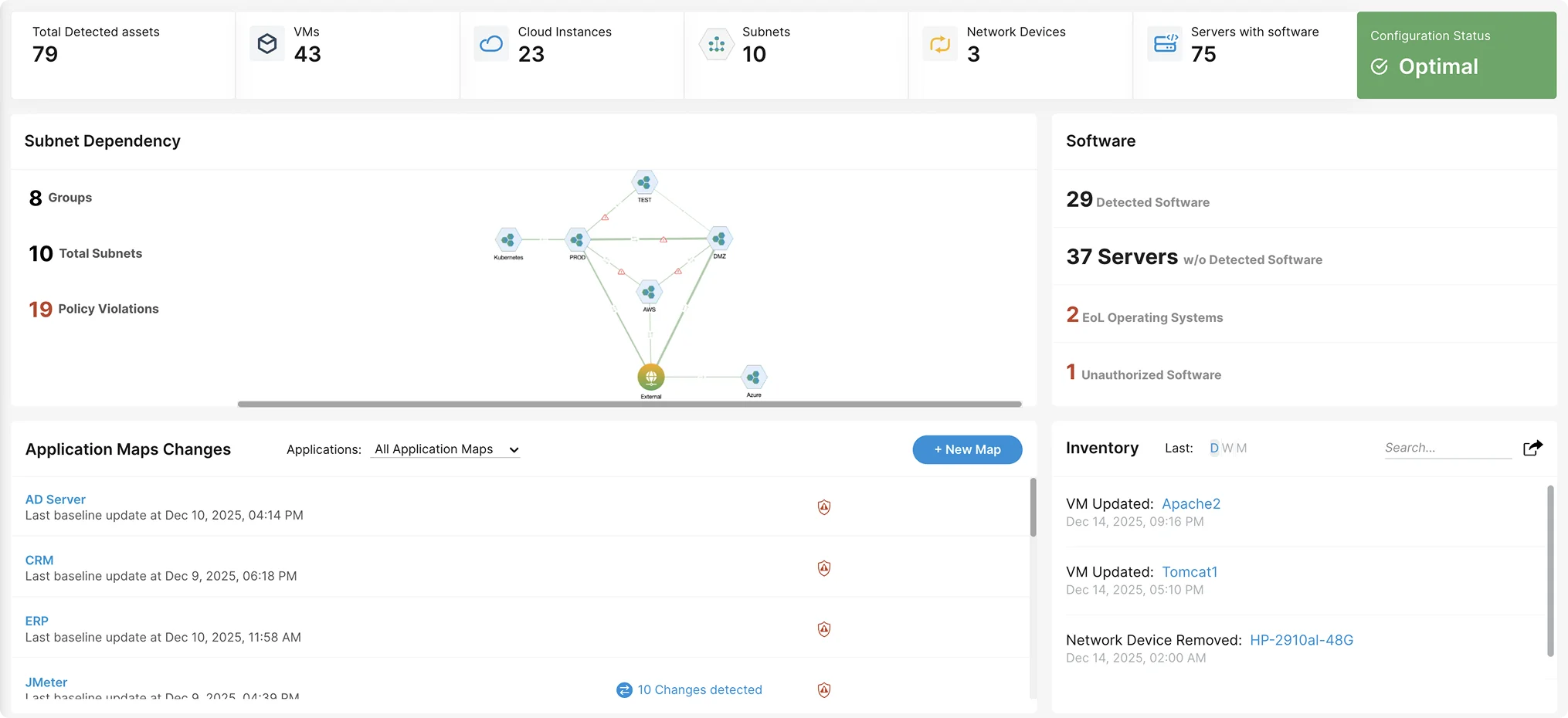
1. Faddom

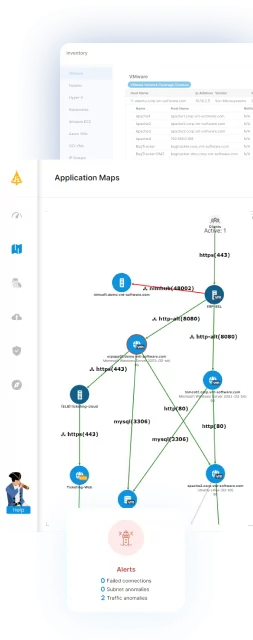
Faddom is an agentless application dependency mapping platform that automatically discovers applications, servers, and all communication flows across hybrid environments. It provides IT and Security teams with a real-time, accurate picture of how their systems operate, which is essential for managing complex infrastructures and mitigating operational risk.
Key features include:
- Agentless discovery with fast deployment: Maps applications and dependencies in minutes without agents, firewall changes, or system impact, making it suitable for large or sensitive environments.
- Accurate end-to-end dependency mapping: Visualizes how servers and applications interact, including upstream and downstream flows, enabling teams to understand relationships that affect performance, stability, and service continuity.
- Real-time visibility across hybrid environments: Continuously updates communication maps across on-premises systems, virtualized platforms, and cloud workloads, ensuring complete transparency during architectural changes or modernization projects.
Improved operational decision-making: Helps teams identify hidden connections, validate changes, and prevent disruptions by knowing exactly which services rely on which components.
If you want complete visibility into your infrastructure and a reliable way to understand how everything is connected, you can book a demo with our team!
2. ManageEngine OpManager

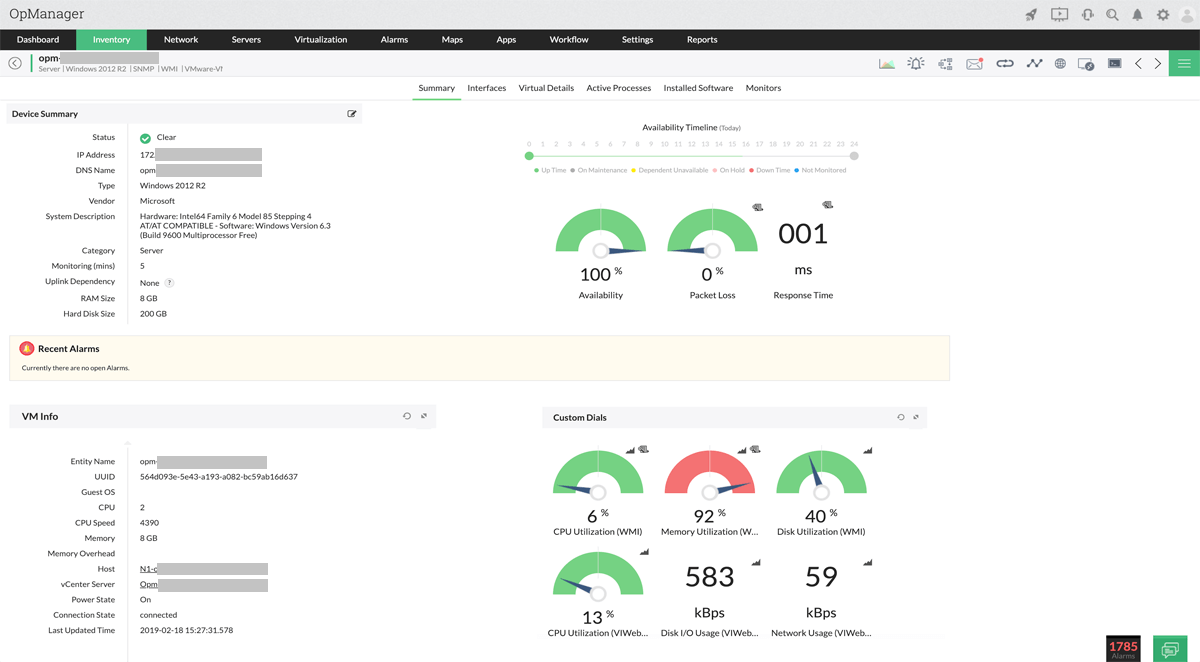
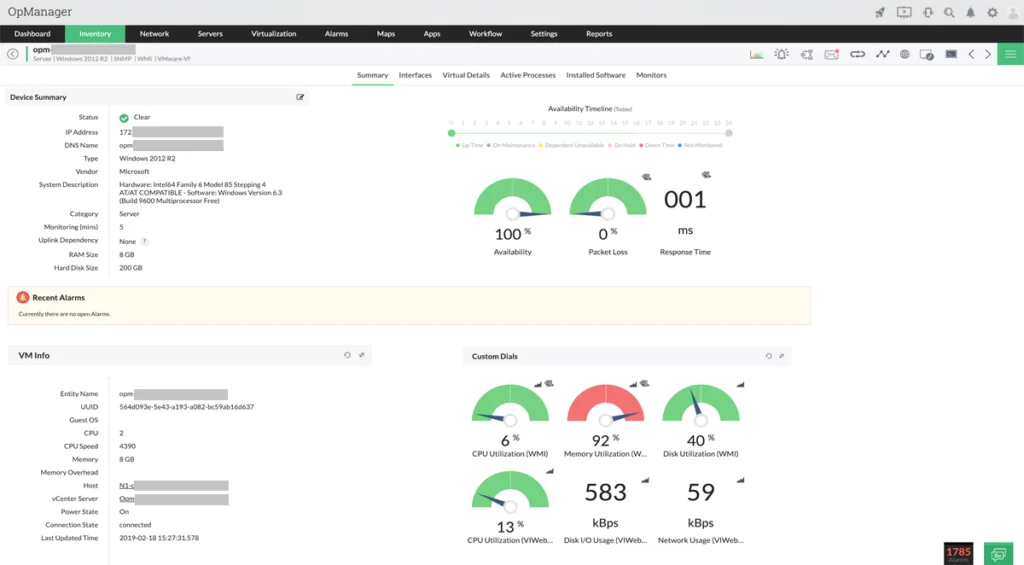
ManageEngine OpManager is an integrated network monitoring platform that provides visibility into IT infrastructure performance. It supports monitoring of a range of devices, including routers, switches, firewalls, wireless LAN controllers, servers, VMs, printers, and storage systems. The platform includes fault detection, performance monitoring, and network visualization in a single interface.
Key features include:
- Network monitoring: Real-time monitoring of IP-based devices, services, and system performance, with device health and availability metrics.
- Physical and virtual server monitoring: Continuous performance tracking for physical servers and virtualization platforms including Hyper-V, VMware, Citrix, Xen, and Nutanix HCI.
- Wireless network monitoring: Visibility into access points, wireless routers, and WiFi traffic, including signal strength and usage patterns.
- WAN monitoring: Uses Cisco IPSLA to monitor WAN link availability, latency, and performance, and to troubleshoot connectivity issues.
- Cisco ACI monitoring: Automatic discovery of Cisco ACI components, with performance metrics for fabrics, tenants, and endpoint groups.
Source: ManageEngine
3. LogicMonitor

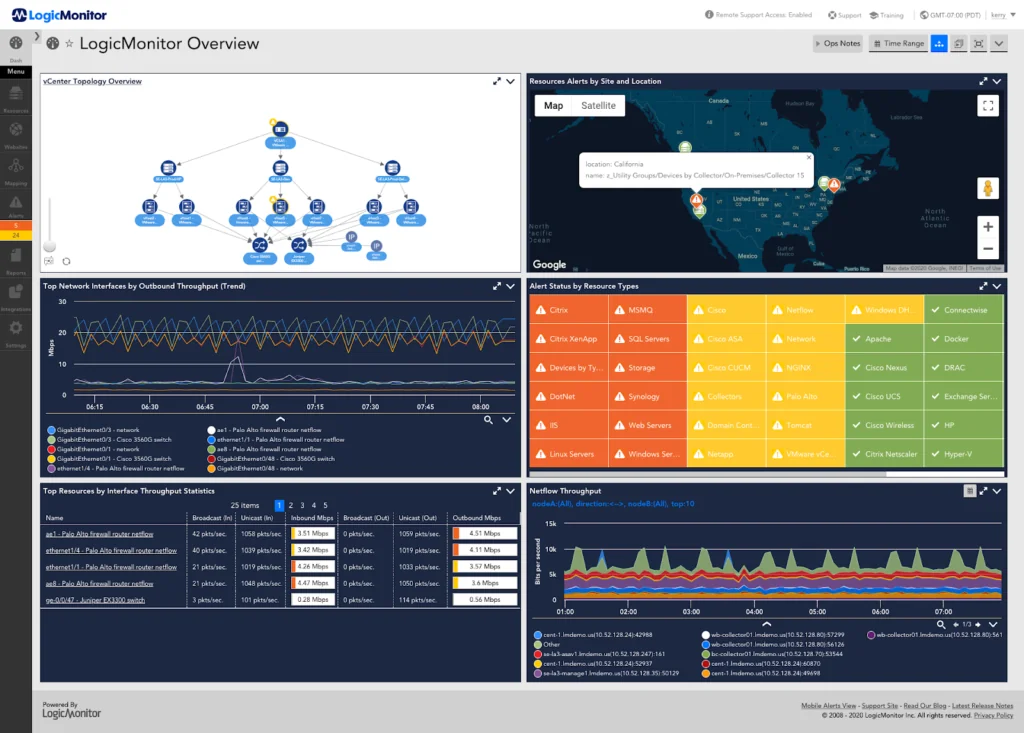
LogicMonitor’s LM Envision platform combines hybrid observability with AI operations (AIOps) to give IT teams a unified view across cloud, data center, applications, and services. Designed to handle the complexity of hybrid infrastructures, it uses out-of-the-box integrations and AI-driven insights to detect and resolve issues before they impact business operations.
Key features include:
- Root cause analysis: Automatically determines the underlying cause of performance issues.
- Event intelligence: Uses Edwin AI to correlate, contextualize, and enrich alerts for better decision-making.
- Service insights: Automatically maps services and their dependencies to speed resolution of business-critical issues.
- Resource explorer: Enables search, filtering, and exploration of resources and relationships across hybrid environments.
- API & integrations: Supports over 3,000 technology integrations and provides APIs for custom extensions.
Source: LogicMonitor
4. Paessler PRTG
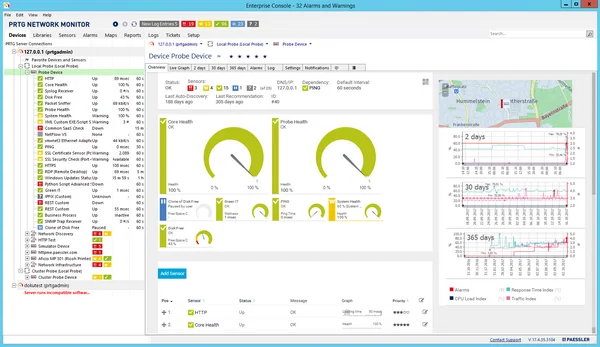
Paessler PRTG is an IT infrastructure monitoring platform that enables organizations to track the health, availability, and performance of networks, servers, applications, databases, and cloud services. It offers preconfigured sensors for common protocols such as SNMP, WMI, and HTTP, as well as custom monitoring through SQL queries and API integration.
Key features include:
- Network monitoring: Tracks device and service availability, bandwidth usage, and network traffic across the infrastructure.
- Database monitoring: Uses custom SQL queries and specialized sensors to track database performance and availability.
- Application monitoring: Collects statistics on application performance and resource consumption.
- Cloud monitoring: Centrally monitors cloud services alongside on-premises resources.
- Server monitoring: Monitors availability, capacity, and reliability of physical and virtual servers.
Source: Paessler
5. Site24x7

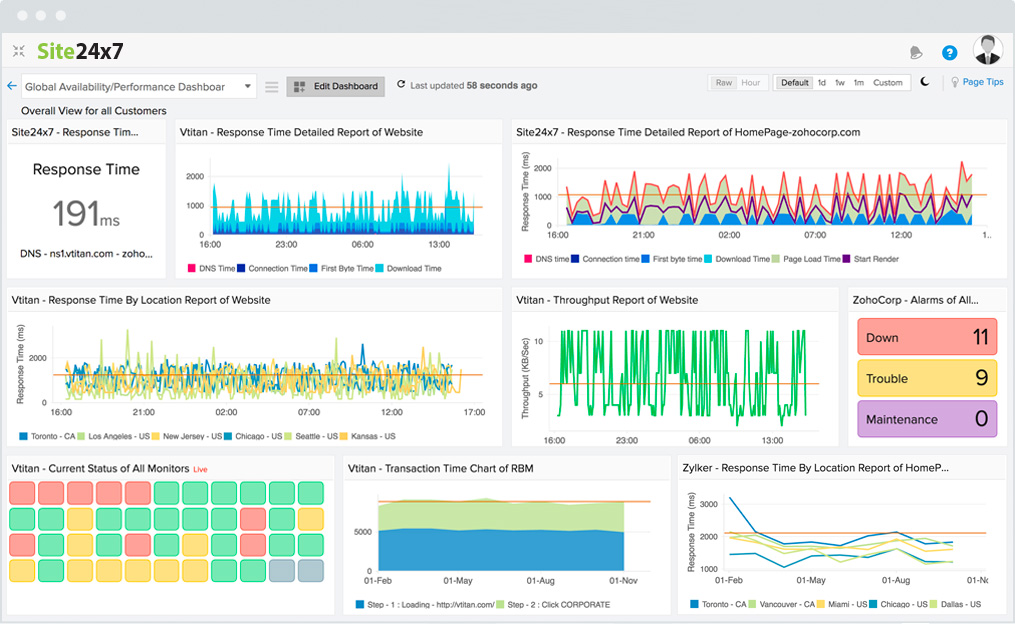
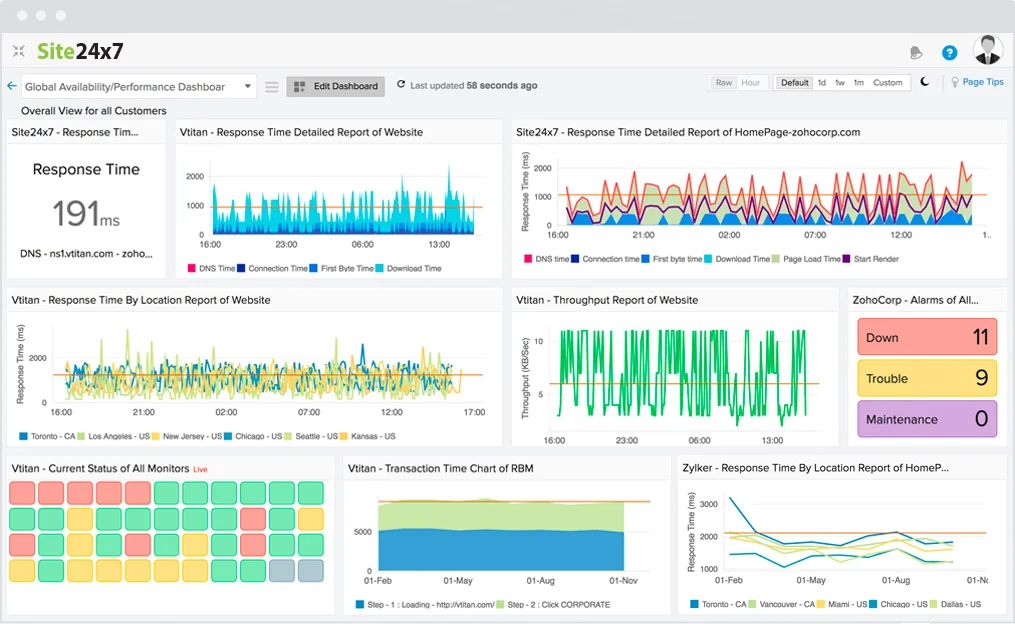
Site24x7 is a cloud-based network monitoring platform for enterprise-scale environments, offering visibility into network performance, device health, and traffic patterns. Originating from ManageEngine OpManager’s technology, it combines availability monitoring, NetFlow-based traffic analysis, and network configuration management into a scalable solution.
Key features include:
- Network performance monitoring: Tracks latency, packet loss, errors, and bandwidth usage, with health dashboards for proactive management.
- Network traffic monitoring (NetFlow): Analyzes flow data to identify bandwidth hogs and optimize traffic distribution.
- Network configuration management (NCM): Automates configuration backups, monitors changes, and detects compliance violations.
- Device discovery & mapping: Automatically detects devices via SNMP and generates Layer 2/Layer 3 topology maps.
- WAN & voip monitoring: Uses Cisco IPSLA to measure WAN round-trip time, jitter, and latency to ensure SLA compliance.
Source: Site24x7
Conclusion
Although the Tivoli brand has been retired, the underlying technologies remain integral to IBM’s IT management portfolio. The rebranded solutions continue to provide enterprises with capabilities for infrastructure monitoring, workload automation, identity governance, and data protection. These tools address the ongoing need for centralized control, operational efficiency, and compliance across complex hybrid environments, ensuring that organizations can adapt their IT operations to evolving business and security demands.