
TL;DR: CMDB solutions keep a current record of cloud and on-premises assets and how they depend on each other. Faddom is best for agentless dependency mapping across hybrid estates, Device42 for deep hybrid discovery, Cloudaware for multi-cloud cost and compliance context, and ServiceNow for enterprise ITSM-led configuration management.
What Are CMDB Solutions and How Are They Used in Hybrid Environments?
CMDB (Configuration Management Database) solutions are systems that provide a centralized repository for tracking IT assets, software, and their relationships within an organization’s IT environment. Key benefits include improved incident and change management, automated discovery, better decision-making through visibility into IT infrastructure, compliance, and reduced costs. Popular CMDB solution providers include Faddom, ServiceNow, BMC Software, Freshworks, and SolarWinds.
Configuration Management Database (CMDB) solutions track both dynamic cloud resources and on-premises hardware in a single system to provide visibility and dependency mapping:
For cloud resources, a CMDB integrates with cloud provider APIs to discover and monitor virtual machines, containers, managed databases, load balancers, serverless functions, storage services, and networking components across public and private clouds. Because cloud infrastructure changes frequently, continuous synchronization helps keep configuration records current as resources are created, modified, scaled, or terminated.
For on-premises hardware, a CMDB tracks physical servers, storage arrays, network switches, routers, firewalls, desktops, and other infrastructure deployed in data centers or branch offices. Automated discovery tools collect hardware specifications, operating systems, installed software, network interfaces, and configuration changes, while relationship mapping shows how these assets support applications and business services.
CMDB Solutions at a Glance
The table below summarizes the key differences between the solutions covered in this guide. We explore each one in more detail in the sections that follow.
|
Category |
Solution |
Best For |
Cloud CMDB Features |
On-Premise CMDB Features |
|
Discovery-Led CMDB Solutions |
Faddom |
Agentless dependency mapping across on-prem and cloud |
AWS/Azure flow log ingestion, hybrid dependency mapping, cloud workload correlation, identity and segmentation context |
Agentless passive discovery, automatic application grouping, change impact analysis, ServiceNow CMDB enrichment |
|
Discovery-Led CMDB Solutions |
Device42 |
Hybrid discovery and CMDB from mainframes to cloud containers |
AWS and Azure discovery, hybrid cloud inventory, cloud resource relationships |
Automated infrastructure discovery, data normalization and deduplication, dependency mapping, configurable CI model, reporting and integrations |
|
Discovery-Led CMDB Solutions |
Cloudaware |
Multi-cloud and datacenter CMDB with cost and compliance data |
Multi-cloud discovery across major providers, cross-account search, cost visibility, Terraform change control |
VMware and datacenter discovery, compliance policy engine, software inventory, customizable schema and workflows |
|
Discovery-Led CMDB Solutions |
Lansweeper |
Discovery and inventory feeding a CMDB across IT, OT, and cloud |
AWS, Azure, and Google Cloud discovery, cloud connectors for hybrid inventory |
Active and passive discovery, credential-free asset recognition, normalization and deduplication, relationship-aware inventory |
|
ITSM Platforms with Built-In CMDB |
ServiceNow CMDB |
Enterprises standardizing CI data across the ServiceNow platform |
Cloud Discovery, Service Mapping, Service Graph Connectors, cloud relationship mapping |
Discovery across datacenters, multi-source CI reconciliation, CMDB Workspace, relationship visualization, continuous data quality assessment |
|
ITSM Platforms with Built-In CMDB |
BMC Helix CMDB |
Large estates needing reconciled CI data across on-prem and cloud |
Cloud discovery through Helix Discovery, hybrid-scale CI management |
On-prem discovery, data federation, relationship visualization, change impact analysis, role-based access, configuration KPIs |
|
ITSM Platforms with Built-In CMDB |
Freshservice CMDB |
Service teams wanting CMDB and ITSM workflows in one platform |
Cloud and hybrid asset discovery, resource utilization tracking |
On-prem discovery, normalization and enrichment, dependency mapping, continuous CI updates, software asset management, DCIM/IPAM |
|
ITSM Platforms with Built-In CMDB |
SolarWinds Service Desk |
Mid-sized teams pairing a CMDB with an ITIL-aligned service desk |
Intune and Jamf integrations for cloud-managed devices |
Network discovery, SCCM/vCenter integrations, dependency mapping, visual CI maps, ticket-to-asset relationships |
Why Organizations Need a CMDB for Hybrid IT Environments
Maintaining Visibility Across Cloud and On-Premises Infrastructure
Hybrid IT environments combine physical infrastructure, virtual machines, containers, and cloud services. As these resources change frequently, maintaining an accurate inventory becomes difficult with manual processes. A CMDB helps consolidate data from multiple environments into a single repository, making it easier to identify what assets exist, where they are located, and how they are configured.
Many modern CMDB solutions use automated discovery to detect new devices, cloud instances, and software as they are deployed. This reduces outdated records and gives IT teams a more accurate view of the environment. Centralized visibility also supports troubleshooting, capacity planning, and security by ensuring teams work with current configuration data.
Understanding Relationships Between IT Assets
A CMDB does more than list assets. It maps the relationships between servers, applications, databases, network devices, cloud services, and business applications. These dependency maps help teams understand how changes to one configuration item may affect other systems.
Relationship mapping improves incident response and change management by identifying upstream and downstream dependencies before maintenance begins. During outages, teams can quickly trace affected services to the underlying infrastructure, reducing troubleshooting time and minimizing business disruption.
Reducing Configuration Data Silos
Configuration data is often spread across monitoring platforms, cloud providers, inventory systems, and service management tools. When each system maintains separate records, inconsistencies can lead to inaccurate asset information and inefficient IT processes. A CMDB brings this data together into a single, structured repository.
Many CMDB platforms integrate with discovery tools, cloud APIs, vulnerability scanners, and IT service management solutions to keep configuration data synchronized. Consolidating information reduces duplicate records, improves data quality, and enables different IT teams to work from the same source of truth when managing infrastructure, security, and service operations.
Common Use Cases for Hybrid CMDB Solutions
IT Asset and Configuration Management
A hybrid CMDB maintains a centralized inventory of hardware, software, virtual machines, containers, cloud services, and network devices across on-premises and cloud environments. It records key attributes such as ownership, location, version, lifecycle status, support details, and configuration.
Automated discovery and synchronization help keep records current as resources are created, modified, moved, or retired. This reduces manual data entry and helps prevent duplicate or outdated records.
IT teams can use this data for asset lifecycle management, software license tracking, audits, capacity planning, and configuration reviews. A reliable inventory also makes it easier to identify unsupported systems and enforce configuration standards.
Incident Impact Assessment
A hybrid CMDB maps dependencies between applications, infrastructure, cloud services, databases, and business processes. During an incident, teams can use these relationships to identify which services, departments, and users may be affected.
This context helps responders prioritize critical issues and trace failures to related configuration items. For example, a failed database server may affect several applications even if those applications are hosted in different environments.
Dependency data can also reduce resolution time by showing likely upstream causes and downstream effects. It gives service desk and operations teams a shared view of the incident and the systems involved.
Change and Release Management
Before approving a change, teams can use CMDB relationship data to assess which systems may be affected. This helps identify dependencies, conflicts, and risks that may not be visible in the original change request.
The CMDB can support change planning by showing application owners, maintenance windows, technical dependencies, and related business services. Change advisory boards can use this information to make more informed approval decisions.
It also supports release validation by comparing planned changes with the actual configuration state. Accurate records make it easier to detect unauthorized changes, investigate failed deployments, and confirm that updates were applied correctly.
Cloud Migration Planning
A hybrid CMDB helps teams understand which applications, servers, databases, storage systems, and network services must move together during a cloud migration. Dependency maps reveal connections that could cause failures if components are migrated in the wrong order.
Teams can use CMDB data to group workloads into migration waves, estimate project scope, and identify outdated or unused assets. This can prevent unnecessary systems from being moved and reduce migration costs.
The CMDB also supports post-migration validation by confirming that required dependencies remain available. Teams can compare the original and target environments to identify missing connections, incorrect configurations, or undocumented services.
Data Center Consolidation
During data center consolidation, a hybrid CMDB provides a detailed view of assets across facilities and cloud environments. Teams can identify duplicate systems, underused infrastructure, unsupported hardware, and applications that can be retired or relocated.
Dependency data helps planners determine which workloads can be moved safely and which require coordinated migration. It can also reveal systems that appear unused but still support important applications or business services.
CMDB records support cost analysis, capacity planning, and migration scheduling throughout the consolidation project. After the move, teams can use the CMDB to confirm that assets, configurations, and service relationships remain accurate.
Key Capabilities of CMDB Solutions for Hybrid Environments
Automated Asset Discovery
Automated asset discovery continuously scans on-premises infrastructure and cloud environments to identify configuration items without relying on manual updates. It detects servers, virtual machines, network devices, applications, databases, cloud resources, and other assets as they are deployed.
Continuous discovery helps maintain an accurate CMDB by identifying new, modified, or retired resources. This reduces administrative effort while improving the reliability of asset inventories used for IT operations, security, and compliance.
Agent-Based and Agentless Data Collection
Most CMDB solutions support both agent-based and agentless methods for collecting configuration data. Agent-based collection installs lightweight software on managed systems to gather detailed information, while agentless collection retrieves data remotely using protocols such as SSH, WMI, SNMP, or APIs.
Supporting both approaches allows organizations to collect data from a wider range of environments. Teams can choose the most appropriate method based on security requirements, network access, system compatibility, and the level of detail required.
Cloud API and Account Integration
Modern CMDB platforms integrate directly with cloud providers through native APIs. These integrations automatically collect information about virtual machines, storage services, networking components, databases, serverless resources, and other cloud assets.
Connecting cloud accounts enables the CMDB to detect changes as cloud environments scale. It also helps maintain consistent visibility across multiple cloud providers and regions without requiring separate discovery processes.
Application Dependency Mapping
Application dependency mapping identifies how applications interact with servers, databases, network devices, cloud services, and external systems. This information creates visual relationship maps that show how business services are delivered across the infrastructure.
Accurate dependency maps improve troubleshooting, change planning, and migration projects by revealing connections that may not be documented elsewhere. They also help teams understand the potential impact of failures before making infrastructure changes.
Configuration History and Audit Trails
A CMDB maintains historical records of configuration changes, allowing teams to track how assets have evolved over time. These records typically include updates to hardware, software versions, network settings, ownership, and relationships between configuration items.
Configuration history supports troubleshooting by identifying when changes occurred and what was modified. It also simplifies compliance audits by providing documented evidence of configuration changes and administrative activity.
Real-Time Change Detection
Real-time change detection monitors infrastructure for configuration updates as they occur. Rather than waiting for scheduled discovery scans, the CMDB can identify newly deployed resources, modified settings, or removed assets shortly after the changes take place.
Faster detection helps maintain an accurate CMDB and reduces the risk of configuration drift. IT teams can respond more quickly to unauthorized changes, deployment errors, or infrastructure issues that could affect service availability.
Data Reconciliation and Deduplication
Configuration data often comes from multiple discovery tools, cloud platforms, monitoring systems, and asset inventories. A CMDB uses reconciliation rules to merge this information into a single, consistent record for each configuration item.
Deduplication prevents multiple entries for the same asset while preserving data from trusted sources. This improves data quality, reduces inconsistencies, and ensures IT teams work with reliable information when managing incidents, changes, and infrastructure planning.
Notable CMDB Solutions
How we selected these solutions: We shortlisted CMDB solutions based on automated discovery across cloud and on-premises environments, dependency and relationship mapping, data reconciliation and deduplication, and the ability to keep configuration records current as infrastructure changes.
Compare top-rated IT asset management platforms on G2
Discovery-Led CMDB Solutions
1. Faddom

Best for: Agentless dependency mapping across on-prem and cloud
Strengths: Passive collection, fast deployment, no credentials needed
Things to consider: Read-only mapping, needs a CMDB or ITSM alongside it
Faddom is an agentless application dependency mapping platform that visualizes on-premises and cloud infrastructure in real time, with servers automatically grouped by the business applications they support. It correlates data from network traffic, infrastructure, and cloud-native sources to build and maintain dependency maps.
The platform is passive and read-only, deploys in under 60 minutes, and requires no agents, credentials, or firewall changes. It can run entirely offline, which suits segmented and air-gapped environments. Faddom feeds application dependency context into CMDB and ITSM records rather than acting as the system of record itself.
Cloud CMDB features:
- Cloud flow log ingestion: Collects AWS and Azure VNet flow logs to map cloud workloads without agents or credentials.
- Hybrid and cloud correlation: Connects cloud and virtualization environments into the same dependency maps as on-premises infrastructure.
- Security and identity integrations: Maps real communication patterns to support cloud segmentation and identity-based access policies.
On-premises CMDB features:
- Agentless passive collection: Uses standard protocols including NetFlow, sFlow, IPFIX, SNMP, SSH, WMI, ETW, and syslog, without active scanning or agents on servers.
- Automatic application grouping: Discovered on-premises servers are grouped into the business applications they support, so maps reflect services rather than raw host lists.
- Change impact analysis: Traces upstream and downstream dependencies so teams can simulate the effect of a proposed change before work begins.
- ServiceNow CMDB enrichment: A native integration populates and maintains CMDB records and relationship data, with open APIs, webhooks, and standard protocols extending this to other tools.

Limitations (as reported by users on G2):
- Duplicate host entries: Users report that a single server can appear under multiple names when hostnames or IP addresses change, requiring occasional cleanup.
- Initial learning curve: Some reviewers note that the terminology and range of features take time to learn before teams get full value from the maps.
- Report export options: A few users would like richer exportable reports and executive-level dashboards beyond the current output.
2. Device42

Best for: Hybrid discovery and CMDB from mainframes to cloud containers
Strengths: Deep discovery, data normalization, flexible CI data model
Things to consider: Setup complexity and performance under heavy data volumes
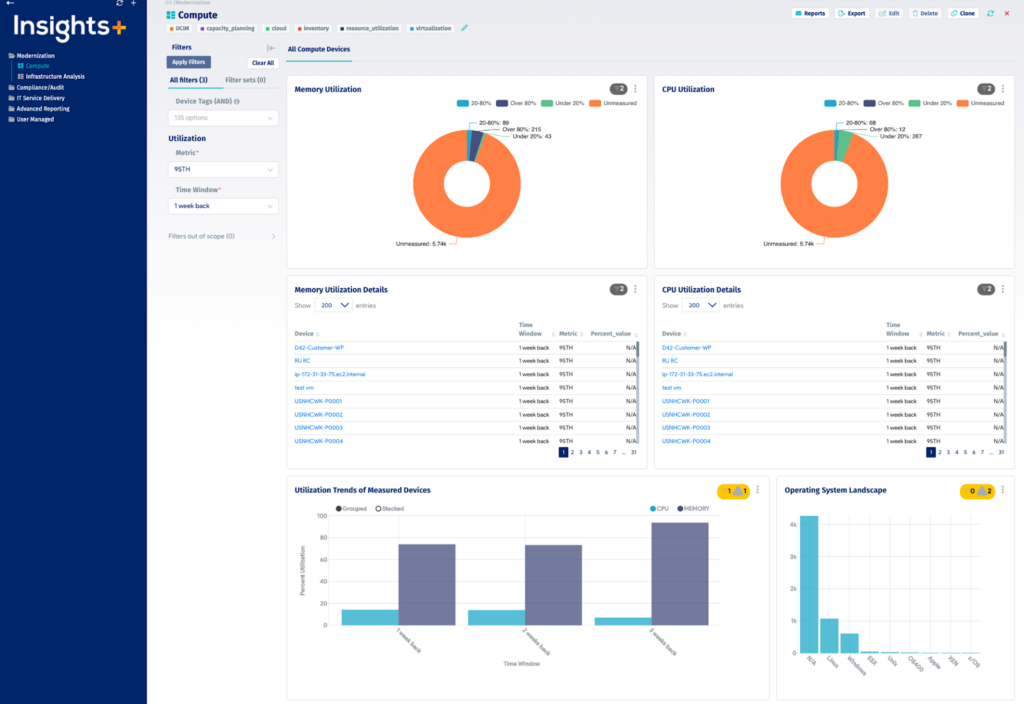
Device42, now part of Freshworks, is a discovery-driven CMDB that captures configuration items across hybrid environments. Its discovery engine covers hardware, software, network devices, end-user devices, cloud resources, and the relationships between them, with preconfigured CIs and relationships available from the start.
Beyond inventory, the platform applies continuous data governance, deduplicating records and standardizing vendor and software names. Teams can adapt the schema, add custom fields, and connect the CMDB through more than 40 integrations or push and pull data with a RESTful API.
Cloud CMDB features:
- Cloud resource discovery: Dedicated cloud discovery builds inventory and resource-level detail for AWS and Azure assets.
- Hybrid discovery reach: Automated discovery extends across cloud resources alongside legacy and virtual infrastructure, without manual updates.
On-premises CMDB features:
- Automated hardware and network discovery: Captures configuration items across mainframes, servers, network devices, and end-user devices.
- Deduplication and normalization: Removes duplicate records, standardizes vendor, operating system, and software names, and adds end-of-life and end-of-support data to assets.
- Native application dependency mapping: Shows network-level topology and the business services running on top of it, with upstream and downstream relationships for impact analysis.
- Configurable data model: Preconfigured CIs and relationships can be customized, with unlimited custom fields and metadata tags for business context.
- Reporting and InsightsAI: Out-of-the-box and custom reports and dashboards, plus a natural language tool that turns plain-language questions into queries against infrastructure data.
- Integration library: More than 40 out-of-the-box integrations including Freshservice, ServiceNow, Jira, Zendesk, Puppet, Chef, Ansible, and Splunk, plus spreadsheet import and RESTful APIs.

Source: Device42
Limitations (as reported by users on G2):
- Setup and navigation complexity: Smaller teams report the platform feels complex to configure and navigate at first and needs time to learn.
- Performance under load: Reviewers describe slowdowns when handling large data volumes or high numbers of concurrent API calls against the appliance.
- Add-on pricing model: Some users note that certain capabilities are priced separately rather than included, and that the entry price is high for smaller estates.
- Discovery coverage gaps: A few reviewers found limited discovery depth for certain vendors and hardware, and noted that dependency mapping data is not always real time.
3. Cloudaware

Best for: Multi-cloud and datacenter CMDB with cost and compliance data
Strengths: 3K+ cloud services covered, no-code workflows, policy checks
Things to consider: Learning curve and cost for smaller teams
Cloudaware is a CMDB platform for organizations running workloads across several cloud providers and on-premises infrastructure. It aggregates inventory from AWS, Azure, Google Cloud, Oracle Cloud, Alibaba Cloud, VMware, and desktop estates, supporting more than 3,000 cloud services along with 50-plus integrations.
Discovery can be enabled through Terraform, AWS Organizations, AWS CloudFormation StackSets, Azure multi-tenant authentication, or GCP service accounts, with API and direct network discovery covering on-premises assets. A single query can run across multiple providers, accounts, and regions at once.
Cloud CMDB features:
- Multi-cloud discovery: Aggregates data from AWS, Azure, Google Cloud, Oracle Cloud, and Alibaba Cloud using the latest provider APIs, supporting more than 3,000 cloud services.
- Cross-account search: A single query returns objects such as instances, load balancers, or security groups across all regions and hundreds of cloud accounts.
- Change scoring and control: Generates a score for every change in lower environments and embeds change control into Terraform pipelines to block non-conforming changes.
- Cost and usage data on CIs: Attaches cost and usage reporting to each cloud configuration item so infrastructure can be rightsized against actual spend.
On-premises CMDB features:
- On-premises and VMware discovery: Aggregates data from VMware and datacenter infrastructure using network and SNMP discovery alongside cloud sources.
- Compliance policy engine: Runs automated compliance assessment against hundreds of configuration policies covering standards including PCI, HIPAA, NIST, and ISO, with no separate integration required.
- Software asset catalog: Compiles a software inventory across datacenter and desktop estates and auto-discovers a software bill of materials for vulnerability work.
- Schema customization and workflows: Teams can extend the CMDB schema, import and export data, and build approval processes and automated workflows without code.
- Developer access: CLI and API access including REST, SOAP, Bulk, SAQL, and GraphQL, with data export to Google BigQuery.

Limitations (as reported by users on G2):
- Integration effort in complex estates: Users report that connecting Cloudaware to existing systems and workflows can be demanding in complicated IT environments.
- Interface density and speed: Reviewers describe the interface as overwhelming to navigate at times, with occasional slow response.
- Onboarding learning curve: Several users note that the breadth of functionality means new administrators need time before they are comfortable with the platform.
- Cost at smaller scale: Reviewers with smaller budgets consider the pricing high relative to the value at their size.
4. Lansweeper

Best for: Discovery and inventory feeding a CMDB across IT, OT, and cloud
Strengths: Multiple scan methods, normalization, deduplication at scale
Things to consider: Cloud and on-prem feature gaps, SQL knowledge for reports
Lansweeper is an asset discovery and inventory platform that supplies data to CMDB, ITSM, and security tools rather than serving as the service management system itself. It discovers and classifies assets across IT, OT, IoT, and cloud environments, covering managed, unmanaged, and shadow devices.
The inventory records hardware specifications, installed software, configuration, and operating system versions, and adds warranty details, lifecycle status, and vulnerability context. Data is normalized, deduplicated, reconciled, and classified automatically, then pushed to downstream systems through integrations and an open API.
Cloud CMDB features:
- Cloud API integration: Connects directly to AWS, Azure, and Google Cloud to discover virtual machines, containers, and cloud-native services without deploying sensors.
- Cloud connector discovery: Cloud connectors extend the platform’s discovery methods to capture cloud-hosted assets alongside on-premises ones.
On-premises CMDB features:
- Multiple on-premises discovery methods: Combines active credential-based scanning, a traffic sensor for passive detection, agents for Windows, macOS, and Linux, and imports from SCCM and Intune.
- Credential-free device recognition: Passive fingerprinting identifies assets without credentials, which suits fragile OT, IoT, and segmented network segments.
- IP range coverage tracking: Organizes the network into named IP ranges and measures how completely each segment has been identified, showing where blind spots remain.
- Automatic normalization and deduplication: Merges data from multiple sources, auto-classifies assets by type, location, and domain, and reconciles records at scale.
- Relationship-aware inventory: Links users to devices and systems, and groups assets by location, environment, business unit, or lifecycle stage.
- Downstream integrations: Feeds normalized asset data into ITSM, CMDB, and security platforms through integrations, an open API, workflows, and an MCP server for AI assistants.

Source: Lansweeper

Limitations (as reported by users on G2):
- Cloud and on-premises parity: Reviewers report that some capabilities present on premises are missing in the cloud product, and that synchronization between the two is not always reliable.
- Report building requires SQL: Building custom reports in the on-premises product depends on knowledge of the database schema and SQL queries.
- Interface performance: Users mention slow interface performance and fixed page sizes when working through large asset lists.
- Support responsiveness: Several reviewers describe slow or unhelpful responses when raising technical issues.
- Pricing changes: Some longer-term users note that pricing has increased and that development effort has shifted toward the cloud product.
ITSM Platforms with Built-In CMDB
5. ServiceNow CMDB

Best for: Enterprises standardizing CI data across the ServiceNow platform
Strengths: Certified connectors, service mapping, continuous data checks
Things to consider: Setup effort and specialist expertise for CMDB design
ServiceNow CMDB is the configuration item repository built into the ServiceNow AI Platform, intended to act as a single system of record for CI data shared across the enterprise. It sits alongside ServiceNow Discovery and Service Mapping, which populate it with infrastructure detail from on-premises datacenters and cloud environments.
Data reaches the CMDB from several sources at once, including certified Service Graph Connectors that bring in records from third-party IT systems. Because the CMDB is part of the wider platform, the same CI data supports change, incident, and asset workflows without separate integration work.
Cloud CMDB features:
- Cloud discovery and service mapping: Discovery and Service Mapping build a view of the cloud operations footprint and map relationships between cloud components and business services in dynamic environments.
- Service Graph Connectors: Certified connectors integrate cloud-based third-party IT systems so external data flows into CMDB and non-CMDB tables without custom development.
On-premises CMDB features:
- On-premises discovery: Discovery and Service Mapping build a view of the operations footprint across on-premises datacenters, mapping IT components to business services.
- Multi-source data acquisition: Curates data from multiple discovery and inventory sources into a single view of automatically populated CMDB records.
- CMDB Workspace: A central workspace for checking accuracy, tracking activity across the CMDB, and deriving insights from the data set.
- Relationship visualization and reporting: Presents business context and technical CI relationships in a unified map, with reporting built on the same data.
- Continuous data assessment: Assesses data accuracy on an ongoing basis and produces audit-ready data sets to support automated and AI-driven workflows.

Limitations (as reported by users on G2, where the CMDB is reviewed as part of ServiceNow IT Service Management):
- CMDB configuration effort: Reviewers describe configuring the CMDB as difficult without a dedicated implementation partner or certified architect.
- Data model clarity: Some users find the Common Service Data Model unclear to apply in practice, and note that without enforced data discipline the CMDB accumulates incomplete records.
- Licensing and implementation cost: Reviewers point to high licensing costs and the expense of specialist consultants, particularly for mid-market organizations.
- Performance in customized instances: Heavily customized instances can load slowly, especially with large queues or complex reports.
- Steep learning curve: New administrators report needing months to understand how tables, scripts, workflows, and access controls fit together.
6. BMC Helix CMDB

Best for: Large estates needing reconciled CI data across on-prem and cloud
Strengths: Federation, KPI reporting, tight link to Helix Discovery
Things to consider: Dated interface and complex customization work
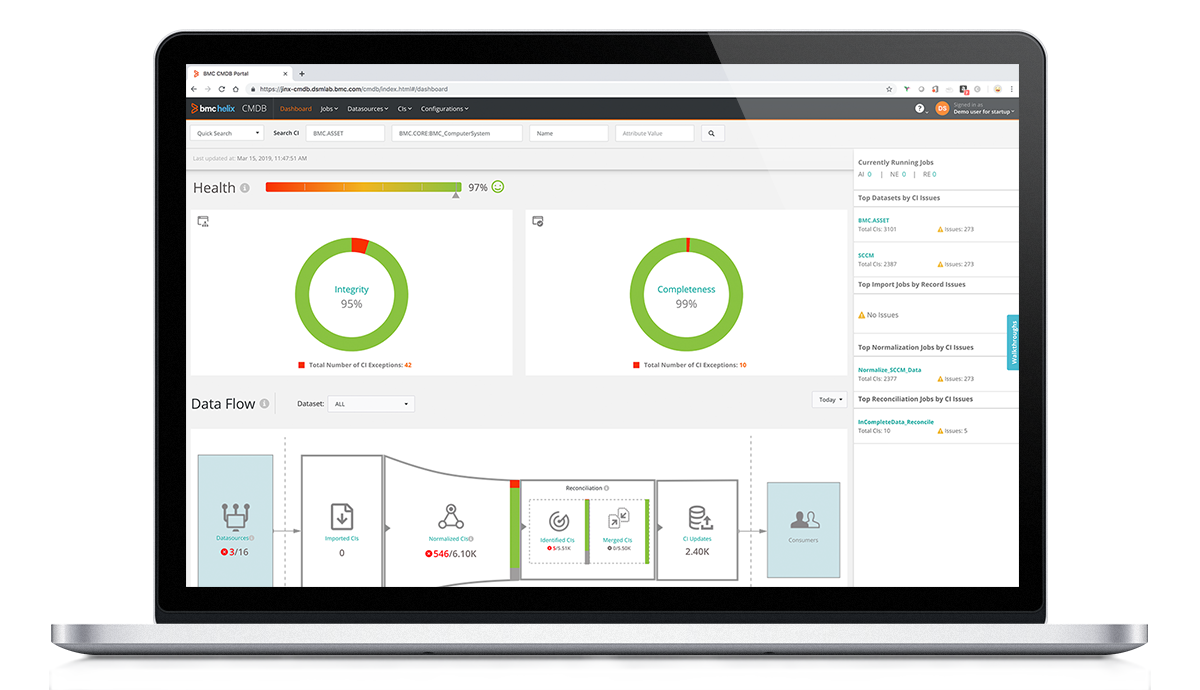
BMC Helix CMDB is a configuration management database that holds data and service models for large numbers of configuration items, including on-premises and cloud services. It tracks hardware, software, and cloud service configurations along with the relationships between them.
The CMDB is populated automatically through BMC Helix Discovery, BMC Helix Client Management, and out-of-the-box connectors, and it can combine and federate data from other sources using integration tooling and APIs. Role-based access can be defined down to individual items and attributes.
Cloud CMDB features:
- Cloud discovery population: BMC Helix Discovery populates and updates cloud service configurations, available as a SaaS discovery option.
- Scale across hybrid estates: Maintains data and service models for cloud services alongside on-premises infrastructure, spanning hundreds of millions of configuration items.
On-premises CMDB features:
- On-premises discovery population: BMC Helix Discovery and Client Management populate and update on-premises hardware and software records, with discovery available as hybrid or on-premises deployment.
- Data federation: Import and federate records from external sources through integration tooling and a set of APIs, so on-premises data can be referenced without duplication.
- Relationship visualization: Presents CI data graphically so relationships and dependencies between on-premises infrastructure, applications, and services can be traced.
- Change impact and conflict detection: Surfaces affected configuration items and services, and detects conflicts when multiple changes are scheduled at the same time.
- Granular access control: Role-based access can be defined for all items and attributes, with role-specific views for configuration managers, change managers, and service desk agents.
- Configuration KPIs: Predefined KPIs measure how the configuration management process or policy is performing.

Source: BMC
Limitations (as reported by users on G2):
- Dated interface: Reviewers describe the interface as basic and note that screen space is not well used in either the Windows or web console.
- Customization complexity: Users report that customization is involved and that reconciliation, normalization, and integration jobs are monitored across separate windows rather than one place.
- Operational overhead: Some reviewers on on-premises deployments mention stability issues, difficulty tracing user activity, and small changes requiring downtime.
- Connector learning time: Getting the out-of-the-box connectors configured correctly takes time even where connectivity itself is straightforward.
7. Freshservice CMDB

Best for: Service teams wanting CMDB and ITSM workflows in one platform
Strengths: Unified discovery, topology maps, ITAM and DCIM in one place
Things to consider: CMDB structuring effort and reporting customization limits
Freshservice CMDB is the configuration repository inside the Freshservice service management platform. It brings discovery, enrichment, relationship mapping, and ongoing maintenance together so CI data stays current as infrastructure changes, and it acts as the reference point for incident, change, and service delivery workflows.
Discovery covers legacy, virtual, and cloud environments in a single view, and normalization and enrichment turn records from different sources into one dataset. Topology maps then show how applications, services, and infrastructure connect.
Cloud CMDB features:
- Cloud discovery: Discovers and tracks IT assets across cloud and hybrid environments to maintain an audit-ready inventory alongside on-premises data.
- Resource utilization data: Collects CPU, memory, and I/O data against cloud and on-premises assets to identify idle capacity.
On-premises CMDB features:
- On-premises discovery: Discovers and tracks IT assets across on-premises infrastructure to maintain an audit-ready inventory.
- Normalization and enrichment: Consolidates scattered records from multiple sources into a single dataset that other IT workflows can draw on.
- Dependency and topology mapping: Visualizes how applications, services, and infrastructure connect, so change risk and service impact can be assessed before work starts.
- Continuous updates: CI records update as infrastructure changes, so the CMDB scales alongside the estate rather than drifting between manual reviews.
- Software license management: Tracks a complete software profile for cost control and compliance alongside the hardware inventory.
- Data center and IP address management: DCIM tracks datacenter assets, power, and space, while IPAM manages IP addresses and network dependencies to avoid conflicts.

Source: Freshservice

Limitations (as reported by users on G2):
- CMDB structuring effort: Reviewers report that getting the CMDB to reflect real dependencies takes time and trial and error, and that value drops if that work is skipped.
- Connector sync behavior: Some integrations add records but do not propagate deletions, so stale entries accumulate and need periodic manual cleanup.
- Reporting flexibility: Users describe the analytics module as limited for custom views, with some reporting gated behind higher plan tiers.
- Licensing model: Reviewers mention confusion around agent types and note changes to how CMDB licensing counts certain item categories.
- Customization limits: Several users say they adjusted their processes to fit the product rather than the other way around.
8. SolarWinds Service Desk

Best for: Mid-sized teams pairing a CMDB with an ITIL-aligned service desk
Strengths: Built-in discovery, visual CI maps, ties assets to tickets
Things to consider: Basic customization and reporting for complex CMDB work
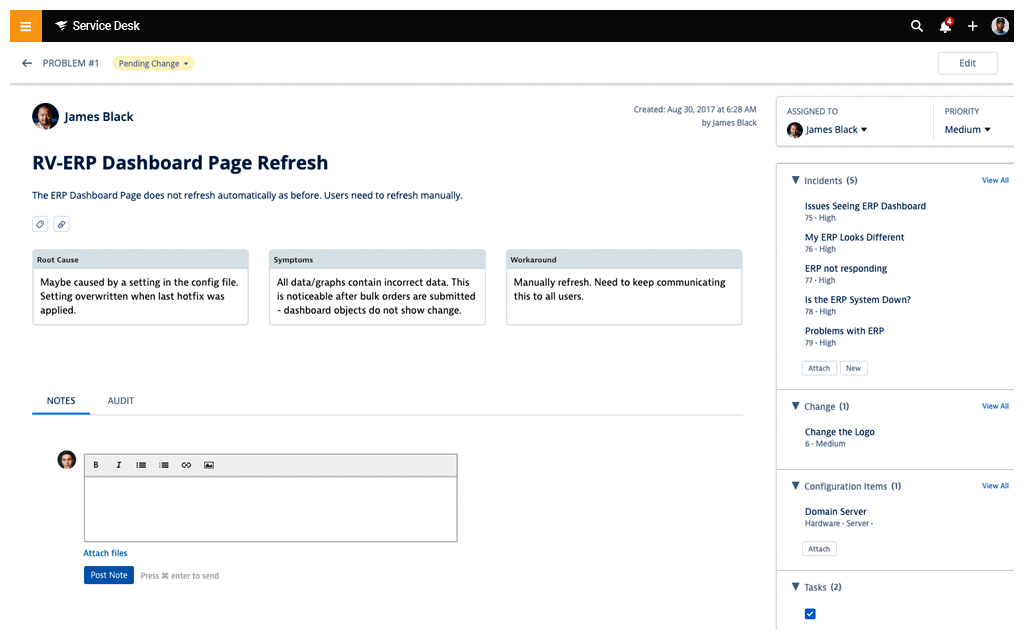
SolarWinds Service Desk includes a CMDB that tracks IT assets and the dependencies between them as configuration items, held in the same product as incident, problem, and change management. Because the CMDB sits next to the service desk, opening an incident brings up the hardware and software linked to that user’s account.
Asset records can be entered manually, collected by the built-in network discovery scanner, or pulled in from systems such as SCCM, Jamf, Intune, and vCenter. Organizations already running SolarWinds Observability Self-Hosted can connect it to pull assets and their dependencies in automatically.
Cloud CMDB features:
- Cloud device management connections: Connections to Intune and Jamf pull in cloud-managed device and configuration data alongside on-premises systems.
On-premises CMDB features:
- Network discovery scanner: A built-in scanner populates the CMDB with assets found on the on-premises network, alongside manual entry for anything discovery does not reach.
- Third-party asset connections: Connections to SCCM and vCenter correlate on-premises asset information from several systems into one record set.
- Observability integration: Connecting SolarWinds Observability Self-Hosted pulls on-premises assets and their dependencies into the CMDB automatically.
- Dependency linking: Once assets are in the CMDB, dependency links are created between them so the effects of a change or fix can be traced.
- Visual CMDB map: A graphical view of assets and their relationships provides a navigable representation of the infrastructure.
- Ticket-level asset context: When a user raises an incident, the CMDB surfaces the hardware and software associated with their account for troubleshooting.

Source: SolarWinds
Limitations (as reported by users on G2):
- Depth for complex CMDB use cases: Reviewers describe the platform as functionally basic next to larger ITSM products when it comes to advanced automation and deep CMDB-driven work.
- Integration effort: Linking configuration items or monitoring data often relies on custom scripts and API workarounds rather than native connections.
- Asset search and management: Users report difficulty searching for specific assets or asset tags, and find asset inventory customization limited.
- Reporting flexibility: Built-in reports cover the basics, but tailored views often require exporting data and manipulating it elsewhere.
- Tiered feature access: Some capabilities that teams consider standard, including custom fields and more advanced API access, sit in higher pricing tiers.
Considerations for Choosing CMDB Solutions for Cloud and On-Premises Assets
Choosing a CMDB for a hybrid environment requires more than comparing asset inventory features. The platform should collect reliable data from multiple environments, maintain accurate relationships, and integrate with existing IT operations tools.
- Discovery Coverage: Confirm that the solution can discover physical devices, virtual machines, containers, network equipment, cloud services, databases, and applications across all required environments.
- Cloud Integration: Check for native integrations with the organization’s cloud providers, accounts, regions, and services. API-based collection should support frequent updates as cloud resources change.
- Agent Options: Evaluate whether the platform supports both agent-based and agentless discovery. This provides flexibility for systems with different security, access, and data collection requirements.
- Dependency Mapping: Look for automated mapping of relationships between infrastructure, applications, databases, and business services. Accurate dependency data is important for incident response, change planning, and migrations.
- Data Quality Controls: Review how the CMDB handles duplicate records, conflicting data, missing attributes, and outdated configuration items. Reconciliation rules should prioritize trusted data sources.
- Update Frequency: Determine how quickly the platform detects infrastructure changes. Dynamic cloud environments may require near-real-time updates rather than scheduled scans.
- Integration With IT Tools: Confirm compatibility with IT service management, monitoring, security, vulnerability management, and automation platforms. Strong integrations reduce manual work and improve data consistency.
- Scalability: Ensure the CMDB can support the current number of assets and expected growth across cloud and on-premises environments without reducing performance.
- Security and Access Controls: Review encryption, role-based access, audit logging, credential management, and data residency options. The platform should protect sensitive configuration and infrastructure data.
- Reporting and Usability: Assess whether teams can easily search assets, view relationships, create reports, and investigate changes. Clear interfaces improve adoption and reduce reliance on specialist administrators.
- Implementation Effort: Consider the time required to configure discovery, define data models, connect integrations, and establish governance processes. A technically capable CMDB can still fail if implementation is too complex.
- Licensing and Total Cost: Compare pricing models based on configuration items, users, data sources, or managed resources. Include deployment, integration, training, maintenance, and administration costs.
Related content: Read our guide to CMDB tools
Conclusion
CMDB solutions aid in simplifying IT operations by consolidating asset data and visualizing their relationships. They improve decision-making, strengthen governance, and reduce risks tied to changes or outages. By delivering reliable visibility into complex environments, CMDBs help organizations optimize resources, support compliance, and ensure that IT services remain resilient and aligned with business priorities.