
The best alternatives to IT Glue for managed service provider (MSP) and IT documentation include Hudu, ITFlow, and N-able Passportal. These platforms provide structured asset tracking, password management, and standard operating procedures (SOPs) tailored for IT teams.
Top IT Glue alternatives:
- Hudu: Widely considered the closest 1:1 replacement for IT Glue, with flexible documentation, asset tracking, password management, and both cloud and self-hosting options.
- ITFlow: A free, open-source, self-hosted option styled after IT Glue, with built-in lightweight ticketing and asset management for smaller teams that want total data control.
- N-able Passportal: A security-focused documentation and password management tool built for MSP workflows, fitting smoothly within the N-able ecosystem.
- NinjaOne: Built-in documentation included natively within a broader RMM and PSA platform, reducing the need for a separate knowledge base.
What to weigh when choosing an alternative:
- Hosting model: Decide whether you need self-hosted software for full data control or a managed cloud deployment.
- Integrations: Consider whether you need native RMM/PSA integrations or just a standalone knowledge base.
- Core capabilities: Look for structured asset tracking, password management, and SOPs that fit your tech team’s workflows.
What Is IT Glue?
IT Glue is an IT documentation platform for IT service providers. It centralizes documentation, offering accessibility and ease of use. With features like automated documentation and structured relationship mapping, IT Glue allows teams to create a standardized documentation process.
Key features of IT Glue include search functionality and document templates, which are useful for maintaining accurate and up-to-date system data. This platform also supports collaboration, allowing multiple users to contribute and access documentation simultaneously. Its integration capabilities with other IT management solutions help in consolidating various information streams into a single repository.
Editor’s note: Updated information about IT Glue and competing solutions to reflect features and capabilities in 2026, and added one new competitor.
Key Features of IT Glue
IT Glue offers a comprehensive set of capabilities designed to centralize, standardize, and automate IT documentation. Its features help IT teams quickly find information, enforce security, link related assets, and collaborate effectively.
Key features include:
- Centralized documentation repository: Store and organize standard operating procedures, checklists, configurations, passwords, vendors, licenses, and other documentation in a single searchable location.
- Advanced search & relationship mapping: Quickly locate related assets and documents using powerful search and linked data structures that show how items connect.
- Automated documentation: Reduce manual work with automation features such as auto-generated standard operating procedures and suggested documents tied to workflows and tickets.
- Secure password management: Protect credentials with a built-in password vault that includes audit trails and role-based access controls.
- Templates & checklists: Standardize processes using reusable templates and task checklists to improve consistency across teams.
- Integrations: Synchronize with RMM, PSA, directory services such as Active Directory and Intune, ticketing systems, and collaboration tools to maintain consistent data.
- Version control & audit trail: Track document changes over time with version history and audit logs to support compliance and accountability.
- Access & collaboration controls: Enable secure teamwork with role-based permissions and real-time collaboration capabilities.
- Mobile & browser support: Access documentation from mobile devices or web browsers to support work from any location.
Why Consider Alternatives to IT Glue? Key Limitations
The IT Glue documentation platform has some limitations that may prompt users to consider alternatives. These limitations were reported by users on the G2 platform:
- Search functionality issues: The search feature can be inconsistent, sometimes failing to return expected results. It may also unexpectedly switch to searching within a specific category rather than performing a general search.
- Rigid templates: Some users find the pre-defined template fields too restrictive, limiting customization options for documentation.
- Steep learning curve: The platform can be overwhelming for new users, particularly smaller teams that may not require all its features.
- Mobile app limitations: The mobile app lacks some functionality available in the desktop version and can be slow at times.
- Limited vaulted password integration: Users cannot directly enter vaulted passwords in Datto RMM web remote sessions, limiting efficiency in certain workflows.
- Performance issues with large searches: Searching for documentation older than 30 days can cause the system to freeze or become unresponsive.
- SaaS dependency: Since IT Glue is a cloud-based service, downtime is beyond the user’s control. While rare, outages can disrupt workflows.
- Basic word processing features: Formatting long documents can be cumbersome, as users must scroll to the top to access certain options.
- Checklist management limitations: The platform lacks features like alerts and due dates for individual checklist tasks, making task tracking less efficient.
- Password organization challenges: Managing a large number of passwords, particularly those no longer in use, can be cumbersome, making IT Glue excessive if password storage is the primary need.
Related content: Read our guide to IT glue pricing
Notable IT Glue Alternatives and Competitors
1. Faddom

Faddom is an agentless, real-time application dependency mapping platform designed to provide IT teams with full visibility into their infrastructure. With a fast deployment time of under 60 minutes, it offers seamless scalability for both on-premise and cloud environments. Its passive, non-intrusive approach ensures minimal network impact, making it an ideal solution for complex IT ecosystems.
Key features of Faddom:
- Agentless application mapping: Automatically detects and visualizes dependencies without requiring agents.
- Scalability: Adapts to organizations of any size, from small IT teams to large enterprises.
- Security-focused design: Operates without active network scanning, reducing security risks.
- Hybrid environment support: Maps dependencies across on-premise, cloud, and hybrid infrastructures.
- Change impact analysis: Helps IT teams assess the risks of infrastructure modifications before implementation.
Learn more about Faddom for application mapping or start a free trial!

2. Hudu

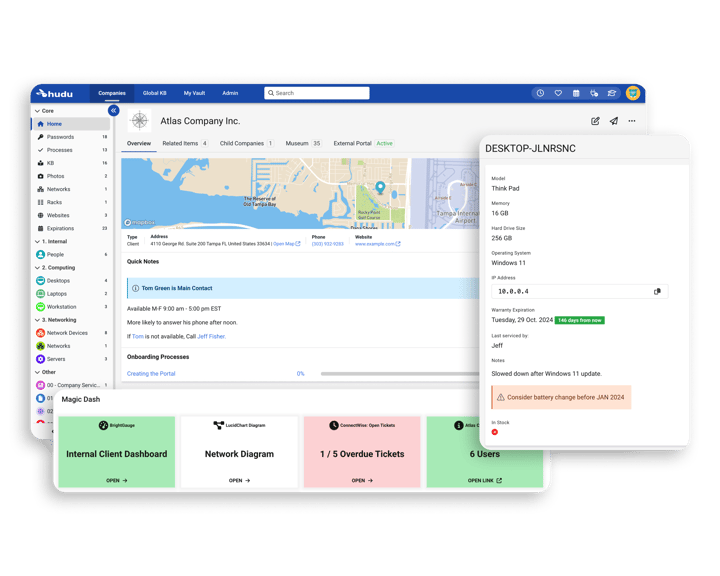
Hudu is an IT documentation and knowledge management platform for IT teams and managed service providers. It centralizes documentation, passwords, assets, and processes in a structured system. The platform focuses on consistent documentation, searchable knowledge, and integrations that keep data aligned across tools.
Key features of Hudu:
- Structured documentation: Uses standardized structures so all client environments follow the same format, improving consistency across teams.
- Asset tracking: Records devices, vendors, and systems using customizable forms to maintain organized asset data.
- Password management: Stores and shares credentials with built-in access controls and auditing capabilities.
- Knowledge base: Creates searchable guides and documentation using templates to simplify content creation.
- Checklists: Converts recurring processes into repeatable, trackable workflows to support standard operating procedures.
- IP address management: Visualizes networks, subnets, and IP usage in a centralized interface.
- Integrations: Connects with external tools to synchronize data and reduce manual updates.

Source: Hudu
3. Lansweeper

Lansweeper is a cyber asset intelligence platform that provides visibility across IT, OT, cloud, and IoT environments. It continuously discovers and identifies connected assets, including unmanaged and shadow devices. The platform consolidates asset data into a single source of truth and enriches it with context, risk signals, and lifecycle information. This data can be shared with ITSM, CMDB, and security tools to support operational and security decisions.
Key features of Lansweeper:
- Continuous asset discovery: Identifies and tracks all connected assets across IT, OT, cloud, and IoT environments, including unmanaged devices.
- Unified asset inventory: Normalizes and consolidates asset data into a centralized, continuously updated view.
- Risk and context analysis: Enriches assets with vulnerability data, relationships, and lifecycle signals to assess risk and exposure.
- Actionable integrations: Feeds asset intelligence into ITSM, CMDB, and security tools to support accurate and prioritized actions.
- Orchestration capabilities: Automates actions across the technology stack using trusted asset data.

Source: Lansweeper

4. Confluence

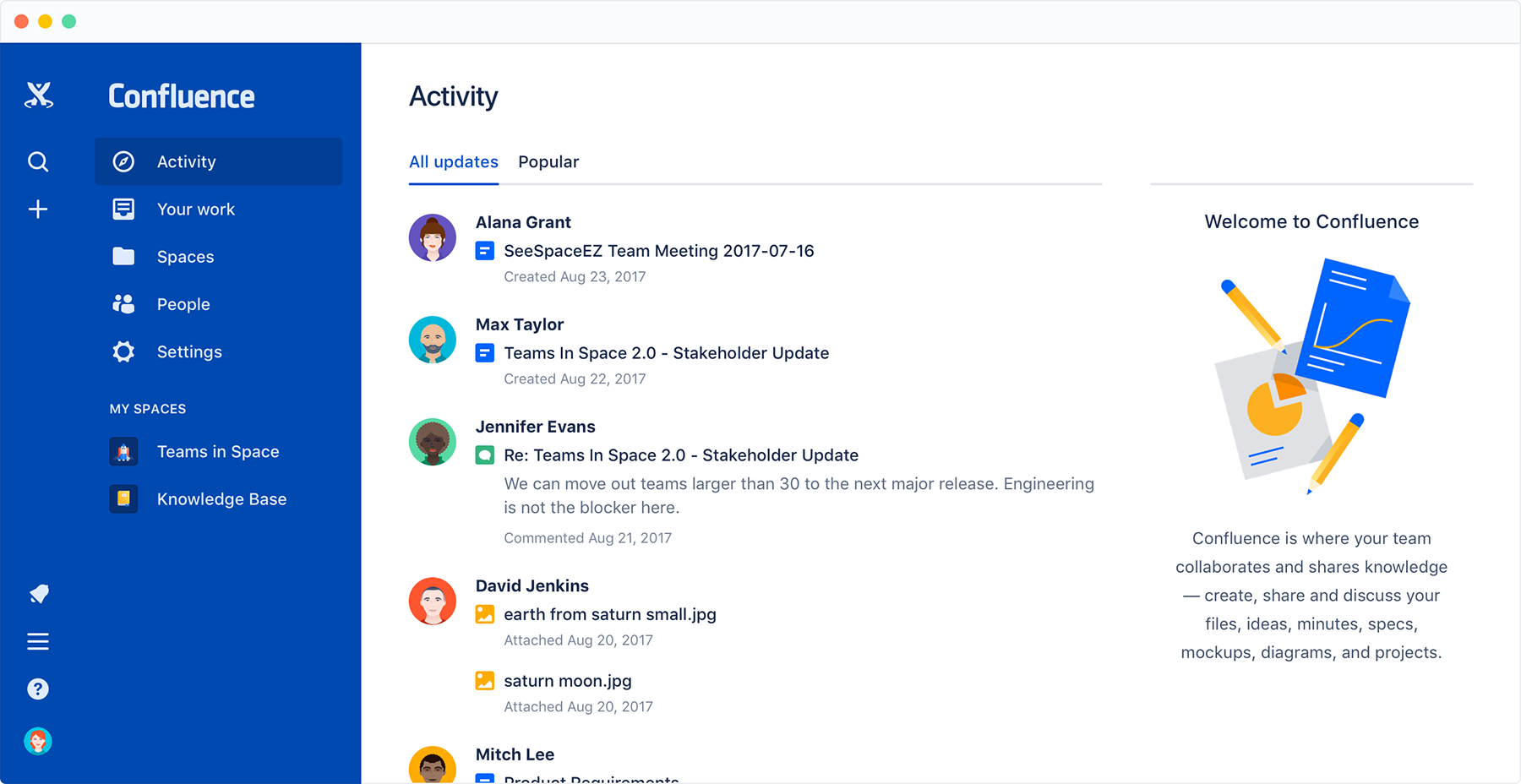
Confluence is a collaborative workspace platform to help teams create, organize, and share documentation in a centralized environment. It supports real-time collaboration, structured knowledge management, and AI-assisted content creation. The platform connects documentation with project work and integrates with productivity and development tools.
Key features include:
- Live docs and collaborative editing: Enables multiple users to edit documents in real time within shared workspaces.
- AI-powered content creation: Assists with drafting, brainstorming, summarizing pages, and generating project documents using built-in AI capabilities.
- Structured content types: Supports pages, whiteboards, databases, and templates to organize documentation in different formats.
- AI-powered search: Connects knowledge across integrated tools and surfaces relevant answers quickly.
- Templates library: Provides pre-built templates for product requirements, plans, briefs, and other documentation needs.
- Team workspaces: Organizes content by teams or projects to maintain clarity and context.
- Third-party integrations: Integrates with tools such as Jira, Microsoft Teams, Google Drive, Figma, GitHub, Miro, and Zoom.

Source: Confluence
5. ITFlow

ITFlow is a free, open-source, self-hosted documentation platform styled after IT Glue and built for MSPs. It combines client documentation with lightweight built-in ticketing and asset management, making it a good fit for smaller teams that want total control over their data.
Key features of ITFlow:
- Client documentation: Centralizes assets, contacts, domains, licenses, and credentials for each client in a single self-hosted repository.
- Built-in ticketing: Includes a lightweight ticketing system with a client portal alongside the documentation.
- Password management: Stores credentials with AES encryption so sensitive data stays on your own infrastructure.
- Open-source and self-hosted: Licensed under GPL and deployable on Linux, eliminating per-user license fees in exchange for hosting and maintenance.
6. N-able Passportal

N-able Passportal is a cloud-based, security-focused password and documentation management solution built specifically for MSP workflows. It fits smoothly if you already use N-able ecosystem tools and want privileged access management alongside client documentation.
Key features of N-able Passportal:
- Encrypted password vault: Stores and shares client credentials in a centralized, encrypted vault with granular, role-based access controls.
- Automated password rotation: Automates credential resets and rotation to keep critical systems and accounts protected.
- Documentation management: Provides standardized templates so technicians can create and retrieve client documentation quickly.
- RMM and PSA integration: Integrates with common RMM and PSA tools, plus Active Directory, Azure AD, and Microsoft 365, and includes detailed audit logs.
IT Asset Management (ITAM) and Lifecycle Management
7. ServiceNow ITAM

ServiceNow IT Asset Management (ITAM) is a solution for managing hardware, software, and cloud assets. It automates the IT asset lifecycle, helping organizations control costs, minimize compliance risks, and optimize asset utilization. With AI-powered insights and automation, it simplifies asset tracking, contract renewals, and cloud cost management.
Key features include:
- Software asset management: Helps track and optimize software usage to reduce costs and mitigate compliance risks.
- Hardware asset management: Manages hardware assets to minimize unnecessary expenses and security vulnerabilities.
- Enterprise asset management: Automates asset lifecycle management to control capital (CapEx) and operational (OpEx) expenses.
- SaaS license management: Provides insights into SaaS usage and spending to optimize licensing and reduce waste.
- Asset management executive dashboard: Monitors IT asset costs, usage, and compliance at an executive level with AI-powered analytics.
Source: ServiceNow

8. Asset Panda

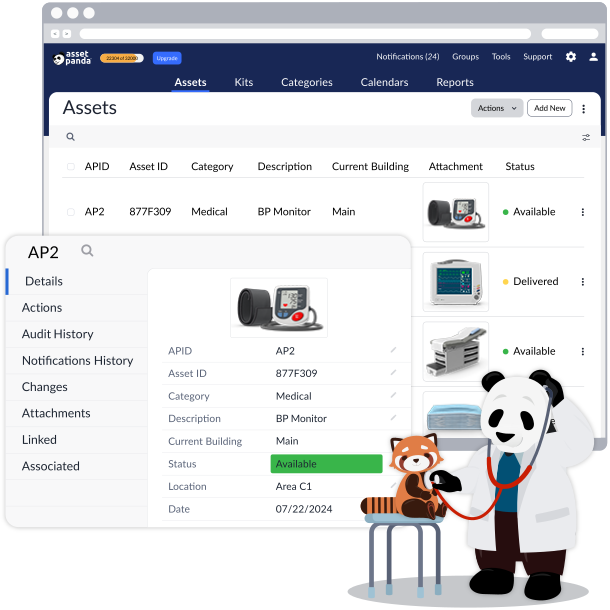
Asset Panda is a cloud-based asset management platform designed to help organizations track and manage both physical and digital assets. By replacing spreadsheets with a centralized system, Asset Panda improves visibility, prevents losses, and simplifies workflows. With customizable features and integrations, it adapts to various industries.
Key features include:
- Customizable asset tracking: Tracks all assets from IT equipment to contracts with a system tailored to organizational needs.
- Asset histories: Stores warranty details, user manuals, photos, and full action histories in one place.
- Integrations: Syncs data across the tech stack for a unified view of assets.
- Cloud-based access: Manages assets from anywhere using a web or mobile app with real-time updates.
- Unlimited users: Allows executives, managers, and field workers to access asset data based on their roles.

Source: Asset Panda
9. BlueTally

BlueTally is an asset management platform that helps organizations track assets, monitor usage, and maintain accurate records. Designed for ease of use, it enables teams to assign, check in/out, and audit assets. With barcode scanning, depreciation tracking, and reporting, BlueTally simplifies asset management while providing financial insights.
Key features include:
- Asset check-in/checkout: Assigns assets to employees or locations, tracks condition changes, and sends return notifications.
- Checkout history and changelog: Maintains a history of each asset, including condition updates and user modifications.
- Barcode generation: Automatically generates unique barcodes for assets, enabling quick scanning and identification.
- Asset audits and maintenance tracking: Schedules audits, provides overdue notifications, and tracks maintenance activities.
- Depreciation calculation: Automatically calculates asset depreciation using the straight-line method for financial tracking.

Source: BlueTally

10. EZOfficeInventory

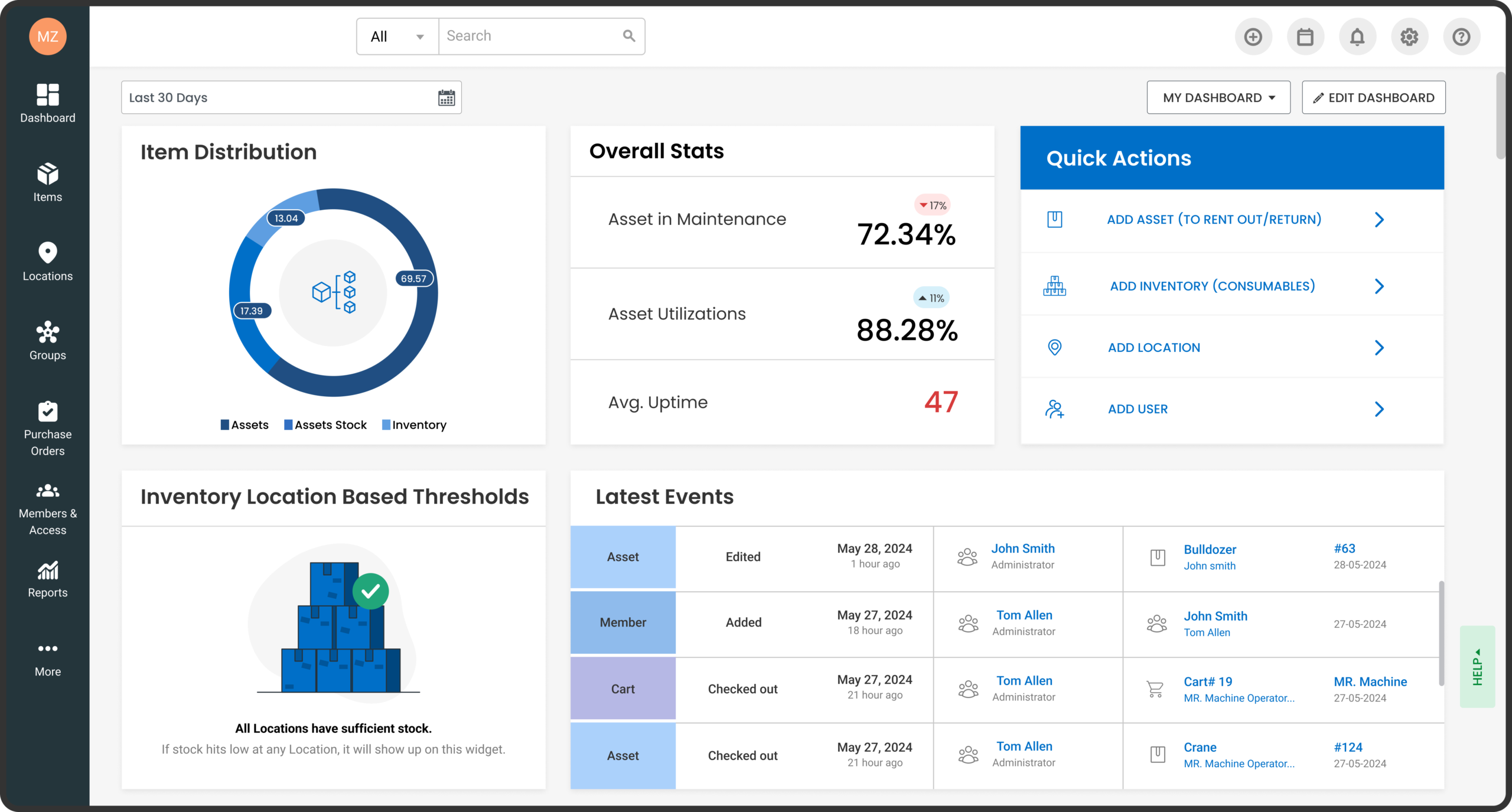
EZOfficeInventory is an asset management platform to give organizations control over their equipment, inventory, and IT assets. By centralizing asset tracking, maintenance, and reporting, it helps teams prevent asset loss, extend equipment lifespan, and optimize investments.
Key features include:
- Asset tracking and location management: Monitors assets using barcodes, QR codes, or RFID, and maintains accurate custody records.
- Mobile access: Helps manage check-ins, perform audits, and update asset details from anywhere using a mobile app.
- Automated workflows: Users can create multi-tier approval sequences, recurring maintenance schedules, and repair tracking to keep assets in top condition.
- Self-service request portal: Simplifies asset requests with a centralized hub for tracking, approvals, and fulfillment.
- Inventory management: Offers low-stock alerts and helps track consumables to ensure round-the-clock availability.

Source: EZOfficeInventory
Unified IT Management and RMM Platforms
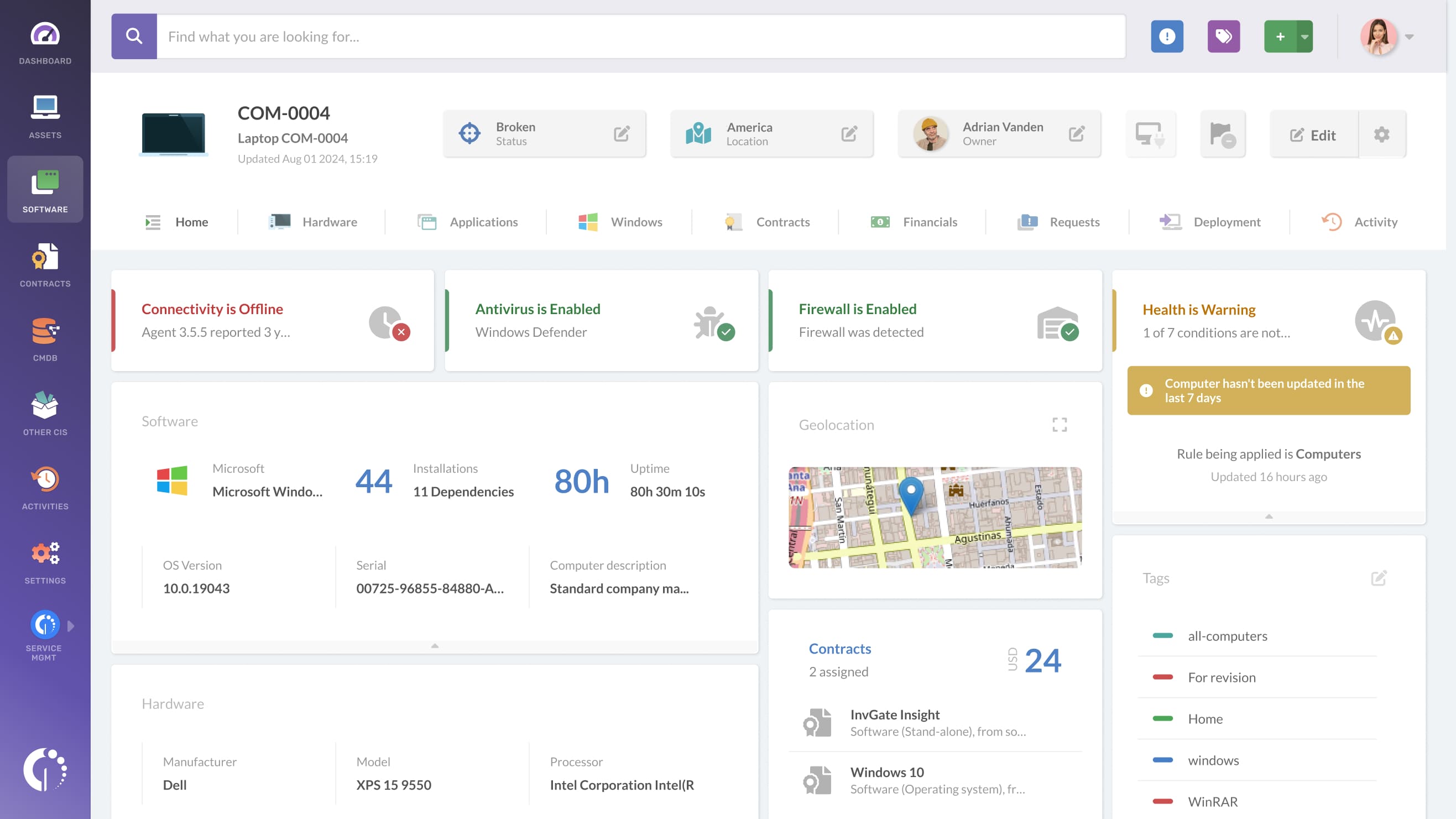
11. InvGate Insight

InvGate Insight is an IT asset management platform that helps organizations automatically discover, manage, and optimize their IT infrastructure. By providing real-time visibility into physical, virtual, and cloud assets, it improves governance, improves security, and reduces costs.
Key features include:
- Automated IT asset discovery: Can detect and catalog all IT, OT, and cloud-based assets.
- CMDB and IT inventory mapping: Lets users build a configuration management database (CMDB) to understand asset relationships and dependencies.
- Risk mitigation: Identifies vulnerabilities, rogue devices, and compliance issues before they impact operations.
- Software license management: Helps monitor software usage, detect unauthorized installations, and optimize license assignments.
- Hardware tracking: Tracks IT hardware and IoT assets, generates QR codes for quick identification, and schedules maintenance reminders.

Source: InvGate
12. NinjaOne

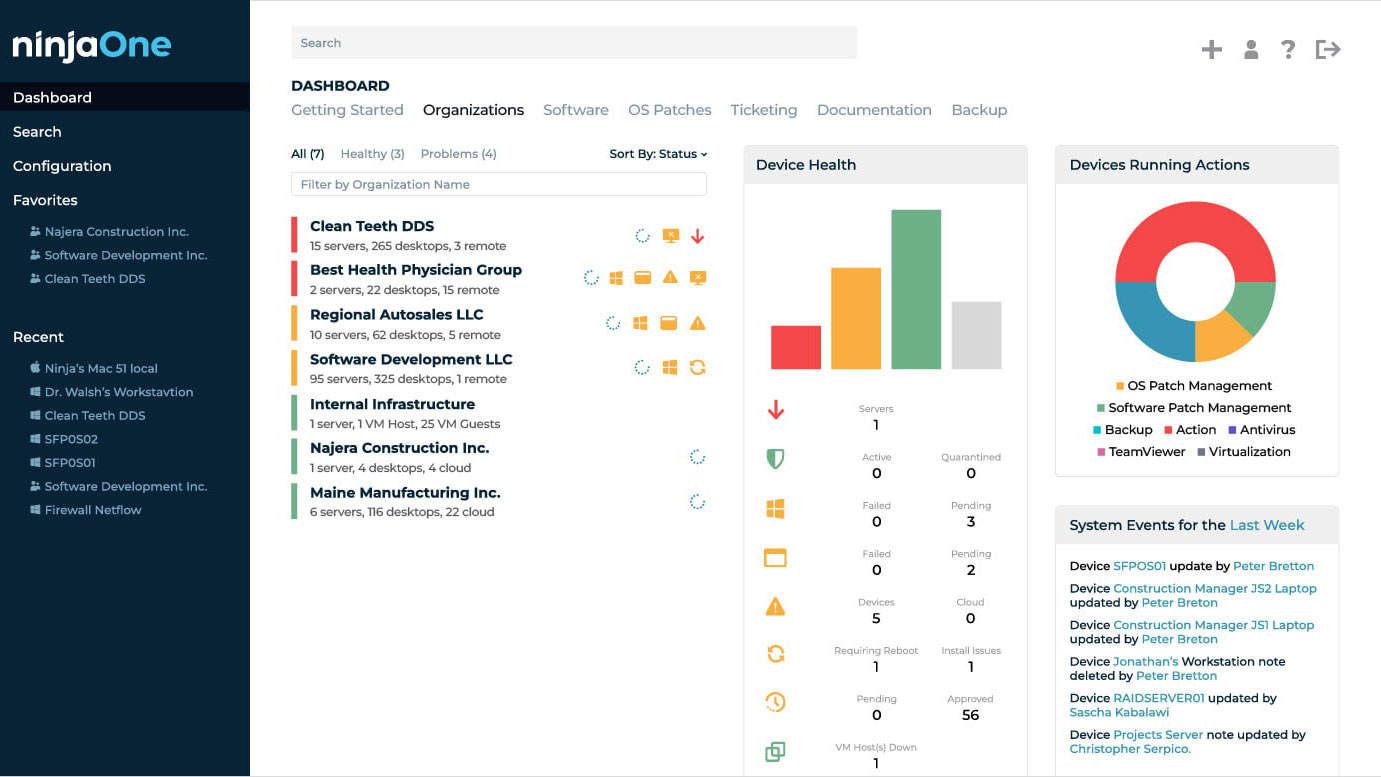
NinjaOne is an IT management platform that centralizes documentation, helping teams standardize knowledge and resolve issues faster. By automating documentation processes, it ensures technicians can quickly find accurate information.
Key features include:
- Unified platform: Combines endpoint management, ticketing, and documentation in a single solution.
- Customizable templates: Organizations can use pre-built or custom templates to document assets, workflows, and accounts.
- Completion progress tracking: Monitors outstanding documentation requirements and helps prioritize critical information updates.
- Enterprise-grade security: Protects credentials and files with encryption, MFA, and role-based access controls.
- Relationship mapping: Links related documents, assets, devices, and passwords for better organization and visibility.

Source: NinjaOne
13. Atera

- Remote monitoring and management: Monitors unlimited devices from a centralized dashboard with real-time visibility.
- AI agents: Uses a dedicated AI platform to automate IT management tasks and improve operational efficiency.
- Remote access: Enables remote sessions through integrations with Splashtop, TeamViewer, ScreenConnect, and AnyDesk.
- Helpdesk and ticketing: Provides tools for managing end-user support and resolving issues at scale.
- Network discovery: Scans networks to detect devices and onboard new assets.
- Patch management: Automates patching for Windows, Mac, and Linux devices to maintain security and compliance.

Source: Atera

Conclusion
When selecting an alternative to IT Glue, it’s crucial to consider the specific needs of your IT environment, whether it’s documentation, asset tracking, automation, or infrastructure visibility. While some platforms excel in centralizing IT knowledge, others focus on security, dependency mapping, or optimizing IT workflows. A solution that provides real-time visibility, automated discovery, and impact analysis can significantly improve operational efficiency, security, and IT governance.