TL;DR: Agentless application discovery identifies applications and maps their dependencies without installing software on every host. Trusted platforms include Faddom, best for credential-free hybrid mapping in under an hour, Device42, best for discovery plus CMDB, BMC Helix Discovery, best for enterprise service modeling, and ServiceNow Discovery, best for CMDB-native discovery.
What Is Agentless Application Discovery?
Agentless application discovery is a method for identifying and mapping applications, services, and their dependencies across IT environments without deploying software agents on each host or device. Instead of installing agents, these solutions use existing protocols and APIs to collect data remotely. Trusted platforms for agentless application and IT asset discovery provide fast, credential-based or API-driven network scanning without requiring local software installation on every endpoint.
Unlike agent-based discovery, which requires local installation and ongoing maintenance of software components, agentless discovery is less intrusive and generally easier to scale. It typically uses methods such as network scanning, SSH connections, API integrations, and remote command execution to gather detailed inventory information.
In this article we’ll review agentless application discovery solutions, providing user ratings and other criteria you can use to evaluate their trustworthiness.
Why trust matters in an agentless application discovery platform:
- Sensitive infrastructure access: Discovery tools can expose network topology, server configurations, and application settings, so access controls and auditability are essential.
- Credential handling: Platforms may use privileged credentials, making secure vaulting, encryption, RBAC, rotation, and access logs critical.
- Discovery accuracy: Inaccurate application or dependency data can cause migration failures, missed risks, and unplanned downtime.
- Data privacy and residency: Discovery data may include sensitive metadata, so platforms must support compliant storage, encryption, and regional data controls.
Key features of agentless application discovery include:
- Broad infrastructure coverage: Discovers applications and assets across physical, virtual, cloud, container, and network environments without local agents.
- Accurate application dependency mapping: Identifies and visualizes communication paths and dependencies between applications, services, and infrastructure components.
- Secure credential management: Protects discovery credentials through encryption, access controls, secure vaults, and auditable usage.
- Automated and continuous discovery: Regularly scans environments to detect new assets, applications, dependencies, and configuration changes.
- Integration capabilities: Connects discovery data with CMDB, ITSM, security, monitoring, and automation platforms through APIs and connectors.
- Reporting and visualization: Provides dashboards, dependency maps, and reports for analyzing assets, relationships, changes, and risks.
Agentless Application Discovery Platforms at a Glance
The table below summarizes the key differences between the platforms covered in this guide. We explore each one in more detail in the sections that follow.
| Category | Solution | Best For | Key Strengths | User Ratings |
| Dedicated agentless ADM | Faddom | Hybrid dependency maps without agents or credentials | Passive collection, first map within 60 minutes | 4.5/5 (111 reviews, G2) |
| Dedicated agentless ADM | Device42 | Discovery, ADM and CMDB in one platform | Deep software detail, affinity-based move groups | 4.7/5 (51 reviews, G2) |
| Dedicated agentless ADM | BMC Helix Discovery | Large enterprises modeling business services | Blueprint service modeling, data reconciliation | 4.2/5 (64 reviews, G2) |
| Dedicated agentless ADM | Virima | Teams needing traceable, source-tagged CI data | 140+ agentless probes, authority-rule reconciliation | 4.4/5 (G2); 4.6/5 (15 reviews, Capterra) |
| Broader ITOM platforms | ServiceNow Discovery | Organizations standardized on ServiceNow CMDB | Event-driven discovery, certified connectors | 4.4/5 (474 reviews, G2, parent ITOM product) |
| Broader ITOM platforms | ManageEngine Applications Manager | Combining ADDM with application monitoring | Scheduled rediscovery, business service maps | 3.8/5 (18 reviews, PeerSpot) |
| Broader ITOM platforms | SolarWinds SAM | Connection-level dependency and quality data | Dependency and connection quality polling | 4.0/5 (44 reviews, PeerSpot) |
| Broader ITOM platforms | Lansweeper | Broad asset and software inventory across IT and OT | Multiple discovery methods, IP range coverage | 4.4/5 (69 reviews, G2) |
Why Trust Matters in an Application Discovery Platform
Access to Sensitive Infrastructure and Configuration Data
Agentless application discovery platforms require access to a wide range of systems, devices, and services across the enterprise. This access often includes sensitive infrastructure details such as:
- Network topology
- Server configurations
- Application settings
Because the discovery platform can see deep into the environment, trust becomes critical: any vulnerability or mismanagement could expose key operational data or open new attack surfaces.
Organizations must ensure that discovery tools follow strict security protocols and limit the scope of data collection to only what is necessary. Platforms should offer granular access controls and auditing capabilities to track every interaction with infrastructure components. Without trust mechanisms, the risks of data leakage, unauthorized access, or configuration drift increase, undermining the very purpose of the discovery process.
Credential Handling and Privileged Access
Agentless discovery platforms often require privileged credentials to access servers, databases, and network devices. Secure handling of these credentials is essential because they grant extensive authority within the environment. If credentials are mishandled or stored insecurely, attackers could gain lateral access to critical systems and data, leading to significant breaches or operational disruptions.
Trustworthy discovery platforms employ:
- Secure credential vaults
- Role-based access controls
- Encryption to manage and protect credentials
Regular rotation of credentials and audit trails for all access activities further strengthen security. Organizations must verify that the platform enforces these practices and complies with industry standards to minimize the risk associated with privileged access.
Accuracy of Discovered Applications and Dependencies
Accurate mapping of applications and their dependencies is a core function of any discovery platform. Incomplete or erroneous discovery can lead to flawed decision-making, missed dependencies during migrations, and unplanned downtime. Trust in the platform’s accuracy directly impacts the reliability of IT operations and strategic initiatives such as cloud adoption or disaster recovery planning.
Discovery platforms must use reliable data collection techniques and advanced correlation logic to ensure comprehensive and precise results. To help maintain accuracy, they use:
- Frequent validation
- Error handling
- Reconciliation with authoritative data sources
Organizations should regularly review the discovery output and ensure the platform adapts to new technologies and changing environments to uphold trust in its findings.
Data Privacy and Residency Requirements
Agentless discovery tools may collect and process sensitive information, including:
- Configuration files
- Application metadata
- User data
Compliance with data privacy laws and residency requirements is essential, especially for organizations operating across multiple jurisdictions. Failure to respect privacy boundaries or store data in approved locations can result in legal penalties and loss of stakeholder trust.
Trusted discovery platforms offer configurable data handling policies, encryption, and options for on-premises or region-specific data processing. They should provide clear visibility into what data is collected, where it is stored, and how it is protected. Organizations must assess platform capabilities against their regulatory obligations and ensure the discovery process aligns with internal and external compliance requirements.
Key Features of Agentless Application Discovery Platforms
1. Broad Infrastructure Coverage
A trusted agentless discovery platform should support a wide range of environments, including physical servers, virtual machines, containers, cloud services, and network devices. Comprehensive coverage ensures that organizations gain a unified view across all infrastructure components, regardless of where they reside. This is especially important in hybrid or multi-cloud environments, where visibility gaps can lead to security and operational risks.
Scalability is also a key consideration: The platform should handle large, complex environments without performance degradation. Support for common platforms (Windows, Linux, mainframes) and integration with major cloud providers (AWS, Azure, Google Cloud) is essential. Broad coverage reduces blind spots and ensures that IT teams can make informed decisions based on a complete and accurate inventory.
Related content: Read our guide to IT infrastructure mapping
2. Accurate Application Dependency Mapping
Understanding how applications interact with each other and with infrastructure components is critical for troubleshooting, migration, and optimization. A trusted discovery platform must provide detailed and accurate maps of application dependencies, including communication flows, shared services, and resource usage. This requires robust data collection methods and intelligent correlation to capture both direct and indirect relationships.
Platforms should visualize dependencies in a way that is easy to interpret, allowing IT teams to quickly identify bottlenecks, single points of failure, or compliance gaps. Regular updates and continuous monitoring help keep the dependency map current as the environment evolves. Accuracy in dependency mapping supports smoother migrations, more effective incident response, and better risk management.
Related content: Read our guide to the best application dependency mapping tools
3. Secure Credential Management
Credential management is a major security concern in agentless discovery. Trusted platforms use secure vaults to store credentials, ensuring they are encrypted both at rest and in transit. Access to credentials should be tightly controlled with role-based permissions, limiting exposure to only those who need it for discovery operations.
In addition to secure storage, platforms should support automated credential rotation and detailed auditing of credential usage. This reduces the risk of credential theft and makes it easier to detect suspicious activities. Integration with enterprise identity providers and compliance with security standards further strengthen trust in the platform’s credential management capabilities.
4. Automated and Continuous Discovery
Manual discovery processes are time-consuming and prone to error. A trusted agentless discovery platform automates the identification and mapping of applications and dependencies, reducing the burden on IT staff and ensuring up-to-date visibility. Automation should cover initial discovery as well as ongoing monitoring for changes in the environment.
Continuous discovery allows organizations to quickly detect new assets, configuration changes, or unauthorized deployments. This real-time awareness is essential for maintaining security, compliance, and operational efficiency. Platforms should offer scheduling options and customizable frequency to balance resource use with the need for timely updates.
5. Integration Capabilities
Agentless discovery platforms rarely operate in isolation. Trusted solutions provide integration capabilities, allowing them to share data with CMDBs, ITSM tools, security platforms, and automation frameworks. Open APIs and pre-built connectors simplify workflows and enable organizations to leverage discovery data for multiple use cases.
Integration support extends the value of the discovery platform by enabling end-to-end visibility and process automation. It also reduces duplication of effort and ensures that all relevant teams have access to accurate, up-to-date information. Organizations should assess the platform’s integration ecosystem to ensure compatibility with their existing tools and processes.
6. Reporting and Visualization
Clear reporting and visualization are essential for turning discovery data into actionable insights. Trusted platforms provide customizable dashboards, interactive maps, and exportable reports that help stakeholders understand the current state of the environment. Visualization tools should support filtering, grouping, and drill-down to allow for detailed analysis.
Comprehensive reporting supports compliance audits, capacity planning, and executive decision-making. The ability to generate historical reports and track changes over time adds value by highlighting trends and potential risks. Effective reporting and visualization features make it easier for IT teams to communicate findings and drive informed action.
Notable Agentless Application Discovery Platforms
How we selected these platforms: We shortlisted agentless application discovery platforms based on infrastructure coverage, dependency mapping depth, credential and data handling, automation and continuous rediscovery, and integration with CMDB and ITSM systems.
Dedicated Agentless Application Dependency Mapping Platforms
1. Faddom

Best for: Mapping hybrid environments without agents, credentials or firewall changes
Strengths: Passive read-only collection, first dependency map within 60 minutes
Things to consider: Product terminology takes some time for new users to learn
Faddom is an agentless application dependency mapping platform that discovers servers, applications and traffic flows across on-premises and cloud environments. It collects data passively using standard network protocols, with read-only permissions and no agents installed on endpoints.
The platform correlates network traffic, infrastructure and cloud-native sources into dependency maps, automatically grouping discovered servers into business applications. Maps update continuously as the environment changes, and the system can run entirely offline so collected data stays inside the customer environment.
Rating: 4.5 out of 5 on G2, based on 111 reviews.
Key features include:
- Agentless passive collection: Faddom collects data without installing agents, supplying server credentials or reconfiguring firewalls. It does not require traffic mirroring or changes to existing tools, and it runs with read-only permissions.
- Standard protocol support: Data is gathered through NetFlow, sFlow, IPFIX, SNMP, SSH, WMI, ETW, Syslog, VPC and VNet flow logs, SMTP and webhooks, which lets the platform pull from equipment already present in most networks.
- Automatic business application grouping: Discovered servers are grouped into business applications rather than presented as a flat device list, and the resulting maps show communication paths between application tiers.
- Continuous hybrid mapping: The platform correlates on-premises, virtualized and cloud sources including AWS and Azure flow logs, and refreshes maps around the clock as infrastructure and applications change.
- ITSM and security integrations: Faddom feeds dependency context into ServiceNow incidents, changes and CMDB records, and connects to identity and segmentation tools so communication patterns can inform access and microsegmentation policies.
- Open APIs and webhooks: Beyond native connectors, the platform exposes APIs, webhooks and standard protocols for connecting tools that are not covered by a prebuilt integration.
- Self-service deployment: Deployment runs without professional services, and licensing is based on the number of physical, virtual and cloud servers rather than on separately priced feature modules.
Limitations (as reported by users on G2):
- Terminology learning curve: Several reviewers noted that the platform’s terminology and the distinction between different discovery sources take time to understand at first.
- Duplicate host entries: Some users reported seeing multiple entries or hostnames for the same server, particularly after a virtual machine is migrated or its IP address changes.
- Report export experience: Reviewers mentioned that exporting certain lists and reports is less convenient than working with the data on screen.
2. Device42

Best for: Teams wanting discovery, dependency mapping and a CMDB in one place
Strengths: Granular software detail and affinity groups for migration planning
Things to consider: Dependency data is not presented in real time
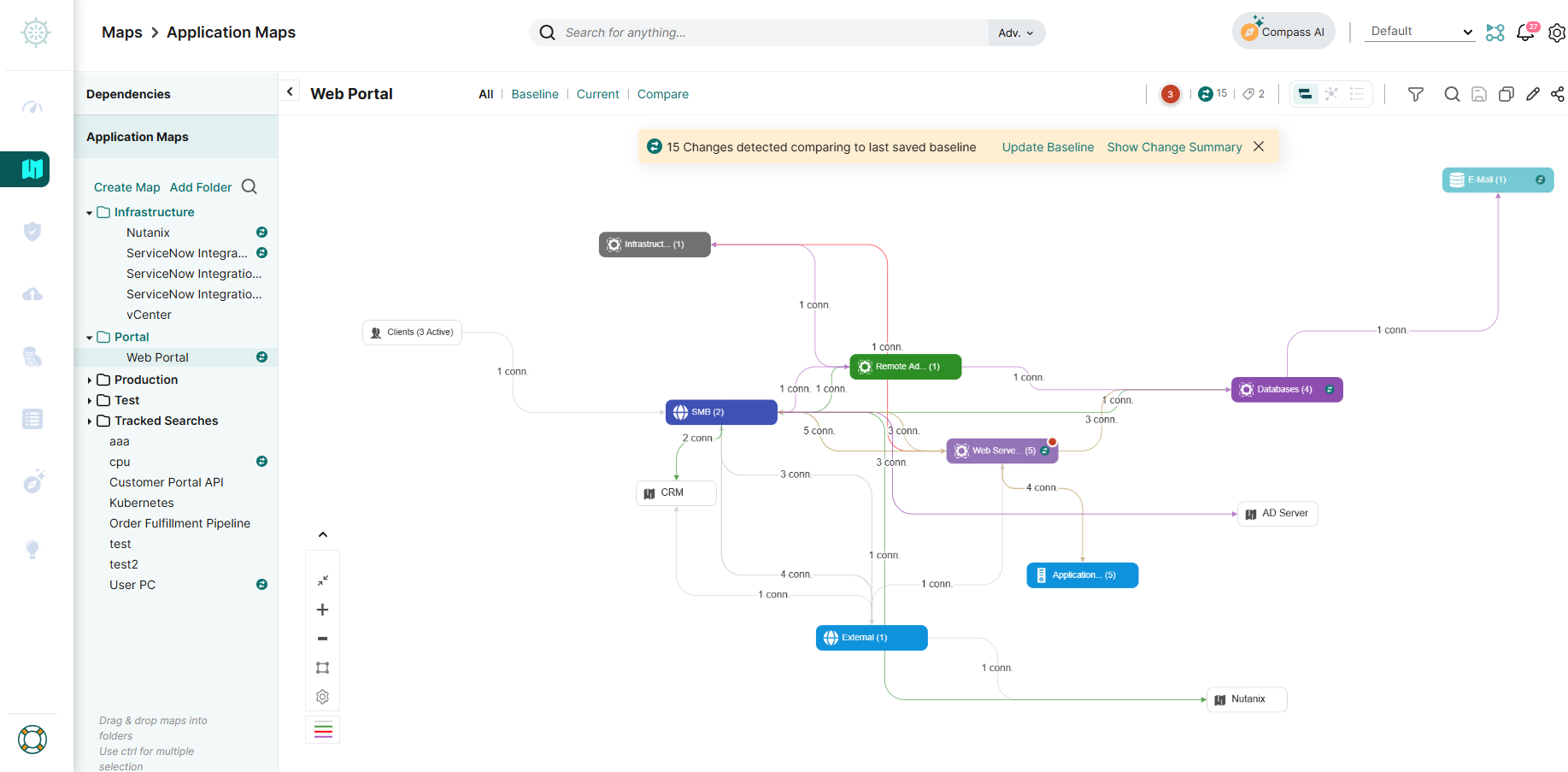
Device42, now part of Freshworks, provides agentless discovery and dependency mapping for hybrid IT. It builds a centralized repository of hardware, software, service and device relationships, with impact charts that visualize the service and communication connections between them.
The platform supports physical, virtual, hybrid and cloud infrastructure, and can run agentless or agent-based auto-discovery on a continuous schedule. Discovery data feeds a built-in CMDB alongside DCIM, IPAM and software license management functions.
Rating: 4.7 out of 5 on G2, based on 51 reviews.
Key features include:
- Application dependency diagrams: Device42 visualizes application to device relationships, maps applications to servers, servers to switch ports, and users to devices and applications.
- Affinity groups and move groups: Key services can be pinned and grouped into affinity groups, with impact charts calculated for each group and a visual grouping of communication patterns for migration waves.
- Application impact lists: The platform produces lists showing which applications are affected by a given change, intended for use during cutovers, upgrades and migrations.
- Service and software detail: It records all services whether running or not, along with users, protocols and ports, plus install location, install date, registry information, permissions and configuration files for each software component.
- NetFlow-based mapping: For machines that cannot be accessed directly, Device42 builds dependency maps from NetFlow data instead of direct interrogation.
- Application component discovery: Components for Oracle, Postgres, MySQL, MongoDB and IIS are discovered automatically rather than requiring manual definition.
- Integration ecosystem: More than 30 integrations cover ServiceNow, Splunk, Jira, Confluence, SCCM, Infoblox, Ansible, Puppet and Chef, with REST APIs and webhooks for populating or extracting data.
Limitations (as reported by users on G2):
- Initial setup complexity: Reviewers described the platform as complex to set up and navigate at first, particularly for smaller teams without dedicated resources.
- Performance under load: Users reported slowdowns when handling large data volumes or high numbers of API calls, with some noting the single-appliance architecture as a factor.
- Dependency data freshness: One reviewer noted that the application dependency mapping function does not display real-time data.
- Add-on licensing: Several reviewers said useful capabilities are priced or packaged as separate add-ons rather than included in the base product.
- Discovery configuration risk: Users cautioned that a poorly scoped first scan can pull in duplicates, offline machines and decommissioned virtual machines.
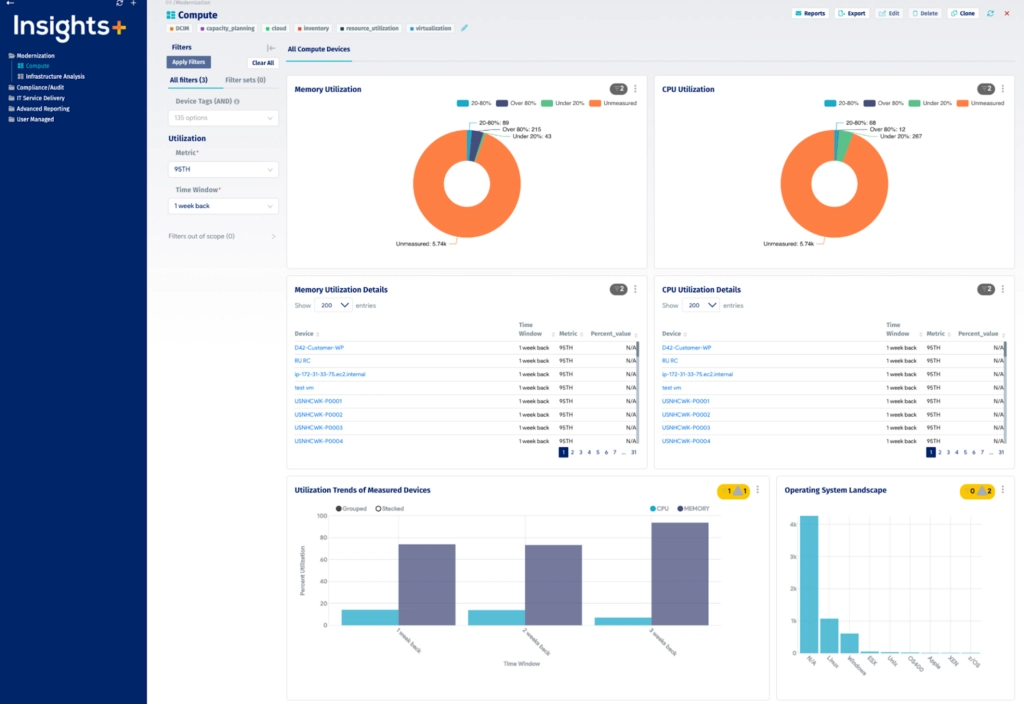
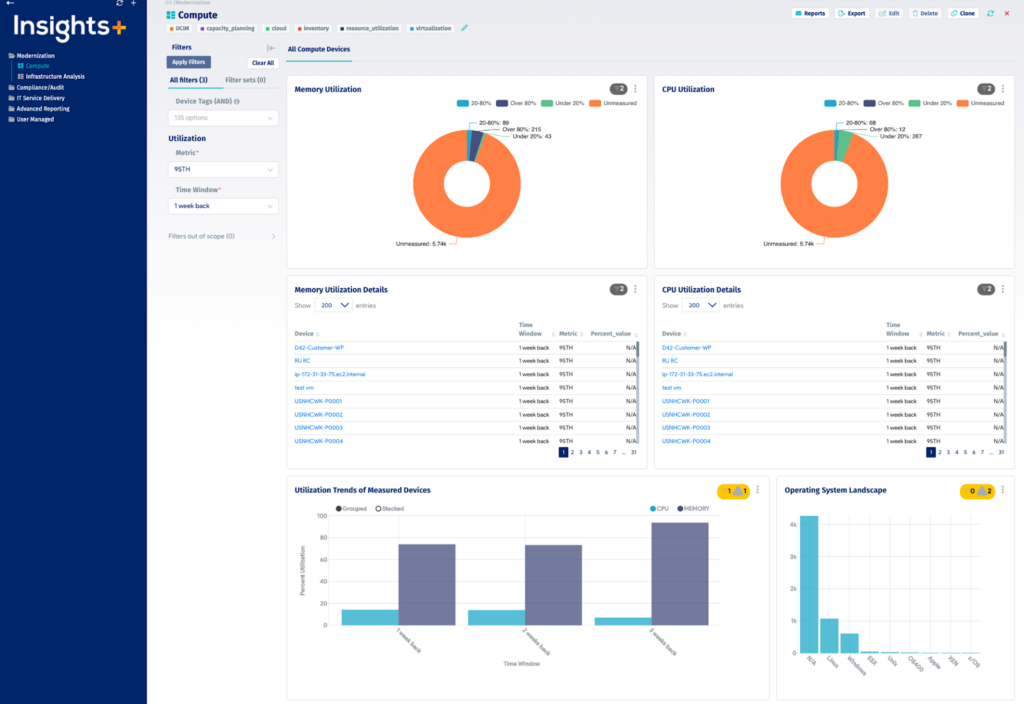
Source: Device42
3. BMC Helix Discovery

Best for: Enterprises modeling infrastructure against defined business services
Strengths: Blueprint-driven service modeling and multi-source data reconciliation
Things to consider: Enterprise pricing starts high for smaller organizations
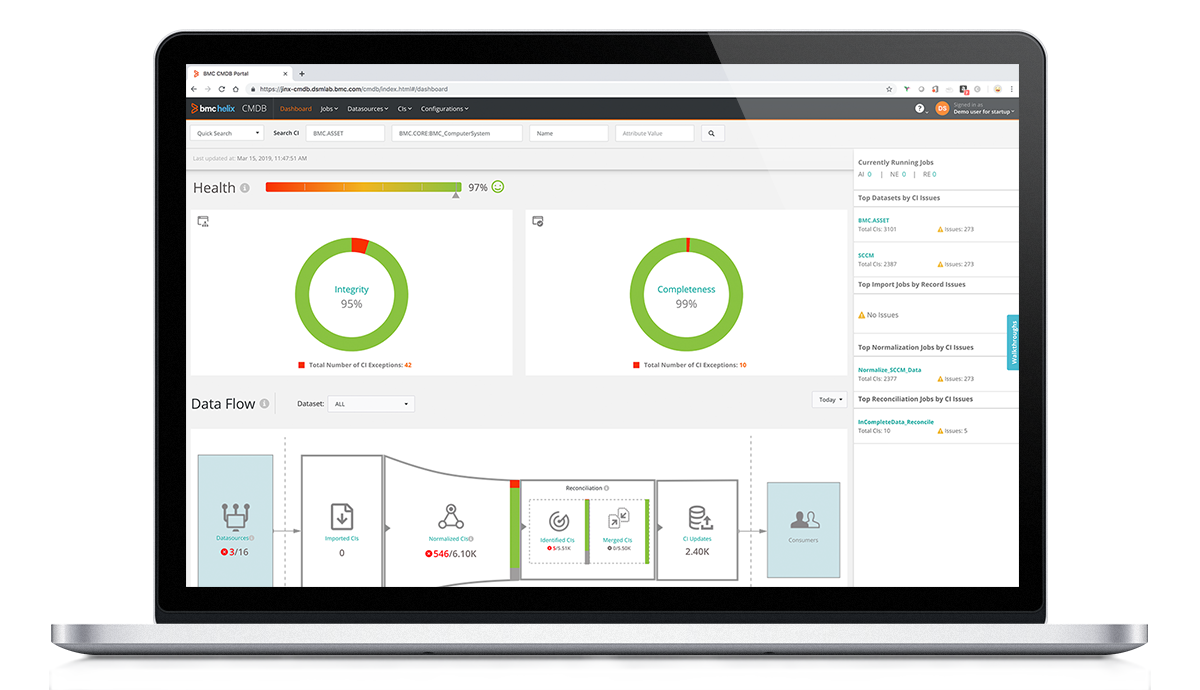
BMC Helix Discovery is an agentless discovery and dependency modeling product covering cloud and on-premises environments. It is available as SaaS or on-premises, and it discovers assets and maps relationships between them on a continuous basis without manual updates.
Topology data from Helix Discovery feeds the wider BMC Helix platform, where it is combined with third-party data to support observability and AIOps. The product focuses on security and compliance, service awareness, enterprise asset management, and multi-cloud visibility.
Rating: 4.2 out of 5 on G2, based on 64 reviews.
Key features include:
- Agentless continuous discovery: The product scans and maps assets and their relationships across cloud and on-premises estates, keeping the data current without requiring manual updates between scans.
- Blueprint-automated service modeling: A library of service modeling blueprints maps infrastructure to the specific business services it supports, so dynamic service models are generated rather than hand-built.
- Data reconciliation: Topology data from multiple sources is unified into a single view, which addresses conflicts between overlapping discovery inputs.
- Real-time service awareness: Service models, topology and telemetry are connected so that root causes can be located and related impacts visualized within the Helix platform.
- Blind spot detection: The product surfaces hidden or undocumented assets, dependencies and relationships that do not appear in existing records.
- Certificate discovery: SSL and TLS certificates across the infrastructure are discovered and managed alongside other asset data.
- Compliance inventories: Automated, detailed asset inventories are maintained in a baseline dashboard for use during audits.
- Deployment options: The product runs as SaaS or on-premises, with outposts registered and installed to reach discovery targets in different environments.
Limitations (as reported by users on G2):
- Cost and add-on licensing: Multiple reviewers described the product as expensive relative to competitors, with add-on licences and separate charges for additional capabilities.
- Appliance storage ceiling: Users repeatedly noted that appliance system disks larger than 2TB are not supported, which they found limiting in large data environments.
- Interface learning curve: Several reviewers said the graphical interface is difficult for beginners to understand and could be more interactive.
- Support and BMC tool integration: Reviewers reported that technical support responsiveness and integration with other BMC products both have room for improvement.
- Cloud migration assessment gaps: One reviewer noted that competing discovery tools offer cloud migration assessment features that this product does not.
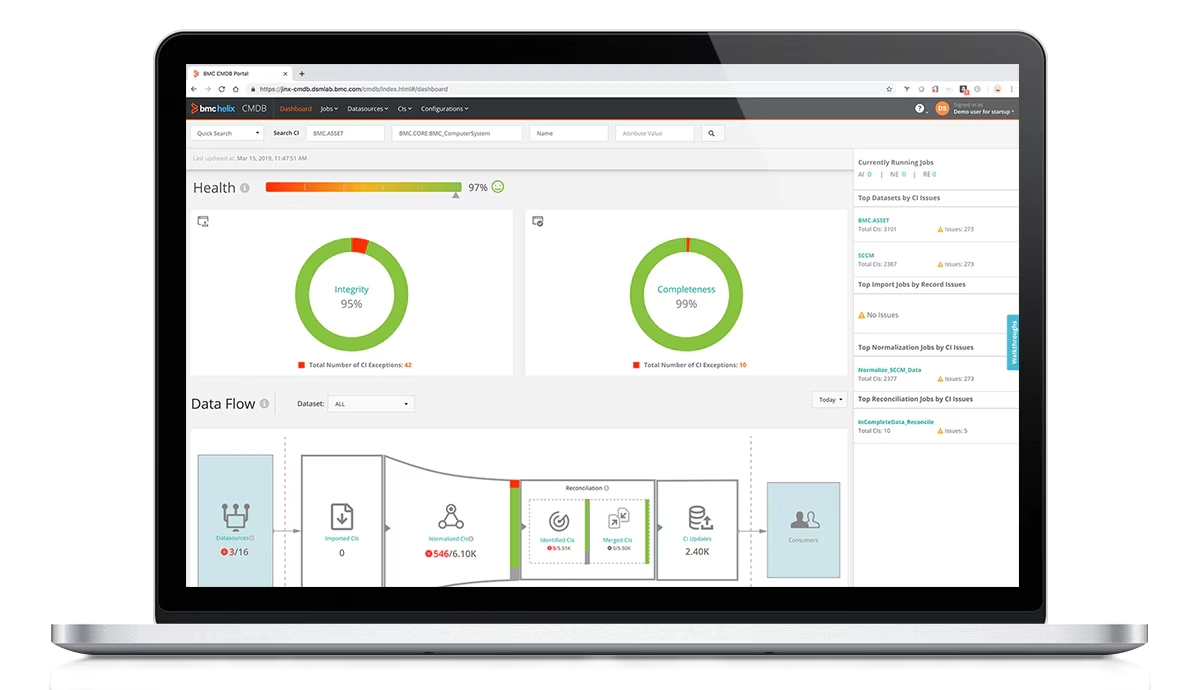
Source: BMC
4. Virima
Best for: Teams that need every CI attribute traced back to its source
Strengths: Agentless, agent and API discovery reconciled by authority rules
Things to consider: Scan durations vary and the interface feels dated
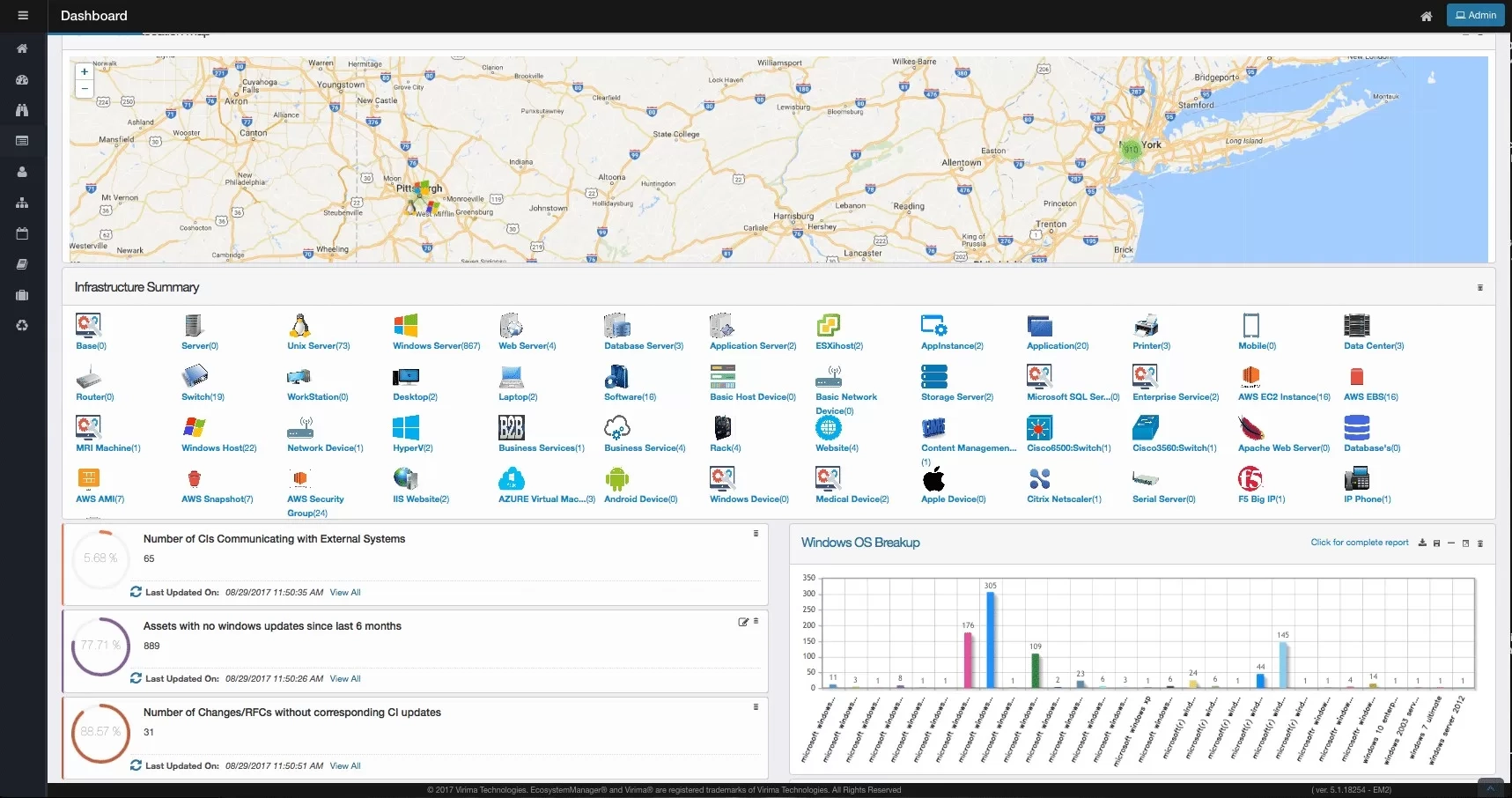
Virima IT Discovery performs multi-source, multi-protocol scanning across on-premises, cloud and virtual environments. Every discovered configuration item carries an attribute-level source record and a last-verified timestamp, and conflicts between sources are resolved by rule rather than by most recent scan.
Discovery data flows into the Virima CMDB and into ViVID service maps, which render application and service dependency views. The platform also syncs bidirectionally with external ITSM tools.
Rating: 4.4 out of 5 on G2 (also 4.6 out of 5 on Capterra, based on 15 reviews).
Key features include:
- Agentless probe library: More than 140 extendable probes across SNMP, WMI, SSH and other protocols scan devices without installing anything on endpoints, covering servers, network devices, storage and hypervisors.
- Three collection methods: Agentless scanning is combined with a Windows, macOS and Linux agent for off-network endpoints, and with API connectors for AWS, Azure, VMware vCenter, Hyper-V, Nutanix and Kubernetes.
- Broad discovery scope: Coverage extends to physical servers and workstations, virtual machines and containers, cloud resources, network devices, storage systems, databases and applications including installed software, running services and open ports.
- Authority-rule reconciliation: When two discovery sources disagree on an attribute, a designated authoritative source wins, and each resolution is logged with source, protocol, timestamp and the rule applied.
- CMDB auto-population: Discovered CIs flow into the CMDB with relationship data, change history between scans and ownership assignments, without manual entry or import scripts.
- Vulnerability flagging: Discovered OS versions, patch levels and installed software are cross-referenced against the NIST National Vulnerability Database, with findings prioritized by asset criticality through ViVID service maps.
- Local credential handling: The Discovery App runs on a server the customer owns, credentials are encrypted on that device and are not transmitted externally, and role-based access controls govern who can configure and run discovery.
- Bidirectional ITSM sync: Discovery data syncs with ServiceNow, Jira Service Management, Ivanti, Halo, Xurrent, Hornbill and TeamDynamix, with ITSM record context surfaced back inside the service maps.
Limitations (based on publicly available sources):
- Scan duration: Reviewers reported that scans can be slow and that their length varies considerably depending on scope and depth.
- Interface constraints: Users described the interface as clunky at times, citing the inability to customize column widths and the lack of WYSIWYG form editing.
- Probe configuration effort: Some reviewers needed additional work to create probes covering non-Windows operating systems during configuration.
- Release stability: One reviewer noted that the pace of new feature additions appeared to introduce instability.
- Learning curve: A reviewer described the initial learning curve as sharp before the platform became straightforward to use.
Source: Virima

Related content: Read our guide to Virima
Broader IT Operations Platforms with Agentless Discovery
5. ServiceNow Discovery

Best for: Organizations already standardized on the ServiceNow CMDB
Strengths: Event-driven cloud discovery and certified connectors for data ingest
Things to consider: Advanced discovery modules carry significant licence costs
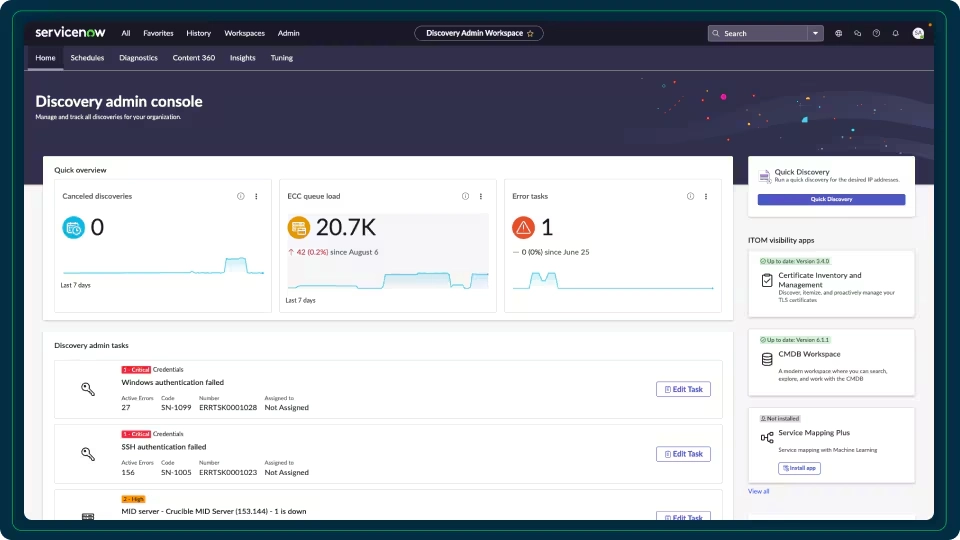
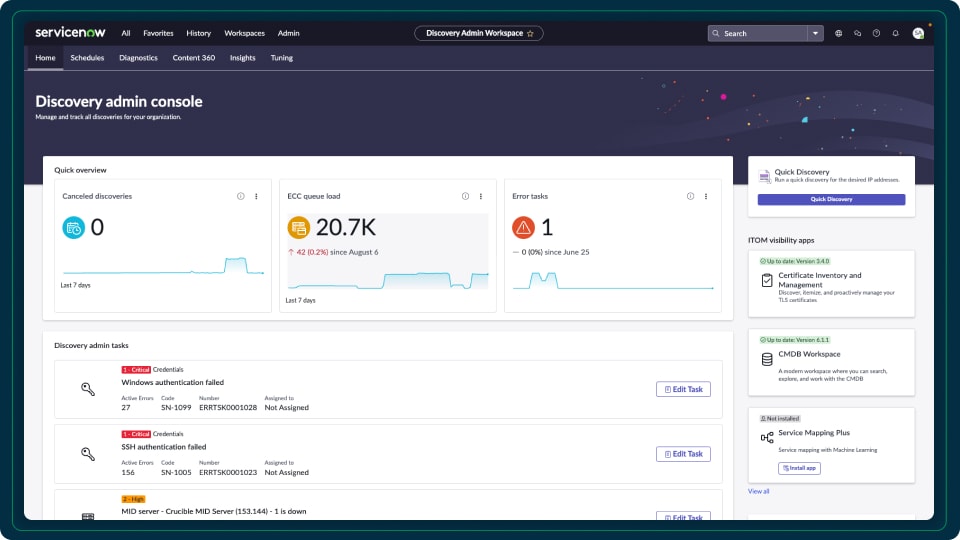
ServiceNow Discovery builds a single system of record for IT infrastructure assets and services across cloud, containerized, on-premises and hybrid environments. It is sold as part of IT Operations Management rather than as a standalone product.
Discovery populates the ServiceNow CMDB, which then feeds incident, change and asset workflows on the same platform. Service Mapping, a separate related application, maps relationships between IT components and business services.
Rating: 4.4 out of 5 on G2, based on 474 reviews of ServiceNow IT Operations Management, the parent product Discovery is sold within.
Key features include:
- Automated agentless discovery: The product gathers information about infrastructure and applications on-premises, in the cloud and in containerized environments without deploying agents on each target.
- Event-driven cloud discovery: Configuration events are received as they occur across multiple cloud environments, so cloud resources are tracked continuously rather than only at scheduled scan intervals.
- Application fingerprints: A content service uses AI-powered application fingerprints to identify technologies found during discovery.
- Unified agent for coverage gaps: An Agent Client Collector addresses areas agentless scanning reaches poorly, including domain controllers, DMZ segments and endpoints, using the same client across discovery, security and asset management.
- Certified connectors: Service Graph Connectors ingest data from third-party systems as an alternative to building and maintaining custom integrations.
- CMDB as system of record: Discovered hardware, cloud and container resources populate a single record that other ServiceNow applications consume directly.
- Related mapping and certificate applications: Service Mapping documents relationships between IT components and business services in dynamic environments, and Certificate Management discovers and tracks TLS and PKI certificates.
Limitations (as reported by users on G2):
- Licensing cost: Reviewers repeatedly cited high licensing costs, noting that Discovery and Service Mapping are among the advanced modules that drive the price up.
- Implementation complexity: Users described setup as time-consuming and reliant on experienced administrators, with ongoing tuning needed to keep discovery accurate.
- Accuracy in complex environments: Several reviewers reported that discovery and dependency mapping are not always accurate, with one noting devices appearing that no longer exist and another describing incorrect system-to-system connections.
- Upgrade impact on custom patterns: Reviewers noted that platform upgrades can break custom discovery patterns, creating technical debt that has to be retested and reworked.
- CMDB data quality dependence: Users reported CI duplication and data bloat where governance is weak, which they said degrades visibility rather than improving it.
- File-based discovery documentation: One reviewer said file-based discovery configuration is confusing and that documentation makes assumptions about steps that are not written down.
Source: ServiceNow
Related content: Read our guide to ServiceNow Discovery
6. ManageEngine Applications Manager

Best for: Pairing application dependency mapping with performance monitoring
Strengths: Scheduled rediscovery and business service map views
Things to consider: Configuration effort grows in large, complex environments
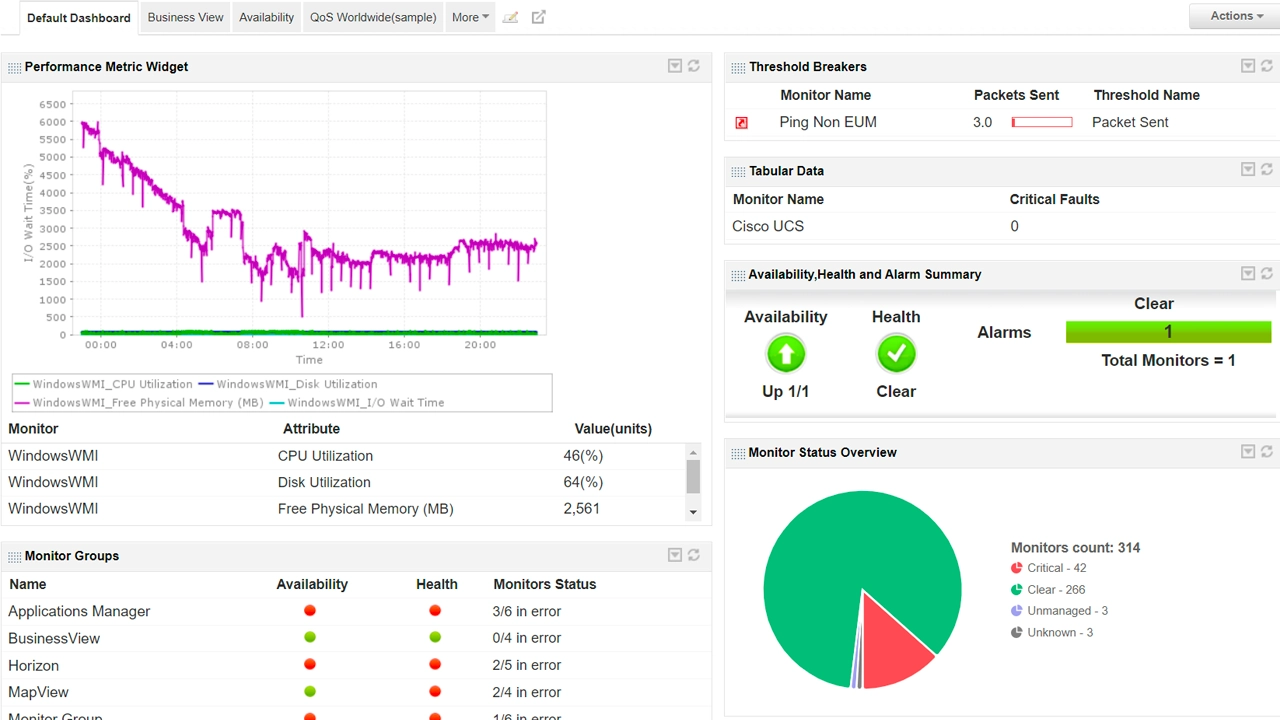
ManageEngine Applications Manager includes an Application Discovery and Dependency Mapping feature that discovers applications running on servers and network devices across the network and maps the dependencies between them.
Discovery runs against predefined IP ranges, and administrators select which resource types to include. The resulting maps sit alongside the product’s application performance monitoring functions, and discovered components can be pushed into a CMDB.
Rating: 3.8 out of 5 on PeerSpot, based on 18 reviews.
Key features include:
- IP range based discovery: Dependency maps are configured by predefining the IP range to scan, and the ADDM monitor lets administrators select which resource types to include in each discovery run.
- Scheduled rediscovery: Periodic rediscoveries scan the network automatically so new resources are picked up without manual intervention, and newly found applications are added to existing maps.
- Scan summary reporting: A scan summary report gives real-time scan status along with the total number of pinged devices and discovered applications.
- Dependency map view: Maps are built by selecting servers, after which the software retrieves the associated resources and draws the relationships between servers and applications, with automatic positioning that can be adjusted manually.
- Business service map view: A separate flow chart view breaks down the resources inside each monitor group, showing connections and dependencies among applications and their relationship to the wider infrastructure, from web services through to URLs.
- CMDB integration: Discovered components and their dependencies can be placed in the ServiceDesk Plus CMDB as configuration items, with the CMDB updated automatically by the ADDM module.
- Impact context for changes: Relationship maps are used to show the effect of configuration changes and planned downtime on connected components.
Limitations (as reported by users on G2):
- Setup effort at scale: Reviewers said initial setup and configuration are complex and time-consuming in larger environments, and that fine-tuning discovery rules carries a learning curve.
- Interface consistency: Users described the interface as cluttered or dated in places, with some modules carrying legacy elements and limited sorting options on monitoring screens.
- Third-party integration limits: Reviewers reported that integration with external tools is somewhat limited and that custom integrations require significant development effort.
- Licensing tiers: Some users noted that advanced capabilities are only available in higher licensing tiers.
- Alert noise: Reviewers said out-of-the-box alert thresholds generate excessive notifications until they are tuned.
- Data accuracy: One reviewer reported that endpoint resource details are not always accurate and need improvement.
Source: ManageEngine
7. SolarWinds Server & Application Monitor

Best for: Teams that want connection quality data alongside dependency maps
Strengths: Separate polling for dependencies and for connection health
Things to consider: Coverage is strongest on Windows-based estates
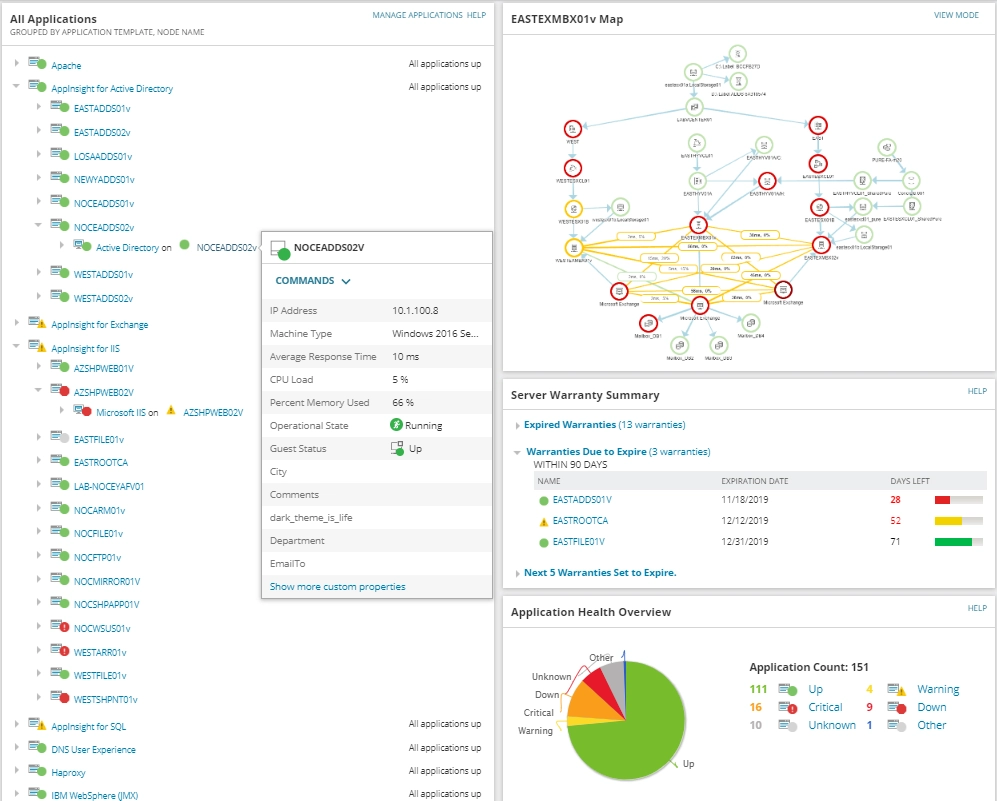
SolarWinds Server & Application Monitor polls dependencies and creates maps of incoming network connections for a managed server or application. It shows which inbound connections are linked to each application and server, and identifies the incoming port, service and server involved.
The dependency mapping function sits within a wider server and application monitoring product, so map data is presented alongside server uptime, hardware and resource utilization metrics.
Rating: 4.0 out of 5 on PeerSpot, based on 44 reviews.
Key features include:
- Application dependency polling: This maps interactions between applications and their server-based components, discovering and monitoring application to application, application to node and node to application connections.
- Connection quality polling: A second polling method tracks TCP data travelling from client nodes to target nodes and acts as a packet sniffer, letting the map distinguish latency from packet loss.
- Custom maps of groups and entities: Interactive maps can be built for applications and the servers they depend on, tracking response times of dependent services and visualizing logical and physical relationships including connection ports, services, latency, packet loss and TCP data.
- Connection Details page: A dedicated view exposes application processes, process status, latency, packet loss and per-connection port data.
- Thresholds and alerting: Warning and critical thresholds can be set for dependency issues such as packet loss, latency, uptime and TCP connection problems for dependent services.
- Server health context: The underlying product monitors overall server and application performance, including server uptime and hardware failure indicators, so dependency issues can be viewed against infrastructure state.
Limitations (based on publicly available sources):
- Setup complexity: Reviewers reported that setup is complex and may require local support to complete.
- Non-Windows coverage: Users described limited support for non-Windows platforms and IBM mainframes.
- Report export: Reviewers noted difficulties exporting reports and completing end-to-end monitoring workflows.
- Performance at scale: Users reported speed complaints when the product is deployed at larger scale.
- Custom monitor configuration: Reviewers said custom application monitors are tricky to configure and that the logic in custom alerts can be hard to follow.
Source: SolarWinds

8. Lansweeper

Best for: Broad asset and software inventory across IT, OT and cloud
Strengths: Multiple discovery methods including credential-free fingerprinting
Things to consider: No application dependency mapping between discovered assets
Lansweeper discovers and catalogs connected technology assets across IT, OT, IoT and cloud environments. Its agentless discovery communicates with devices over the network using WMI, SSH, SNMP and APIs, or through credential-free techniques where credentials are not available.
The platform focuses on inventory depth rather than application dependency mapping, and pushes its asset data into ITSM, CMDB and security tools that consume it downstream.
Rating: 4.4 out of 5 on G2, based on 69 reviews.
Key features include:
- Active agentless scanning: Credential-based scans run deep, targeted queries against known and managed devices to return detailed hardware, OS and software information.
- Passive traffic sensor: A traffic sensor continuously analyzes network traffic to identify every device communicating on the network, including devices that were not previously known, without touching them directly.
- Credential-free device recognition: Passive listening is combined with fingerprinting that classifies assets when no credentials are available, which suits segmented, OT and IoT networks.
- Cloud API integration: Direct connections to AWS, Azure and Google Cloud discover virtual machines, containers and cloud-native services without deploying sensors in those environments.
- Discovery integrations and manual import: Asset information can be imported and synced from SCCM, Intune and other inventory platforms, with CSV and XLS upload available for offline or legacy devices.
- IP range coverage measurement: The network is organized into named IP ranges, and the platform measures how completely each segment has been identified so remaining blind spots can be targeted.
- Asset data depth: Discovery returns hardware specifications, installed software, configuration and OS versions, and surfaces vulnerabilities, lifecycle risks and shadow IT.
- Downstream integrations: Asset intelligence feeds ServiceNow, Jira Service Management, HaloITSM, Freshservice, TOPdesk, Splunk and Microsoft Sentinel.
Limitations (as reported by users on G2):
- Cloud and on-premises parity: Reviewers reported feature disparity between the cloud and on-premises versions, unreliable synchronization between the two, and data inconsistencies that required manual effort to resolve.
- Support responsiveness: Multiple users described support as email-only and slow to resolve issues, with one reviewer stating enquiries were often left unresolved.
- Custom reporting skills: Users noted that building custom reports on the on-premises version requires SQL query knowledge and an understanding of the underlying database tables.
- Interface performance: Reviewers cited UI performance issues and fixed page sizes when working with large asset lists.
- Pricing changes: Several users reported price increases and pressure to move to the cloud version, with one small-business reviewer noting the jump between licence tiers.
- Off-network coverage: A reviewer said keeping information current is difficult when users are away from the office, since the scanning server sits on the internal network.
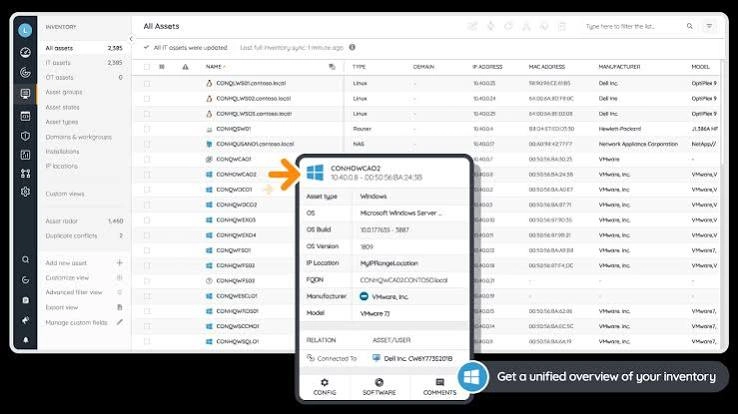
Source: Lansweeper

Related content: Read our guide to Lansweeper
Conclusion
Agentless application discovery gives IT teams a practical way to maintain visibility across large, changing environments without deploying and maintaining software on every endpoint. The strongest platforms combine broad discovery coverage with accurate dependency mapping, secure credential handling, continuous updates, and integration with CMDB and ITSM workflows. Organizations should evaluate how well each platform matches their infrastructure mix, security requirements, data residency needs, and operational processes before standardizing on a solution.