
TL;DR: Zero Trust solutions verify every user, device, and connection instead of trusting the network. Best for microsegmentation planning: Faddom; breach containment: Illumio; SASE access: Zscaler; identity: Microsoft Entra ID.
What Are Zero Trust Solutions?
Zero trust is a cybersecurity strategy operating on the principle of “never trust, always verify.” Modern solutions require the integration of five key pillars: verifying user identities (IAM), securing applications (ZTNA), protecting endpoints, securing workloads, and protecting data.
Zero trust solutions operate on the principle of “never trust, always verify.” Unlike traditional security models that rely on a strong perimeter and assume anything inside the network is trustworthy, zero trust eliminates implicit trust, regardless of whether access requests originate inside or outside the network. Every user, device, application, and network flow is treated as potentially hostile until proven otherwise, requiring explicit verification before granting access to any resource.
Zero Trust Solutions at a Glance
The table below summarizes the key differences between the zero trust solutions covered in this article. We explore each of them in more detail in the sections that follow.
| Category | Solution | Best For | Key Strengths | Things to Consider |
| Network Visibility & Microsegmentation | Faddom | Agentless mapping of hybrid traffic to plan segmentation | Passive discovery of east-west traffic and dependencies | Depth can be limited in very large, complex estates |
| Network Visibility & Microsegmentation | Illumio | Stopping lateral movement across hybrid, multi-cloud | AI policy recommendations from real-time telemetry | Upfront policy tuning before enforcement |
| Network Visibility & Microsegmentation | Akamai Guardicore Segmentation | AI-driven microsegmentation across hybrid, OT, cloud | Auto-discovery and process-to-packet policy automation | Discovery period before enforcement |
| Network Visibility & Microsegmentation | ColorTokens Xshield | Putting a micro-perimeter around each asset | AI-assisted workflows with simulate-before-enforce | Platform changes can require relearning |
| Zero Trust Network Access & SASE | Zscaler Zero Trust Exchange | Brokering one-to-one user-to-app access | Proxy architecture with full TLS/SSL inspection | Per-function licensing adds cost and complexity |
| Zero Trust Network Access & SASE | Palo Alto Networks Prisma Access | Cloud-delivered SASE with least-privilege ZTNA | ZTNA, SWG, CASB, and FWaaS in one service | Complex onboarding, separately licensed add-ons |
| Zero Trust Network Access & SASE | Cloudflare Zero Trust | Unified SASE from a global network | ZTNA, SWG, CASB, and DLP on one platform | Some capabilities newer than incumbents |
| Zero Trust Network Access & SASE | Netskope One Private Access | Universal ZTNA replacing VPN, NAC, and VDI | One client for remote, campus, IoT, and OT | Setup and cost lean toward larger deployments |
| Zero Trust Network Access & SASE | Fortinet Universal ZTNA | ZTNA built into FortiOS for all users | Per-session app access with posture checks | Strongest within the Fortinet ecosystem |
| Identity & Access Management | Microsoft Entra ID | Cloud identity and access management | SSO, MFA, and risk-based Conditional Access | Advanced protection in higher-tier plans |
| Identity & Access Management | Okta | Workforce identity with SSO and adaptive MFA | Phishing-resistant FastPass and lifecycle automation | Advanced features can be costly at scale |
| Identity & Access Management | Cisco Duo | MFA and access management for identity security | Phishing-resistant MFA, SSO, and device trust | Push relies on connectivity and can be delayed |
| Identity & Access Management | BeyondTrust | Vaulting and controlling privileged access | Credential rotation, session monitoring, JIT access | Setup and deployment can be complex |
| Identity & Access Management | Ping Identity | Identity across workforce, customer, and B2B | SSO, adaptive MFA, and no-code orchestration | Configuration can be technical for complex setups |
Benefits of Zero Trust Solutions
Zero Trust solutions help organizations reduce security risks by verifying every access request instead of relying on network location. This approach improves protection against modern threats while giving security teams more control over who can access critical systems and data:
- Reduces the attack surface by limiting access to only the users, devices, and applications that need it.
- Prevents lateral movement by segmenting networks and restricting access between systems after authentication.
- Protects against compromised credentials through continuous identity verification and risk-based access decisions.
- Strengthens defense against insider threats by enforcing least-privilege access and monitoring user activity.
- Improves visibility with continuous monitoring of users, devices, applications, and network traffic.
- Supports remote and hybrid work by applying consistent security policies regardless of where users connect from.
- Limits the impact of security incidents by containing attackers and preventing unrestricted access to sensitive resources.
- Helps meet compliance requirements by providing stronger access controls, detailed logging, and auditable security policies.
How Zero Trust Solutions Work
1. Verify Explicitly
Zero trust solutions require explicit verification of all users and devices before granting access. This goes beyond a single login event; systems continuously check credentials, device health, and contextual factors such as location or time. Multi-factor authentication (MFA) is often used to ensure that access attempts are legitimate and not the result of compromised credentials.
Explicit verification extends to applications and workloads, not just end users. Systems validate that devices meet security standards and check for recent patches or malware before allowing any connection. This approach reduces the likelihood of unauthorized access and makes it more difficult for attackers to exploit weak points in the environment.
2. Enforce Least-Privilege Access
Enforcing least-privilege access means users and devices get only the permissions they need to perform their tasks, nothing more. Zero Trust solutions dynamically assign access rights, often using role-based access controls or attribute-based policies that factor in identity, device health, and the sensitivity of resources.
This principle limits the damage an attacker can cause if they compromise a user account or device. By restricting access to the minimum required, organizations reduce the risk of lateral movement and data exfiltration. Least-privilege access also simplifies compliance by ensuring that security policies are strictly enforced across all resources.
3. Assume Breach
Zero trust solutions operate under the assumption that breaches are inevitable. Instead of focusing only on preventing breaches, they are designed to limit the scope and impact of a compromise. This mindset shifts security efforts toward containment, rapid detection, and recovery.
By assuming that attackers may already be present, organizations implement granular segmentation and continuous monitoring. If an anomaly or suspicious activity is detected, Zero Trust systems isolate affected resources, alert security teams, and trigger automated responses. This proactive stance helps minimize damage and speeds up incident response.
4. Continuously Evaluate Trust
Trust in zero trust architectures is never static. Solutions continuously evaluate trust levels for users, devices, and applications based on real-time signals such as device posture, user behavior, and threat intelligence. If risk factors increase, access can be reduced or revoked automatically, without waiting for manual intervention.
Continuous evaluation allows organizations to adapt to evolving threats and business needs. If a device becomes outdated or a user exhibits unusual behavior, Zero Trust solutions can prompt additional verification or restrict access. This dynamic approach ensures that security remains effective even as environments and risks change.
Key Capabilities of Zero Trust Solutions
Continuous Authentication and Authorization
Continuous authentication and authorization ensure that access decisions are not based on a one-time event. Instead, zero trust solutions repeatedly verify the identity of users and devices throughout each session. This ongoing process makes it harder for attackers to exploit stolen credentials or hijack sessions, as the system can detect and respond to anomalies in real time.
By continuously monitoring user and device activity, organizations can enforce session integrity and prevent unauthorized actions. If a user’s behavior deviates from normal patterns or if a device becomes non-compliant, zero trust solutions can:
- Automatically terminate the session
- Require re-authentication
- Reduce the risk of undetected breaches
Context-Aware Access Decisions
Context-aware access decisions use information such as user role, device health, location, time, and behavior to determine whether to grant or deny access. This ensures that access policies are not static but adapt to the current risk level of each request. For example, a login from an unusual location may trigger additional verification steps or limit the resources accessible to the user.
This capability allows organizations to:
- Tailor security controls to specific scenarios
- Reduce friction for legitimate users
- Increase scrutiny for suspicious activity
Context-aware access improves both security and user experience by aligning access decisions with real-world risk factors and business requirements.
Risk-Based Access Controls
Risk-based access controls dynamically adjust permissions and authentication requirements based on the perceived risk of each access request. Zero trust solutions assess risk before granting access, leveraging:
- Real-time threat intelligence
- Behavioral analytics
- Device posture
High-risk requests may require step-up authentication or be blocked entirely. This approach helps organizations prioritize security resources and responses where they are needed most. By focusing on risky activity rather than treating all access requests equally, risk-based controls improve protection against sophisticated attacks while allowing legitimate business operations to continue without unnecessary obstacles.
Application-Level Access
Zero trust solutions enforce policies at the application level, not just at the network or device layer. This granularity ensures that users and devices can only interact with specified applications and data for which they have explicit authorization. Application-level controls prevent unauthorized access even if network security is bypassed.
Enforcing access at the application layer:
- Allows for more precise monitoring and auditing
- Enable organizations to track who accessed which applications, when, and from where.
- Support compliance and enable faster incident response.
This level of control is especially important in cloud and hybrid environments where traditional network boundaries are less relevant.
Device Health Validation
Device health validation ensures that only secure, compliant devices can access organizational resources. Before granting access, zero trust solutions assess devices for:
- Up-to-date patches
- Security software
- Configuration compliance
- Absence of malware.
Non-compliant or compromised devices are quarantined or denied access until they meet security standards. This capability reduces the attack surface by preventing vulnerable or unmanaged devices from connecting to sensitive systems. Continuous device health checks also help organizations enforce security policies consistently, regardless of device ownership or location, supporting bring-your-own-device (BYOD) and remote work scenarios.
User and Entity Behavior Analytics
User and entity behavior analytics (UEBA) monitor and analyze the actions of users, devices, and applications to detect anomalies that may indicate malicious activity. Zero trust solutions leverage UEBA to establish baselines for normal behavior and flag deviations that warrant investigation or response.
This analytics-driven approach enhances threat detection and reduces false positives by focusing on context and intent rather than static rules. UEBA enables organizations to identify:
- Insider threats
- Compromised accounts
- Sophisticated attacks
These threats might evade traditional security controls, strengthening the overall Zero Trust posture.
Automated Policy Enforcement
Automated policy enforcement ensures that security rules are applied consistently and instantly across the entire environment. Zero trust solutions use automation to:
- Update access controls
- Isolate suspicious activity
- Remediate threats without waiting for manual intervention
This reduces response times and limits the window of opportunity for attackers. Automation also simplifies management by reducing the administrative burden on security teams. Policies can be updated centrally and enforced everywhere, ensuring that new threats and compliance requirements are addressed promptly.
Key Types of Zero Trust Solutions
Zero Trust Network Access Solutions
Zero Trust Network Access (ZTNA) solutions provide secure, granular access to applications and services without exposing the internal network. Unlike VPNs, which grant broad network access, ZTNA limits each user’s visibility to only the resources they are authorized to use. Access is brokered through a secure gateway that authenticates users, evaluates device health, and enforces policy before allowing connections.
When to use:
ZTNA is particularly effective for remote work and hybrid environments, where users connect from diverse locations and devices. By abstracting applications from the network, ZTNA reduces the attack surface and minimizes the risk of lateral movement. It also integrates seamlessly with identity and access management systems, supporting adaptive policies and continuous verification.
Identity-Based Zero Trust Solutions
Identity-based Zero Trust solutions focus on verifying and managing user and device identities as the foundation for security. These solutions leverage identity providers, single sign-on (SSO), and multi-factor authentication (MFA) to ensure that only authenticated and authorized entities gain access to resources. Policies are enforced based on user roles, attributes, and risk profiles.
When to use:
This approach allows organizations to centralize access control and apply consistent security policies across on-premises and cloud environments. Identity-based solutions are well-suited for organizations with a distributed workforce and diverse device landscape, providing a unified framework for managing access and reducing identity-related risks.
Microsegmentation Platforms
Microsegmentation platforms divide networks, workloads, and applications into smaller, isolated security zones. Instead of relying on broad network boundaries, these solutions apply granular security policies to individual workloads, virtual machines, containers, or application components. Communication between segments is allowed only when it matches defined policies, reducing unnecessary connectivity across the environment.
When to use:
This approach limits lateral movement if an attacker compromises a system. Even after gaining initial access, attackers cannot move freely between workloads because every connection is verified and controlled. Microsegmentation is commonly used in data centers, cloud environments, and Kubernetes clusters, where dynamic workloads require flexible and automated policy enforcement.
Related content: See how network microsegmentation secures data center workloads.
Secure Access Service Edge Platforms
Secure Access Service Edge (SASE) platforms combine networking and security services into a cloud-delivered architecture. They typically integrate capabilities such as Zero Trust Network Access (ZTNA), secure web gateways (SWG), cloud access security brokers (CASB), firewall as a service (FWaaS), and software-defined wide area networking (SD-WAN). By delivering these services from the cloud, SASE applies consistent security policies regardless of where users, devices, or applications are located.
When to use:
SASE platforms support zero trust by verifying identities, evaluating device posture, and enforcing least-privilege access before connections are established. They also inspect traffic continuously to detect threats and enforce data protection policies. This unified approach simplifies security management while improving performance for remote users, branch offices, and cloud applications.
Notable Zero Trust Solutions
How we selected these tools: We shortlisted Zero Trust solutions based on their ability to verify identities, enforce least-privilege access, segment networks, and continuously monitor users, devices, and traffic.
Network Visibility and Microsegmentation
1. Faddom

Best for: Agentless mapping of hybrid traffic to plan microsegmentation
Strengths: Passive discovery of east-west traffic and dependencies
Things to consider: Depth can be limited in very large, complex estates
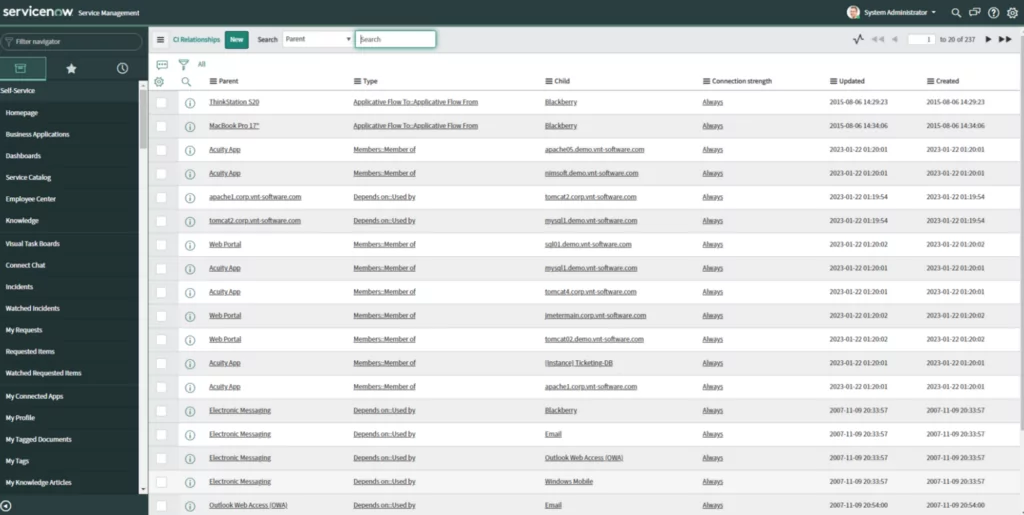
Faddom maps on-premises and cloud environments along with business applications without deploying agents, installing credentials, or changing firewall rules. It produces a first map within about 60 minutes of deployment and runs passively using wire data, so it can also work offline. For zero trust, Faddom provides the traffic and dependency visibility teams need before defining segments and setting policies. It shows where clusters of servers occur and how to isolate them, which supports planning microsegmentation across a hybrid estate.
Key features include:
- East-west traffic mapping: Maps communication between servers so teams can see what traffic is required across the environment.
- Subnet dependency discovery: Identifies dependencies between different subnets to show how systems connect.
- Segment grouping with rules: Lets teams build groups of segments and define the communication allowed between them.
- Agentless passive collection: Runs without agents, credentials, or firewall changes, using passive wire data and working offline.
- Rapid hybrid mapping: Produces a first map of on-prem servers and cloud instances within about 60 minutes.
- Change and anomaly notifications: Flags anomalies or changes in the environment and can provide cost estimates for cloud migration.
Limitations (as reported by users on G2):
- Coverage of non-standard resources: Some users note occasional visibility gaps for certain cloud-native or non-standard resources that may need manual steps.
- Additional networking extras: A few users would like added capabilities such as expanded log storage and more network diagram integrations.
- Depth for heavy customization: Users with very large or highly specialized environments sometimes want deeper customization options.

Source: Faddom
2. Illumio

Best for: Stopping lateral movement across hybrid, multi-cloud estates
Strengths: AI policy recommendations from real-time traffic telemetry
Things to consider: Upfront policy tuning before enforcement takes effect
Illumio Segmentation applies Zero Trust principles to contain breaches and stop lateral movement across hybrid, multi-cloud environments. It combines real-time telemetry with AI to recommend segmentation policies and works consistently across clouds, endpoints, and data centers. Across cloud, it visualizes application deployments, resources, and traffic flows and builds segmentation for containers.
Key features include:
- Traffic visualization: Maps application flows, resources, and metadata across cloud, endpoint, and data center environments.
- AI policy recommendations: Uses real-time telemetry with AI to suggest segmentation policies.
- Least-privilege enforcement: Enforces least-privilege access and removes implicit trust between workloads.
- Endpoint containment: Controls application access on endpoints and contains a breach to a single workstation, laptop, or VM.
- Consistent multi-environment segmentation: Applies automated segmentation across clouds, endpoints, data centers, and containers.
Limitations (as reported by users on G2):
- Upfront tuning effort: Users note that mapping and policy setup takes time before enforcement is effective.
- Scope of the tool: It handles segmentation and does not replace firewalls or endpoint detection tools.
- Learning curve: Some users report that training is needed to use the platform effectively.
- Cost at scale: Licensing can feel high, with value strongest in larger, complex environments.

Source: Illumio

3. Akamai Guardicore Segmentation

Best for: AI-driven microsegmentation across hybrid, OT, and cloud
Strengths: Auto-discovery and process-to-packet policy automation
Things to consider: Discovery and policy period before enforcement
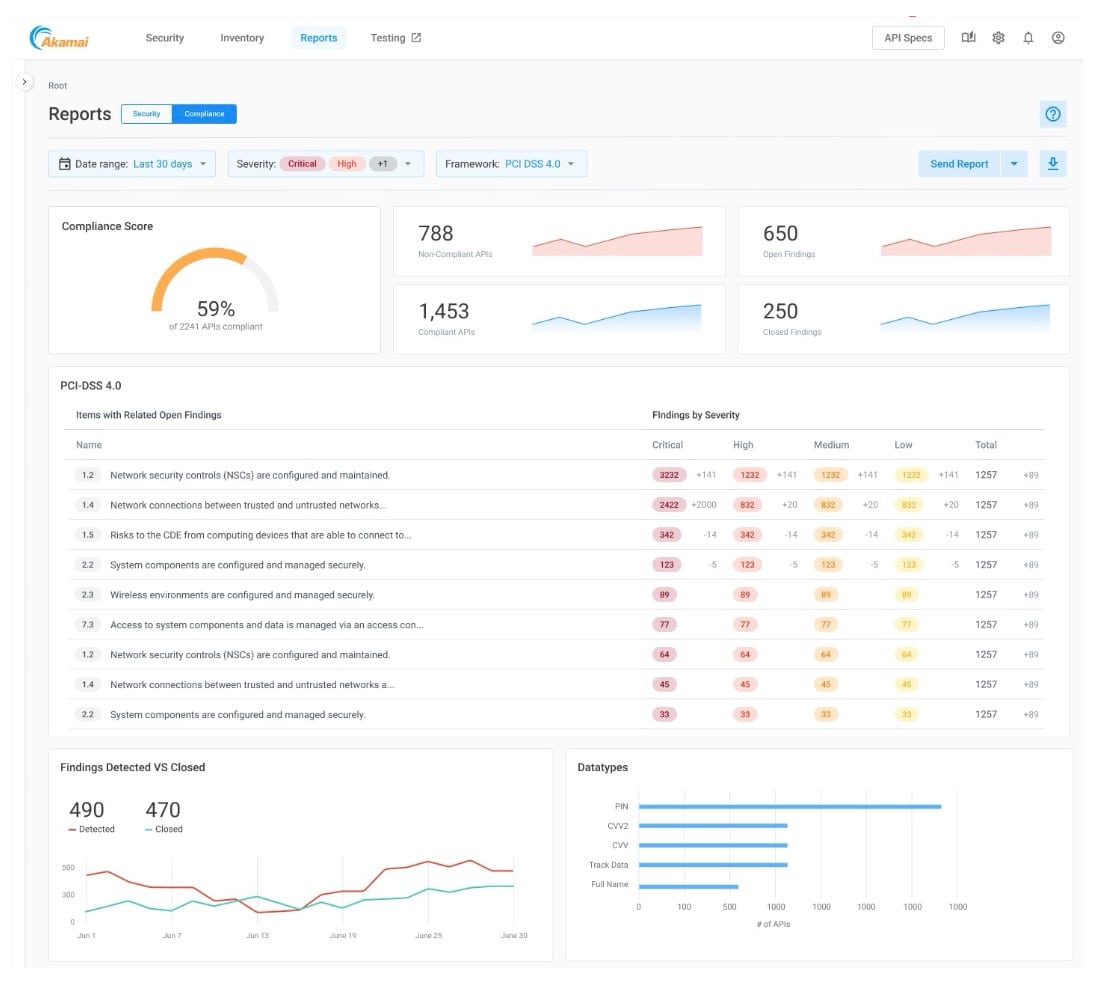
Akamai Guardicore Segmentation is a software-based microsegmentation platform that uses AI to translate network and process insights into policy. It discovers assets, auto-labels unknown ones, and maps application dependencies for a real-time view of what is communicating. It supports both agent-based and agentless deployment, covering legacy, OT, cloud, and container systems.
Key features include:
- AI discovery and labeling: Maps dependencies and auto-labels unknown assets across IT, cloud, and OT.
- Process-to-packet correlation: Correlates process and packet data to generate ready-to-apply policies.
- Agent and agentless enforcement: Supports host-based agents and agentless monitoring for IoT, OT, and PaaS.
- Osquery-powered insights: Uses osquery to detect high-risk platforms and devices.
- Exposure analysis: Correlates reachability, open admin ports, and tool usage to map exploitable paths.
- Simulated enforcement: Lets teams model policy impact before enforcing to avoid disruption.
Limitations (as reported by users on Gartner Peer Insights):
- Discovery period: A monitoring and discovery phase is needed before policies can be enforced confidently.
- Agent deployment at scale: Rolling out agents across large estates requires change-management coordination.
- Policy development effort: Investment in policy development is needed before enforcement.
- High-churn environments: Container and high-change environments rely on automated labeling to stay accurate.

Source: Akamai
4. ColorTokens Xshield

Best for: Putting a micro-perimeter around each network asset
Strengths: AI-assisted policy workflows with simulate-before-enforce
Things to consider: Frequent platform changes can require relearning
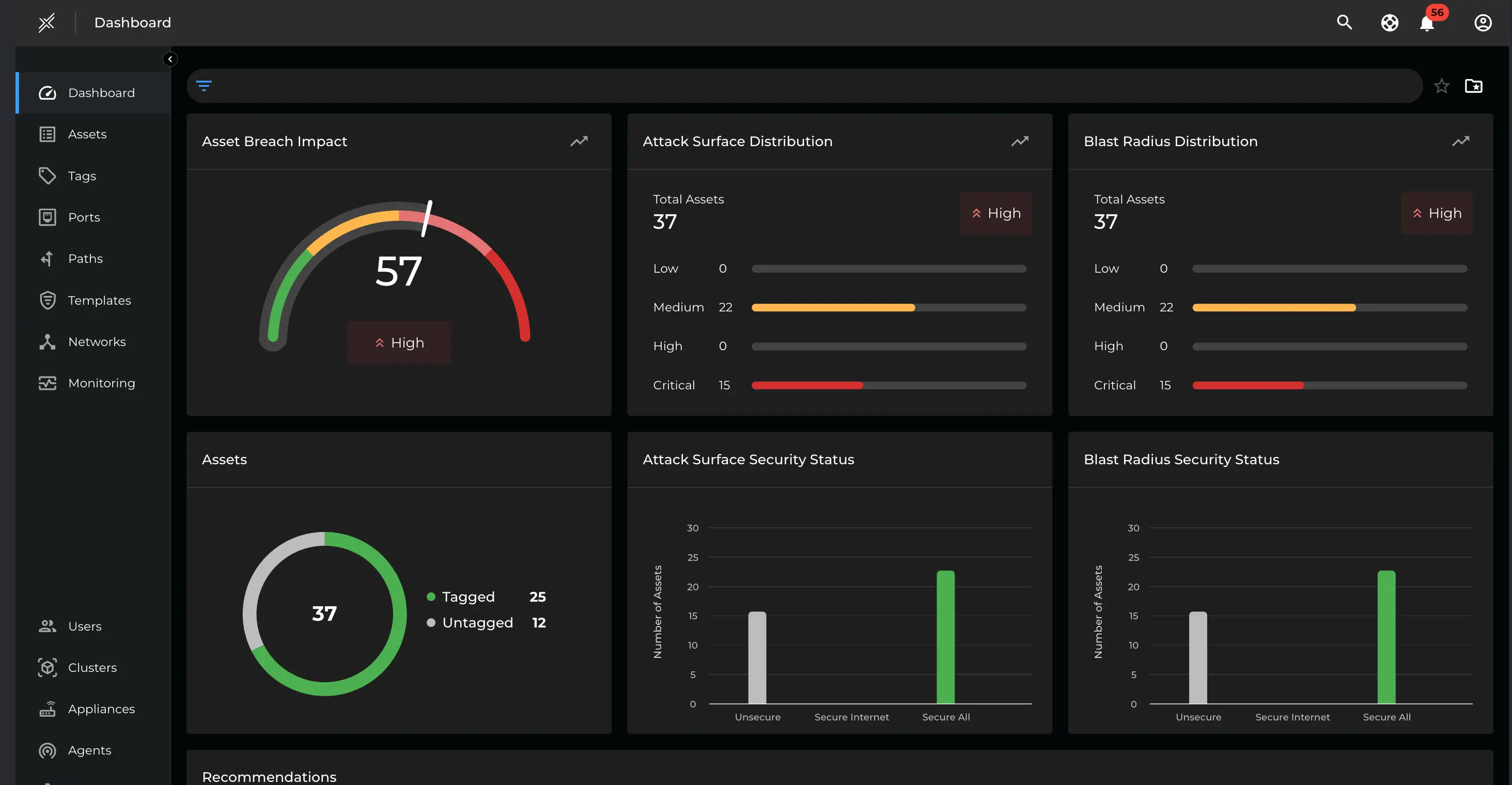
ColorTokens Xshield is an enterprise microsegmentation platform that places a micro-perimeter around each network asset to stop malware and ransomware from spreading laterally. It uses AI-assisted, guided workflows for discovery and rule creation. It covers data center workloads, cloud workloads across AWS, Azure, and GCP, containerized applications at the API level, IoT and OT devices, and user endpoints.
Key features include:
- Micro-perimeter isolation: Wraps each asset in a segmentation boundary to limit lateral spread.
- AI-assisted policy workflows: Uses guided, LLM-driven discovery and rule synthesis to build policies.
- Simulate before enforce: Tests policies on-device before enforcement for non-disruptive rollout.
- Broad workload coverage: Segments data center, cloud, container, IoT/OT, and endpoint assets.
- API-level container segmentation: Controls Kubernetes communications at the API level.
- Auto-tagging and visual design: Tags assets by rule and provides a network map to define allowed and denied flows.
Limitations (as reported by users on Gartner Peer Insights):
- Navigation changes: Changes to how workload groups and segments are structured can make navigation harder.
- Performance under load: Some system tasks can run slowly under heavier load.
- Agent offboarding: Removing agents can be confusing for some users.
- Documentation and upgrades: Limited documentation and frequent portal updates can require relearning.

Source: ColorTokens
Zero Trust Network Access and SASE
5. Zscaler Zero Trust Exchange

Best for: Brokering one-to-one user-to-app access with inspection
Strengths: Proxy architecture with full TLS/SSL inspection at scale
Things to consider: Per-function licensing can add cost and complexity
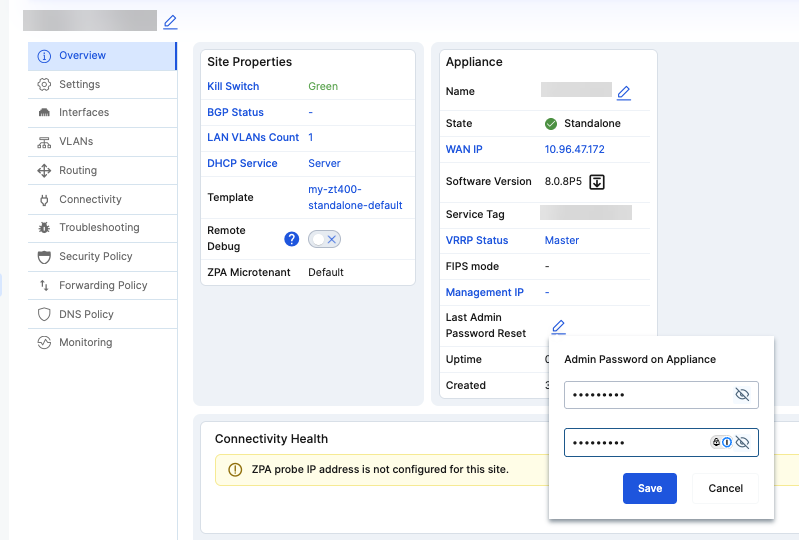
The Zscaler Zero Trust Exchange is a cloud platform that brokers one-to-one connections between users and applications based on identity, context, and policy. Its proxy architecture enables full TLS/SSL inspection at scale, and applications stay hidden behind the exchange so they are not exposed to the internet. It verifies identity, determines the destination, assesses risk using AI and contextual signals, then enforces policy per session.
Key features include:
- One-to-one app brokering: Connects users directly to specific apps rather than the network.
- Full TLS/SSL inspection: Inspects all traffic, including encrypted traffic, through a proxy architecture.
- Application cloaking: Hides applications behind the exchange so they are invisible to the internet.
- AI risk assessment: Uses context and threat signals to assess risk before granting access.
- Per-session policy enforcement: Enforces policy in real time for each request.
- Data loss protection: Identifies and protects sensitive data in motion, at rest, and in use.
Limitations (as reported by users on G2):
- Licensing model: Separate licenses per function can raise cost and add complexity when combining features.
- Setup complexity: Initial setup and policy configuration can be complex to administer.
- SSL inspection performance: Performance can vary with SSL inspection, and pinpointing blocked traffic can be difficult.
- Support consistency: Some users report that support quality is inconsistent.

Source: Zscaler
6. Palo Alto Networks Prisma Access

Best for: Cloud-delivered SASE with least-privilege ZTNA
Strengths: ZTNA, SWG, CASB, and FWaaS in one cloud service
Things to consider: Complex onboarding and separately licensed add-ons
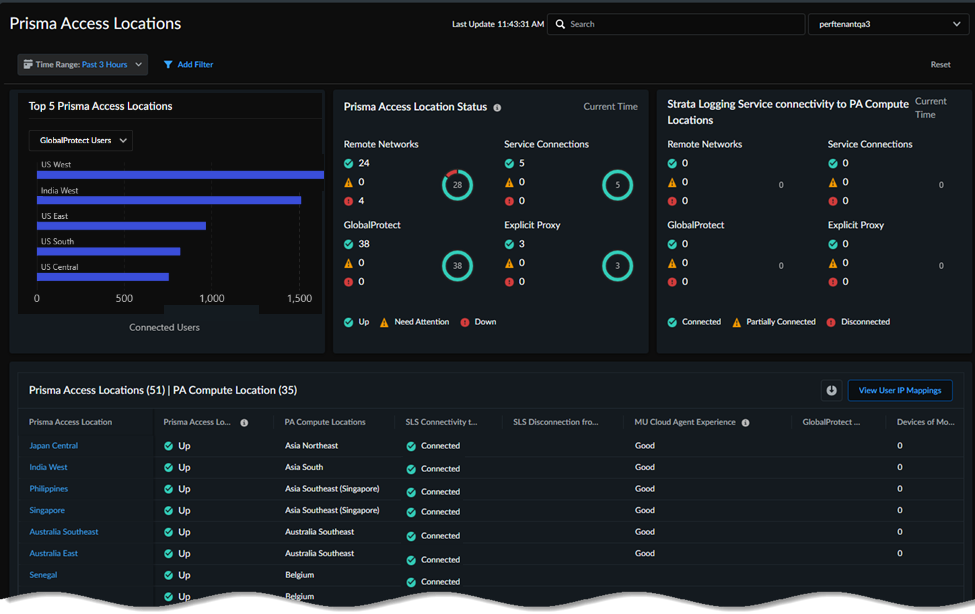
Prisma Access is a cloud-delivered SASE service that secures access for users, apps, and data. It provides ZTNA for least-privilege access to applications, removing implicit trust without traditional VPNs, and uses Precision AI for inline threat prevention. Alongside ZTNA it includes a secure web gateway for web access, CASB with SaaS Security Posture Management, firewall as a service, and remote browser isolation.
Key features include:
- Least-privilege ZTNA: Provides secure access to applications and reduces the attack surface.
- Secure web gateway: Delivers real-time protection for user web access.
- CASB and SaaS posture: Gives visibility and control over apps with SaaS Security Posture Management.
- Firewall as a service: Applies cloud-native network security and Zero Trust policies.
- Remote browser isolation: Isolates browsing to keep web threats away from endpoints.
- Unified agent: Connects users across SASE and next-generation firewall deployments with one agent.
Limitations (as reported by users on G2):
- Onboarding complexity: Initial setup can be complex, especially for teams new to Palo Alto products.
- Licensing and cost: Cost can be high, with add-ons such as SD-WAN and DLP licensed separately.
- Troubleshooting depth: Log troubleshooting can be difficult and documentation shallow on technical details.
- Support and updates: Support can be slow, and certain updates can cause downtime.

Source: Palo Alto Networks
7. Cloudflare Zero Trust

Best for: Unified SASE access delivered from a global network
Strengths: ZTNA, SWG, CASB, and DLP on one composable platform
Things to consider: Some capabilities are newer than incumbents
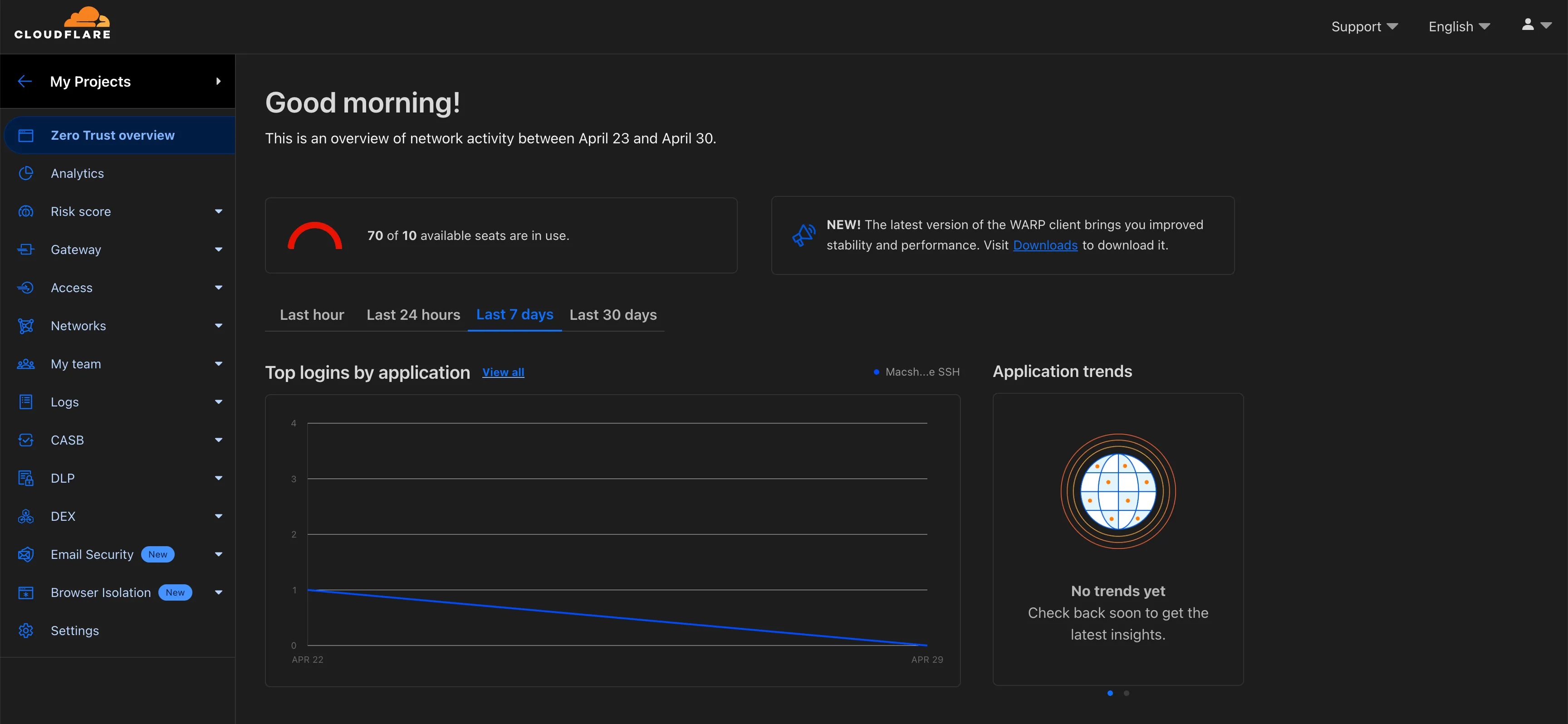
Cloudflare One is a SASE platform that connects and protects workforce, AI agents, and infrastructure from Cloudflare’s global network. It provides identity-first ZTNA to replace VPNs, giving access to internal apps without exposing the network. It converges ZTNA, secure web gateway, CASB, firewall as a service, DLP, remote browser isolation, email security, and digital experience monitoring. It applies DNS and HTTP filtering, secures connections to Model Context Protocol servers for AI agents, and uses post-quantum encryption across the stack.
Key features include:
- Identity-first ZTNA: Replaces VPNs with granular, identity-based access to internal apps.
- Secure web gateway: Uses DNS and HTTP filtering to block malware and phishing.
- CASB and DLP: Protects SaaS apps and data at rest and in transit.
- AI and MCP security: Secures connections to MCP servers and governs AI agent access.
- Email security: Stops phishing, impersonation, and business email compromise.
- Browser isolation: Isolates risky links and sessions from endpoints.
Limitations (as reported by users on G2):
- Feature maturity: Some capabilities are newer and less mature than long-standing competitors.
- Learning curve: Moving to Zero Trust and configuring policies can take extra steps.
- Dashboard clarity: The dashboard can be confusing at first.
- Pricing tiers: Pricing can be complex for smaller organizations, with some features on higher tiers.

Source: Cloudflare
8. Netskope One Private Access

Best for: Universal ZTNA replacing VPN, NAC, and VDI
Strengths: One client for remote, campus, IoT, and OT access
Things to consider: Setup and cost lean toward larger deployments
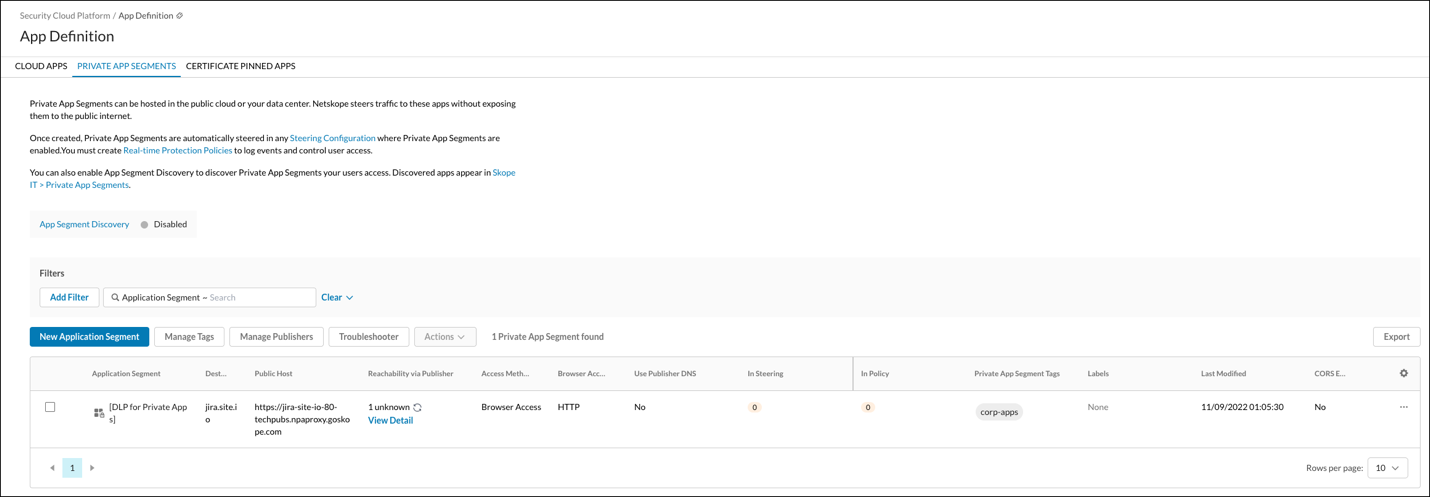
Netskope One Private Access is a Universal ZTNA solution that provides zero trust access across remote, campus, IoT, and OT environments. It replaces VPNs and serves as an alternative to network access control and virtual desktop systems, combining ZTNA and bi-directional access for legacy apps in one client. It follows a least-privilege model, connecting users only to authorized apps and hiding internal apps from the public internet.
Key features include:
- Universal ZTNA: Delivers consistent access across remote, campus, IoT, and OT with one solution.
- VPN, NAC, and VDI replacement: Combines ZTNA and bi-directional legacy app access in one client.
- Local Broker: Extends ZTNA to on-prem and OT, avoids cloud hairpinning, and adds disaster recovery.
- AI policy optimization: Copilot recommends app segments and removes unused rules.
- Built-in threat and data protection: Continuously evaluates posture and applies DLP for managed and unmanaged devices.
- Device intelligence: Provides visibility and risk scoring for IoT and OT devices.
Limitations (as reported by users on G2):
- Configuration effort: Setup can be complex in hybrid and distributed environments.
- Cost for smaller deployments: Value is strongest at scale, and cost can be high for small or mid deployments.
- Protocol and DNS constraints: Some users note limits such as single DNS server support and unsupported broadcast protocols.
- Learning curve: The console can feel cluttered, and feature updates can be slower.

Source: Netskope
9. Fortinet Universal ZTNA

Best for: ZTNA built into FortiOS for remote and on-site users
Strengths: Per-session app access with continuous posture checks
Things to consider: Feature depth is strongest within Fortinet’s stack
Fortinet Universal ZTNA provides zero trust access to applications for users working remotely or in the office. It is delivered as part of FortiOS and FortiClient, so for existing Fortinet customers the capability is included in the operating system rather than licensed separately. It grants access to a specific application only for that session and verifies user identity along with device identity and posture before granting access.
Key features include:
- Granular per-session access: Grants access to a specific application only for that session.
- Continuous verification: Checks user identity and device posture before and during access.
- Unified FortiClient agent: Combines VPN, ZTNA, vulnerability scanning, URL filtering, and endpoint protection.
- Flexible deployment: Enforces ZTNA policies for both remote and on-site workers.
- Automatic encrypted tunnels: Establishes TLS encryption between endpoint and access proxy.
- No extra license for FortiOS users: Available as a feature of FortiOS 7.0 and above.
Limitations (as reported by users on Gartner Peer Insights):
- Granularity depth: Some users find controls less granular than certain dedicated ZTNA vendors.
- Performance under load: VPN-path latency and firewall CPU usage can be affected under heavy load.
- Documentation: Public documentation is limited and training may be needed.
- Ecosystem dependence: Value is strongest for organizations already using Fortinet products.

Source: Fortinet

Identity and Access Management
10. Microsoft Entra ID

Best for: Cloud identity and access management with Zero Trust
Strengths: SSO, MFA, and risk-based Conditional Access in one place
Things to consider: Advanced protection sits behind higher-tier plans
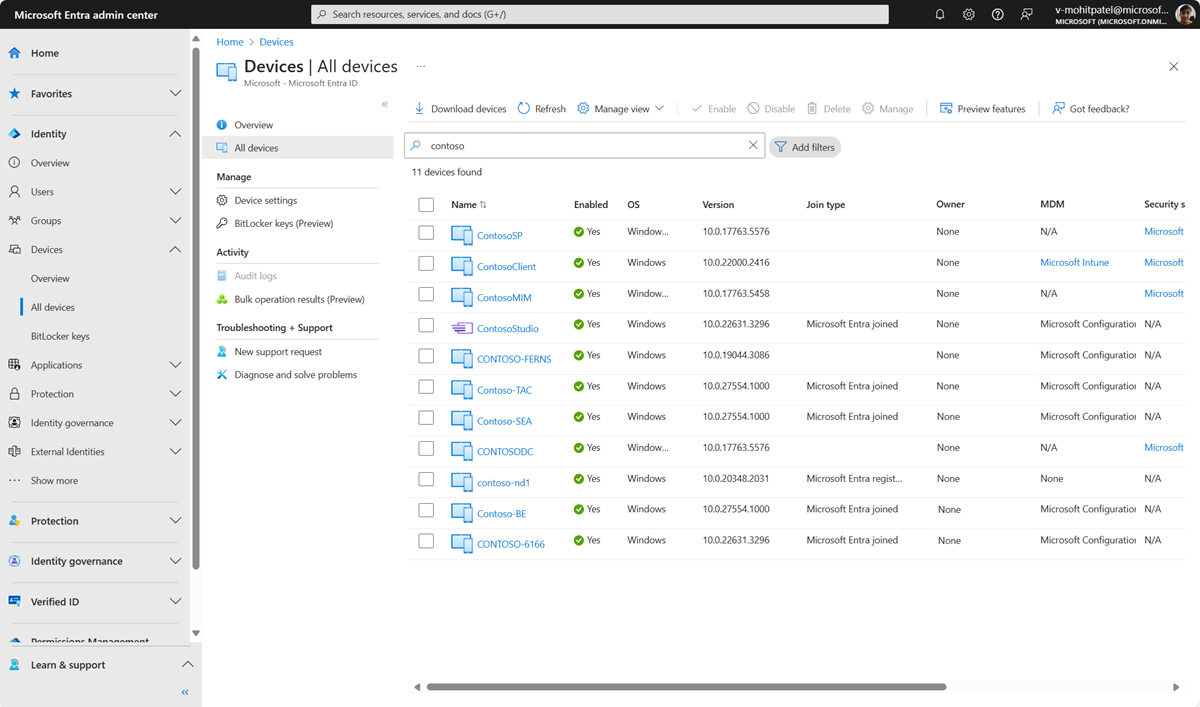
Microsoft Entra ID, formerly Azure Active Directory, is a cloud identity and access management solution that secures access to applications and resources using a zero trust approach. It provides single sign-on, multi-factor authentication, passwordless authentication, and self-service portals. Conditional Access applies adaptive, risk-based policies to each access attempt, and Identity Protection uses machine learning to detect and block identity compromise. Privileged Identity Management enables just-in-time, least-privilege access to resources.
Key features include:
- Single sign-on: Connects users to cloud and on-premises apps from any device.
- Strong authentication: Provides MFA and passwordless, phishing-resistant sign-in.
- Conditional Access: Enforces adaptive access policies based on risk and context.
- Identity Protection: Uses machine learning to detect and block identity takeover.
- Privileged Identity Management: Enables just-in-time, least-privilege access to sensitive resources.
- Hybrid identity management: Centralizes identities across cloud and on-premises directories.
Limitations (as reported by users on G2):
- Day-to-day complexity: Common tasks can require many clicks and moving across multiple admin portals.
- Tiered features: Advanced protection such as Identity Protection sits in higher-priced plans.
- Renaming confusion: Product renaming and rebranding can slow troubleshooting.
- Conditional Access troubleshooting: Diagnosing Conditional Access issues can be slow, and legacy or hybrid migrations can be tricky.

Source: Microsoft
11. Okta

Best for: Workforce identity with SSO and adaptive MFA
Strengths: Phishing-resistant FastPass and lifecycle automation
Things to consider: Advanced features can be costly at scale
Okta Workforce Identity secures access for employees and partners through single sign-on and Adaptive MFA that adjusts requirements based on risk signals. Its FastPass provides phishing-resistant authentication with support for FIDO2, PIV, and CAC. Universal Directory centralizes identities, and Lifecycle Management automates joiner, mover, and leaver processes. Identity Governance handles access reviews.
Key features include:
- Single sign-on: Gives users one secure login across connected applications.
- Adaptive MFA: Adjusts authentication requirements based on risk signals such as location and device.
- FastPass: Provides phishing-resistant authentication with FIDO2, PIV, and CAC support.
- Universal Directory: Centralizes user identities and profiles across sources.
- Lifecycle Management: Automates provisioning and deprovisioning for joiners, movers, and leavers.
- Identity Governance: Runs access reviews and enforces access policies.
Limitations (as reported by users on G2):
- Cost at scale: Advanced features such as adaptive MFA and workflows can be expensive at scale.
- Setup complexity: Initial configuration can be complex for first-time admins.
- Frequent prompts: Repeated authentication prompts can feel tedious to users.
- Visibility and integrations: Native visibility is limited, and custom or legacy integrations can take extra effort.

Source: Okta

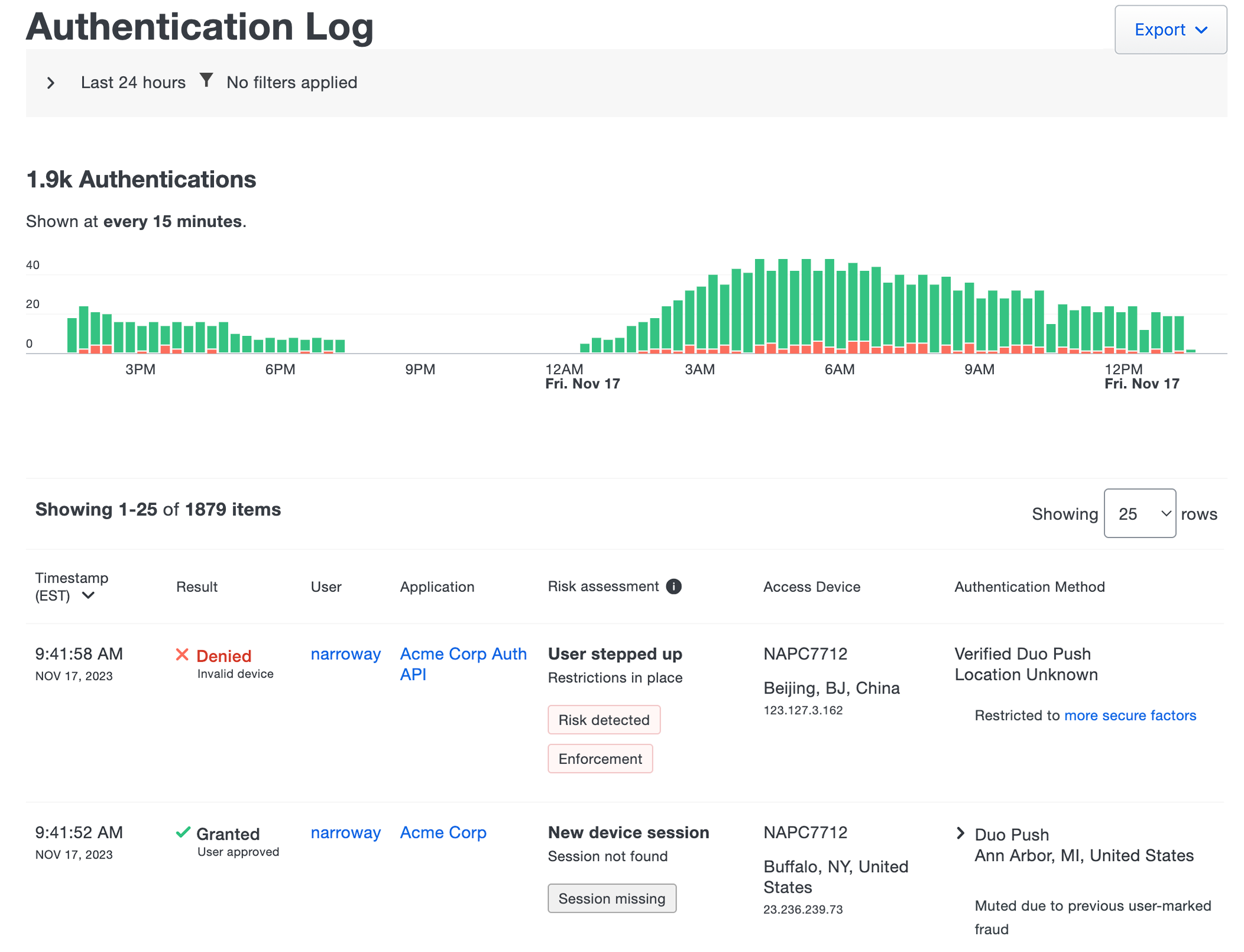
12. Cisco Duo

Best for: MFA and access management centered on identity security
Strengths: Phishing-resistant MFA, SSO, and device trust checks
Things to consider: Push relies on connectivity and can be delayed
Cisco Duo is an identity and access management product built around multi-factor authentication, single sign-on, and device trust. It provides Duo Directory, passwordless and phishing-resistant authentication, and Duo Passport for simplified access. Device Trust checks the security posture of devices before granting access, and adaptive, risk-based policies adjust requirements to context.
Key features include:
- Multi-factor authentication: Provides MFA with phishing-resistant and passwordless options.
- Single sign-on: Gives users one login across applications with Duo SSO.
- Device Trust: Checks device posture before allowing access.
- Duo Directory and Passport: Manages users and simplifies repeated sign-ins.
- Adaptive policies: Adjusts access requirements based on risk and context.
- Identity Intelligence: Adds identity threat detection, response, and posture management.
Limitations (as reported by users on G2):
- Connectivity dependence: Push authentication relies on internet access and can fail during outages.
- Notification delays: Push notifications are sometimes delayed.
- Offline setup: Online and offline code setup and time synchronization can be confusing.
- Tiered features and cost: Detailed reporting sits in higher-priced editions, and cost can be high for small teams.

Source: Cisco
13. BeyondTrust

Best for: Vaulting and controlling privileged credentials and sessions
Strengths: Credential rotation, session monitoring, and JIT access
Things to consider: Setup and deployment can be complex
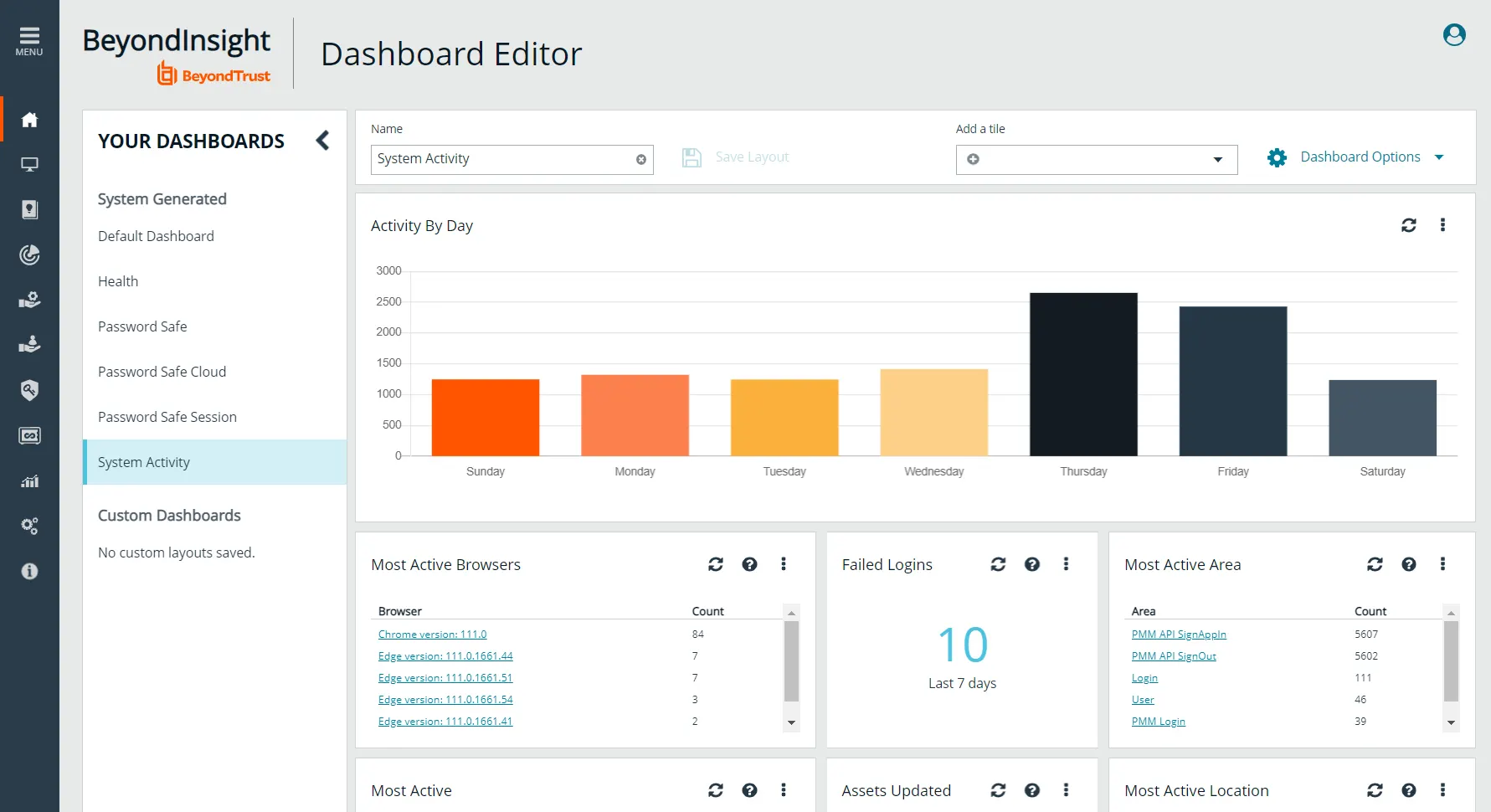
BeyondTrust Password Safe, part of its privileged access management portfolio, secures privileged accounts by discovering, storing, rotating, and controlling access to credentials and secrets. It combines privileged password management with session management and monitoring. It discovers human, machine, and privileged accounts, vaults and rotates credentials, and injects them so users do not see passwords.
Key features include:
- Credential vaulting and rotation: Stores and automatically rotates privileged passwords and secrets.
- Privileged account discovery: Discovers human, machine, and privileged accounts across the estate.
- Session monitoring and recording: Records and monitors privileged sessions for auditing.
- Just-in-time access: Grants temporary, least-privilege access with zero standing privileges.
- Credential injection: Injects credentials so users can connect without seeing passwords.
- Endpoint privilege management: Extends least-privilege controls to endpoints.
Limitations (as reported by users on G2):
- Setup complexity: Initial setup and configuration can be complex, especially with multiple integrations.
- Learning curve: Users report a steep learning curve during onboarding and customization.
- Deployment requirements: Deployment can require setting up a separate database, adding to deployment time.
- Interface and cost: Reporting and interface responsiveness could improve, and pricing can be high for small businesses.

Source: BeyondTrust
14. Ping Identity

Best for: Identity platform spanning workforce, customer, and B2B
Strengths: SSO, adaptive MFA, and no-code identity orchestration
Things to consider: Configuration can be technical for complex setups
The Ping Identity Platform manages identity across workforce, customer, B2B, and AI agent use cases. It provides single sign-on, adaptive authentication, MFA and passwordless, and authorization, along with just-in-time privileged access. It includes identity verification and verifiable credentials, lifecycle management, a directory, and governance features such as access requests, access reviews, and segregation of duties.
Key features include:
- Single sign-on and MFA: Provides SSO with adaptive MFA and passwordless authentication.
- No-code orchestration: Builds identity workflows with a drag-and-drop interface.
- Lifecycle management: Automates onboarding, offboarding, and user profile management.
- Governance controls: Handles access requests, access reviews, and segregation of duties.
- Identity verification: Issues verifiable credentials and confirms identity in real time.
- Flexible deployment: Runs as multi-tenant SaaS, dedicated-tenant SaaS, or self-managed software.
Limitations (as reported by users on G2):
- Documentation clarity: Documentation can lack clarity and be hard to search.
- Setup for complex environments: Configuring adaptive authentication and complex setups can be technical.
- Interface changes: Frequent interface changes can be confusing to adjust to.
- Deployment constraints: Some components are cloud-only, which can conflict with strict on-premises policies.

Source: Ping Identity
Conclusion
Zero trust is not a single product but a security strategy that combines identity, device, application, network, and data protection into a unified access model. The right solution depends on an organization’s infrastructure, risk profile, and security priorities, whether the focus is securing remote access, preventing lateral movement, protecting privileged accounts, or enforcing least-privilege access across hybrid environments. Implementing zero trust as a phased program, supported by continuous monitoring and policy refinement, helps organizations reduce risk, improve visibility, and adapt their security posture as users, applications, and threats evolve.